
After nearly two decades at the forefront of web design and front-end development education, CSS-Tricks has officially rolled out its major architectural and visual update: Theme Version 20. Representing the first comprehensive version bump in five years—an eternity in the volatile and rapidly evolving digital ecosystem—v20 moves away from the concept of the disruptive, monolithic website redesign. Instead, it champions an iterative, highly calculated rollup that addresses technical debt, modernizes asset delivery, improves accessibility, and introduces a suite of subtle aesthetic upgrades.
While casual visitors might initially look at the homepage and note that “things don’t look thaaaat different,” a deeper inspection of the underlying codebase reveals a massive transformation. Over the course of a multi-week sprint, the engineering effort targeted the ghosts of legacy plugins, extraneous JavaScript, bloated databases, and fragmented stylesheets. The result is a lighter, faster, significantly more secure, and visually cohesive platform that marries time-tested front-end methodologies with bleeding-edge web features like native CSS shape() and view transitions.
This report provides an exhaustive, journalistic breakdown of the CSS-Tricks v20 release, analyzing its structural excavation, security overhauls, design system implementation, performance metrics, and the broader implications for the web development community.

Detailed Chronology: From Legacy Debt to Modern Architecture
To understand the magnitude of version 20, one must first examine the historical baggage accumulated by CSS-Tricks over its 19-year lifespan. Maintaining a legacy web property of this scale is akin to performing open-heart surgery on a running locomotive. Features are added, abandoned, patched, and built over successive eras of the web, leaving behind digital sediment that degrades performance and developer ergonomics.
Excavating Ghosts: Eliminating Dead Code and Bloat
The primary directive of the v20 initiative was what the maintainers aptly termed "excavating ghosts." Across nearly two decades, the theme had accumulated architectural remnants from obsolete web development eras.
Among the earliest casualties of the cleanup was the global compiled JavaScript file. For years, the asset carried vestigial scripts that served zero purpose in the modern infrastructure. This included legacy handlers for embedded newsletter scripts dating back to an era before the site self-hosted its posts. Also excised were specialized Flexbox Guide toggle scripts—relics from a time before the widespread browser adoption of the native HTML <details> element—alongside an aging jQuery lazy-loader rendered redundant by modern WordPress core functionality, and third-party advertising scripts left over from previous monetization models.
By systematically rooting out these unused scripts, the overall JavaScript footprint was trimmed from a hefty 151.6 KB (55.3 KB gzipped) down to 133.8 KB (48.1 KB).
Simultaneously, a definitive stake was driven into the heart of the CSS-Tricks Forum. Originally placed into "archive mode" around 2018, the forum’s decade-old discussions offered negligible contemporary value compared to the modern article and almanac databases. By deactivating the bbPress plugin and executing a thorough database purge, the site administrators reclaimed a staggering 400 megabytes of database storage while successfully stripping out multiple custom templates that had bloated the theme directory.
Modernizing the Development Workflow
Equally important to the front-end output was the modernization of the back-end development pipeline. For years, the site relied on a fixed, static Gulp workflow that, while functional, represented a stagnant development environment. Firing up a new terminal window was routinely greeted by a predictable sequence of deprecation warnings and errors.
With v20, the build pipeline was overhauled. While maintaining familiar build tools, the workflow was purged of persistent terminal errors, resulting in a drastically cleaner, faster development loop that significantly reduces friction for future code updates.
The Holistic Security Pass
Security maintenance is rarely cited as a front-end developer’s favorite pastime, yet it is non-negotiable for a high-traffic publication. Alongside manual audits that uncovered and patched unescaped custom field calls, the team leveraged advanced artificial intelligence as a technical assistant.
By prompting an AI model (Claude) to cross-reference recent WordPress security release notes against the theme’s existing codebase, the maintainers executed a holistic security audit. The AI acted as a digital gopher, flagging potential hardening vulnerabilities and aligning the theme with modern WordPress security best practices. Crucially, human oversight remained paramount: the developer retained full editorial control over the final patches, using AI output as a high-speed gut-check for complex backend domains where front-end specialists rarely claim native expertise.
Supporting Context & Metrics: Under the Hood of Version 20
A redesign of this magnitude must ultimately justify itself through measurable performance gains, structural organization, and user experience enhancements. The CSS-Tricks v20 rollout excelled particularly in optimizing asset delivery and enforcing design consistency.
The Sass Rewrite and Structural Organization
Despite the industry-wide philosophical push toward vanilla, framework-free CSS, CSS-Tricks retained its allegiance to Sass, specifically citing the irreplaceable utility of partial directories for code organization.
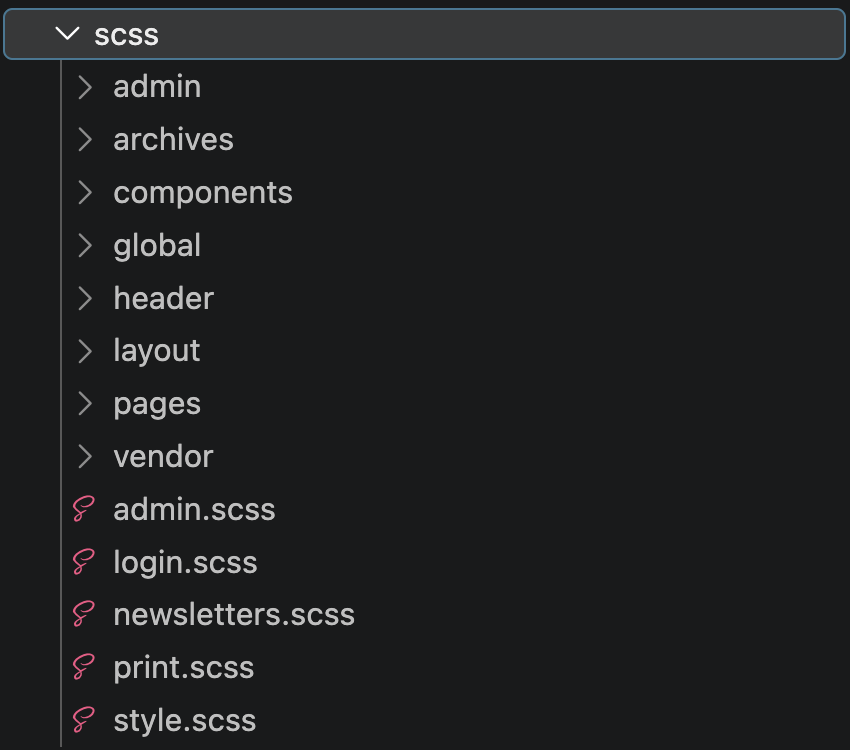
The previous theme utilized a relatively "flat" CSS structure with minimal sub-directories, grouping most source files at the top level. For v20, this was restructured into an organized, component-driven architecture. While minor compromises had to be made—such as placing /header outside of /layout due to strict cascade ordering requirements—the resulting codebase is vastly more maintainable.

To achieve optimal performance, form styles were intentionally decoupled from the global stylesheet. A dedicated forms.css file is now conditionally enqueued exclusively on pages where heavy form plugins (such as WooCommerce, Restrict Content Pro, and Gravity Forms) are actively loaded. This tactical maneuver helped reduce the overall CSS footprint from 180 KB (31.7 KB gzipped) down to 169 KB (24.6 KB).
Establishing a Cohesive Design System
Because CSS-Tricks is a sprawling digital encyclopedia, achieving visual and structural consistency has historically been an uphill battle. Version 20 introduces semantic design tokens that abstract away one-off, magical-number styling and chaotic color palettes (particularly an overabundance of disparate gray shades).
This tokenization extends across typography, font sizes, margins, and padding, allowing developers to execute system-wide updates with absolute confidence. Furthermore, this design system birthed highly visible improvements:
- Standardized Link Styles: Links across the entire site now adhere to consistent visual variations, drastically improving accessibility by ensuring visual cues do not rely solely on precarious color or opacity shifts.
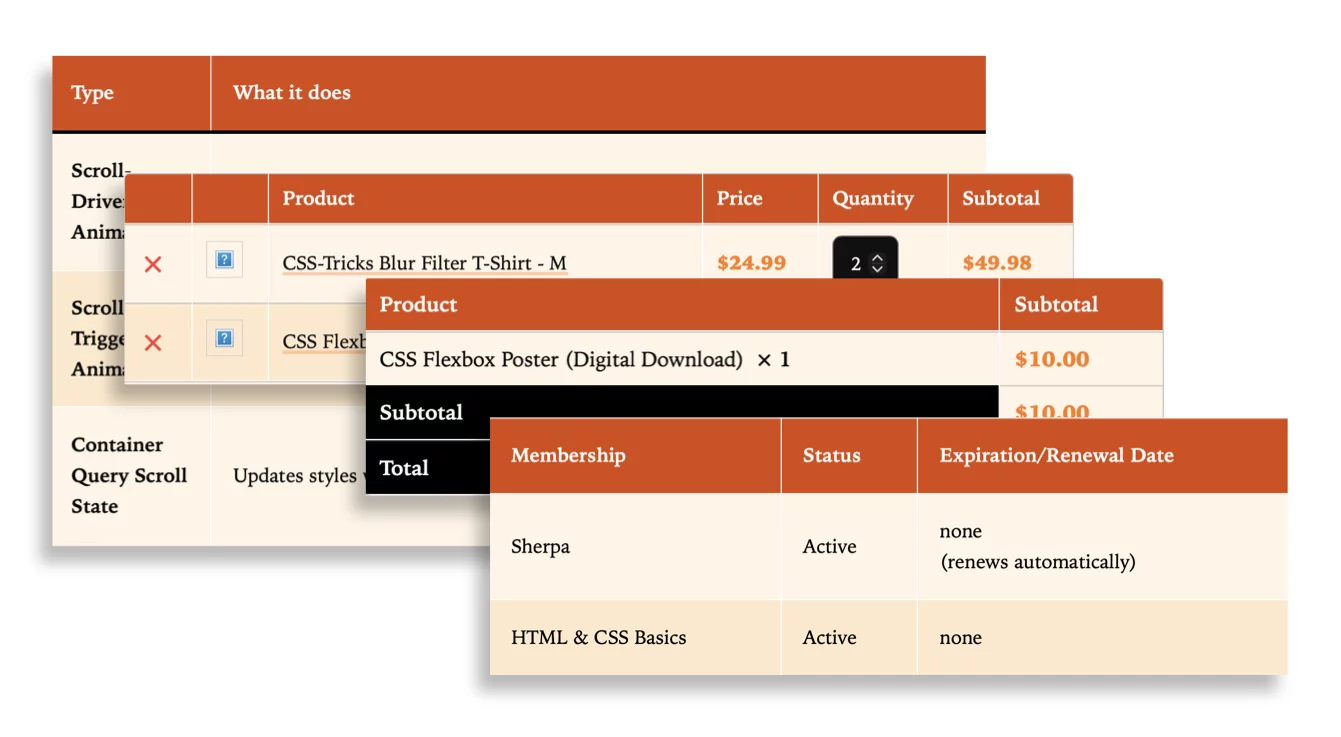
- Form and Table Harmonization: Resetting and unifying form and table components across disparate WordPress plugins (Gravity Forms, WooCommerce, etc.) successfully brought visual harmony to areas of the site that traditionally suffered from stylesheet fragmentation.
Lighthouse Metrics and Performance Audit
To evaluate the empirical impact of version 20, the team turned to Google Lighthouse. While industry experts frequently debate the limits and pitfalls of chasing perfect Lighthouse scores, the metrics offer a reliable baseline for comparative analysis between the v19 legacy theme and the new v20 architecture.
Lighthouse Scores Comparison
| Category | v19 Score | v20 Score |
|---|---|---|
| Performance | 71 | 72 |
| Accessibility | 86 | 91 |
| Best Practices | 75 | 100 |
| SEO | 92 | 90 |
The scores highlight notable gains in Accessibility (jumping from 86 to 91) and a maximum score of 100 in Best Practices.
More telling are the underlying core Web Vitals and performance metrics:
Lighthouse Metrics Comparison
| Metric | v19 | v20 |
|---|---|---|
| Largest Contentful Paint (LCP) | 8.5s | 7.2s |
| Cumulative Layout Shift (CLS) | 0.032 | 0 |
| Total Blocking Time (TBT) | 10ms | 13ms |
| First Contentful Paint (FCP) | 2.6s | 2.5s |
| Speed Index | 3.2s | 3.5s |
| Time to Interactive | 8.6s | 4.0s |
| Total Page Weight | 2.03 MB | 1.24 MB |
The headline achievement here is the dramatic reduction in Total Page Weight, which plummeted from 2.03 MB down to 1.24 MB. Additionally, Time to Interactive was more than halved (dropping from 8.6s to 4.0s), and Cumulative Layout Shift (CLS) was driven down to a pristine 0.
Official Statements & Visual Innovations: Aesthetics Meet Cutting-Edge CSS
Beyond the invisible plumbing of code optimization, version 20 introduces striking aesthetic features that showcase the current capabilities of modern CSS.
The First-Ever Theme Toggle
Remarkably, despite operating for nearly two decades, CSS-Tricks had never featured a native light/dark color scheme toggle. Recognizing that the site’s design had naturally leaned dark while content sat against a stark white container, the maintainers built a creamy, highly readable light theme.
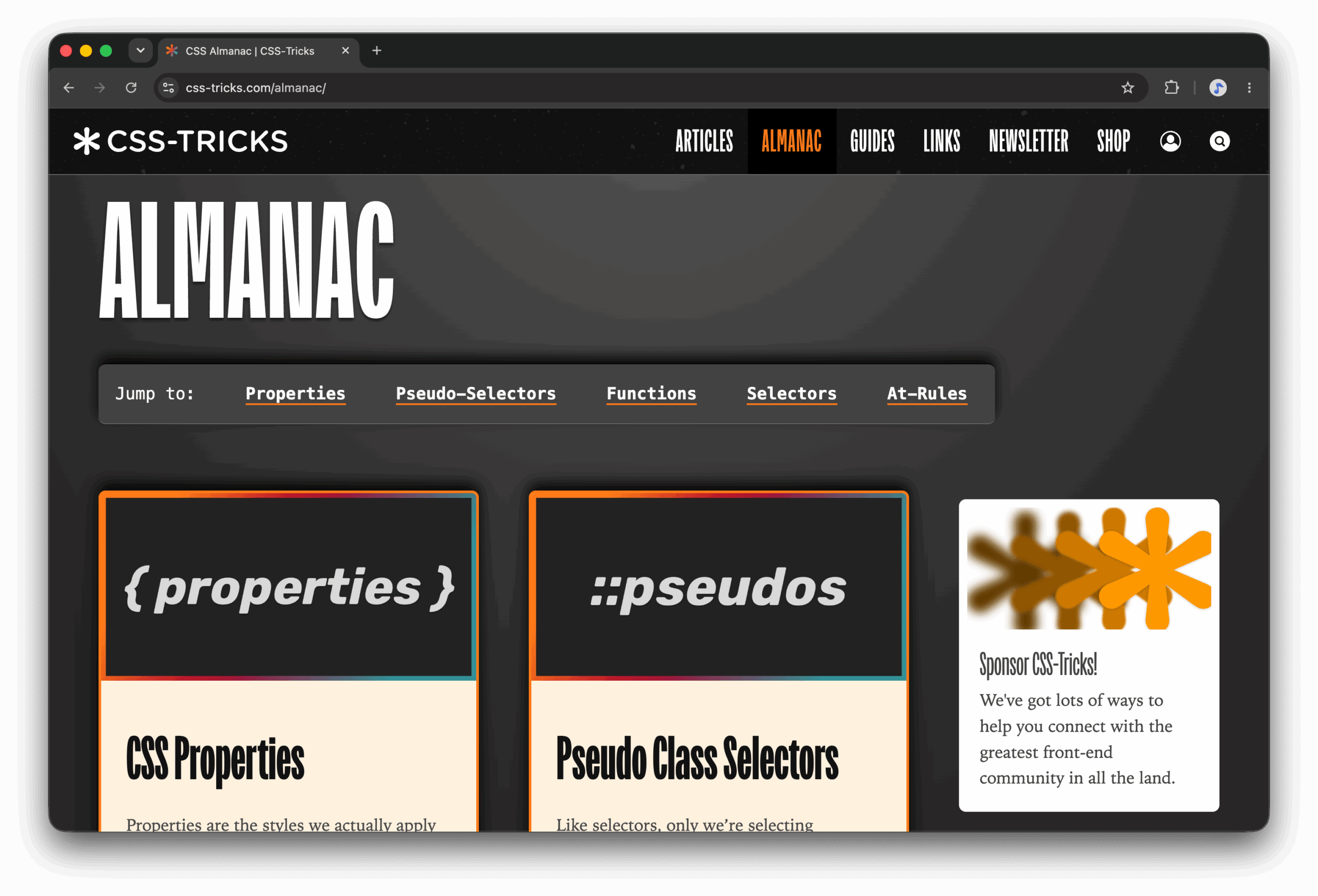
Rather than executing a jarring layout shift, the toggle leverages a single-state paradigm capable of handling system preferences, dark mode, and light mode simultaneously. Crucially, this state change is wired directly into the browser’s native View Transitions API, producing a smooth, sliding animation as the new theme seamlessly overlays the previous one.
The "Jawbreaker" Texture and SVG Engineering
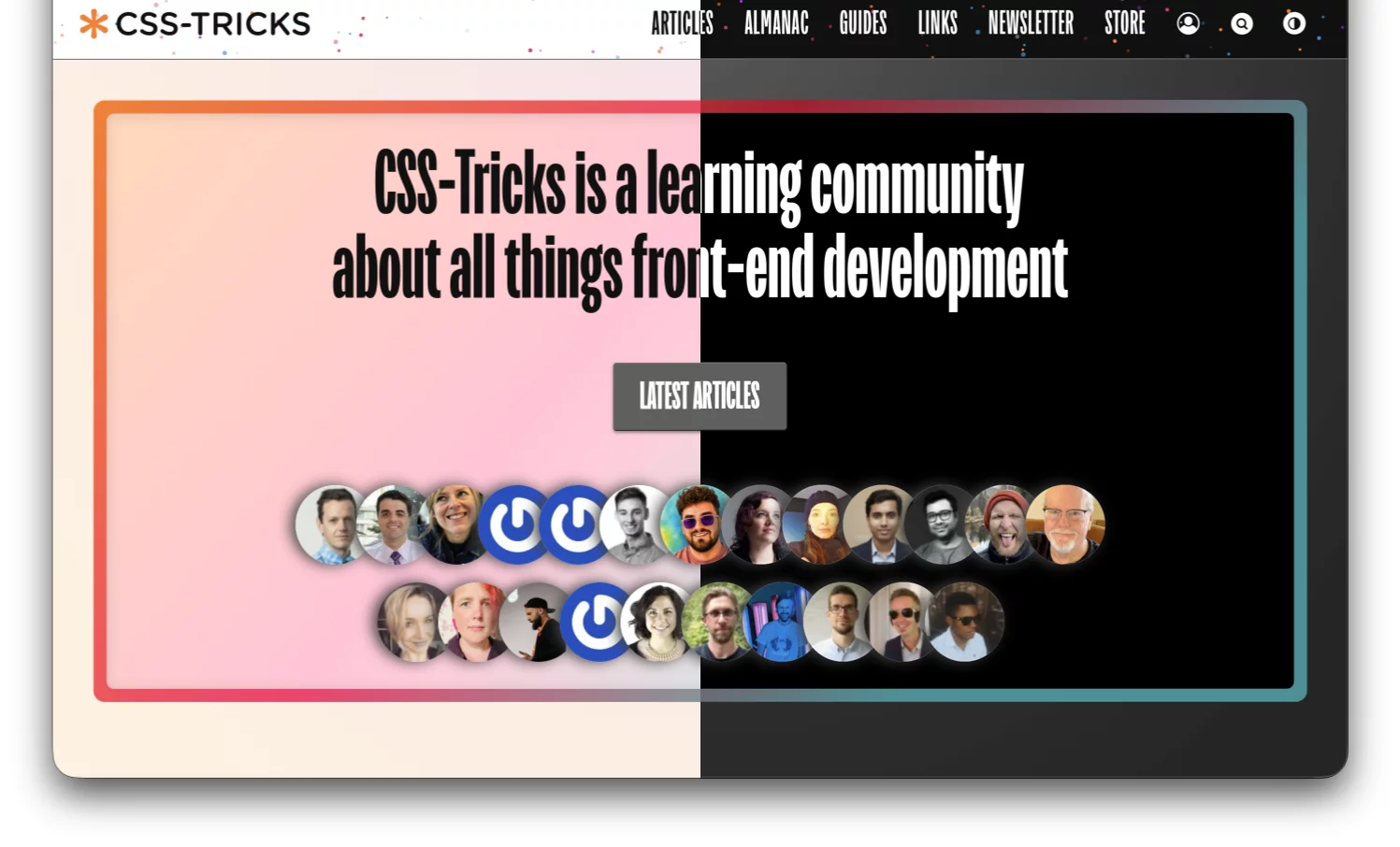
To inject a playful visual personality into the site’s header and footer, the team developed a colorful, twinkling background pattern dubbed the "Jawbreaker" texture—an homage to the childhood candy.
Because utilizing a randomized generation script purely in CSS would have required bloating the markup with hundreds of empty elements (<i> tags), the team opted to generate <circle> elements dynamically via a custom PHP function:
<?php echo csstricks_jawbreaker_svg( array(
  'count'    => 90,
  'seed'     => mt_rand(),
  'size_min' => 2,
  'size_max' => 5,
) ); ?>
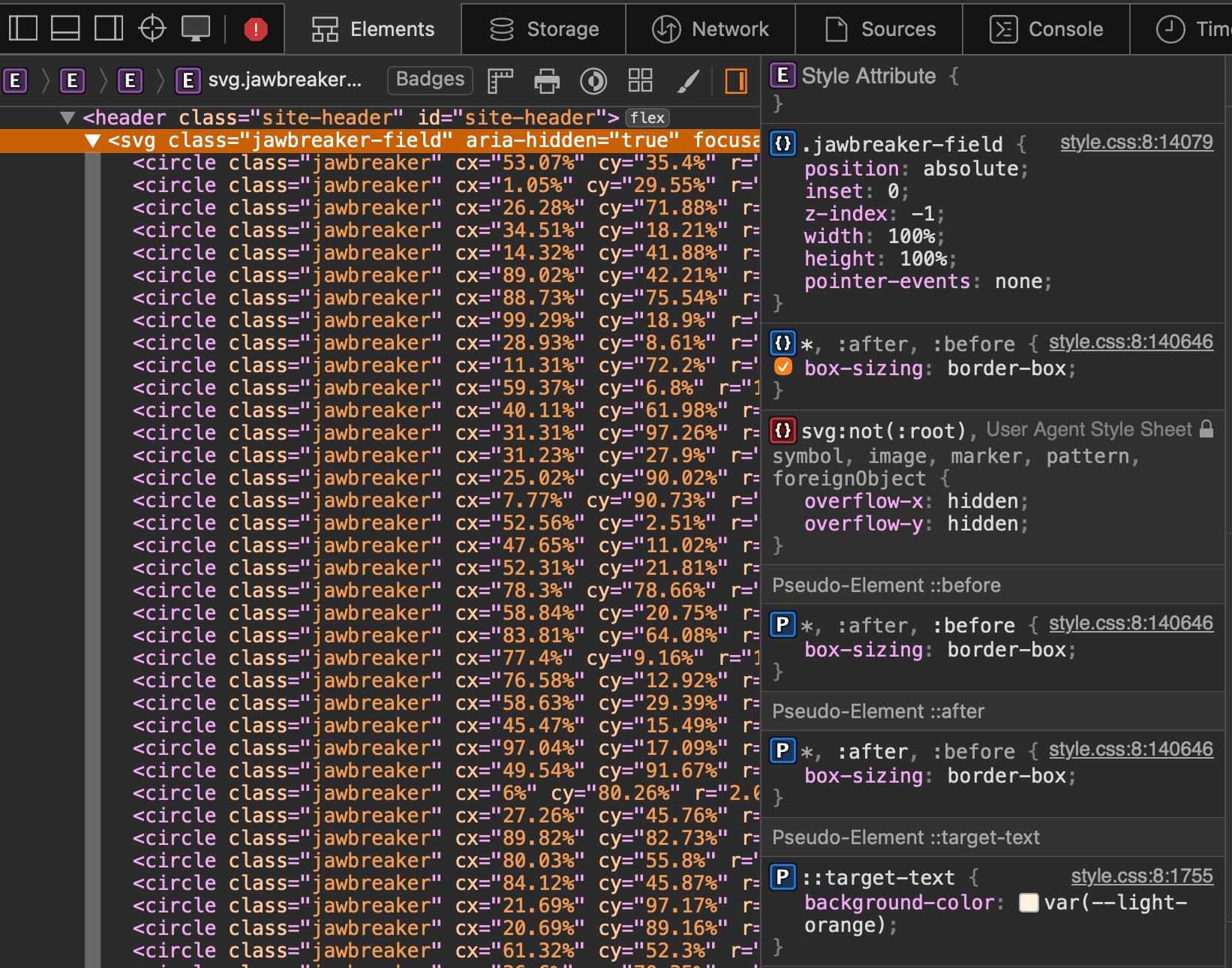
Each generated circle receives inlined coordinates, fill attributes, and custom CSS variables (--delay and --dur) that drive a subtle, twinkling CSS animation. This same graphic language is carried over to the redesigned 404 error page, replacing legacy raster imagery with clean, scalable vector graphics.
Blobby Cards via shape() and random()
For users browsing on modern Chromium-based browsers supporting advanced CSS features like border-shape and random(), the homepage introduces an interactive visual delight: organic, morphing background blobs behind the author avatar grid.
The implementation relies on a sophisticated sandwich of pseudo-elements. A .gradient-card class applies a vibrant linear gradient on its :before pseudo-element, positioned beneath a translucent :after pseudo-element. Differing border-radius values create the illusion of a glowing outer border.
When modern CSS shape() functions and runtime random() values are applied, the shapes transform dynamically upon hover or focus:
.gradient-card
  &:before, &:after
    border: 1px solid transparent;
    border-shape: var(--blob-shape-static);
    clip-path: var(--blob-shape-static);
    opacity: 0.5;


  &:hover, &:focus-within
    &:before, &:after
      border-shape: var(--blob-shape-hover);
      clip-path: var(--blob-shape-hover);

      @media (prefers-reduced-motion: no-preference)
        animation: scale-down 1.5s var(--ease-out-3) infinite alternate;
Because the shape coordinates map directly to random() values generated on each page load, the hover state is entirely unique every time a user visits the site.
Comprehensive Index Redesigns
Key educational hubs across the site received long-overdue architectural facelifts:
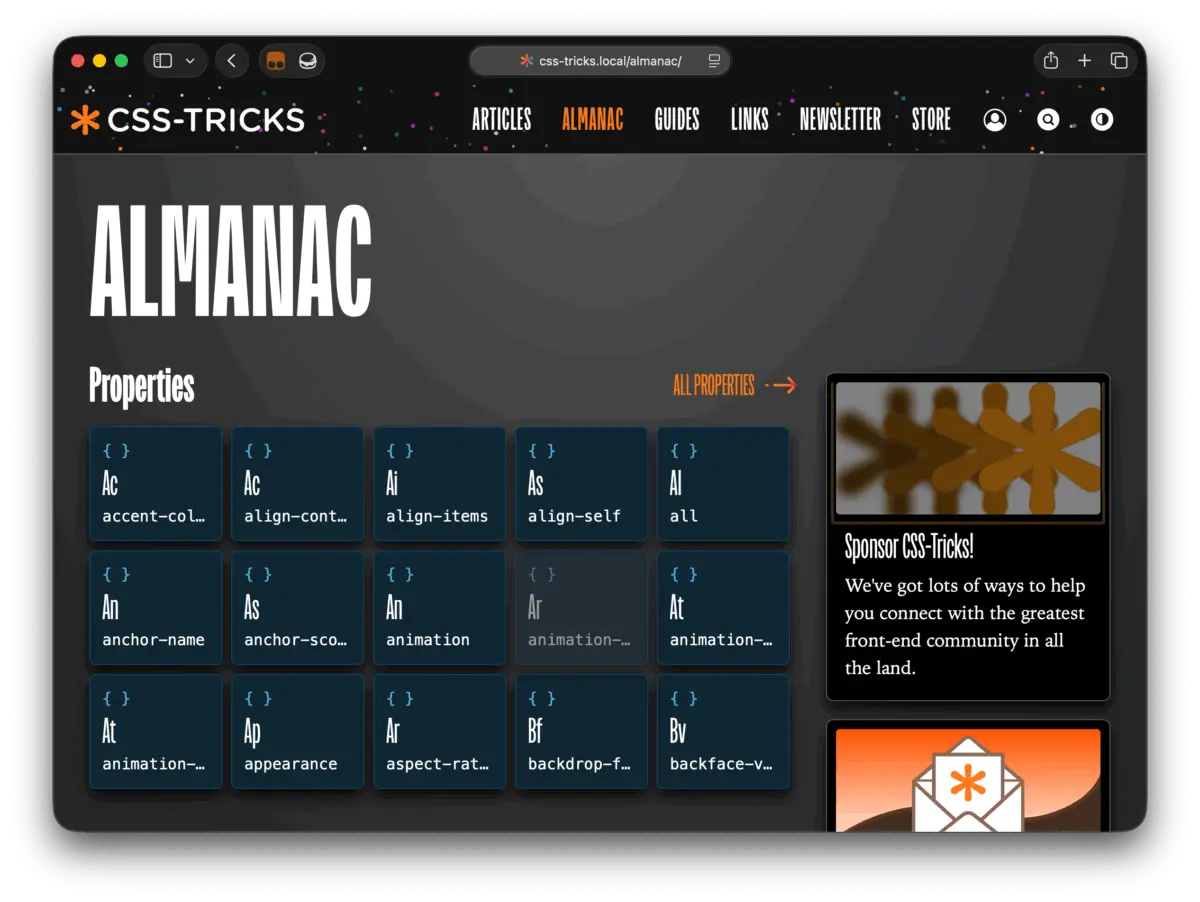
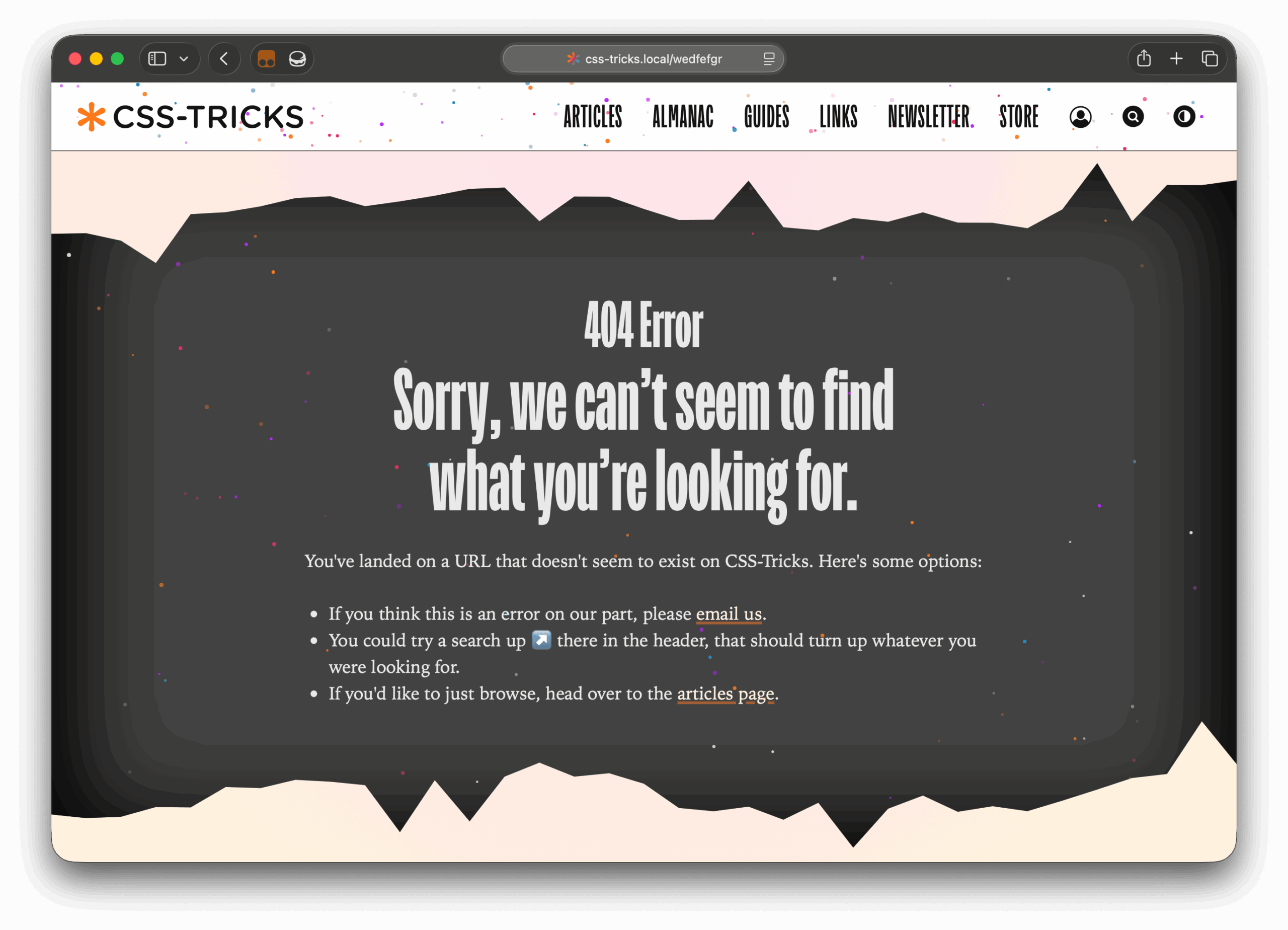
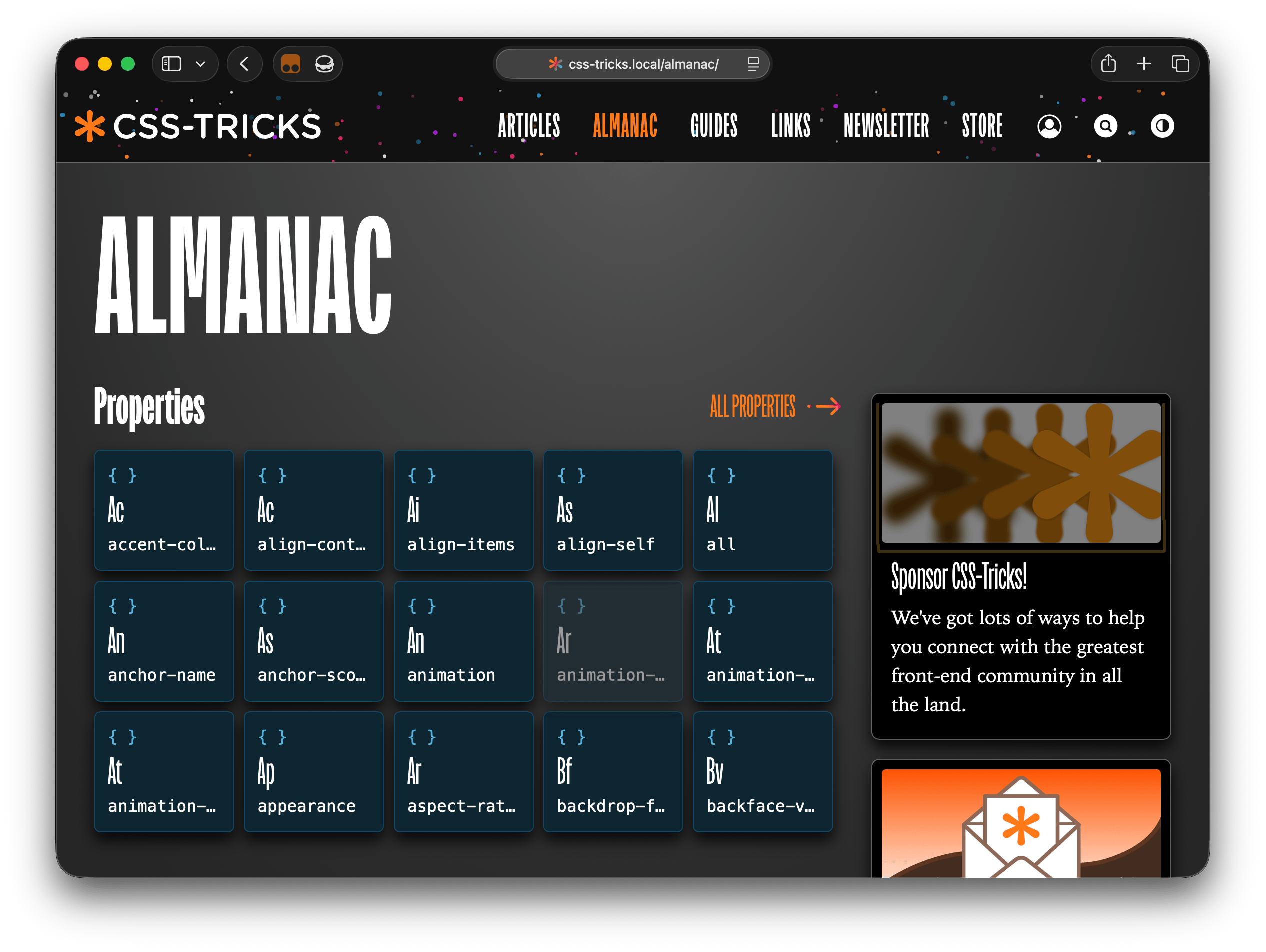
- The Almanac Index: Transforming a previously uninspired landing page, the new Almanac index acts as a true periodic table of CSS features, offering rapid, intuitive navigation to individual properties and selectors.
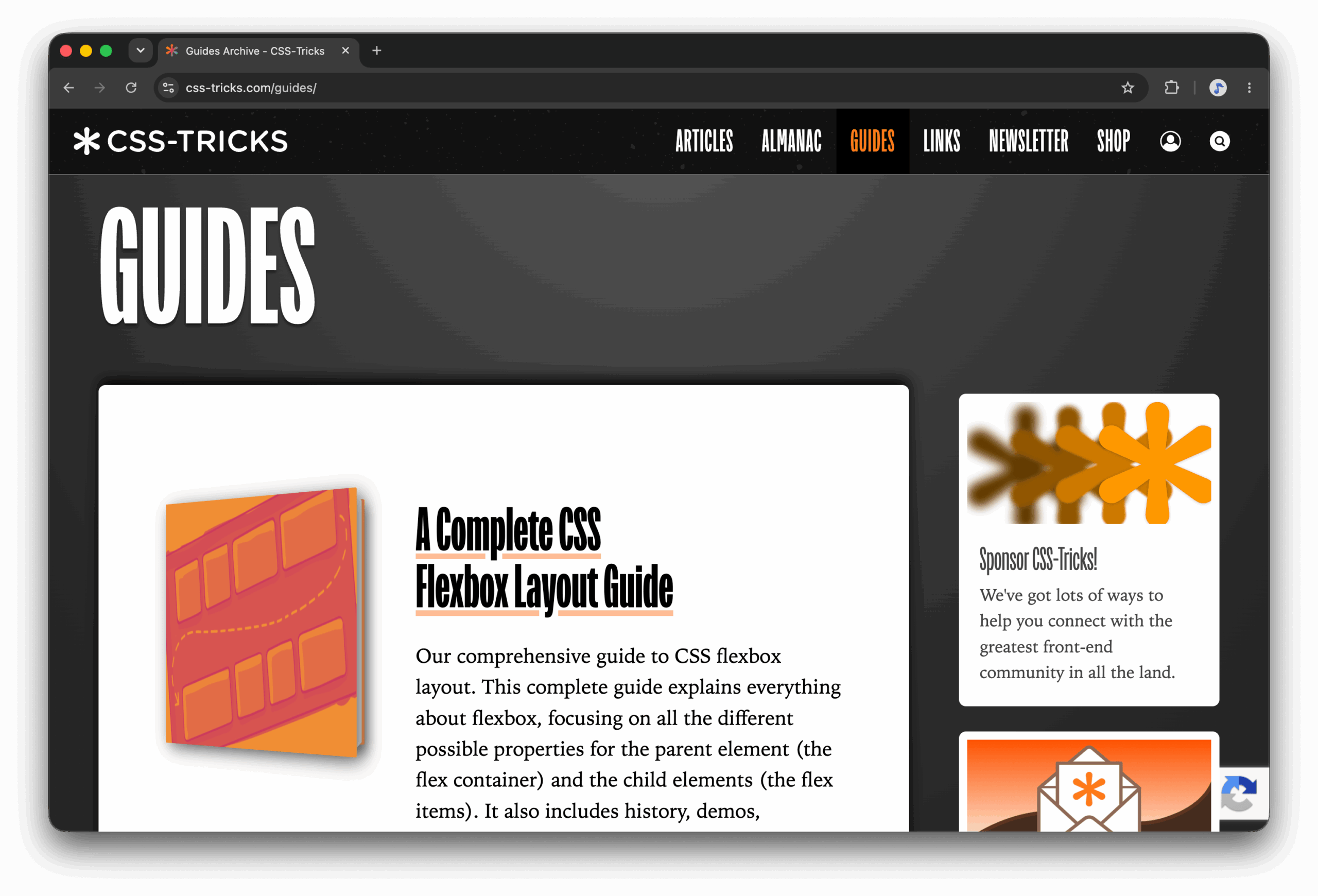
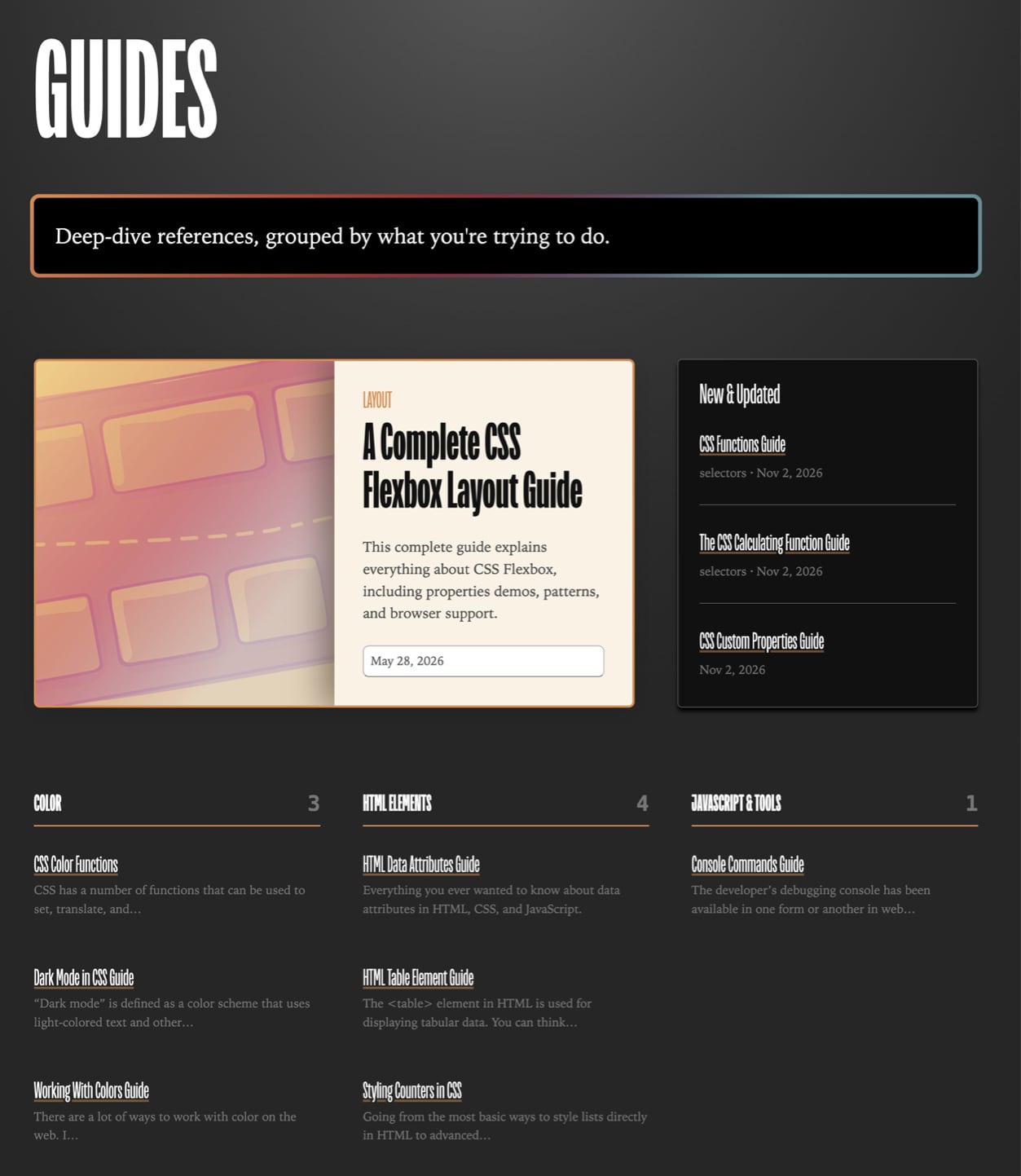
- The Guides Index: Abandoning the literal "book stack" vertical layout that forced endless scrolling, the new guides index introduces a featured guide hero, a dedicated widget for newly added and updated material, and a cleanly categorized grid system.
- Author Pages and WordPress Admin Styles: Author profile pages were reorganized by shifting sidebars and author bios to prioritize published articles. Furthermore, front-end typography and styling rules were injected directly into the WordPress Gutenberg editing UI, giving content creators a precise WYSIWYG preview of their work.
Future Outlook: The Iterative Road Ahead
The rollout of CSS-Tricks Version 20 serves as a masterclass in how legacy digital properties should approach modernization. By rejecting the siren song of complete, high-risk rewrites in favor of a disciplined, iterative rollup, the platform has successfully shed hundreds of megabytes of technical debt, slashed page weights by nearly half, and drastically boosted accessibility and best-practice compliance.
Yet, the maintainers are quick to emphasize that the work is far from finished. Future items on the development roadmap include transitioning the Sass architecture toward native Cascade Layers, refining the behavior of the content container during theme toggling, and redesigning the broader global Authors index.
In an industry obsessed with throwing away old code to build from scratch, CSS-Tricks Version 20 proves that patient, methodical excavation and thoughtful engineering can breathe new life into a digital institution—securing its legacy for the next generation of web developers.