Executive Overview
In the modern software engineering landscape, developers are frequently bogged down by the sheer weight of their own toolchains. Before a single line of logic can be tested, professionals and hobbyists alike often navigate a labyrinthine setup process: initializing complex directory structures, configuring build systems, managing dependencies, and wrestling with IDE configurations that demand significant system resources.
Enter Notepad.exe—a striking departure from traditional integrated development environments (IDEs). Featured prominently in this week’s Indie App Spotlight, Notepad.exe rejects the premise that writing code must begin with project architecture. Instead, it champions an instant-on philosophy: open a blank file, write your script, execute it immediately, and worry about structural organization later.
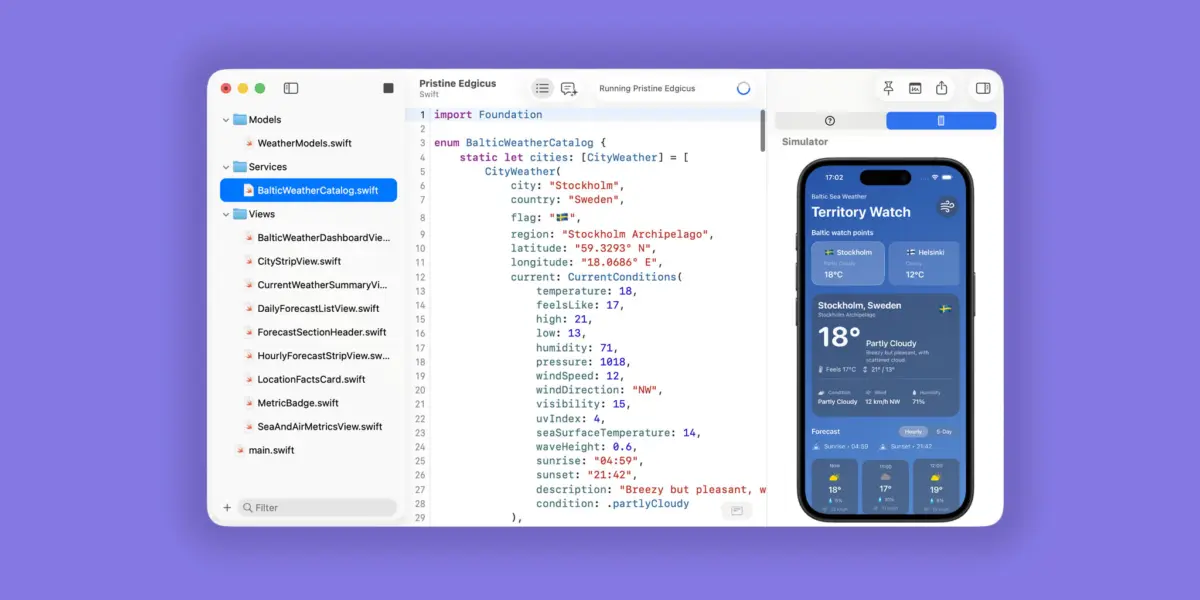
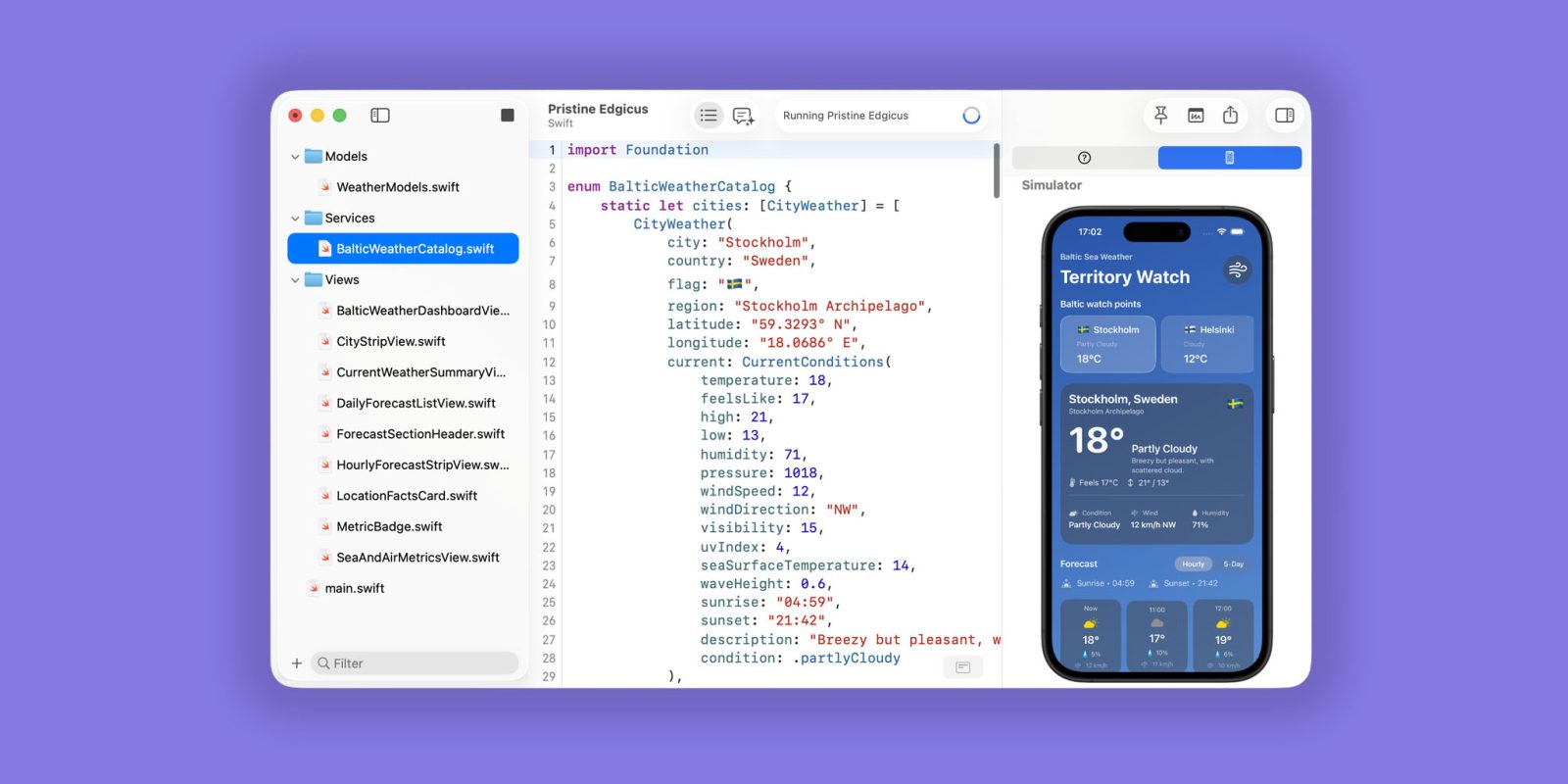
Designed with a sleek, native-feeling user interface reminiscent of Xcode but stripped of enterprise-level bloat, Notepad.exe bridges the gap between quick-scratchpad text editors and fully fledged development environments. It supports multiple languages natively, integrates agentic AI coding assistants, and even embeds iOS simulators directly into the workspace. This comprehensive review explores how Notepad.exe is carving out a vital niche for developers seeking speed, minimalism, and frictionless creativity.
Detailed Chronology: The Evolution of Scratchpad-to-Project Workflows
To understand the value proposition of Notepad.exe, one must examine the evolution of developer environments and the friction points that have accumulated over decades of software tooling.

The Era of Simple Text Editors
In the early days of programming, developers relied on ultra-lightweight utilities—such as the original Windows Notepad, Vim, or Emacs—to quickly jot down scripts or inspect configuration files. These tools had virtually zero startup overhead. However, as languages evolved and runtimes became more complex, these basic editors fell short. They lacked syntax highlighting, out-of-the-box execution pipelines, and intelligent debugging features, forcing developers to migrate toward massive, resource-heavy IDEs.
The Rise of Bloated IDEs
Over the last fifteen years, IDEs like Xcode, Android Studio, and Visual Studio have transformed into monolithic powerhouses. While indispensable for compiling massive, multi-module enterprise applications, these environments introduced an unwelcome side effect: severe administrative overhead. To test a simple 10-line algorithm or prototype a single function, a developer often has to:
- Launch a heavy application shell.
- Create a new workspace or project bundle.
- Configure build targets, provisioning profiles, or compiler flags.
- Wait for indexing and initial builds to complete.
This friction discourages spontaneous experimentation. It introduces a psychological barrier between having an idea and testing it.
The Inception of Notepad.exe
Recognizing this developer fatigue, the creators of Notepad.exe sought to reclaim the lightweight responsiveness of early text editors while integrating modern runtime execution. By inverting the traditional workflow—putting the blank file before the project structure—Notepad.exe established a new category of utility software.
Rather than forcing developers to adapt their ideas to a rigid project framework, the app adapts to the developer’s immediate intent. Whether running a quick Python data-cleaning script, testing a JavaScript utility function, or prototyping a SwiftUI component, Notepad.exe ensures that the journey from conception to execution takes seconds rather than minutes.
Supporting Context & Metrics: Under the Hood of Notepad.exe
Notepad.exe is not merely a text editor with syntax coloring; it is a meticulously engineered environment tailored for speed and efficiency. Below is an exhaustive breakdown of its core features, technical architecture, and pricing tiers.
Core Highlights and Technical Capabilities
- Native-Feeling User Interface: Built natively for macOS, the app mirrors the aesthetic and ergonomic flow of Apple’s developer ecosystem. It feels remarkably familiar to Xcode users, yet its stripped-down architecture ensures lightning-fast startup times and negligible RAM consumption.
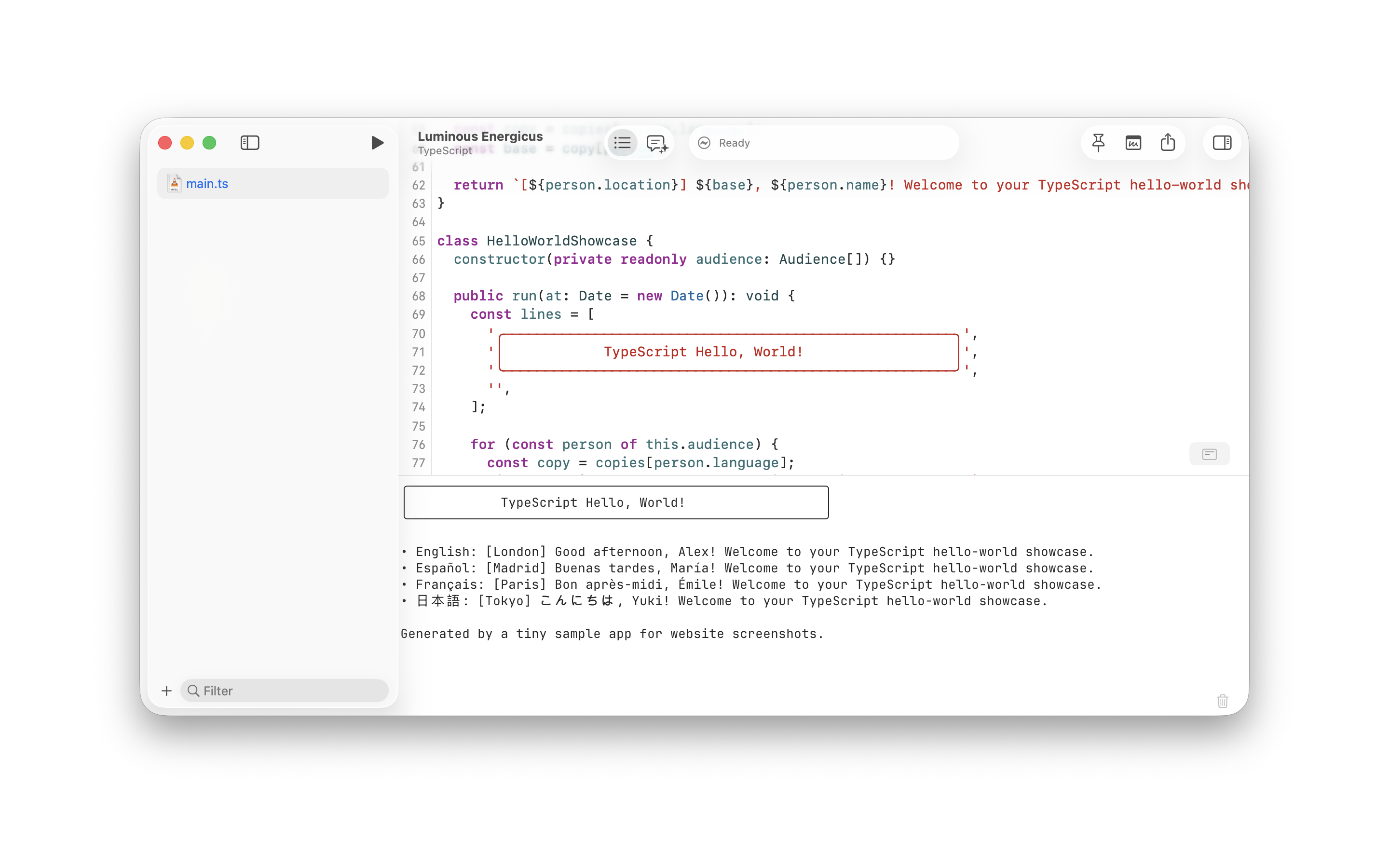
- Multi-Language Runtime Support: Out of the box, Notepad.exe supports execution for an array of popular programming languages without requiring manual PATH configurations or complex environment setups. Supported languages include:
- Swift (ideal for Apple platform tinkerers)
- Python (perfect for automation and data scripts)
- JavaScript & TypeScript (essential for web development and Node.js utilities)
- Go (for fast, concurrent backend microservices)
- Instant Execution Pipeline: Developers can write code instantly and execute it with a single keystroke. There is no intermediate compilation setup required for interpreted languages, and compiled languages are handled with minimal background friction.
- Intelligent Notes Library: One of the historic pitfalls of scratchpad coding is losing track of where temporary scripts were saved. Notepad.exe features a dedicated Notes library that indexes and organizes all one-off files, allowing users to effortlessly sift through past experiments without relying on messy desktop folders.
- Agentic Coding Assistant Integration: Recognizing the modern reality of AI-assisted development, Notepad.exe incorporates built-in agentic coding capabilities. Users can leverage their existing Codex subscriptions or plug in local AI models to troubleshoot syntax errors, refactor code snippets, or explain unfamiliar functions directly within the editor interface.
- Embedded Simulator Workflow: For iOS and macOS developers, Notepad.exe offers a standout feature: the ability to embed the Apple Simulator directly inside the text editor window. This creates a seamless, unified workspace for SwiftUI development, eliminating the need to constantly switch windows between your code editor and a separate simulator instance.
Pricing Structure and Availability
Notepad.exe strikes a balance between accessibility and professional monetization:
| Tier | Cost | Features Included |
|---|---|---|
| Free Core Experience | $0 (No account required) | Essential editing, multi-language execution, basic scratchpad functionality. Access immediately via the developer’s website. |
| Notepad.exe Pro (Annual) | $19.99 / year | Unlocks advanced AI agent integrations, embedded simulator workflows, priority updates, and the full suite of professional developer tools. |
| Notepad.exe Pro (Perpetual) | $45.00 (One-time) | Grants lifetime access to all version 1.x updates, securing full pro features without recurring subscription fees. |
Official Developer Insights and Industry Reception
The indie developer community has responded enthusiastically to Notepad.exe, highlighting a widespread weariness toward over-engineered software development kits (SDKs).
Industry analysts point out that as development tools have added features over the past decade, cognitive load has increased correspondingly. By trimming away the non-essentials—such as complex deployment pipelines, heavy source control configurations for trivial files, and multi-tier menu navigation—Notepad.exe aligns with a broader minimalist movement in software design.
Early adopters among iOS and full-stack web developers have praised the embedded simulator feature and native performance. "It brings back the joy of tinkering," notes one early reviewer in the indie app ecosystem. "Writing code used to feel like filling out tax forms just to test a loop. Now, it feels like writing in a notebook that happens to execute code."
Furthermore, the decision to support both cloud-based Codex subscriptions and local AI models demonstrates a forward-thinking approach to developer privacy and workflow customization. Developers working under strict data governance policies can route agentic queries through local models, ensuring that proprietary or sensitive snippets never leave their machine.
Future Outlook: Where Lightweight Development is Headed
As we look toward the future of software engineering, the tension between heavyweight, AI-infused enterprise IDEs and lightweight, nimble scratchpads will only intensify. Tools like Notepad.exe indicate that there is a thriving, underserved market for software utilities that prioritize human ergonomics over enterprise-scale complexity.

Emerging Trends in Developer Tooling
- AI-First Minimalism: Future code editors will likely shed traditional menus entirely, relying heavily on natural language prompts and agentic workflows embedded within ultra-minimalist text interfaces. Notepad.exe is an early pioneer in this space.
- Ephemeral Computing: The boundary between a temporary scratchpad and a permanent project is blurring. Tools that allow developers to fluidly promote a casual script into a robust repository—without changing applications—will dominate developer preference.
- Cross-Platform Parity: While Notepad.exe currently serves the macOS and Apple developer ecosystem exceptionally well through features like embedded simulators, the demand for cross-platform lightweight execution engines remains high.
What Lies Ahead for Notepad.exe
Moving forward, the roadmap for Notepad.exe centers on expanding language runtimes, refining local AI agent integrations, and enhancing project-promotion pipelines. By allowing users to seamlessly transition a scratchpad file into a structured Git repository or Xcode project once an idea matures, Notepad.exe bridges the gap between experimentation and production.
For developers seeking to reclaim their workflow from sluggish, resource-heavy environments, Notepad.exe offers a refreshing, lightning-fast alternative. Whether you are an experienced iOS engineer prototyping a complex SwiftUI animation or a scriptwriter testing a quick Python automation, this indie gem proves that sometimes, the best way to move forward is to get back to basics.