Executive Overview
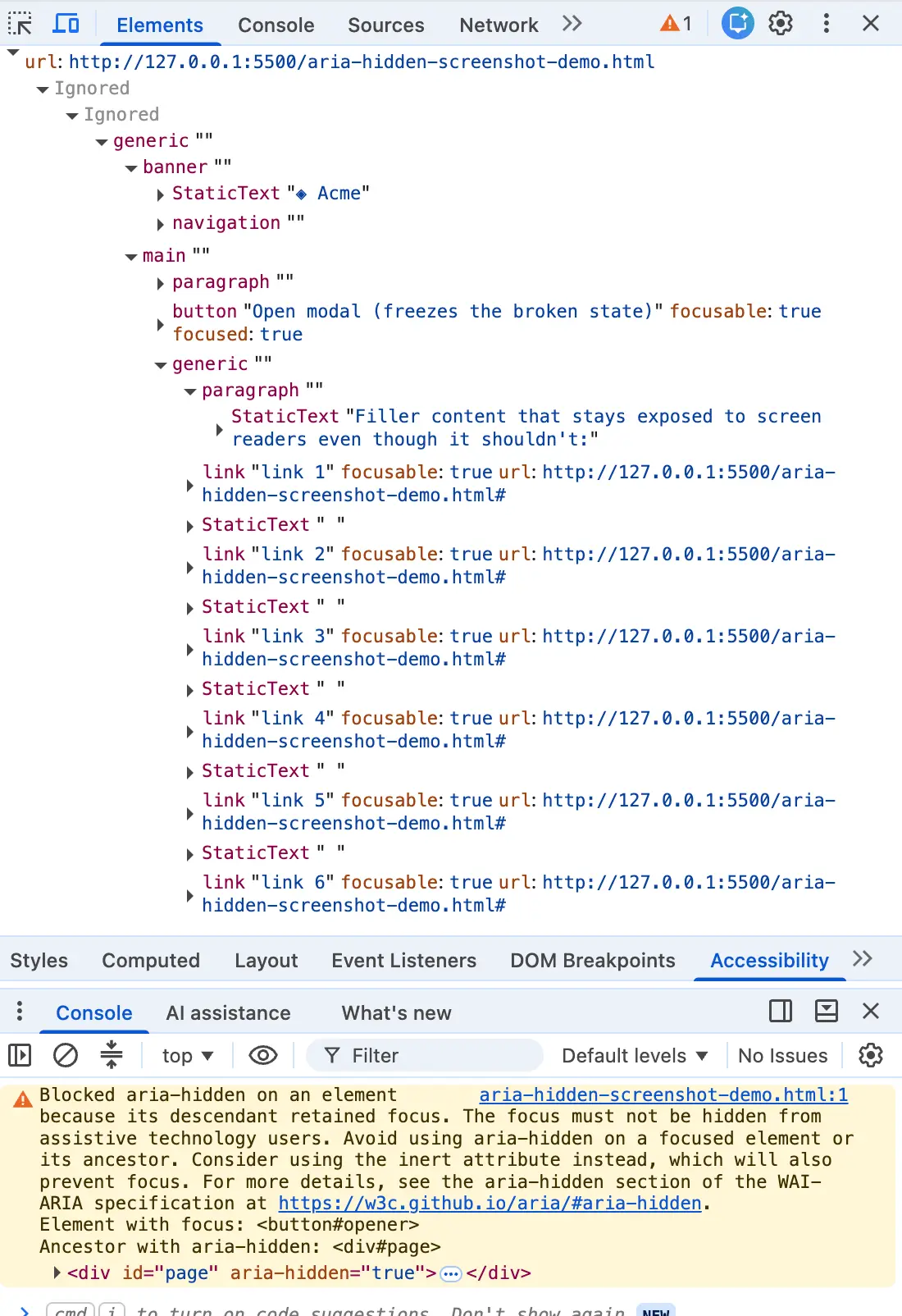
You closed a modal dialog, and the browser console flashed that familiar, irritating shade of amber. Highlighting the error message, you dropped it into a search box, expecting an immediate Stack Overflow remedy. Instead, you were spat out into a digital abyss alongside half the front-end internet. Whether your stack is built on Angular, Bootstrap, Ionic, or custom design systems, this exact string triggers identically.
The web development community’s immediate reaction is invariably tactical: find a way to silence the noise, clear the build pipelines, and push the release. Developers reach for quick fixes—a blur() one-liner, a delayed setTimeout wrapper, or stripping out aria-hidden attributes entirely. Each of these solutions quiets the console while quietly harming the person the browser was trying to protect.
Here is the truth that top-ranking search results consistently bury: the warning is correct. There is a real person on the other side of that browser tab—someone using a screen reader whose focus is about to drop into a void in your page. Chrome is not nagging you about a style-guide nicety; it is overruling your architecture.
Detailed Chronology: The Anatomy of a Modern UI Bug
To understand how the front-end ecosystem arrived at this inflection point, we have to examine the timeline of Chromium’s accessibility tree enforcement.
The Two Waves of Enforcement
Chromium has been quietly patching accessibility flaws for years, but the warnings surfaced in two distinct waves that caught development teams off guard:
- The Open-Time Inversion (Summer 2024): Around Chrome 127, issues clustered across major component libraries like MUI, Ant Design, and Flowbite. Developers received warnings regarding elements that "just received focus" inside newly hidden or unrevealed subtrees.
- The Close-Time Race (Late 2024): Released with Chrome 131, this variant targeted "retained focus." Developers using Bootstrap and Angular components watched their consoles light up as dialogs began their fade-out transitions while holding focus inside a collapsing container.
Underneath these warnings lies a fundamental paradox baked into aria-hidden. The attribute pulls content out of the accessibility tree, but it does not pull that content out of the keyboard focus order. Two distinct systems operate simultaneously with nothing keeping them in sync.
When a user tabs into an element hidden by aria-hidden, you create what can only be described as ghost focus: the screen reader fires a focus event for a node it has been told doesn’t exist, looks it up, finds nothing, and lapses into absolute silence. To the user, the app appears to have crashed.
The Four Ways Developers Fall Into the Trap
Every implementation flaw ultimately lands in the same place: focus sitting inside a region that has just gone hidden. They arrive via four distinct mechanisms:
- The Close-Time Race: The modal starts its CSS fade-out, but focus remains parked on the close button inside the overlay.
- The Open-Time Inversion: An overlay opens, marking the background
aria-hidden="true", but the trigger button is left behind in the background for a fraction of a second. - Nested Composition Conflicts: A complex component structure—such as a
<select>or popover nested inside a<dialog>—triggers competing modal layers that fight over who controls page visibility. Under React 19, this timing shift can cause focus to drop directly to the<body>, completely freezing keyboard navigation. - Focus Leaving the Page: The user hits
Alt+Tabor switches browser tabs while an overlay is open, stranding thearia-hiddenstate on teardown.
Supporting Context & Metrics: Why Popular Fixes Fail
When panicked developers search for relief, the internet offers a series of folklore remedies that systematically make the user experience worse.

1. The blur() One-Liner
element.addEventListener('hide.bs.modal', () =>
  document.activeElement.blur();
);
This is the front-end equivalent of setting a passenger down in the middle of a highway and driving off. Calling blur() with nowhere to go forces the browser to drop focus onto the <body>. The console warning clears because no active element resides in the hidden subtree, but the user is stranded. Their next Tab press forces them to navigate from the very top of a long document all over again—a direct violation of WCAG 2.4.3 (Focus Order).
2. Timing Hacks (setTimeout)
Wrappers relying on asynchronous timers bet that the render cycle finishes before the focus call executes. On a fast, warm machine, this works most of the time. Under heavy CPU load, on budget mobile hardware, or within React’s concurrent rendering scheduler, it fails intermittently. You have introduced latency to every modal close to achieve an inconsistent fix.
3. Stripping aria-hidden or Disabling Modals (modal=false)
Yanking the attribute away or disabling modality entirely makes the console error disappear by removing the focus trap completely. In Safari, this allows users to tab right out of dialogs, causing components to dismiss themselves mid-form.
Official Standards and the Correct Teardown Contract
The resolution requires abandoning hacks in favor of an ironclad Teardown Contract: Focus must leave a region before that region becomes hidden or inert.
Furthermore, inert is the correct instrument for this job; aria-hidden was always the wrong tool. An inert attribute removes elements from the accessibility tree, sequential focus navigation, and pointer events simultaneously.
The Four-Step Vanilla Implementation
To execute clean, accessible modal teardowns without relying on fragile hacks, apply the following order of operations:
class ModalController
  #trigger = null;
  #background = null;

  open(dialog)
    // 1. Capture return target BEFORE shifting focus in
    this.#trigger = document.activeElement;
    this.#background.setAttribute('inert', '');
    dialog.hidden = false;
    dialog.querySelector('[autofocus], button, [href], input')?.focus();


  close(dialog)
Future Outlook: The Path to Native Dialogs
The front-end ecosystem is slowly migrating away from custom JavaScript modal implementations. The standardization direction is clear: WAI-ARIA and browser vendors are aligning around native HTML primitives.
Major component libraries are shifting their architectures. Bootstrap 6 has transitioned to native <dialog> elements utilizing the browser’s native top-layer management, rendering manual inert toggling and custom focus-trapping code obsolete. When a browser natively manages the top layer, the entire class of ghost-focus bugs vanishes.
Until your engineering organization can fully migrate legacy design systems to native primitives, you must resist the temptation to silence console warnings with accessibility-destroying shortcuts. A clean console was never the goal. The warning is simply your architecture speaking honestly about the experience it delivers to users when you aren’t looking.