
Executive Overview
Smartphones have evolved into indispensable extensions of modern existence, serving as our offices, cameras, entertainment centers, and navigational lifelines. Yet, despite paying thousands of dollars for pocket-sized supercomputers, most users are plagued by a frustrating reality: within two short years, battery life severely degrades, forcing midday recharges or premature device upgrades.
While manufacturers like Apple, Google, and Samsung have implemented sophisticated software safeguards—such as Apple’s Optimized Battery Charging, Google’s Adaptive Charging, and Samsung’s comprehensive Battery Protection suites—hardware limitations remain. At the heart of nearly every modern smartphone lies a lithium-ion battery. These chemical powerhouses are inherently perishable, degrading with every charge cycle, aging even when left idle, and reacting poorly to environmental stressors.
While long-standing habits like overnight charging are no longer the death sentence they once were due to modern power management software, everyday user behavior still heavily dictates how long a battery will last. Software cannot entirely compensate for thermal abuse, improper cable selection, or punishing discharge habits. To maximize the longevity of your investment and keep your device performing at its peak, users must understand the complex relationship between chemistry, heat, and power delivery. Avoiding five critical charging mistakes can dramatically slow down battery wear and extend your device’s functional lifespan.
Detailed Chronology & Mechanics of Battery Degradation
To understand why certain habits destroy smartphone batteries, one must first examine the life cycle of a lithium-ion cell. Unlike the nickel-cadmium batteries of older generations, lithium-ion batteries do not suffer from a "memory effect." Instead, they degrade through a combination of chemical aging, cycle wear, and stress-induced capacity loss.
Phase 1: The Manufacturing and Initial State
When a brand-new smartphone is unboxed, its battery operates at peak chemical efficiency, capable of holding 100 percent of its design capacity. During this phase, internal resistance is low, and the movement of lithium ions between the anode and cathode flows smoothly during charge and discharge cycles.
Phase 2: Daily Cycling and Voltage Stress
Every time a phone is drained and recharged, a microscopic amount of chemical degradation occurs. Manufacturers typically rate these batteries for a specific number of cycles—often around 500 complete cycles for iPhones and up to 800 or 1,000 for newer Android flagships—before dropping to 80 percent of original capacity.
However, voltage stress accelerates this timeline. When a battery is forced to sit at its maximum voltage limit (100% charge) or driven down to its minimum voltage limit (0% charge), the internal chemical structure undergoes immense strain. Over time, this stress permanently diminishes the battery’s capacity to store energy, leading to the dreaded phenomenon where a phone percentage drops from 20 percent to zero in a matter of minutes.
Phase 3: Cumulative Thermal Damage
As the device ages, internal microscopic pathways narrow, increasing resistance. If the battery is consistently exposed to high temperatures—whether from ambient weather, heavy processing, or faulty charging accessories—this resistance compounds rapidly. The result is a degraded battery that not only holds less charge but can also cause unexpected device shutdowns under heavy workloads as the battery fails to deliver the required instantaneous voltage.
Supporting Context, Metrics, and Technical Breakdown
Modern smartphone batteries are marvels of electrochemistry, but they operate within strict physical boundaries. Reviewing the core metrics and specifications reveals why certain habits cause catastrophic wear over time.
1. The 100% Capacity Trap
A lithium-ion battery is under the highest state of mechanical and chemical stress when it is completely full (around 4.2 to 4.4 volts per cell) or completely empty. Leaving a phone plugged in overnight once it reaches 100 percent forces the battery to maintain maximum voltage continuously.
- The Mitigation: Modern operating systems offer workarounds.
- iOS (iPhone 15 and later): Navigate to Settings > Battery > Charging to set a hard ceiling anywhere from 80 to 100 percent. On older iPhones, ensure Optimized Battery Charging is toggled on via Settings > Battery > Battery Health & Charging.
- Android (Google Pixel): Go to Settings > Battery > Battery health > Charging optimization and select Adaptive Charging or Limit to 80 percent (available on Pixel 6a and newer models).
- Samsung Galaxy (One UI 6.1 or later): Access Settings > Battery > Battery protection, where setting it to "Maximum" caps charging at 80 percent.
- The Trade-off: Enforcing an 80 percent limit sacrifices up to 20 percent of your daily runtime. Users should disable this feature on days when heavy travel or long hours away from an outlet demand maximum endurance.
2. The 0% Myth and Deep Discharge
Many users cling to the outdated advice that a phone must be drained entirely to zero percent before charging to "reset" the battery. This is false for lithium-ion technology.
- The Metric: Partial discharges and top-offs are actually far healthier. A "charge cycle" is defined as consuming the cumulative equivalent of 100 percent of the battery’s capacity, even if broken up over several days. Charging your phone twice a day from 40% to 80% causes significantly less wear than draining it from 100% to 0% once.
- Long-Term Storage Warning: While routine deep discharges are harmful, leaving a battery entirely drained for an extended period is fatal to its chemistry. If storing a device long-term, power it down at roughly 50 percent charge and refresh that charge every six months to prevent permanent chemical failure.
3. Thermal Thresholds and Environmental Heat
Heat is the silent executioner of lithium-ion batteries. Apple specifies that iPhones are designed to operate optimally between 0°C and 35°C (32°F to 95°F). Exceeding these temperatures accelerates chemical breakdown exponentially.
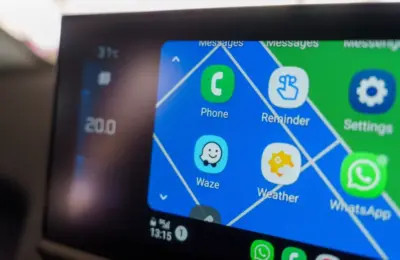
- Common Heat Traps: Leaving a device on a sunlit car dashboard, using GPS navigation on a mount directly in front of a blazing car heater, or charging a phone underneath a pillow or heavy blanket.
- Thermal Throttling: While modern devices feature self-protection mechanisms—such as Google Pixels throttling charge rates to 70-80 percent during prolonged heat exposure, or iPhones displaying temperature warning pop-ups—these are reactive measures. The true fix is proactive: always charge devices on hard, flat, shaded surfaces, and remove thick protective cases if the phone begins to run warm.
4. Concurrent Usage: Charging While Straining
Using high-demand applications—such as 3D mobile gaming, 4K video recording, or high-definition streaming—while the phone is plugged into a charger creates a double thermal burden. The processor generates internal heat, while the chemical reactions of charging generate external heat.
Samsung explicitly advises against using a device while it is actively fast-charging. If your phone feels hot to the touch during simultaneous use and charging, unplug the accessory, close background applications immediately, and allow the device to return to room temperature before resuming operation.
5. Incompatible Ecosystems, Wireless Heat, and Faulty Hardware
Wireless charging is undeniably convenient, but physics dictates that it is inherently less efficient than wired charging, resulting in excess thermal energy generation.
- The Wireless Hazard: Thick, rugged, or metal-backed cases trap this wireless heat, occasionally halting the charging process entirely. Furthermore, foreign objects lodged between the phone and the charging pad—such as credit cards containing RFID chips or metallic keys—can cause severe thermal spikes. Always ensure wireless chargers are Qi-certified and use slim, compatible cases.
- The Cable Conundrum: Not all cables are created equal. According to warnings issued by major manufacturers, cheap, uncertified, or internally damaged charging cables and power adapters can fail to regulate voltage properly. This instability not only overheats the battery but can physically scorch and damage the phone’s internal charging port. Users must exclusively utilize OEM (Original Equipment Manufacturer) or rigorously certified third-party cables that match the precise power ratings specified for their device.
Official Statements and Industry Perspective
Industry leaders have increasingly shifted toward transparency regarding battery chemistry and longevity, building software mechanisms to mitigate user error.
Apple’s official documentation emphasizes that battery lifespan is a function of "chemical age," which is determined by a complex interplay of temperature history, charging patterns, and usage intensity. Through continuous software updates, Apple introduced Optimized Battery Charging, which uses on-device machine learning to learn a user’s daily routine. The device waits to finish charging past 80 percent until the user is ready to unplug it, reducing the time the battery spends at peak voltage.
Similarly, Google and Samsung have integrated advanced battery health suites into their respective operating systems. Samsung’s One UI features tiered battery protection settings, allowing users to choose between "Adaptive" protection (which pauses charging at 80% overnight and finishes topping off right before you wake up) and "Maximum" protection (which permanently caps the battery at 80%).
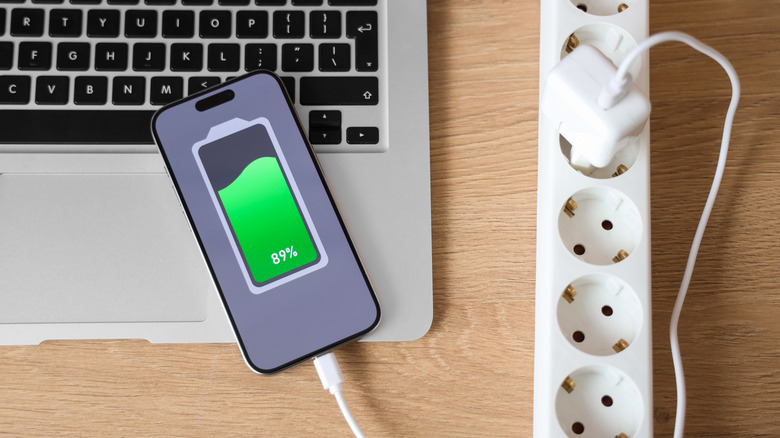
Despite these software safeguards, device manufacturers maintain that user mindfulness regarding thermal management remains irreplaceable. Automated code cannot prevent a phone from overheating if it is left baking on a car seat in direct sunlight or paired with a degraded, uncertified third-party charging brick bought from a discount bin.
Future Outlook
As smartphone manufacturers race toward faster charging speeds—with some flagship devices now supporting hyper-fast wired charging exceeding 100 watts—the battle against thermal degradation becomes even more critical. Faster energy transfer inherently generates more heat, placing extraordinary strain on microscopic battery architecture.
Looking forward, the industry is heavily investing in next-generation battery technologies. Solid-state batteries, currently in advanced stages of research and development for consumer electronics and electric vehicles, promise to revolutionize mobile power. By replacing liquid electrolytes with solid materials, these upcoming batteries are expected to offer higher energy densities, dramatically faster charging capabilities, and—crucially—vastly superior resistance to thermal runaway and physical degradation.
Until solid-state technology becomes commercially viable for mass-market smartphones, consumers remain bound by the physical limits of traditional lithium-ion chemistry. Protecting your phone’s battery life is not about adopting obsessive charging rituals, but rather embracing basic preventive hygiene: keeping your device cool, avoiding prolonged stays at 100 percent or 0 percent charge, steering clear of heavy multitasking while plugged in, and investing in certified, high-quality charging hardware. By breaking these five common charging habits, users can ensure their smartphones maintain optimal performance, reliability, and endurance throughout their intended lifecycle.