Executive Overview
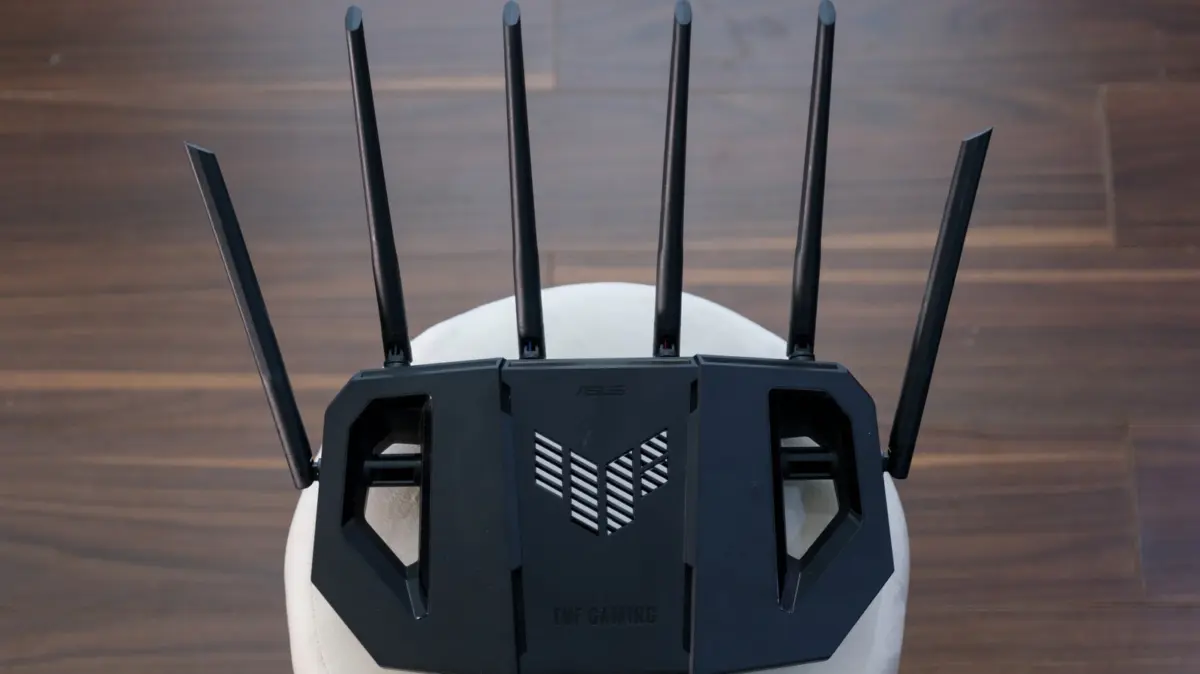
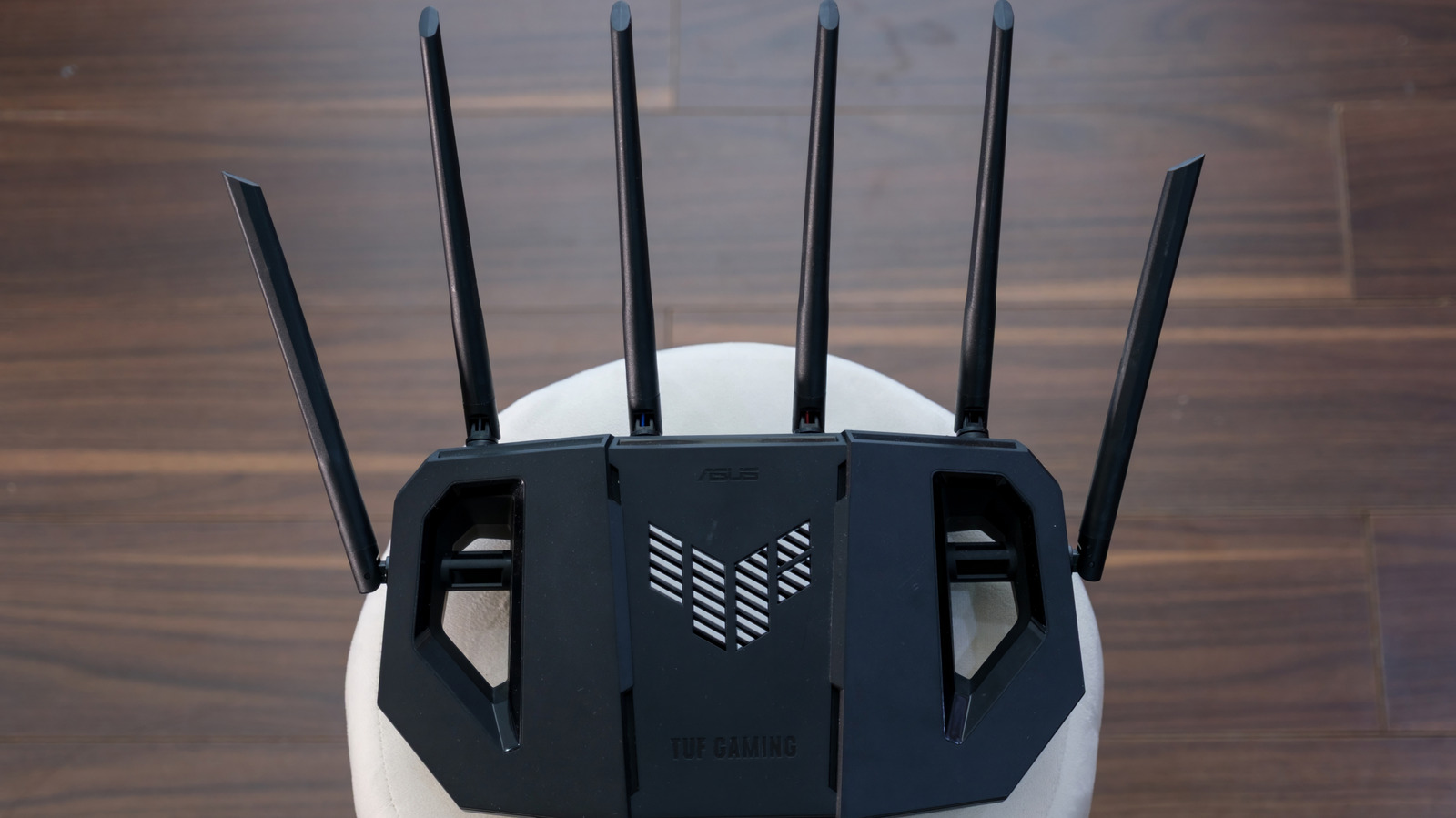
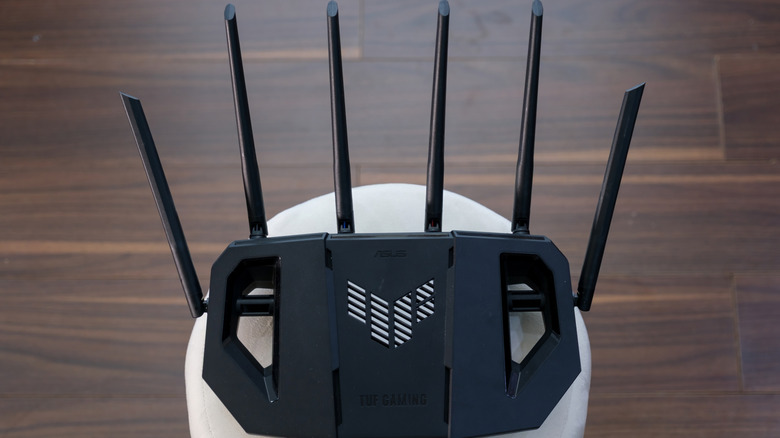
In the era of hyper-connected smart homes, remote work, and bandwidth-hungry 4K streaming, the humble wireless router has undergone a radical physical and technological transformation. Gone are the days when a solitary, stubby plastic antenna could comfortably manage a household’s digital footprint. Today, consumers browsing retail shelves or unboxing new networking hardware are routinely greeted by devices featuring four, six, or even eight prominent external appendages—styling that often earns them comparisons to futuristic sci-fi architecture or high-tech arachnids.
While these multi-antenna arrays can sometimes appear to be aggressive styling choices or outright marketing gimmicks designed to appeal to hardcore gamers and tech enthusiasts, they serve a vital, highly calculated purpose. The proliferation of antennas is the direct physical manifestation of the intense engineering required to overcome the invisible hurdles of wireless physics.
However, a fundamental disconnect remains between consumer perception and networking reality. Many buyers assume that more antennas automatically translate to blazing-fast internet speeds or an impenetrable blanket of whole-home coverage. In truth, an antenna is merely a physical conduit; without the advanced internal processing frameworks, intelligent software, and modern wireless standards—such as Wi-Fi 6 and Wi-Fi 7—extra antennas are functionally useless.
Determining how many antennas you actually need requires a nuanced understanding of your home’s architecture, your household’s digital usage habits, and the limitations of your underlying internet service provider (ISP) plan. For the average household, an eight-antenna flagship model is a dramatic case of overkill. Conversely, understanding the science behind spatial multiplexing, beamforming, and Multi-User MIMO (MU-MIMO) illuminates why the single-antenna router belongs firmly in the past, and helps consumers make informed purchasing decisions that optimize network performance without breaking the bank.
Detailed Chronology: The Evolution of Wireless Antennas
To understand why modern routers look the way they do, it is essential to trace the historical progression of wireless networking standards over the last few decades. The architecture of home routers has evolved in lockstep with the demands placed upon the global internet infrastructure.
The Single-Stream Era (Late 1990s to Mid-2000s)
In the pioneering days of consumer Wi-Fi—governed by early standards like 802.11b and 802.11g—the digital landscape was remarkably quiet. Households typically featured a single desktop computer connected via an Ethernet cable, while wireless connections were reserved for sporadic laptop web browsing or checking text-heavy emails.
During this period, routers shipped with a single, omnidirectional antenna. This hardware handled one wireless data stream at a time using a foundational transmission method. Think of this single antenna as a lone-lane rural road: traffic was minimal, vehicles moved at modest speeds, and congestion was virtually nonexistent. The physical hardware required to multiplex data or shape signals simply did not exist in consumer-grade silicon, nor was there any market demand for it.
The Rise of Multi-Stream Networking (The 802.11n Revolution)
As internet speeds accelerated and consumer electronics rapidly multiplied—ushering in the era of home laptops, digital media players, and early smartphones—the single-lane road of early Wi-Fi quickly transformed into a gridlocked metropolitan highway. Packet loss soared, latency spiked, and dead zones plagued multi-room households.
The turning point arrived with the ratification of the IEEE 802.11n standard (commonly marketed as Wi-Fi 4) in 2009. This standard introduced a groundbreaking technological leap known as MIMO (Multiple-Input, Multiple-Output). By allowing routers to use multiple antennas simultaneously to transmit and receive multiple data streams over the same radio frequency channels, MIMO effectively turned a single-lane dirt road into a multi-lane superhighway. To support multiple discrete data streams, routers required multiple physical antennas—spawning the dual- and triple-antenna designs that defined the late 2000s and early 2010s.
The Modern Multi-Antenna Epoch (Wi-Fi 5, 6, and Beyond)
As streaming video, online competitive gaming, and smart home automation saturated households throughout the 2010s and 2020s, the demand for concurrent device connectivity skyrocketed. The introduction of 802.11ac (Wi-Fi 5) and subsequently Wi-Fi 6, 6E, and Wi-Fi 7 brought forth advanced iterations of multi-antenna technology, including MU-MIMO (Multi-User MIMO) and sophisticated beamforming algorithms.
To manage dense clusters of smart bulbs, security cameras, tablets, smart TVs, and workstations operating simultaneously, manufacturers expanded antenna counts from two or three up to six or eight. Today’s high-end routers are essentially mini-supercomputers equipped with complex antenna arrays capable of dynamically carving up radio frequency spectrum in real-time.
Supporting Context & Metrics: The Physics and Engineering Behind Multiple Antennas
Why can’t a single antenna handle the workload of a modern home? The answer lies in the complex physics of radio frequency (RF) propagation, environmental interference, and the internal mechanics of data transmission.
Spatial Multiplexing and the MIMO Framework
At its core, MIMO relies on a technique called spatial multiplexing. Instead of sending a massive block of data down a single radio wave, the router splits the data file into multiple distinct streams. These individual streams are transmitted simultaneously across different antennas.
On the receiving end—such as a modern laptop or smartphone equipped with its own multi-antenna array—the device catches the distinct streams and stitches them back together instantly.
[ Router with Multiple Antennas ]
      |                 |
      | (Stream A)      | (Stream B)
      v                 v
[ Wireless Obstacle / Reflection ]
                       /
                      /
        v             v
[ Receiving Device (Reassembles Streams A & B) ]
More antennas theoretically provide room for more independent data lanes, multiplying the total throughput capacity. However, a critical caveat exists: simply bolting extra physical antennas onto a router’s chassis achieves nothing without the corresponding internal processing hardware. The router must possess advanced baseband processors, multi-core central processing units (CPUs), and dedicated radio chains to modulate, encode, and decode these parallel data paths. Without this silicon foundation, extra antennas are purely decorative.
Beamforming: Directing the Wireless Focus
Traditional router antennas are omnidirectional by default, broadcasting radio energy outward in a wide, 360-degree doughnut-shaped pattern. While effective for general area coverage, this indiscriminate broadcast wastes a significant amount of transmission power on empty hallways, exterior walls, and unoccupied rooms.
Enter beamforming. Multiple antennas allow a router to execute phase-shifting calculations on transmitted radio waves. By slightly altering the timing and constructive interference of signals emitted from different antennas, the router can essentially steer and concentrate its wireless energy toward a specific target device.
Imagine multiple people standing around a calm pond, tossing pebbles into the water at precisely timed intervals. Where the ripples intersect and reinforce one another, they create a stronger wave. Beamforming operates on this exact principle: the router coordinates its antenna array so that the radio waves combine with maximum strength precisely where your smartphone or laptop is sitting. A lone, single antenna lacks alternative signals to coordinate with, making sophisticated beamforming mathematically impossible.
Signal Diversity and Multipath Interference
Inside a residential home, Wi-Fi signals rarely travel in a straight line. They bounce off reinforced concrete walls, large wooden wardrobes, kitchen appliances, mirrors, glass windows, and even human bodies. This phenomenon is known as multipath propagation, and it can cause destructive interference where signals cancel each other out, resulting in dead spots and dropped connections.
Having multiple antennas spaced inches or feet apart introduces spatial diversity. Because each antenna occupies a slightly different physical coordinate in space, it experiences a unique micro-environment of reflections and signal bounces. If one antenna falls into a destructive interference null zone, an adjacent antenna is likely positioned in a constructive zone, ensuring that the router maintains a clean, unbroken link with the client device.
MU-MIMO: Serving Multiple Masters at Once
Older networking hardware operated on a Single-User (SU-MIMO) basis. Even if a router had multiple antennas, it could only actively communicate with one device at any given microsecond. It would rapidly cycle through connected devices—talking to your phone for a fraction of a millisecond, then your smart TV, then your laptop—so quickly that it felt simultaneous to the user.
Modern MU-MIMO (Multi-User Multiple-Input Multiple-Output) fundamentally changes this dynamic. By dividing the router’s antenna array and spatial streams, MU-MIMO enables the hardware to talk to multiple client devices concurrently. One subset of antennas can stream a 4K movie to the living room television while another subset simultaneously uploads backup files from a home office laptop, eliminating queue latency and smoothing out network congestion.
Official Industry Perspectives and Expert Consensus
Networking engineers and consumer technology analysts largely agree on the practical realities of multi-antenna hardware, balancing marketing hype against genuine engineering utility.
Industry standards organizations, including the IEEE (Institute of Electrical and Electronics Engineers) and the Wi-Fi Alliance, emphasize that hardware metrics must be viewed holistically. According to leading networking architects, consumer expectations are often skewed by exterior design choices. Manufacturers frequently design high-end consumer routers with aggressive, highly visible external antennas not just for maximum RF performance, but because consumer psychology heavily associates a greater number of external appendages with superior performance and premium value.
Independent networking engineers point out that enterprise-grade access points deployed in high-density environments—such as corporate offices, university lecture halls, and convention centers—routinely utilize internal antenna arrays numbering up to eight, twelve, or sixteen distinct elements. In these industrial contexts, heavy multi-antenna configurations are entirely justified by the sheer volume of simultaneous clients and the necessity of advanced enterprise security and beamforming protocols.
However, consumer hardware analysts at prominent technology publications consistently issue a word of caution to residential buyers: antenna count is secondary to protocol generation. A router utilizing the latest Wi-Fi 7 standard with a modest, internal or streamlined two-antenna configuration will routinely outperform an aging Wi-Fi 5 router burdened with eight aggressive external antennas. Software optimization, firmware update frequency, processor speed, and RAM capacity play a far greater role in day-to-day stability than physical antenna counts alone.
Future Outlook: The Shift Toward Smart Arrays and Mesh Systems
As we look toward the future of home networking, the physical landscape of router design is undergoing another subtle yet profound shift. While high-performance gaming and enthusiast routers will likely retain external adjustable antennas for the foreseeable future, the broader consumer market is rapidly evolving in two distinct directions.
The Rise of Internal Smart Antennas
The advancement of radio-frequency integrated circuits (RFICs) and miniaturized semiconductor manufacturing has made it increasingly feasible to embed complex multi-antenna arrays inside the sleek, minimalist enclosures of modern routers. Using dynamic beam-steering algorithms, internal antenna arrays can electronically shift radiation patterns in milliseconds without requiring users to manually tilt, twist, or adjust external plastic fins. This marries high-performance spatial multiplexing with aesthetically pleasing industrial design that blends seamlessly into modern home decors.
Mesh Networking vs. Multi-Antenna Monoliths
For decades, the standard troubleshooting method for Wi-Fi dead zones in large homes was to purchase a more powerful, high-antenna-count "monster" router. However, physics imposes hard limits on single-point broadcast power due to strict regulatory compliance limits enforced by bodies like the Federal Communications Commission (FCC).
Traditional Single Router Approach:
[ High-Power Router ] ---> (Struggles to penetrate thick concrete walls at the far end of the home)

Modern Mesh Network Approach:
[ Main Router ] <==Wireless Backhaul==> [ Satellite Node ] <==> [ Smart Device ]
The modern consensus for expansive or multi-story homes has decisively shifted toward Mesh Wi-Fi systems. Instead of relying on a single central hub with eight antennas trying to brute-force a signal through three concrete walls, a mesh system deploys a primary router alongside multiple satellite nodes placed strategically throughout the residence. These nodes communicate with each other to create a unified, seamless coverage blanket.
Networking experts emphasize that investing in a modest two-node or three-node mesh system yields significantly better whole-home coverage than purchasing a single, highly expensive eight-antenna standalone router.
The Hard Limits of ISP Bandwidth
Finally, consumers must maintain realistic expectations regarding internet speed. A cutting-edge, eight-antenna Wi-Fi 7 router cannot magically manufacture speed out of thin air. Your maximum download and upload speeds are fundamentally capped by the fiber-optic or cable service plan you purchase from your Internet Service Provider.
If your home internet plan provides 300 Mbps, upgrading to a top-tier router will optimize local device communication, reduce latency, and handle heavy multi-device traffic loads with ease, but it will not magically elevate your throughput to 1 Gbps. The router is merely the local delivery truck; your ISP dictates the size of the pipeline feeding it.
Summary and Buyer’s Guide
When navigating the crowded retail market for a new wireless router, consumers should evaluate their purchases through a structured, pragmatic lens:
- For Apartments and Small Homes (Under 1,500 sq. ft.): A standard dual-band or tri-band router featuring 2 to 4 antennas utilizing Wi-Fi 6 or Wi-Fi 6E is more than sufficient. Paying extra for higher antenna counts yields diminishing returns.
- For Large Homes, Multi-Story Houses, or Thick-Wall Construction: Skip the eight-antenna standalone monoliths and instead invest in a Mesh Wi-Fi system. Distributing smaller nodes throughout the home solves physical coverage barriers far more effectively than raw antenna volume.
- For Heavy Multi-Device Households & Content Creators: Look for routers explicitly supporting MU-MIMO and OFDMA technologies with robust multi-core processors and ample RAM, ensuring that dozens of simultaneous smart home devices, streaming boxes, and workstations can operate without bottlenecking network traffic.
- Prioritize Standards Over Aesthetics: Always verify the Wi-Fi generation (favoring Wi-Fi 6, 6E, or Wi-Fi 7) and software feature set over the physical count or aggressive styling of external antennas.
By understanding the underlying engineering principles—from spatial multiplexing to beamforming—consumers can cut through the marketing noise, select the ideal hardware configuration for their specific living space, and enjoy a robust, reliable, and lightning-fast digital experience.