Executive Overview
In an era defined by instantaneous global communication, the humble text message remains the foundational thread connecting billions of users. For iPhone users, the native Messages app is engineered to offer a seamless, unified experience, blending proprietary internet-based messaging with traditional cellular protocols. However, even the most sophisticated mobile operating systems are susceptible to technical friction.
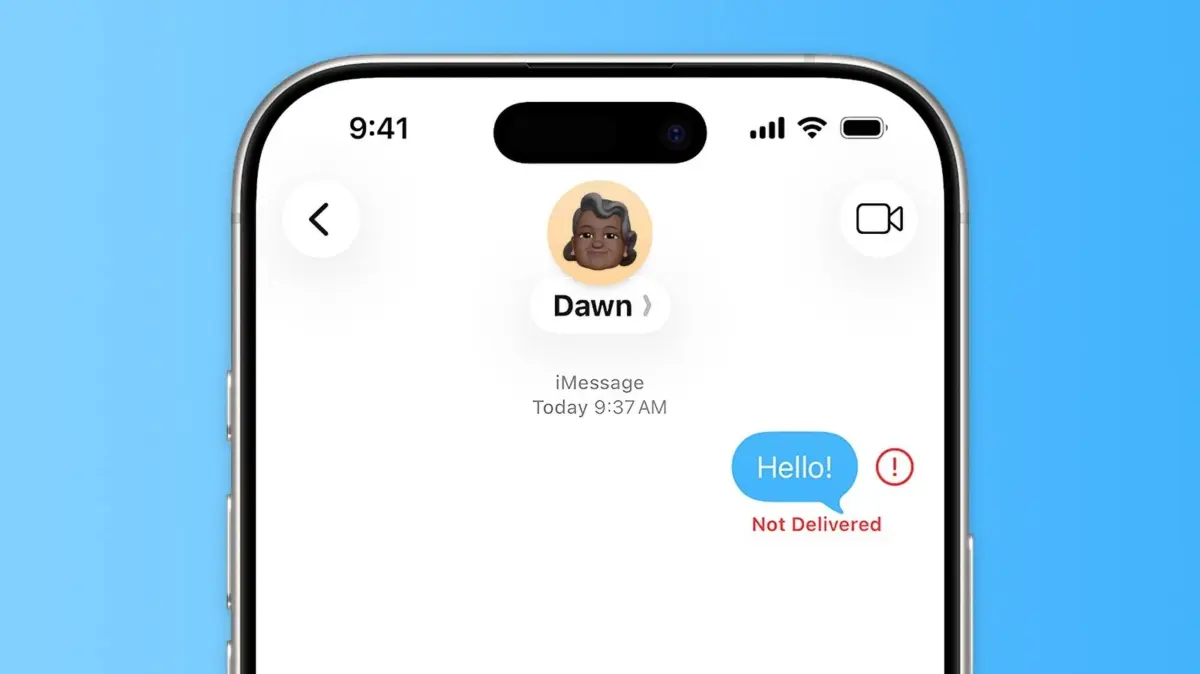
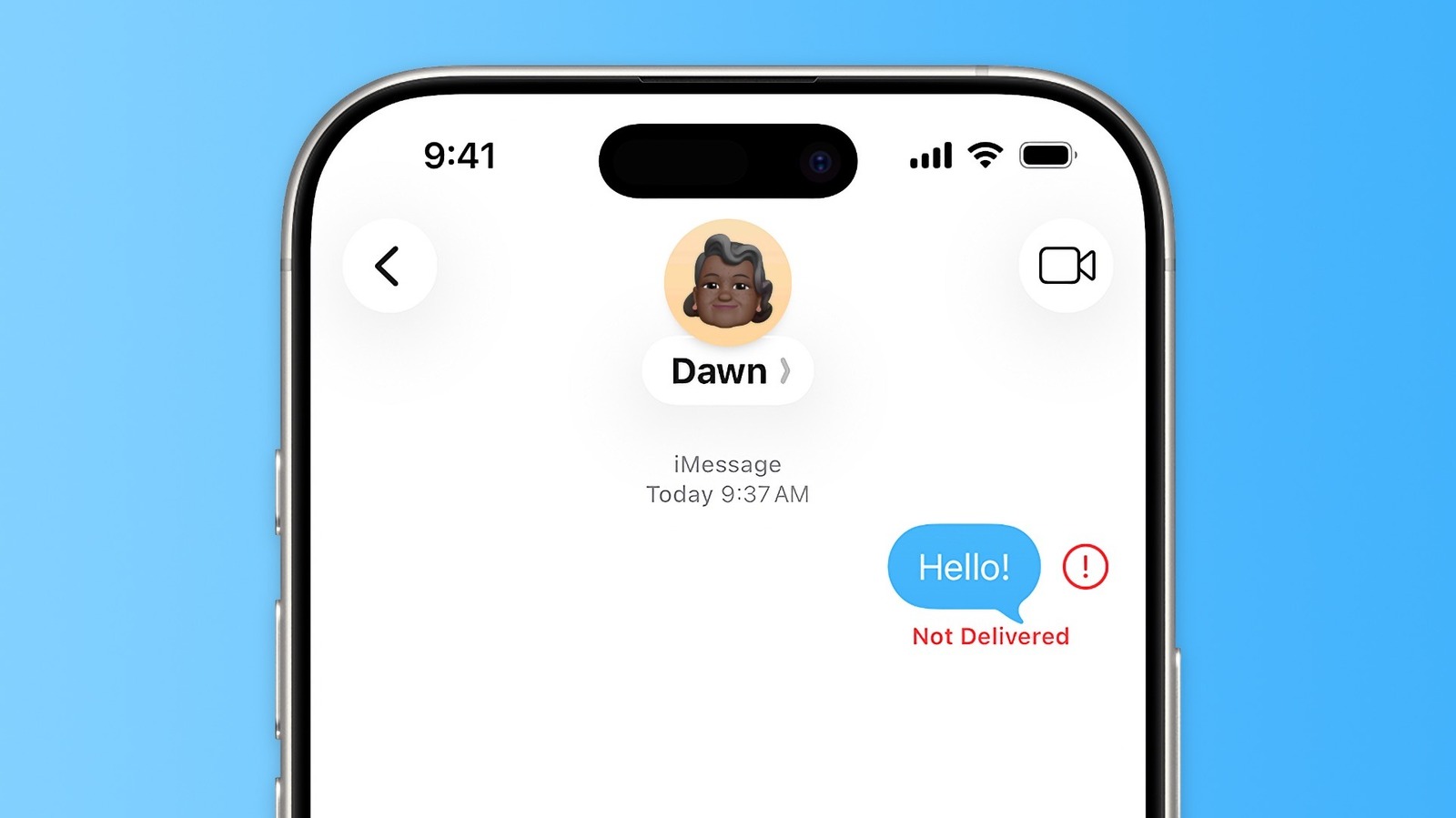
When an urgent message abruptly fails—resulting in the dreaded red exclamation point and the ominous "Not Delivered" warning—it can disrupt both personal coordination and professional communication. This technical breakdown is rarely the result of a single catastrophic failure; rather, it is usually a symptom of a complex underlying ecosystem clash. Modern iOS messaging relies on a delicate trifecta of services: Apple’s proprietary iMessage (the iconic blue bubbles), Rich Communication Services (RCS), and legacy Short Message Service (SMS) and Multimedia Messaging Service (MMS) protocols (the green bubbles).
Understanding why these communication pipelines fail requires moving beyond simple fixes to examine the mechanics of network routing, server stability, and client-side settings. This report provides an exhaustive, authoritative guide to diagnosing and resolving message delivery failures on Apple iPhones, exploring the common pitfalls, proactive configurations, and diagnostic strategies necessary to restore seamless communication.
Detailed Chronology and Technical Context: Understanding the Message Pipeline
To effectively troubleshoot why an iPhone fails to deliver a message, one must first understand the intricate behind-the-scenes chronology of how a text is transmitted.
When a user taps the "Send" button within the iOS Messages app, the software does not simply push data blindly into the ether. It executes a rapid diagnostic assessment of the recipient’s contact information and the available network infrastructure.
[User Taps Send]
       │
       ├─► [Internet Connection Active?] ──(Yes)──► [iMessage / RCS (Blue/Green)]
       │                                     │
       │                                    (No)
       │                                     ▼
       └─► [Cellular Network Active?] ────(Yes)──► [Fallback to SMS (Green)]
                                             │
                                            (No)
                                             ▼
                                    [Delivery Failure ("Not Delivered")]
Phase 1: Protocol Routing and Handshaking
The application instantly checks whether the recipient is registered within Apple’s proprietary iMessage database. If the recipient utilizes an Apple device (iPhone, iPad, Mac), the system attempts to route the message over an internet connection (Wi-Fi or cellular data) via end-to-end encrypted servers.
If the recipient is an Android user or lacks an active data connection, the app attempts to route the communication through modern RCS protocols or traditional carrier SMS/MMS channels.
Phase 2: The Point of Failure
A "Not Delivered" notification typically materializes at this routing juncture. If an iMessage or RCS transmission times out because the sending device loses its internet connection, or if Apple’s authentication servers experience micro-outages, the handshaking protocol breaks down.
Similarly, if a user transitions from a robust Wi-Fi network to a cellular dead zone precisely at the moment of transmission, the packet fails to leave the device.
Phase 3: The Manual and Automated Fallback Sequence
Historically, users were forced to manually intervene when messages failed. Modern iOS builds incorporate intelligent fallback mechanisms, yet environmental variables—such as carrier congestion, misconfigured APN settings, or outdated carrier bundles—can short-circuit these automated safety nets. Consequently, diagnosing a delivery failure requires a systematic approach, moving from immediate tactical workarounds to deep system-level resets.
Practical Troubleshooting: Immediate Workarounds and System Configurations
When faced with a stalled message, users must deploy a structured diagnostic methodology. The following sections outline the definitive steps required to clear delivery blocks and optimize the iOS messaging apparatus.
1. Immediate Tactile Interventions
The most basic remediation is often overlooked: simply tapping the red exclamation point that surfaces adjacent to the failed text. This action opens a secondary contextual menu offering a direct retry command.
If environmental factors—such as transient signal loss or temporary network congestion—caused the initial drop, a second transmission attempt frequently succeeds.
To clear stubborn local network anomalies, users should toggle Airplane Mode on for approximately ten seconds and then deactivate it. This forces the baseband processor to drop its current cell tower association and re-establish a fresh handshake with the nearest cellular tower, clearing out stuck packet queues.
2. Mastering the Fallback to Text (SMS/RCS)
When data connectivity is compromised but cellular voice and text infrastructure remains operational, forcing the device to bypass internet-dependent protocols is paramount.
- Manual Override: Users can press and hold the failed message bubble, then select Send as Text Message. This strips away the iMessage/RCS packet wrapper and dispatches the message via standard cellular SMS, turning the bubble green.
- Automated Redundancy: To permanently streamline this process, users should navigate to Settings > Apps > Messages and enable the Retry as Text Message toggle. This configuration instructs iOS to automatically fallback to standard cellular SMS whenever an internet-reliant iMessage or RCS transmission fails, drastically reducing instances of un-delivered outbound communications.
3. Auditing and Refreshing iMessage Activation
A persistent root cause of delivery failure involves misconfigured or unseated iMessage credentials, particularly after device migrations, SIM card swaps, or carrier updates.
- Navigate to Settings > Apps > Messages and verify that the primary iMessage toggle is illuminated in the active position.
- If the toggle is already active but issues persist, perform a "soft reset" of the service: toggle iMessage Off, wait a full sixty seconds to allow Apple’s activation servers to purge the previous session token, and then toggle it back On.
- Additionally, inspect the Send & Receive submenu to ensure that the correct telephone number and associated Apple ID email addresses possess active checkmarks, confirming that incoming and outgoing address routing tables are properly synchronized.
Supporting Context, Environmental Metrics, and External Variables
While client-side settings account for a significant percentage of messaging errors, external macroeconomic and infrastructural variables frequently dictate whether a text message reaches its destination.
Server-Side Stability and Apple’s Infrastructure
Apple operates massive server farms globally to handle the billions of routing handshakes required by iMessage daily. Although exceptionally reliable, these servers occasionally experience localized outages, routing loops, or database synchronization delays.
When client-side troubleshooting fails to resolve persistent delivery errors, technical professionals recommend inspecting Apple’s System Status page. A yellow or red indicator next to the "iMessage" service entry confirms that the fault lies entirely on Apple’s end, rendering local device reboots or setting adjustments temporarily ineffective until server-side engineering teams resolve the outage.
Carrier-Level Constraints and MMS/RCS Configuration
Beyond Apple’s proprietary servers, traditional messaging heavily relies on mobile network operators (MNOs).
- MMS Messaging: Users frequently encounter issues sending rich media (high-resolution photographs, videos, or group chats containing non-Apple users) if the MMS Messaging toggle within the system settings is inadvertently disabled. Without active MMS pathways, multimedia packets are rejected by carrier gateways unless modern RCS protocols are fully supported and active between both participating carriers.
- Network Operator Updates: Carrier bundles—small software packages pushed by network providers to manage cellular handoffs and APN configurations—can become outdated. Ensuring that the device is running the latest carrier settings (accessible via Settings > General > About) is critical for maintaining robust message delivery pipelines.
Contact-Specific Diagnostics and Recipient Variables
It is an operational fallacy to assume that all delivery failures originate on the sender’s device. Isolating the variable requires testing outbound communication against multiple contacts.
- If a message fails when sent to Contact A, but transmits instantly and successfully when sent to Contact B, the issue resides entirely outside the sender’s control.
- Potential external culprits include:
- The recipient’s device being powered down or entirely out of network coverage.
- The recipient switching from an iPhone to an Android device without properly deregistering their phone number from Apple’s iMessage databases (a historically common routing trap).
- The recipient intentionally or accidentally blocking the sender’s telephone number, which silently intercepts outbound iMessages while failing to provide a traditional delivery confirmation.
Future Outlook: The Evolution of Cross-Platform Messaging and iOS Integration
As the telecommunications landscape continues to evolve, the traditional boundaries separating proprietary messaging ecosystems are undergoing a structural transformation. For years, the digital divide between Apple’s blue bubbles and Android’s green bubbles served as both a cultural touchstone and a persistent technical friction point. However, regulatory pressures and industry-wide technological shifts are reshaping the horizon.
The widespread adoption of RCS (Rich Communication Services) across modern mobile operating systems represents a monumental leap forward. RCS injects modern, internet-based messaging features—such as read receipts, typing indicators, high-resolution media sharing, and secure end-to-end encryption standards—into cross-platform communications between iOS and Android users. As telecommunication carriers and device manufacturers fully integrate RCS protocols into their baseline messaging architectures, the reliance on legacy, highly fallible SMS and MMS pipelines will steadily diminish.
For Apple users, this means that future iterations of iOS will feature even more resilient, intelligent routing algorithms. Rather than suffering from dramatic delivery failures when transitioning between proprietary servers and standard cellular networks, upcoming software developments will likely leverage automated, multi-protocol fail-safes. These systems will seamlessly blend iMessage, RCS, and satellite-based emergency messaging into a unified, self-healing communication web.
Nevertheless, as mobile devices grow more complex, mastering foundational troubleshooting will remain an essential skill for consumers and enterprise users alike. Maintaining updated software via Settings > General > Software Update, auditing messaging protocols, and understanding the diagnostic indicators of network infrastructure will ensure that users remain reliably connected in an increasingly hyper-connected world.