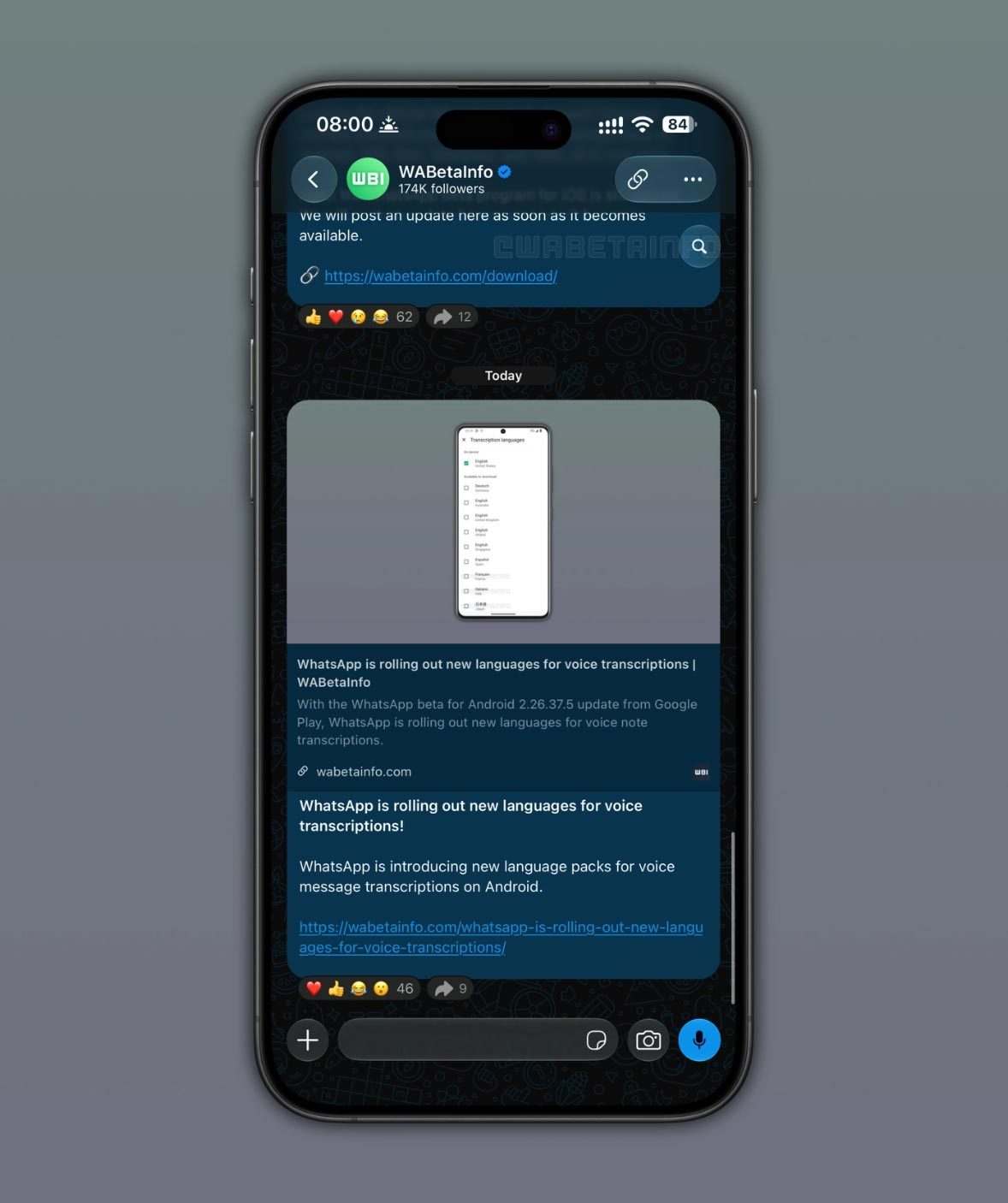
Meta-owned instant messaging giant WhatsApp has officially begun rolling out a highly anticipated user-interface enhancement for its iOS application: a streamlined, contextual in-chat search shortcut. Following a concise testing period within the platform’s rigorous TestFlight beta program that began in early August, the feature is now making its way to public-facing iPhone users globally.
Historically, locating specific messages, media, or shared links buried deep within a lengthy conversation required a cumbersome, multi-step navigation process. Users had to tap the contact or group header, delve into the chat settings or "Contact Info" menu, select the search option, and execute their query before navigating back to the main thread.
The newly deployed update completely reimagines this workflow. By introducing a dynamic, context-aware search shortcut that appears only when scrolling upward through a thread, WhatsApp has significantly reduced friction in everyday communication. According to tracking reports from industry insiders WABetaInfo, the feature is versatile, extending seamlessly across individual chats, group conversations, and broadcast channels alike. While the initial beta testing phase hinted at a fixed placement in the bottom-right corner of the interface, the final production release opts for a much more subtle, floating contextual indicator.
As this server-side rollout continues to scale globally, millions of iOS users can expect the feature to appear automatically. However, due to Meta’s standard phased deployment strategy, complete saturation across the global iPhone user base may take several days or even weeks. This update highlights WhatsApp’s ongoing commitment to refining user experience (UX) and interface efficiency on Apple’s mobile operating system, ensuring it remains competitive against rivals like Telegram and Apple’s own Messages app.
Detailed Chronology: From Beta Concept to Public Release
The journey of the new in-chat search button reflects WhatsApp’s methodical approach to feature development, which heavily relies on community feedback, internal dogfooding, and public beta testing.
Early August 2026: The Beta Discovery
The first concrete evidence of WhatsApp working on a dedicated in-chat search shortcut surfaced in early August. Data miners and code sleuths examining WhatsApp beta for iOS discovered references and rudimentary implementations of a search button designed to live within the chat interface itself.
Initial reports from tech publications highlighted a prototype design that positioned a floating search button in the bottom-right corner of the screen—directly above the text input field. The goal of this early iteration was clear: bypass the tedious requirement of opening chat settings to perform a simple keyword search. However, as is common during the beta lifecycle, user interface elements are frequently subject to alteration based on usability studies and ergonomic evaluations.
Late August to Early September 2026: Refinement and UX Adjustments
Throughout the subsequent weeks of beta testing, WhatsApp engineers fine-tuned how the button behaved. Testers noted that a static button in the bottom-right corner occasionally cluttered the screen, particularly when interacting with media-heavy threads or utilizing other quick-action buttons such as voice note shortcuts or attachment menus.
To resolve this, the development team pivoted toward a contextual approach. Instead of keeping the search button persistently visible, they programmed it to appear dynamically. Under the refined design, the search button reveals itself only when a user actively scrolls upward to review older messages within a chat or channel. Once the user scrolls back down to the most recent messages, the button gracefully recedes, keeping the chat interface clean and distraction-free.
Mid-September 2026: The Official Public Rollout
Following a successful beta phase that ironed out performance bugs and UI glitches, WhatsApp officially greenlit the feature for a public rollout. WABetaInfo, the premier authority on unreleased and newly launched WhatsApp features, broke the news that the production build was actively hitting user devices.
While the feature requires no manual app update from the App Store in many cases—often being activated via a server-side switch—users are nonetheless encouraged to run the latest version of WhatsApp for iOS to ensure full compatibility. The transition from beta to public release marks another step in WhatsApp’s 2026 product roadmap, which has heavily emphasized reducing friction and improving information retrieval across its massive ecosystem.
Supporting Context & Metrics: The Evolution of Search in Messaging
To fully understand the significance of this minor yet impactful update, one must examine the evolution of search functionality within modern instant messaging applications and the sheer volume of data users process daily.
The Problem of Digital Hoarding in Chats
Modern chat applications have transformed from simple text-replacement tools into comprehensive digital archives. Users store years of conversations, high-resolution photographs, financial documents, travel itineraries, and voice notes inside individual threads. As chat histories expand into tens of thousands of messages, efficient search capabilities become paramount.
Before this update, WhatsApp’s search architecture was fragmented. While the global search bar at the top of the main chat list allowed users to search across all conversations simultaneously, searching within a specific, active conversation was surprisingly counter-intuitive. Users frequently complained about the "round-trip" nature of in-chat searching:
Tap the contact/group name at the top.
Select "Chat Search."
Type the query.
View results, tap one to jump to the message.
Repeat if the first result was incorrect.
By contrast, competitors like Telegram have long offered persistent, easily accessible in-chat search tools. WhatsApp’s latest update bridges this usability gap, aligning its iOS experience with modern expectations of speed and contextual awareness.
Cross-Platform Parity and Architectural Challenges
Implementing UI changes across iOS requires adherence to Apple’s stringent Human Interface Guidelines (HIG). Developers must ensure that custom buttons do not interfere with native gestures (such as the swipe-to-go-back gesture or reachability features).
By opting for a contextual, scroll-triggered button, WhatsApp’s engineering team successfully avoided screen real estate bloat. When users are actively participating in a real-time conversation at the bottom of the screen, the button is hidden. It only materializes when retrospective browsing—scrolling up—is detected, making it a textbook example of context-aware UI design. Furthermore, this feature has been rolled out uniformly across three distinct communication vectors on the app:
Individual Chats: One-on-one text and media exchanges.
Group Chats: High-traffic multi-user threads where finding specific information is notoriously difficult.
Channels: Broadcast-style feeds where users frequently look for historical announcements or media shared by organizations.
Official Statements and Industry Insights
While Meta rarely issues standalone press releases for incremental user-interface updates, insights provided by independent tracking organizations and developer communities offer a clear window into the philosophy driving these changes.
Industry analysts have praised the update for prioritizing ergonomic design over brute-force feature addition. In a detailed breakdown published by WABetaInfo, the mechanics of the release were summarized as follows:
"The new search button appears at the top of the screen when users scroll up through the conversation. When users return to the bottom of the chat, the button disappears again. It shows up contextually, only when it is useful. Users who see the button can tap it to activate search mode directly within the conversation. As soon as users enable search mode, they can type a keyword and find matching messages without leaving the chat. The search mode works just like the existing one, so users who are already familiar with it will not have to learn anything new."
UX design experts point out that minimizing "cognitive load" is the holy grail of modern app development. By ensuring users do not have to unlearn existing search logic—the underlying search engine and keyword-matching algorithms remain entirely identical—WhatsApp has mitigated the risk of user alienation. Users retain their muscle memory regarding how search results are displayed and navigated, while benefiting from an exponentially faster entry point.
Future Outlook: What’s Next for WhatsApp on iOS?
The deployment of the contextual in-chat search button is indicative of a broader trend within WhatsApp’s development pipeline: a granular focus on micro-interactions and workflow optimization.
As artificial intelligence integration becomes ubiquitous across Meta’s product ecosystem—with AI-powered search assistants and smart summaries already rolling out in various regional markets—refining foundational tools like text search lays the groundwork for more advanced features. In future updates, we can anticipate deeper integrations between manual keyword search and Meta AI capabilities, allowing users to not just find exact words, but to query conversational context using natural language prompts directly within chats.
For now, iPhone users are advised to ensure their applications are updated to the latest available version via the iOS App Store. Because the feature is rolling out via server-side activation, users who do not see the contextual button immediately should exercise patience; historical deployment patterns indicate that 100% global availability typically spans several days following the initial announcement.
As WhatsApp continues to iterate on iOS, this subtle UI tweak proves that even the world’s largest messaging platform—boasting billions of active users—remains deeply focused on perfecting the everyday user experience, one scroll at a time.