Executive Overview
In the contemporary landscape of personal computing and consumer electronics, few design elements are as universally recognized—or as frequently misunderstood—as the physical ports on our devices. As technology marches steadily toward a unified ecosystem, the asymmetrical, reversible USB-C connector has largely won the battle for modern convenience. It is sleek, it fits snugly into the latest smartphones, tablets, and flagship ultrabooks without the frustrating guesswork of orientation, and it has become the standard bearer for mobile data transfer.
Yet, a pervasive myth continues to linger in the minds of consumers and tech enthusiasts alike: the assumption that a USB-C flash drive is inherently faster than a traditional USB-A flash drive.
This misconception conflates the physical shape of a connector with the data transmission protocols running through it. In reality, a connector type is merely a conduit—a doorway through which data travels. The speed of a flash drive is dictated not by whether its plug is oval or rectangular, but by the internal flash memory chips, the onboard controller, and the underlying USB generation specification (such as USB 2.0, USB 3.2 Gen 1, or USB 3.2 Gen 2) supported by both the drive and the host device.
In this comprehensive analysis, we will deconstruct the engineering realities of USB-C and USB-A flash storage, examine how port compatibility impacts real-world performance, evaluate the enduring utility of the legacy USB-A standard, and help you navigate the crowded market of portable storage solutions to make an informed purchasing decision.
Detailed Chronology: The Evolution of Universal Serial Bus Port Design
To fully understand why consumers mistakenly link physical connector types to performance metrics, it is helpful to trace the chronological evolution of the Universal Serial Bus standard. Since its commercial inception in the mid-1990s, the USB interface has undergone a series of dramatic transformations designed to address ever-increasing demands for bandwidth, power delivery, and user ergonomics.
1. The Era of Fragmentation (1996–2000s)
When the USB 1.0 and 2.0 specifications were introduced, the primary goal was to establish a universal plug-and-play standard to replace a chaotic assortment of serial, parallel, and proprietary ports. The result was the ubiquitous USB-A connector—a flat, rectangular interface designed with strict physical polarization to prevent upside-down insertion. While brilliantly reliable, it was mechanically limited. Users quickly grew accustomed to the classic "USB superposition" dilemma: failing to plug it in correctly on the first try, flipping it over, failing again, and finally succeeding on the third attempt. During this period, speed was inextricably linked to generational upgrades (moving from the agonizingly slow 1.5 Mbps of USB 1.0 to the 480 Mbps max throughput of USB 2.0), while the physical USB-A port remained the constant vessel.
2. The SuperSpeed Leap and the Birth of Micro/Mini Variants (2008–2013)
With the launch of USB 3.0 (later rebranded as USB 3.1 Gen 1 and USB 3.2 Gen 1), data transfer rates leaped to a theoretical 5 Gbps. To accommodate this massive bandwidth increase while maintaining backward compatibility, engineers added extra internal pins to the USB-A architecture, often color-coding the plastic inside the port blue. Concurrently, mobile devices demanded smaller ports, leading to the proliferation of USB Mini and, later, USB Micro-B connectors. This era created a fragmented landscape where cables and adapters were required just to bridge the gap between desktop peripherals and mobile electronics.
3. The USB-C Revolution and the Decoupling of Shape and Speed (2014–Present)
Introduced in 2014, the USB-C specification (officially USB Type-C) was designed to solve multiple pain points simultaneously. It offered a reversible, symmetrical design that eliminated insertion frustration, supported significantly higher power delivery (USB Power Delivery or USB-PD) for charging laptops and monitors, and was engineered to scale across multiple generations of data protocols.
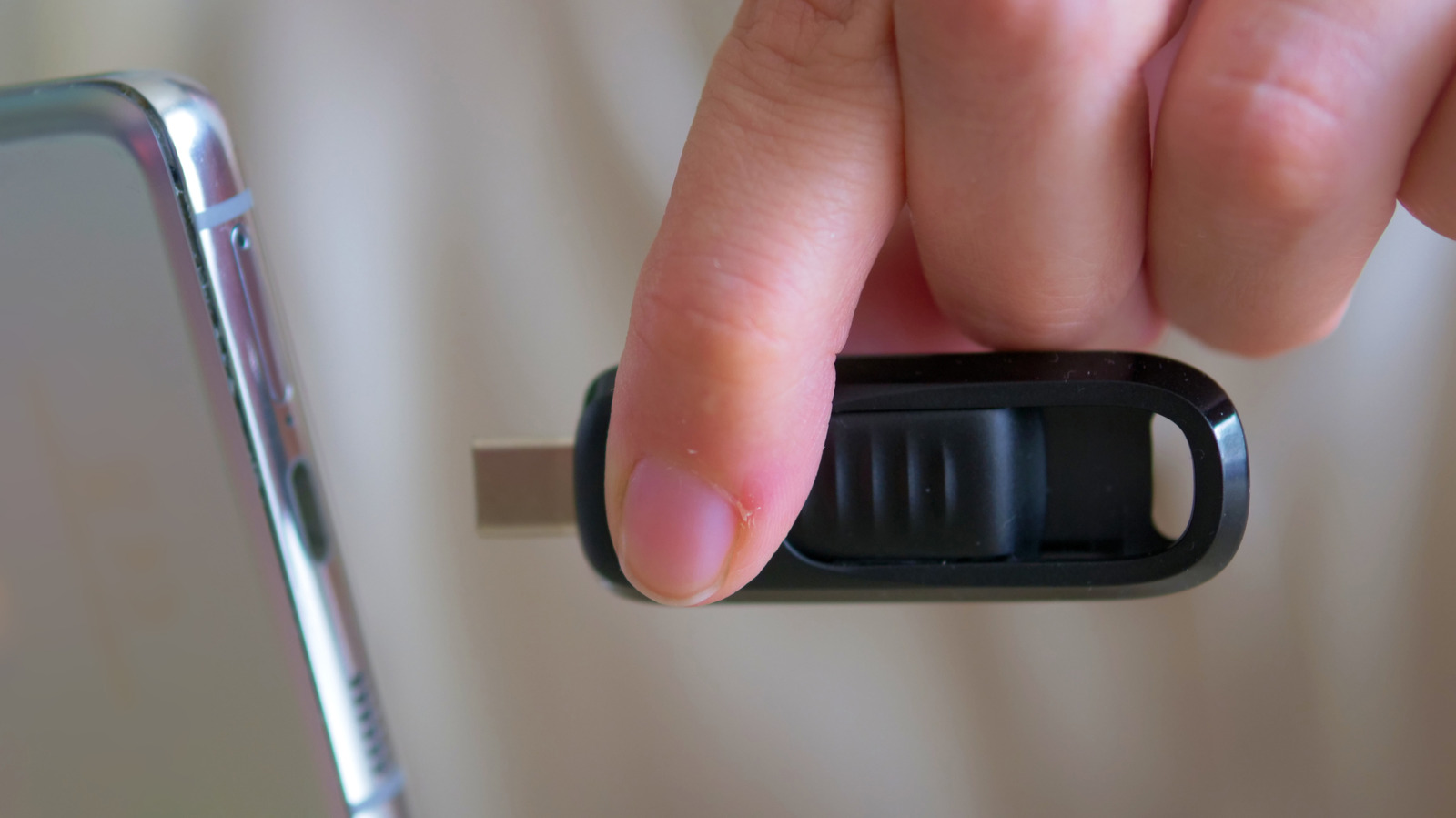
However, because USB-C arrived during a time when high-speed protocols like USB 3.1 and Thunderbolt were maturing, consumers subconsciously began to treat "USB-C" as a synonym for "high speed." The industry failed to adequately communicate a crucial engineering caveat: USB-C is a physical geometry, not a performance guarantee. A manufacturer can technically build a USB-C flash drive that utilizes outdated, glacial USB 2.0 internal components. Conversely, high-end flash memory can be housed inside a legacy USB-A enclosure, provided the pins and internal controllers support higher data rates.
Supporting Context & Metrics: Speed, Protocols, and Real-World Bottlenecks
To evaluate whether a USB-C or USB-A flash drive is truly better, one must look beneath the plastic casing and examine the technical metrics that govern data transfer.
The Protocol Hierarchy
Flash drive performance is determined by a cascading chain of components, often referred to as the transfer pipeline:
- The NAND Flash Memory: The actual storage chips inside the drive dictate the maximum read and write velocities. Budget chips write data slowly; high-end, multi-channel NAND arrays write data rapidly.
- The Onboard Controller: Acting as the traffic cop, the controller manages data flow between the USB interface and the NAND memory.
- The USB Protocol Generation: This defines the theoretical bandwidth limit of the connection.
- The Host Port: The physical port on your computer, tablet, or smartphone.
| USB Generation | Marketing Name | Max Theoretical Bandwidth | Typical Real-World Flash Drive Performance |
|---|---|---|---|
| USB 2.0 | Hi-Speed USB | 480 Mbps (~60 MB/s) | Read: 20–40 MB / Write: 5–15 MB/s |
| USB 3.2 Gen 1 | SuperSpeed USB | 5 Gbps (~625 MB/s) | Read: 100–450 MB / Write: 30–200 MB/s |
| USB 3.2 Gen 2 | SuperSpeed USB 10Gbps | 10 Gbps (~1,250 MB/s) | Read: 500–1,000 MB / Write: 450–950 MB/s |
| USB 3.2 Gen 2×2 / USB4 | SuperSpeed USB 20Gbps+ | 20 Gbps to 40 Gbps | Usually reserved for external Portable SSDs |
The Bottleneck Principle
A fundamental rule of computer architecture applies directly to flash storage: Your system is only as fast as its slowest component.
Consider two hypothetical scenarios:
- Scenario A: You purchase a cutting-edge, ultra-expensive USB-C flash drive rated for blazing-fast 500 MB/s read speeds. However, you plug it into an older desktop computer whose motherboard only features legacy USB 2.0 ports. Your transfer speeds will plummet, throttled down to a maximum of roughly 35 to 40 MB/s. The advanced USB-C drive is handcuffed by the outdated USB 2.0 port on the host machine.
- Scenario B: You plug a basic, inexpensive USB 2.0 USB-A flash drive into a state-of-the-art USB 3.2 Gen 2 port on a brand-new workstation. The port is fully capable of pushing 10 Gbps, but the slow memory controller inside the flash drive cannot generate data fast enough to saturate the lane. The drive operates at its own sluggish baseline speed.
Furthermore, physical limits play a role. Traditional USB flash drives (thumb drives) rarely saturate the high-end bandwidth limits of USB 3.2 Gen 2 or Thunderbolt protocols due to thermal constraints, controller limitations, and the cost of high-performance NAND. Once you cross the threshold into continuous data rates exceeding 1,000 MB/s, manufacturers almost universally abandon standard thumb drives in favor of miniature Portable Solid-State Drives (Portable SSDs), which feature robust cooling and sophisticated caching controllers.
Official Industry Insights & Expert Perspectives
Storage manufacturers and hardware engineers frequently emphasize that consumer purchasing habits are heavily driven by aesthetic and ecosystem trends rather than raw technical benchmarks.
Industry analysts point out that the rapid elimination of legacy ports by laptop manufacturers—epitomized by Apple’s early transition to exclusively USB-C/Thunderbolt ports on MacBooks—forced an accelerated market shift. Consumers were no longer buying flash drives based solely on gigabyte-per-dollar ratios or megabyte-per-second read speeds; they were buying them based on friction reduction. If an individual owns an iPhone 15/16, a modern iPad Pro, and a recent MacBook Air, a USB-A drive requires an irritating intermediary dongle or adapter.

Conversely, enterprise IT professionals and system administrators offer a different perspective. Within enterprise environments, educational institutions, and industrial settings, the USB-A port remains deeply entrenched. Desktop towers, server racks, network routers, digital signage displays, and automotive diagnostic tools overwhelmingly rely on Type-A ports. For these professionals, a USB-A drive is not an outdated relic, but an essential tool of maximum compatibility.
Hardware reviewers consistently advise consumers to look past marketing buzzwords like "Lightning Fast USB-C" on retail packaging. Regulatory bodies and trade associations, such as the USB Implementers Forum (USB-IF), have repeatedly attempted to streamline naming conventions to prevent consumer confusion, though retail packaging frequently lags behind in clear, transparent specification labeling. The universal advice from hardware engineers remains unequivocal: Always check the manufacturer’s specified read and write speeds (measured in megabytes per second, or MB/s) rather than relying on the connector type as an indicator of performance.
Future Outlook: The Inevitable Convergence and the Rise of Portable SSDs
As we look toward the horizon of personal computing, the trajectory of portable storage is becoming increasingly clear. Several macro trends are reshaping how we store, move, and access data:
1. The Complete Ascendancy of USB-C
Within the consumer electronics space, USB-C has effectively won the format war. With international regulatory pressures—such as European Union legislation mandating a common charging port—forcing even historically resistant device manufacturers to adopt USB-C across smartphones, tablets, headphones, and accessories, the ecosystem is rapidly standardizing. Over the next decade, standalone USB-A ports on consumer-facing laptops and mobile devices will likely become entirely obsolete, relegated to legacy hardware and niche industrial applications.
2. The Blurring Lines Between Flash Drives and Portable SSDs
Traditional flash drives (thumb drives) occupy a shrinking middle ground. For casual file transfers (such as moving a few Word documents or PDFs), cloud storage and wireless sharing have largely supplanted physical drives. For heavy-duty tasks—such as editing 4K/8K video directly from an external drive, running virtual machines, or backing up entire operating systems—traditional thumb drives are increasingly inadequate due to thermal throttling and slower sustained write speeds.
Consequently, the market is shifting toward miniaturized Portable SSDs. These devices offer multi-terabyte capacities, sustained read/write speeds exceeding 1,000 MB/s, and robust heat dissipation, all packaged in a form factor only slightly larger than a traditional USB drive.
3. The Enduring Utility of Hybrid Solutions
For consumers caught in the transitional friction between old and new hardware, dual-connector flash drives—featuring a USB-C plug on one end and a USB-A plug on the other (often accessed via a sliding mechanism or a flip-cap)—will continue to serve as a pragmatic bridge. While these hybrid drives do not magically circumvent the speed limitations of their internal components, they eliminate the need to carry separate adapters when moving data between an aging office desktop and a brand-new smartphone.
Conclusion: Which Should You Choose?
When deciding between a USB-C and a USB-A flash drive, your choice should be dictated by your hardware ecosystem and your workflow requirements, not by the false premise that one connector shape is inherently faster than the other.
- Choose a USB-C flash drive if: You primarily use modern hardware (recent smartphones, tablets, and ultrabooks), value the physical convenience of a reversible plug, and want seamless data transfer across your mobile and desktop devices without fumbling with adapters.
- Choose a USB-A flash drive if: Your daily workflow involves legacy desktop PCs, enterprise equipment, automotive entertainment systems, or shared office hardware where Type-A ports remain the universal standard. They remain inexpensive, highly compatible, and ideal for creating bootable operating system installation media.
- Check the Specs, Not Just the Shape: Regardless of which connector you choose, always inspect the manufacturer’s stated read and write speeds. If raw performance is your primary objective—especially for massive multimedia files—ensure the drive supports a high-performance USB 3.2 protocol, or consider stepping up to a true portable solid-state drive (Portable SSD) to unlock next-generation data speeds.