
Executive Overview
In a significant shift for the productivity software market, TextExpander—long celebrated as a quintessential utility for power users, writers, and administrative professionals—has officially launched a permanent free tier. For years, the application operated strictly on a paid subscription model, a barrier to entry that often discouraged casual users from experiencing its full potential. Today, the introduction of a complimentary entry-level option changes that dynamic entirely.
The newly minted free plan grants users access to the core functionality that has made TextExpander a staple of modern digital workflows: instant text expansion, unlimited library storage, and multi-device synchronization. Available across macOS, iOS (iPhone and iPad), Windows, and Google Chrome, the tier bridges the gap between native operating system shortcuts and enterprise-grade automation tools.
While the free plan includes notable constraints—most notably a cap of five active snippets and strict limitations on how frequently those snippets can be swapped—it provides a risk-free runway for individuals to test advanced automation features. These include variables, conditional sections, nested snippets, and math macros that far outstrip the capabilities built into native operating systems. This analytical report explores the mechanics of TextExpander’s new free tier, its utility for modern professionals, how it stacks up against native alternatives, and what this strategic pivot means for the broader productivity software ecosystem.
Detailed Chronology: The Evolution of Text Expansion
To understand the weight of TextExpander’s new free offering, it is helpful to trace the evolution of text-expansion technology and the software’s journey through the personal computing landscape.

The Early Days of Automation
Before dedicated text-expansion engines became commonplace, power users relied on macro utilities, shell scripts, and system-level hotkeys to automate repetitive typing. As graphical user interfaces matured in the late 1990s and 2000s, specialized applications emerged to intercept keystrokes and replace short abbreviations with robust blocks of text. TextExpander, developed by SmileOnMyMac (later shortened to Smile), established itself as an early frontrunner on the Macintosh platform.
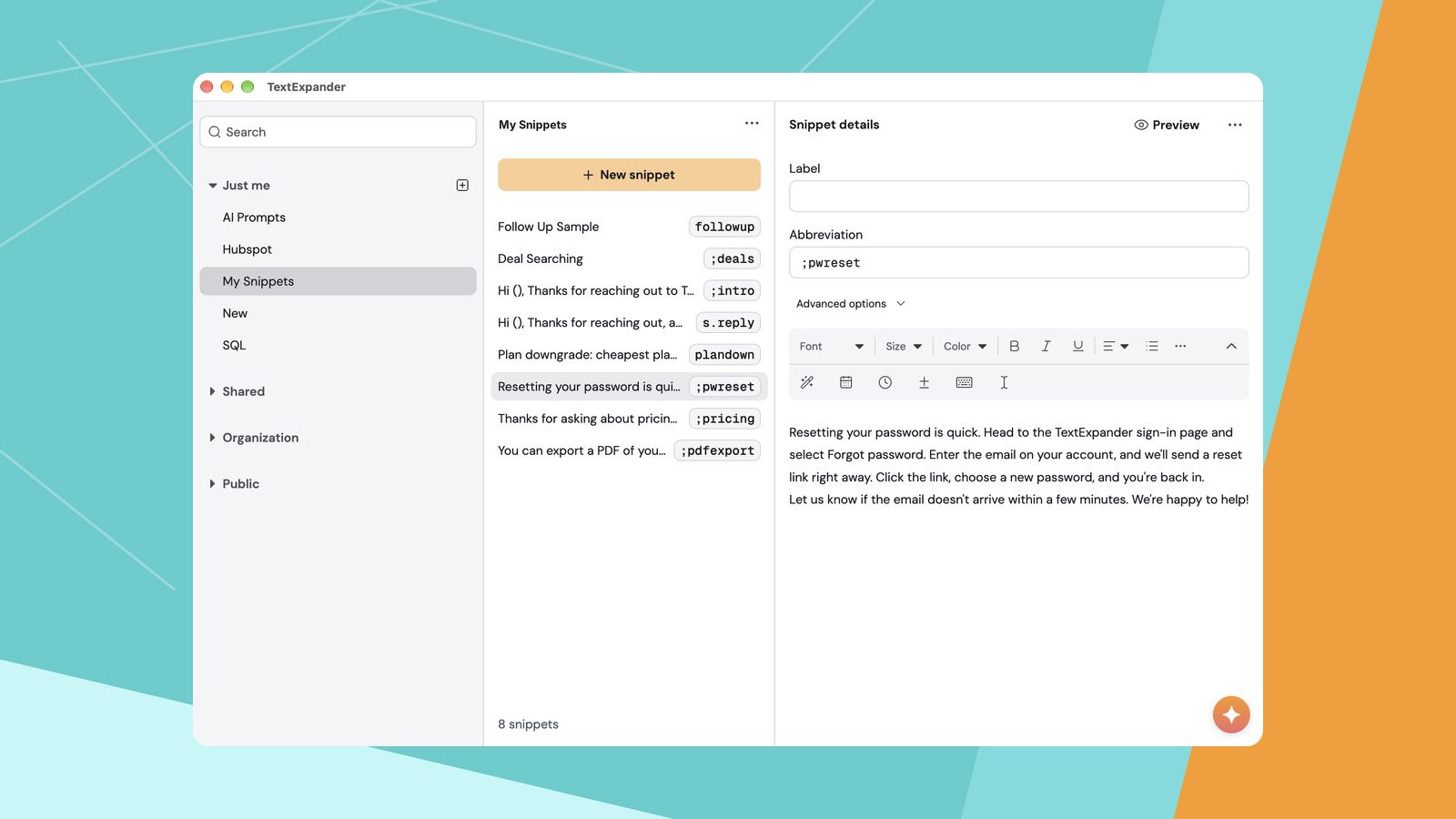
By allowing users to type a brief trigger code (such as ;email or ;address) and instantly output paragraphs of text, signatures, or code blocks, the utility quickly garnered a cult following among software developers, customer support professionals, and journalists.
The Shift to Cross-Platform and Subscriptions
As computing diversified beyond the desktop, TextExpander expanded its footprint. Versions for iOS, Windows, and web browsers via Chrome extensions followed, ensuring that a user’s snippet library could remain synchronized across devices.
However, this expansion necessitated a change in business models. In 2016, Smile transitioned TextExpander from a traditional perpetual software license to a recurring cloud-based subscription model. While the move sparked initial pushback from long-time users accustomed to one-time purchases, it enabled continuous cloud syncing, team-sharing capabilities, and robust cross-platform infrastructure. Over the ensuing decade, the app cemented its status as a premium productivity tool, commanding a monthly or annual fee that positioned it squarely as an investment for serious professionals.
The Modern Pivot to Freemium
Fast forward to the current era, and the software landscape is dominated by freemium models. Users increasingly expect to evaluate software deeply before committing financial resources. Recognizing this shifting consumer psychology, Smile has introduced a permanent free tier. This move acknowledges that while native operating systems have borrowed basic text-replacement features, the advanced, collaborative, and cross-platform needs of modern knowledge workers require a more sophisticated gateway into the TextExpander ecosystem.
Supporting Context & Metrics: Inside the Free Plan
For prospective users evaluating the new offering, understanding the precise parameters of the free plan is essential. According to details shared with industry publications, the structure of the free tier balances accessibility with clear boundaries designed to encourage upgrades to paid tiers.
Core Inclusions of the Free Tier
- Active Snippet Limit: Users are permitted up to 5 active snippets at any given time.
- Storage and Expansions: Despite the active snippet cap, the plan features unlimited library storage and unlimited text expansions, meaning users can trigger their active shortcuts as many times as needed without throttling.
- Team Collaboration: Remarkably, the free plan extends collaboration features, allowing up to 5 team members to share workflows.
- Cross-Platform Synchronization: The tier supports synchronization across all supported operating systems and environments—Mac, iPhone, iPad, Windows, and Chrome—ensuring that a snippet created on a desktop is instantly available on mobile devices and web browsers.
The Catch: Restrictions and Workarounds
The primary friction point within the free plan is the five-snippet ceiling, compounded by restrictions on how frequently those snippets can be modified. Specifically, the free tier permits only one active snippet to be swapped every two weeks.
This limitation means users cannot treat the free tier as a rotating menu for dozens of shortcuts. Instead, they must carefully curate their top five most critical text expansions—such as a primary email signature, a billing address, or a frequently used support response.

Leveraging Native OS Features Alongside TextExpander
Because of these limitations, power users recommend a hybrid approach. Major operating systems—particularly macOS and iOS—feature built-in text replacement tools found within system settings.
- Native Tools: Best suited for static, unchanging, short text strings (e.g., expanding
omwto "On my way!"). - TextExpander Free: Best reserved for high-value snippets that benefit from advanced formatting, or as a testing ground for those planning to scale up to paid team or individual tiers.
Official Statements & Industry Impact
The introduction of a free tier is rarely a passive business decision; it is a calculated maneuver designed to capture market share in an increasingly competitive productivity software market.
Democratizing Advanced Automation
Industry analysts note that text expansion is no longer viewed as a niche developer tool. In an age dominated by remote work, asynchronous communication, and digital correspondence, the ability to eliminate keystroke repetition translates directly into measurable hours saved per week. By removing the financial barrier to entry, TextExpander is positioning itself to capture a younger demographic of digital natives, students, and early-career professionals who rely on mobile and desktop environments interchangeably.
Furthermore, allowing up to five team members on the free plan is a strategic masterstroke. It allows small startup teams, freelance collectives, and project groups to standardize communication templates, support macros, and formatting guidelines without incurring software overhead. Once these teams outgrow the five-snippet limit as their workflows scale, transitioning to a paid enterprise or professional tier becomes a natural progression.

Future Outlook: The Road Ahead for Text Automation
As operating system developers continue to refine native productivity tools, third-party utilities must continually prove their unique value proposition. Apple, Microsoft, and Google routinely bake productivity shortcuts deeper into their respective ecosystems. However, native solutions often lack the sophisticated engine power required by true efficiency experts.
What Sets TextExpander Apart?
The longevity and relevance of TextExpander hinge on features that native operating systems struggle to replicate:
- Variables & Fill-ins: Allowing users to trigger a snippet that pauses to prompt the user for specific input (such as a client’s name or project date) before completing the text string.
- Conditional Logic: Generating different text outputs based on specific rules or user selections within the expansion prompt.
- Nested Snippets: Embedding one snippet inside another to construct complex, modular blocks of text dynamically.
- Math Macros: Executing calculations on the fly within a text expansion, a boon for estimators, accountants, and technical writers.
Conclusion
The debut of TextExpander’s free plan marks a watershed moment for the application. By lowering the psychological and financial barrier to entry, Smile has invited a broader audience to experience the undeniable speed and efficiency of advanced text automation.
While the five-snippet limit requires careful curation, the inclusion of unlimited expansions, full cross-platform syncing, and team collaboration makes it a compelling addition to any digital toolkit. For those who have hesitated to invest in professional text-expansion software, there has never been a better time to test out the utility and reclaim precious minutes from the daily keyboard grind.