Executive Overview
With the official release of macOS 27, codenamed "Golden Gate," Apple has delivered one of its most consequential operating system updates in years. Rather than focusing on incremental performance gains or superficial aesthetic updates, Golden Gate introduces a profound paradigm shift: the transition from a passive, application-siloed desktop environment to an active, context-aware ambient workspace.
The update centers on two primary pillars. First is a deeply integrated, screen-aware iteration of Siri AI, parity-matched with the capabilities of iOS 27 but tailored to leverage the unique, multi-window workflow of desktop computers. Second is a major visual language overhaul dubbed "Liquid Glass," which unifies UI elements, standardizes window geometry, and introduces structural improvements to system navigation.
By leveraging the local machine learning capabilities of Apple Silicon, macOS 27 attempts to solve a long-standing productivity bottleneck: the manual retrieval of information scattered across browser tabs, native applications, and local directories. As tech conglomerates race to define the "AI PC" era, Apple’s latest release represents a highly integrated, privacy-centric counter-offensive against browser-based AI sidebars and third-party desktop utilities.
Detailed Chronology of Key Features
Siri AI and Screen-Aware Contextual Intelligence
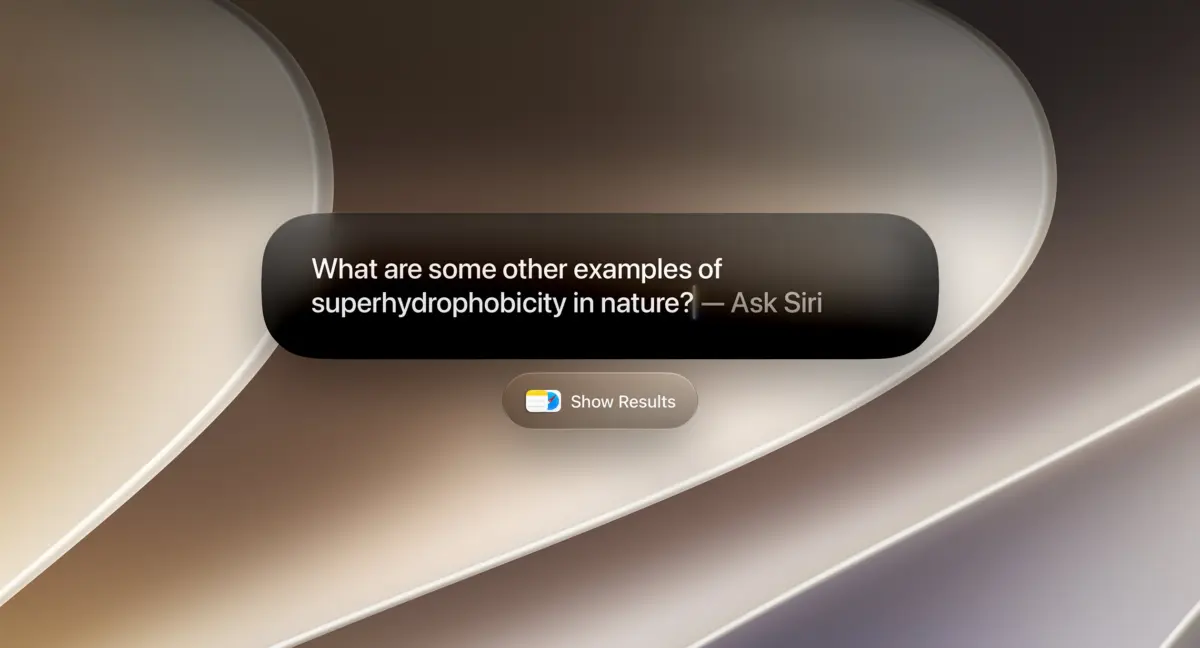
While Siri has existed on the Mac for a decade, its utility has historically been limited by a lack of integration with the user’s active workspace. macOS 27 changes this by granting Siri real-time visual and structural context. Users can invoke Siri anywhere on their screen to ask questions about active tasks, summarize open documents, or extract specific data points from cluttered web pages.
[Screen Action] ──> Command + Shift + Space ──> Focused Window Added to Siri Context
[Screen Selection] ──> Command + Shift + 6 ──> Crosshair Tool ──> Visual Intelligence Menu
Rather than forcing users to copy and paste text into a separate chat window, macOS 27 introduces two fundamental hotkeys to bridge the gap between user intent and AI action:
- Focused Window Context (
Command + Shift + Space): This command instantly appends the active, focused window to Siri’s immediate context. If a user is viewing a complex spreadsheet, a research paper, or an e-commerce page, invoking this shortcut allows them to ask Siri for alternative options, data summaries, or cross-references without manually exporting files. - Visual Selection (
Command + Shift + 6): This shortcut invokes a precise crosshair selection tool, allowing users to crop a specific portion of their display. This activates Apple’s newly ported Visual Intelligence engine. Once a selection is made, a dynamic context menu appears, offering instant actions such as:- "Select": OCR-driven text extraction.
- "Add to Contact": Automatic parsing of names, emails, and phone numbers.
- "Look up Location": Mapping addresses or geographical landmarks.
- Image Search: Reverse-image queries powered by local and cloud-based models.
Spotlight Search and the Local Knowledge Graph
Spotlight Search has undergone a comprehensive architectural rewrite. Rather than acting as a simple file indexer, Spotlight now serves as a localized, natural-language query interface.

┌─────────────────────────────────────────────────────────┐
│ Spotlight Search (macOS 27)                             │
├─────────────────────────────────────────────────────────┤
│ [Search Query: "My upcoming flight details"]            │
├─────────────────────────────────────────────────────────┤
│ Context Filters:                                        │
│ [x] Applications  [x] Files  [x] Actions  [x] Clipboard  │
├─────────────────────────────────────────────────────────┤
│ Result: Flight UA2401 - Departs SFO at 8:45 AM (Mail)   │
└─────────────────────────────────────────────────────────┘
Users can query Siri directly within the Spotlight search bar to retrieve information synthesized from the web or deep within their local files. A new contextual filtering system allows users to scope searches to specific vectors, including:
- Applications
- Files
- System Actions
- Clipboard History
Because Siri has index-level access to local emails, messages, and document directories, it can perform complex retrieval tasks. During testing, the system successfully retrieved buried membership IDs without requiring the corresponding files to be opened, synthesized travel itineraries from disorganized confirmation emails, and surfaced embargo dates from draft documents. Furthermore, Spotlight now supports the direct execution of complex Shortcuts and maintains a comprehensive, searchable user query history.
System-Wide Writing Tools and Safari Enhancements
Desktop environments remain the primary canvas for long-form content creation, making macOS 27’s system-wide writing tools exceptionally practical. By selecting any block of text in any application, users can call upon Siri to proofread, adjust tone, or completely rewrite copy. Additionally, Siri can draft text from scratch within any standard text input field, matching the workflow of dedicated AI writing assistants.
In tandem, Safari has received targeted AI upgrades to address the chaotic nature of modern web browsing:
- AI-Powered Page Tracking: This feature allows users to monitor web pages for specific changes—such as price drops, privacy policy updates, or new blog entries—even when the target website lacks native RSS support.
- Automatic Tab Grouping: Safari can now analyze open tabs and automatically categorize them into distinct topic-based groups, mitigating browser-tab clutter.
- Contextual File Renaming: When saving or downloading documents, the system analyzes the context of the source application or webpage to suggest accurate, descriptive file names, replacing generic strings like
IMG_0492.pngordocument_final_v2.pdf.
The "Liquid Glass" Visual Redesign
To complement its software intelligence, Apple has updated its desktop aesthetic with Liquid Glass. This design language aims to bring visual harmony to macOS’s multi-window layout.
- Adjustable Glass Slider: Users can customize the transparency and refractive index of the UI, adjusting how background elements bleed through active windows.
- Window Diffusion: When dragging or resizing windows, a new diffusion effect visually anchors the window to the desktop, reducing visual jarring.
- Standardized Corner Radii: App windows now share a highly consistent corner radius, resolving design discrepancies between first-party and third-party apps.
- Edge-to-Edge Sidebars: Navigation sidebars now extend to the absolute edges of windows, populated by vibrant, redesigned icons.
- Active Window Highlighting: Active workspaces are given subtle but distinct visual priority, making it easier to identify the focused window in dense multi-monitor setups.
┌─────────────────────────────────────────────────────────┐
│ macOS 27 UI Highlights                                  │
├─────────────────────────────────────────────────────────┤
│ • Liquid Glass Icons with adjustable system opacity     │
│ • Consistent corner radii across all application windows│
│ • Edge-to-edge sidebars featuring colorful iconography  │
│ • Dynamic active window highlighting                    │
└─────────────────────────────────────────────────────────┘
Supporting Context & Competitive Analysis
Apple’s introduction of contextual screen-awareness is a direct response to the fragmentation of the AI market. Over the past several years, third-party developers have rushed to fill the gap left by operating system gatekeepers.

| Feature / Capability | macOS 27 (Siri AI) | Dedicated AI Browsers (Arc, Edge) | Utilities (Highlight, Caddy, Littlebird) | Raycast |
|---|---|---|---|---|
| System Integration | Deep OS-Level | Sandbox / Browser-Only | Overlay-Level | Extensible CLI Overlay |
| Contextual Awareness | Screen, Windows, Local Files | Active Tabs Only | Active Window Only | Clipboard & File Index |
| Visual Capture | Cmd + Shift + 6 (Built-in) |
N/A (Manual Upload) | Screen Capture APIs | Manual Screenshot |
| Data Privacy | Local On-Device processing | Cloud-dependent | Cloud-dependent | Cloud/Local Hybrid |
| Extensibility | Shortcuts & System Actions | Browser Extensions | Limited APIs | Massive Extension Ecosystem |
While browsers like Arc, Microsoft Edge, and Opera have integrated AI sidebars capable of analyzing open web pages, they are fundamentally sandboxed. They cannot see or interact with native desktop applications like Slack, Xcode, or Adobe Creative Cloud.
Similarly, third-party screen-overlay tools such as Highlight, Caddy, and Littlebird have gained popularity by capturing active window contexts to feed AI prompts. However, they operate as middleware, lacking the low-level OS access needed to trigger deep system actions. macOS 27 bypasses these limitations by baking screen-awareness directly into the window server.
However, Apple’s integration does not completely eclipse the power-user market. For instance, while Spotlight’s contextual clipboard and file search are vastly improved, it still lacks the hyper-extensible, community-driven ecosystem of a tool like Raycast. For developers and system administrators who rely on customized script commands and deep API integrations, third-party launchers remain highly relevant. Nonetheless, for the vast majority of consumers and knowledge workers, macOS 27 native tools effectively sherlock the basic utility of these niche applications.
Official Statements & Deployment Details
In a press statement accompanying the release, Apple emphasized the deep integration of hardware and software as the key differentiator for Golden Gate:
"With macOS 27 Golden Gate, we are turning the Mac into an intuitive, highly personalized assistant that respects user privacy. By leveraging the industry-leading unified memory architecture of Apple Silicon, Siri can now process complex screen and document context locally on-device. This is a level of deep, secure integration that only Apple can deliver."
Hardware Compatibility Matrix
To run macOS 27 Golden Gate, devices must feature Apple Silicon. Intel-based Macs have officially been excluded from this release cycle due to the heavy neural processing requirements of the local models powering Siri and Visual Intelligence.

- MacBook Air: 2020 (M1) or later
- MacBook Pro: 2020 (M1) or later
- MacBook Neo (All versions)
- iMac: 2021 or later
- Mac Mini: 2020 or later
- Mac Studio: 2022 or later
- Mac Pro: 2023 or later
Installation Path
The update is available immediately to eligible users. To update, navigate to System Settings > General > Software Update and follow the on-screen prompts. Users are encouraged to perform a full Time Machine backup before initiating the installation.
Future Outlook
The release of macOS 27 Golden Gate marks a milestone in the evolution of the desktop operating system. By transforming the OS from a collection of static windows into an interactive canvas, Apple is preparing the Mac for a future where natural language is as critical to navigation as the mouse and keyboard.
However, this transition is not without its challenges. Granting an AI engine deep index-level access to emails, files, and active screens raises valid security and privacy questions. Apple’s reliance on local, on-device processing via the Apple Silicon Neural Engine is a robust technical defense, but the system’s security boundaries will undoubtedly face intense scrutiny from cybersecurity researchers in the coming months.
As Apple continues to refine these tools, the line between localized computing and cloud-assisted intelligence will continue to blur. For now, macOS 27 Golden Gate offers a compelling, cohesive look at the future of desktop productivity—one where the operating system doesn’t just run your apps, but actively understands your work.