Executive Overview
Fifteen years after its initial debut in 2011, Amazon Web Services (AWS) has radically modernized its flagship application deployment and management service: AWS Elastic Beanstalk. Originally designed to liberate developers from the tedious underpinnings of infrastructure provisioning—handling full-stack applications written in Java, .NET, Python, Node.js, PHP, Ruby, and Go—Elastic Beanstalk has evolved to meet the unprecedented scale and complexity of modern cloud workloads.
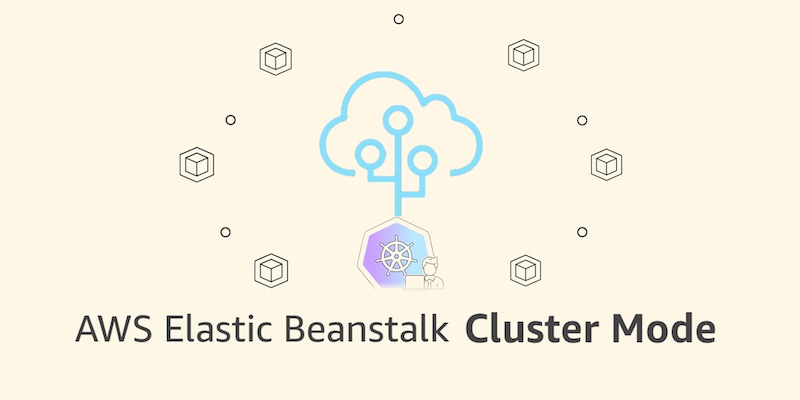
Today, AWS is announcing the next major chapter in the platform’s lifecycle: the general availability of a fully managed Cluster Mode. This transformative addition bridges the gap between the radical simplicity of Elastic Beanstalk and the robust, highly scalable orchestration power of Amazon Elastic Kubernetes Service (Amazon EKS).
By allowing organizations to run multiple applications that share a single infrastructure baseline, Cluster Mode dramatically reduces per-application operational overhead and cost. Paired with recent platform-wide upgrades—such as AI-powered environment analysis, native GitHub Actions for continuous integration, OpenTelemetry-based observability, and automated traffic-splitting deployments—the modernized Elastic Beanstalk takes full, continuous operational responsibility for production environments throughout their lifecycle.
Developers and platform teams bring their source code, Dockerfiles, or container images, and AWS handles everything else: deployment, scaling, patching, monitoring, and infrastructure maintenance.
Detailed Chronology: From 2011 Origins to the Cluster Mode Era
The 2011 Genesis: Simplicity Over Infrastructure
When AWS first introduced Elastic Beanstalk in 2011, the cloud computing paradigm was vastly different. Developers sought a platform-as-a-service (PaaS) layer that could hide the operational friction of Amazon Elastic Compute Cloud (Amazon EC2), Elastic Load Balancing, and Amazon Relational Database Service (Amazon RDS). Elastic Beanstalk allowed users to upload their code and let the service provision and manage the underlying resources automatically. For more than a decade, this "Standard Mode" powered millions of production applications, cementing a profound level of enterprise trust.
Modernizing the Engine (2024–2026)
Recognizing that modern cloud-native architectures demand deeper observability, containerization support, and intelligent automation, AWS embarked on an ambitious multi-year overhaul of Elastic Beanstalk’s operational engine. This journey culminated in a rapid sequence of capability rollouts leading to today’s release:
- AI-Powered Environment Analysis: Introduced to automatically diagnose complex health anomalies and recommend actionable fixes without manual log diving.
- Official GitHub Action Support: Streamlined developer workflows by enabling direct, seamless deployments from existing CI/CD pipelines via a single YAML configuration file.
- Advanced Infrastructure Foundation: Upgraded to include OpenTelemetry-based observability, traffic-splitting deployments paired with automatic rollbacks, event-driven autoscaling, centralized secrets management via AWS Secrets Manager, and secure HTTPS-by-default configurations managed by AWS Certificate Manager (ACM).
The Next Chapter: Cluster Mode Unveiled
Building upon this modernized foundation, the launch of Cluster Mode marks a structural shift. Rather than isolating individual applications onto dedicated virtual servers, Cluster Mode leverages Amazon EKS to orchestrate multiple application portfolios under a single operational umbrella. This architectural evolution ensures that organizations running dozens or even hundreds of microservices can maintain consistent operational guarantees without incurring the cognitive load traditionally associated with raw Kubernetes management.
Architectural Breakdown: How Cluster Mode Works
Cluster Mode is engineered specifically for portfolio-driven development teams and modern microservices architectures. Operating individual applications in isolated silos often leads to resource fragmentation, operational sprawl, and escalating infrastructure costs. Cluster Mode solves this by pooling resources through Amazon EKS.

Core Architectural Benefits
- Shared Infrastructure, Decreased Costs: Multiple applications share an underlying EKS cluster powered by EKS Auto Mode compute. As a team’s portfolio scales, the cost per application drops significantly.
- Unified Operational Experience: Whether managing ten applications or a hundred, administrators oversee them through a single pane of glass, ensuring uniform security, patching, and monitoring baselines.
- Flexible Deployment Formats: Teams are not locked into a single packaging format. Elastic Beanstalk accepts raw source code, custom Dockerfiles, or pre-built container images.
- Side-by-Side Coexistence: Elastic Beanstalk Standard Mode (powered by Amazon EC2) remains fully supported. Standard and Cluster Mode environments can run concurrently within the exact same Elastic Beanstalk application. This allows engineering teams to migrate workloads incrementally, validating compatibility before making permanent moves.
Getting Started: Console Deployment
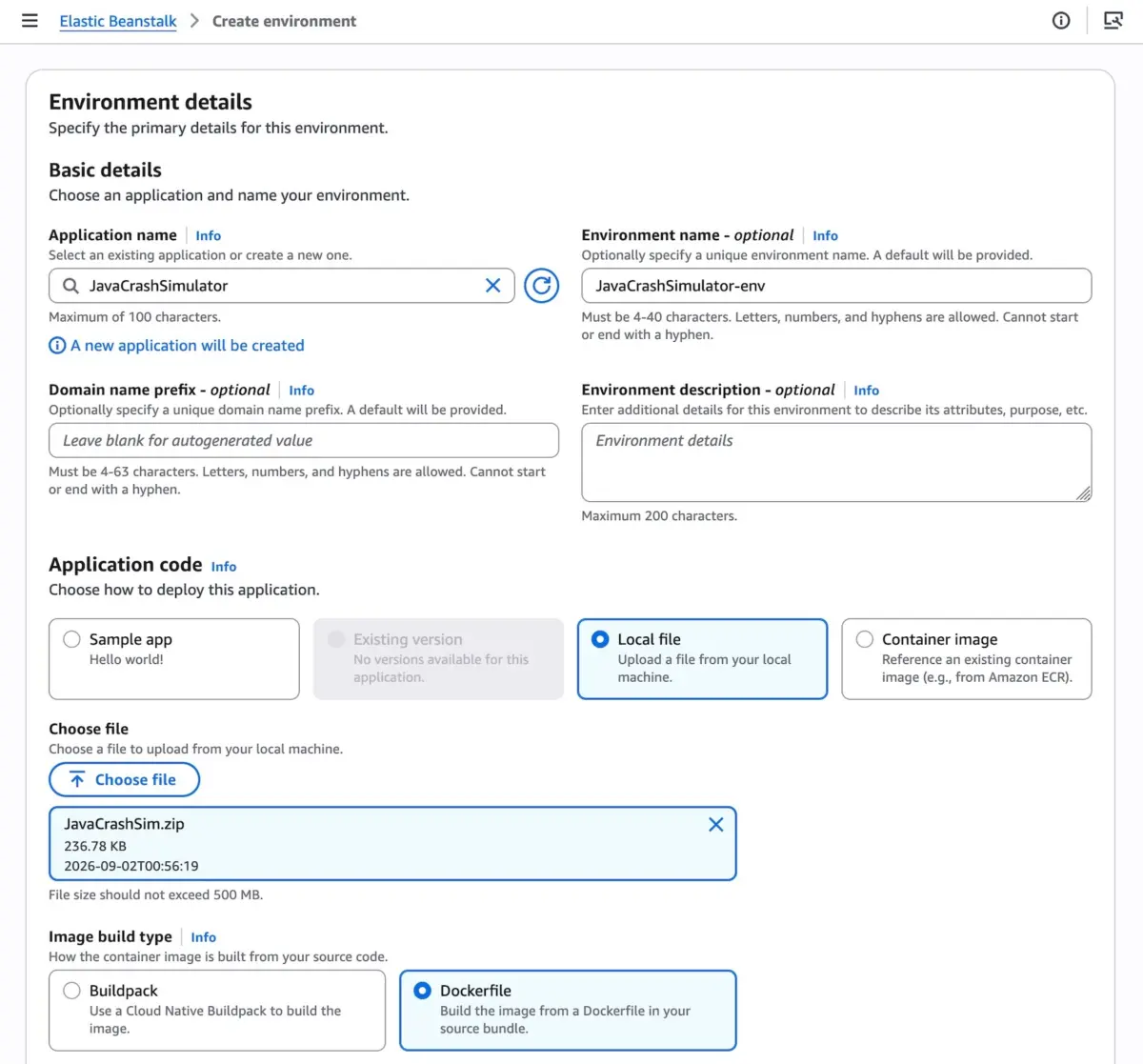
Deploying an application via Cluster Mode in the AWS Management Console is straightforward:
- Navigate to the Elastic Beanstalk Console.
- Click Create New Environment and select Cluster under the Deployment Type configuration.
- Supply your application code using a local file, Dockerfile, or container image specification.
- Accept default configurations or fine-tune parameters as needed and click Create.
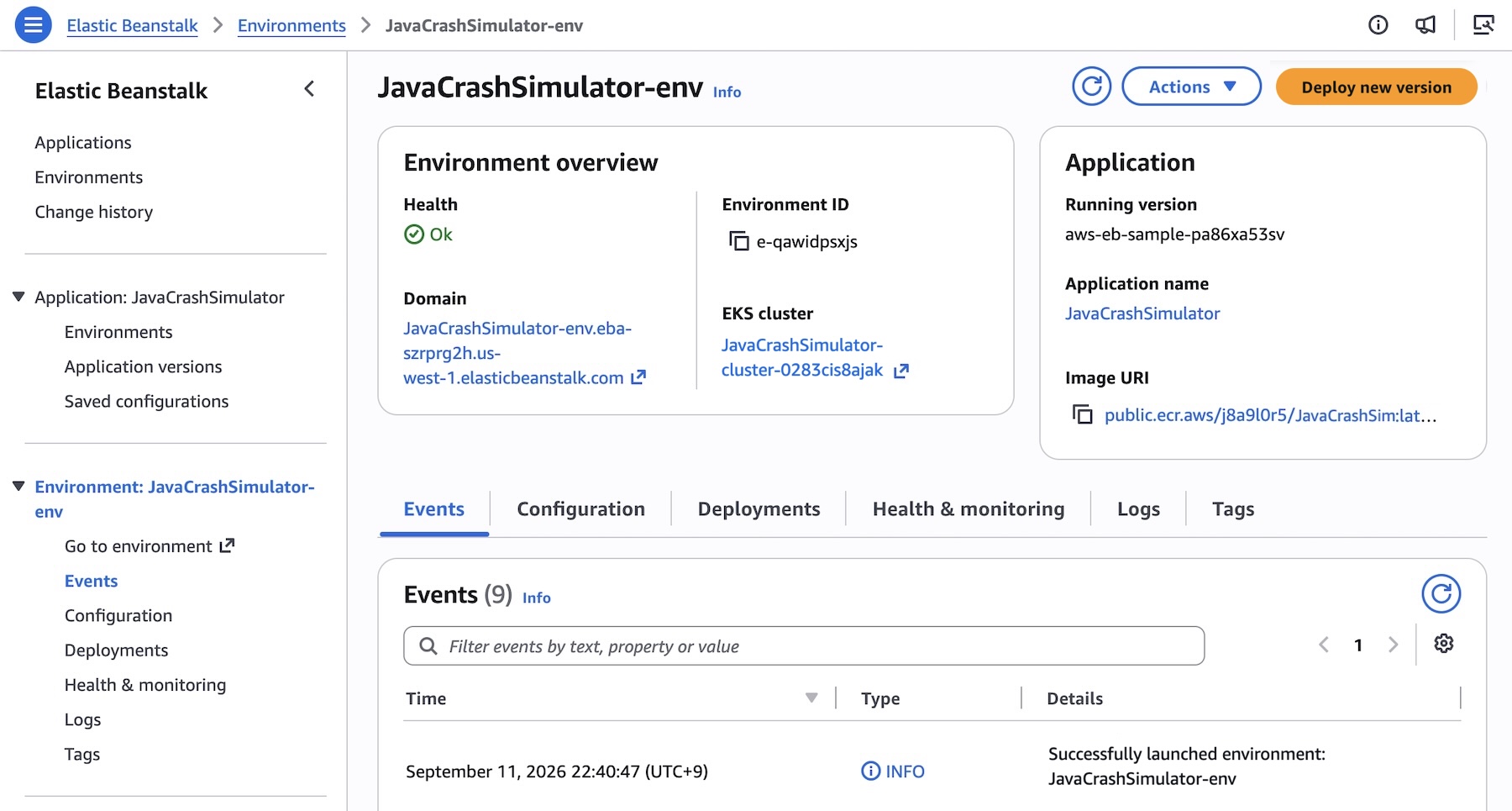
Note: The initial deployment across a set of subnets triggers the background creation of an underlying EKS cluster, which takes approximately ten minutes. Subsequent deployments execute significantly faster as they reuse the existing cluster.
Programmatic Deployment via AWS CLI and SDKs
For infrastructure-as-code enthusiasts and automated CI/CD pipelines, Elastic Beanstalk Cluster Mode integrates seamlessly with the AWS CLI, EB CLI, and standard AWS SDKs.
For example, a multi-service microservices application (comprising a frontend, cart service, payment service, and shipping service) can be orchestrated programmatically. First, create the core application:

aws elasticbeanstalk create-application
    --application-name "my-microservice"
    --description "Multi-services demo application"
Next, register pre-built container images stored in Amazon Elastic Container Registry (Amazon ECR) as application versions:
APP_NAME="my-microservice"
IMAGES=(
    "frontend-v1|public.ecr.aws/my-microservices/frontend:v1"
    "cartservice-v1|public.ecr.aws/my-microservices/cart:v1"
    "paymentservice-v1|public.ecr.aws/my-microservices/payment:v1"
    "shippingservice-v1|public.ecr.aws/my-microservices/shipping:v1"
)

for entry in "$IMAGES[@]"; do
    IFS='|' read -r label uri <<< "$entry"
    aws elasticbeanstalk create-application-version
        --application-name "$APP_NAME"
        --version-label "$label"
        --image-configuration Source="Uri=$uri"
        --region "us-west-2"
    echo "Successfully registered version: $label"
done
Configure service-specific parameters—such as resource limits, scaling bounds, and load balancer integration—using a structured JSON options file (frontend-options.json):
[
    "Namespace": "aws:elasticbeanstalk:eks", "OptionName": "cluster-role", "Value": "arn:aws:iam::0123456789012:role/EKSClusterRole",
    "Namespace": "aws:elasticbeanstalk:eks", "OptionName": "node-role", "Value": "arn:aws:iam::0123456789012:role/EKSNodeRole",
    "Namespace": "aws:elasticbeanstalk:eks:environment", "OptionName": "observability-role", "Value": "arn:aws:iam::0123456789012:role/ObservabilityRole",
    "Namespace": "aws:elasticbeanstalk:eks:environment", "OptionName": "subnets", "Value": "subnet-1,subnet-2,subnet-3",
    "Namespace": "aws:elasticbeanstalk:eks:environment:autoscaling", "OptionName": "min-replica", "Value": "1",
    "Namespace": "aws:elasticbeanstalk:eks:environment:autoscaling", "OptionName": "max-replica", "Value": "2",
    "Namespace": "aws:elasticbeanstalk:eks:environment", "OptionName": "cpu", "Value": "0.5",
    "Namespace": "aws:elasticbeanstalk:eks:environment", "OptionName": "memory", "Value": "256Mi",
    "Namespace": "aws:elasticbeanstalk:eks:environment", "OptionName": "memory-limit", "Value": "512Mi",
    "Namespace": "aws:elasticbeanstalk:eks:environment", "OptionName": "service-port", "Value": "8080",
    "Namespace": "aws:elasticbeanstalk:eks:alb", "OptionName": "scheme", "Value": "internet-facing",
    "Namespace": "aws:elasticbeanstalk:eks:alb", "OptionName": "healthcheck-path", "Value": "/_healthz"
]
Finally, provision the environment using the AWS CLI:
aws elasticbeanstalk create-environment
    --application-name my-microservice
    --environment-name frontend
    --version-label frontend-v1
    --tier Name=Cluster,Type=EKS
    --option-settings file:///tmp/frontend-options.json
Supporting Context, Availability, and Economic Model
Regional Availability
AWS Elastic Beanstalk Cluster Mode is generally available starting today across all AWS commercial Regions where Elastic Beanstalk is currently supported. Developers looking to verify specific Regional rollouts or inspect future platform milestones can consult the official AWS Capabilities by Region tracker.

Furthermore, developers can interact with APIs, query documentation, check regional footprints, and perform troubleshooting using the newly introduced AWS MCP Server and associated plugins integrated directly into their preferred AI development tools.
Transparent Pricing and Economic Structure
AWS has structured the pricing model for Cluster Mode to ensure maximum transparency:
- No Platform Surcharge: There is no additional service fee charged by Elastic Beanstalk for using Cluster Mode.
- Consumption-Based Billing: Customers pay exclusively for the underlying AWS resources consumed by their applications. This includes the Amazon EKS control plane fee, EKS Auto Mode compute resources, Amazon ECR storage and data transfer, and Amazon CloudWatch monitoring metrics.
- Free Tier Notice: Elastic Beanstalk Cluster Mode is not eligible for the AWS Free Tier.
Detailed cost breakdowns and estimation guidelines are available on the official AWS Elastic Beanstalk Pricing page.
Official Statements and Future Outlook
The release of Cluster Mode signals a renewed commitment by AWS to abstract infrastructure complexity without sacrificing developer flexibility or enterprise-grade control.
"For fifteen years, customers have trusted Elastic Beanstalk to run their most critical business applications while they focused purely on writing application logic," noted Channy, AWS developer advocate and evangelist. "By introducing Cluster Mode, we are combining the legendary simplicity of Beanstalk with the raw orchestration power of Amazon EKS. You bring your application; AWS runs, scales, and protects it for the entirety of its lifecycle."
Looking Ahead
As modern software engineering continues to pivot toward containerized microservices and AI-driven operations, Elastic Beanstalk’s dual-engine approach—supporting both EC2-backed Standard Mode and EKS-backed Cluster Mode—positions the service as an enduring bridge between legacy architectures and cloud-native maturity.
Feedback and community discussions regarding the new release can be directed to the AWS re:Post for AWS Elastic Beanstalk community channel or standard AWS Support escalation paths.