Executive Overview
Fifteen years after its initial market debut in 2011, Amazon Web Services (AWS) has fundamentally transformed one of its most dependable deployment platforms. AWS Elastic Beanstalk—long celebrated for abstracting away the heavy lifting of infrastructure provisioning for developers writing in Java, .NET, Python, Node.js, PHP, Ruby, and Go—has received a ground-up modernization initiative. This evolution positions Elastic Beanstalk not merely as a simple deployment helper, but as an autonomous, fully managed application management service that assumes end-to-end operational responsibility for production environments throughout their lifecycle.
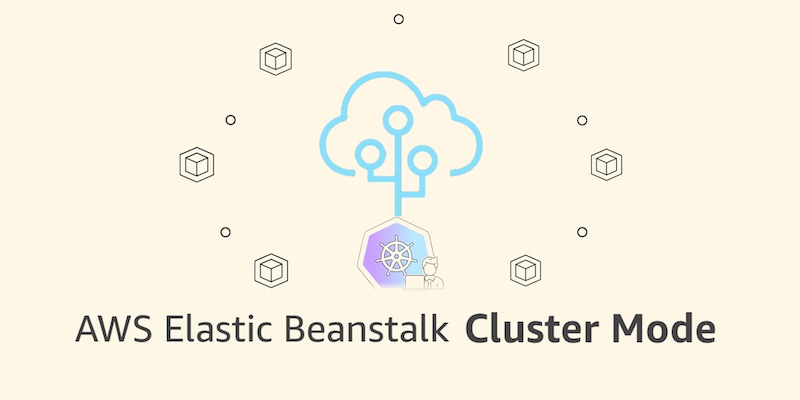
At the center of this transformation is the official launch of Elastic Beanstalk Cluster Mode. Designed specifically for modern engineering teams managing sprawling portfolios of microservices, Cluster Mode allows multiple applications to seamlessly share a single underlying infrastructure powered by Amazon Elastic Kubernetes Service (Amazon EKS). By consolidating resources under a unified operational baseline, organizations can significantly reduce per-application infrastructure costs and eliminate operational friction, all while managing diverse application stacks through a single, streamlined control pane.
Simultaneously, AWS has re-engineered the platform’s core operational engine. Recent enhancements include AI-powered environment analysis for automated health diagnostics and remediation, a native GitHub Action for rapid CI/CD integration using simple YAML files, OpenTelemetry-based observability, traffic-splitting deployments with automatic rollbacks, event-driven autoscaling, and secure secrets management via AWS Secrets Manager.
Generally available today across all regions where Elastic Beanstalk operates, Cluster Mode runs concurrently with the traditional Amazon EC2-based Standard Mode, ensuring that enterprise migration paths remain flexible, risk-free, and entirely self-paced.
Detailed Chronology: From 2011 Simplicity to 2026 Kubernetes Integration
The Genesis: 2011–2020s
When AWS first introduced Elastic Beanstalk in 2011, the cloud landscape looked drastically different. Monolithic architectures and simpler virtual server deployments dominated the industry. Developers sought a way to push source code or deployment packages to the cloud without manually configuring Elastic Load Balancers, Auto Scaling groups, or security groups. Elastic Beanstalk answered this call by provisioning and managing Amazon EC2 instances, storage, and networking resources automatically. Over the next decade and a half, millions of applications were deployed through the service, earning deep enterprise trust across virtually every industry vertical.
The Modern Overhaul: Early 2026
As application architectures evolved from monolithic codebases toward containerized microservices orchestrated via Kubernetes, AWS recognized the need to modernize Elastic Beanstalk’s architectural foundations without sacrificing its signature simplicity.
- February 2026: AWS introduced a native GitHub Action, empowering development teams to deploy applications directly from their existing continuous integration and continuous deployment pipelines using minimal YAML configurations.
- April 2026: The company rolled out AI-powered environment analysis, introducing machine learning models capable of autonomously diagnosing runtime health anomalies and recommending precise remediation steps.
- Mid-2026: AWS overhauled the foundational infrastructure to natively support OpenTelemetry-driven observability, zero-downtime traffic splitting with automated rollbacks, robust secrets management through AWS Secrets Manager, and HTTPS by default using AWS Certificate Manager.
The Milestone Launch: September 2026
Culminating these extensive architectural modernizations, AWS announced the general availability of Cluster Mode. By bridging the operational ease of Elastic Beanstalk with the enterprise-grade container orchestration power of Amazon EKS, AWS has effectively bridged the gap between legacy simplicity and modern cloud-native scalability.
Supporting Context & Metrics: Why Cluster Mode Matters
Modern enterprise engineering organizations rarely run a single application. Instead, they operate diverse portfolios comprising dozens—or even hundreds—of interconnected microservices. Managing these services in absolute operational isolation introduces severe inefficiencies:

- Resource Fragmentation: Under traditional single-tenant provisioning models, individual environments often over-provision compute and memory resources to handle peak loads, leading to wasted idle capacity.
- Operational Overhead: Patching, monitoring, and upgrading disparate underlying host environments creates a heavy burden for DevOps and platform engineering teams.
Elastic Beanstalk Cluster Mode directly targets these systemic inefficiencies through infrastructure sharing and resource pooling. By leveraging Amazon EKS as the underlying computational layer, multiple microservices share a single managed Kubernetes cluster.
Economic and Operational Impact
- Cost Optimization: As an application portfolio grows, resource sharing drives down per-application infrastructure costs. Organizations no longer pay the fixed overhead tax of maintaining dedicated clusters or isolated virtual machines for every minor microservice.
- Unified Operational Baseline: Teams manage ten applications or a hundred through a single unified interface, ensuring identical security, patching, monitoring, and compliance guarantees across every deployed stack.
- Streamlined Migration Paths: Crucially, Elastic Beanstalk Standard Mode (powered by Amazon EC2) remains fully supported. Standard and Cluster Mode environments can run side-by-side within the exact same Elastic Beanstalk application. Built-in validation checks automatically verify architectural compatibility before modifications occur, ensuring zero downtime and allowing teams to migrate workloads at their own preferred pace.
Technical Deep Dive: Deploying in Cluster Mode
Getting started with Cluster Mode requires only a few configuration adjustments via the AWS Management Console, AWS CLI, EB CLI, or standard AWS SDKs.
1. Console-Based Deployment
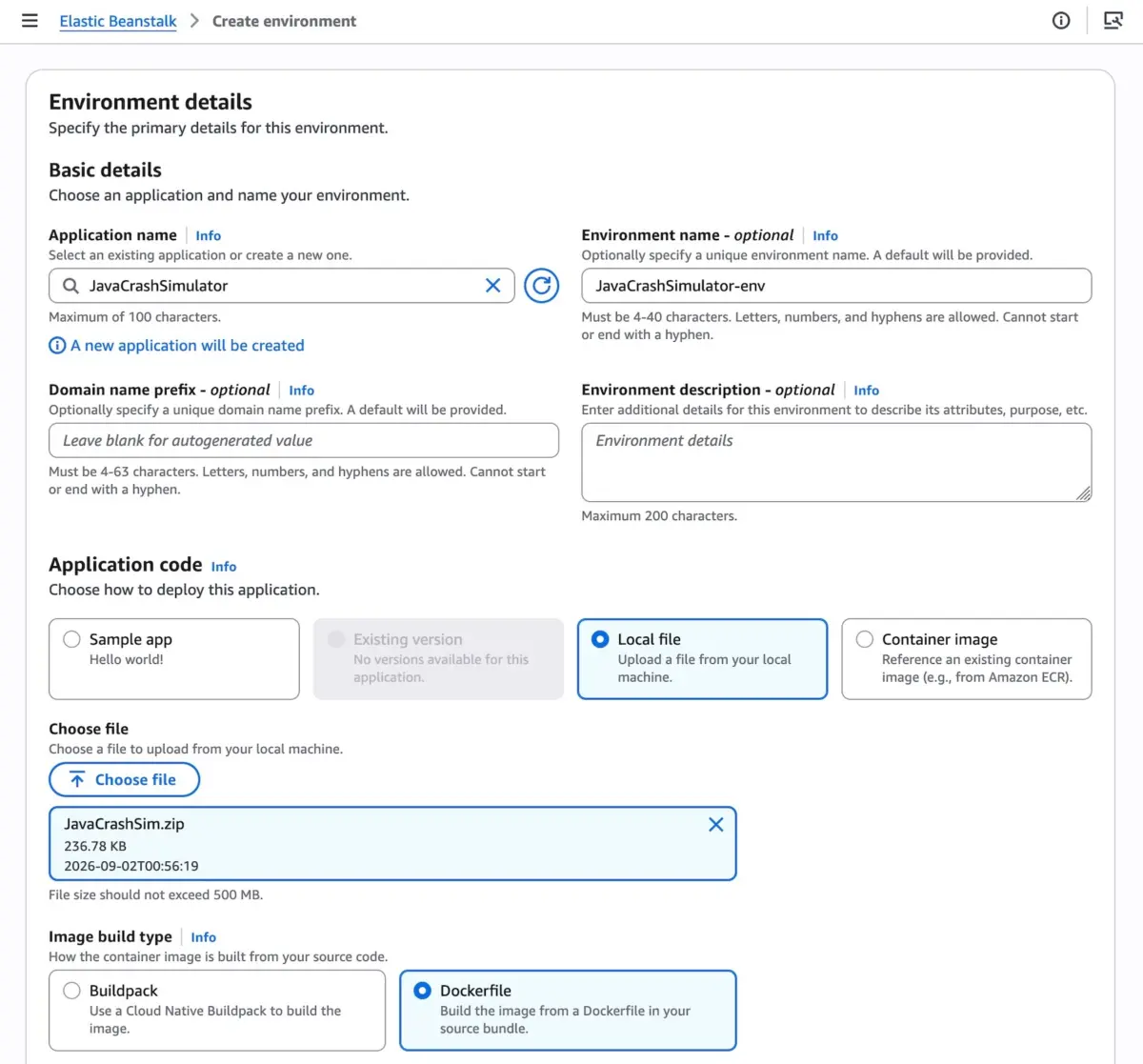
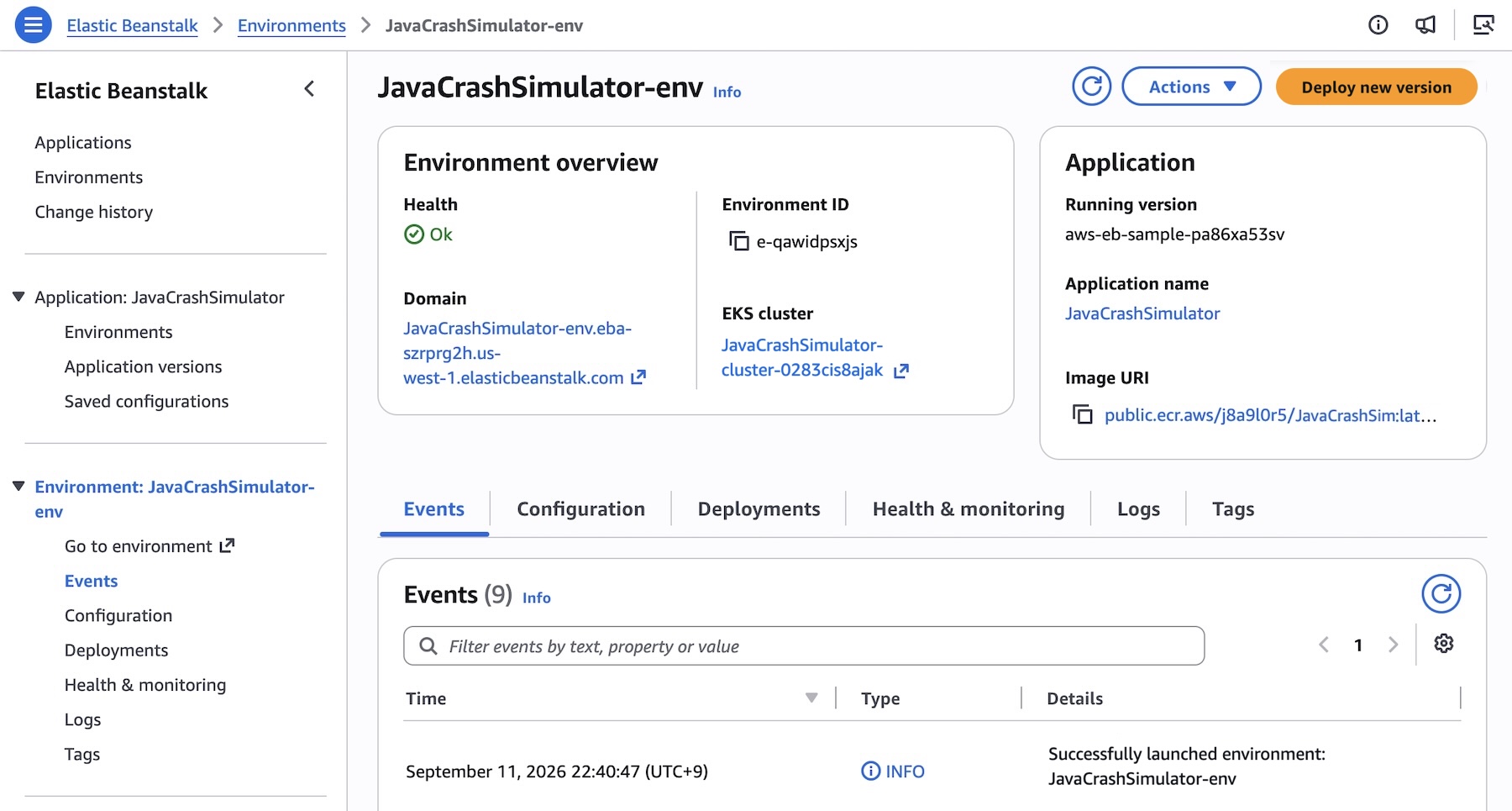
Navigating to the Elastic Beanstalk console allows developers to create a new environment and select Cluster as the Deployment type. Elastic Beanstalk accepts raw source code, Dockerfiles, or pre-built container images.
[AWS Console] -> Elastic Beanstalk -> Create Environment -> Deployment Type: ClusterWhen specifying subnets for a new set of configurations, the initial deployment triggers the automated provisioning of an underlying EKS cluster—a process taking approximately ten minutes. Subsequent deployments execute significantly faster by intelligently reusing the existing cluster foundation.

2. Programmatic Microservices Deployment via CLI
For teams utilizing Infrastructure-as-Code and CI/CD pipelines, registering and deploying a multi-service microservice architecture (such as a frontend, cart service, payment service, and shipping service) is handled seamlessly via the AWS CLI.
First, create the base application:
aws elasticbeanstalk create-application
    --application-name "my-microservice"
    --description "Multi-services demo application"
Next, register pre-built container images stored in Amazon Elastic Container Registry (Amazon ECR) as distinct application versions:
#!/bin/bash
APP_NAME="my-microservice"
IMAGES=(
    "frontend-v1|public.ecr.aws/my-microservices/frontend:v1"
    "cartservice-v1|public.ecr.aws/my-microservices/cart:v1"
    "paymentservice-v1|public.ecr.aws/my-microservices/payment:v1"
    "shippingservice-v1|public.ecr.aws/my-microservices/shipping:v1"
)

for entry in "$IMAGES[@]"; do
    IFS='|' read -r label uri <<< "$entry"
    aws elasticbeanstalk create-application-version
        --application-name "$APP_NAME"
        --version-label "$label"
        --image-configuration Source="Uri=$uri"
        --region "us-west-2"
    echo "Successfully registered version: $label"
done
Define configuration namespaces for individual services—such as assigning an internet-facing Application Load Balancer and health-check paths exclusively to the public-facing frontend service—using JSON option files:

[
    "Namespace": "aws:elasticbeanstalk:eks", "OptionName": "cluster-role", "Value": "arn:aws:iam::0123456789012:role/EKSClusterRole",
    "Namespace": "aws:elasticbeanstalk:eks", "OptionName": "node-role", "Value": "arn:aws:iam::0123456789012:role/EKSNodeRole",
    "Namespace": "aws:elasticbeanstalk:eks:environment", "OptionName": "observability-role", "Value": "arn:aws:iam::0123456789012:role/ObservabilityRole",
    "Namespace": "aws:elasticbeanstalk:eks:environment", "OptionName": "subnets", "Value": "subnet-1,subnet-2,subnet-3",
    "Namespace": "aws:elasticbeanstalk:eks:environment:autoscaling", "OptionName": "min-replica", "Value": "1",
    "Namespace": "aws:elasticbeanstalk:eks:environment:autoscaling", "OptionName": "max-replica", "Value": "2",
    "Namespace": "aws:elasticbeanstalk:eks:environment", "OptionName": "cpu", "Value": "0.5",
    "Namespace": "aws:elasticbeanstalk:eks:environment", "OptionName": "memory", "Value": "256Mi",
    "Namespace": "aws:elasticbeanstalk:eks:environment", "OptionName": "memory-limit", "Value": "512Mi",
    "Namespace": "aws:elasticbeanstalk:eks:environment", "OptionName": "service-port", "Value": "8080",
    "Namespace": "aws:elasticbeanstalk:eks:alb", "OptionName": "scheme", "Value": "internet-facing",
    "Namespace": "aws:elasticbeanstalk:eks:alb", "OptionName": "healthcheck-path", "Value": "/_healthz"
]
Finally, deploy the environment utilizing the Cluster tier:
aws elasticbeanstalk create-environment
    --application-name my-microservice
    --environment-name frontend
    --version-label frontend-v1
    --tier Name=Cluster,Type=EKS
    --option-settings file:///tmp/frontend-options.json
Official Statements and Architectural Philosophy
AWS representatives emphasize that Elastic Beanstalk’s latest evolution reflects a steadfast commitment to reducing operational toil for developers. Rather than forcing development organizations to become Kubernetes configuration experts or manage complex YAML manifests by hand, Elastic Beanstalk acts as an intelligent abstraction layer.
"You bring your application; AWS runs it." This foundational ethos defines the modern Elastic Beanstalk experience.
By taking full operational responsibility for production environments throughout their lifecycle—handling continuous patching, automated scaling, health diagnostics, and security updates—AWS allows development teams to keep their primary focus where it belongs: writing business logic and delivering customer value.
Furthermore, integration with modern AI tooling—such as the AWS Model Context Protocol (MCP) Server and associated AI assistant plugins—allows engineers to query APIs, search comprehensive documentation, troubleshoot anomalies, and check regional service availability directly through their preferred AI coding environments.
Pricing and Availability
- Regional Availability: AWS Elastic Beanstalk Cluster Mode is generally available starting today across all AWS Regions where Elastic Beanstalk is currently offered. Teams can verify specific regional feature roadmaps using the official AWS Capabilities by Region explorer.
- Cost Structure: There is no additional service charge for utilizing Elastic Beanstalk Cluster Mode. Customers pay strictly for the underlying AWS resources consumed by their workloads. This includes the standard Amazon EKS control plane fee, EKS Auto Mode compute usage, Amazon ECR storage, and Amazon CloudWatch telemetry logs. Note that Cluster Mode environments are not eligible for the AWS Free Tier. Detailed pricing models are available on the official AWS Elastic Beanstalk Pricing page.
Future Outlook
The launch of Cluster Mode marks a definitive turning point for AWS Elastic Beanstalk, successfully transitioning a legacy deployment tool into a cutting-edge, container-native application management platform. By harmonizing the developer-friendly simplicity of Beanstalk with the industrial-strength container orchestration of Amazon EKS, AWS has established a robust template for the future of cloud application hosting.
As organizations continue to scale complex microservice architectures, platforms that successfully abstract infrastructure complexity while delivering enterprise-grade observability, automated AI-driven healing, and cost-efficient resource sharing will undoubtedly lead the market. Developers are encouraged to explore the Elastic Beanstalk console today to test Cluster Mode, consult the official documentation, and engage with the engineering community via AWS re:Post.