Fifteen years after its initial launch in 2011, AWS Elastic Beanstalk has undergone a profound structural and operational reinvention. Originally introduced as a straightforward Platform-as-a-Service (PaaS) to help developers quickly deploy full-stack web applications in languages like Java, .NET, Python, Node.js, PHP, Ruby, and Go without managing underlying infrastructure, Elastic Beanstalk has evolved into a comprehensive, fully managed application production engine.
Today, Amazon Web Services (AWS) is entering a new chapter with the general availability of Elastic Beanstalk Cluster Mode. This new operating model fundamentally changes how enterprise teams handle multi-application portfolios. By integrating the operational simplicity of Beanstalk with the raw power and scalability of Amazon Elastic Kubernetes Service (Amazon EKS), Cluster Mode allows engineering organizations to pool multiple applications onto a shared, fully managed infrastructure baseline.
Rather than operating individual applications in isolated silos, organizations can now run dozens—or even hundreds—of workloads through a single, unified management plane. AWS assumes total operational responsibility for the life of the workload, continuously handling deployment, autoscaling, security patching, monitoring, and infrastructure upgrades. Crucially, this evolution does not leave legacy systems behind: the traditional Amazon EC2-backed Standard Mode remains fully supported and runs side-by-side with Cluster Mode within the same application framework, ensuring a seamless, low-risk migration path for enterprise portfolios.
Detailed Chronology: From PaaS Pioneer to Kubernetes-Native Powerhouse
The 2011 Inception: Simplifying the Cloud
When AWS first rolled out Elastic Beanstalk, cloud computing was rapidly gaining traction, but the barrier to entry remained high. Developers had to manually provision Amazon EC2 instances, configure Elastic Load Balancers, set up security groups, and manage operating system patches. Beanstalk abstracted this complexity away. Developers simply uploaded their source code, and the service provisioned and managed the stack. For over a decade, this foundational promise—allowing builders to focus strictly on business logic while AWS handled the infrastructure—earned the deep trust of millions of developers worldwide.
The Modern Rebuilding Phase (2024–2026)
Recognizing that enterprise demands had shifted toward complex microservices, distributed architectures, and automated compliance, AWS embarked on a multi-year engineering initiative to rebuild Elastic Beanstalk’s operational engine from the ground up. This modernization wave introduced critical enterprise capabilities ahead of today’s Cluster Mode announcement:
AI-Powered Environment Analysis (April 2026): Automated diagnostic capabilities that leverage artificial intelligence to identify runtime health issues and recommend immediate remediation steps.
Official GitHub Action (February 2026): Streamlined CI/CD pipelines enabling teams to deploy straight from existing source code workflows using a single YAML configuration file.
Advanced Infrastructure Foundation: Integrations featuring OpenTelemetry-based observability, traffic-splitting deployments with automatic rollbacks, event-driven autoscaling, centralized secrets management via AWS Secrets Manager, and HTTPS enabled by default through AWS Certificate Manager.
The Advent of Cluster Mode
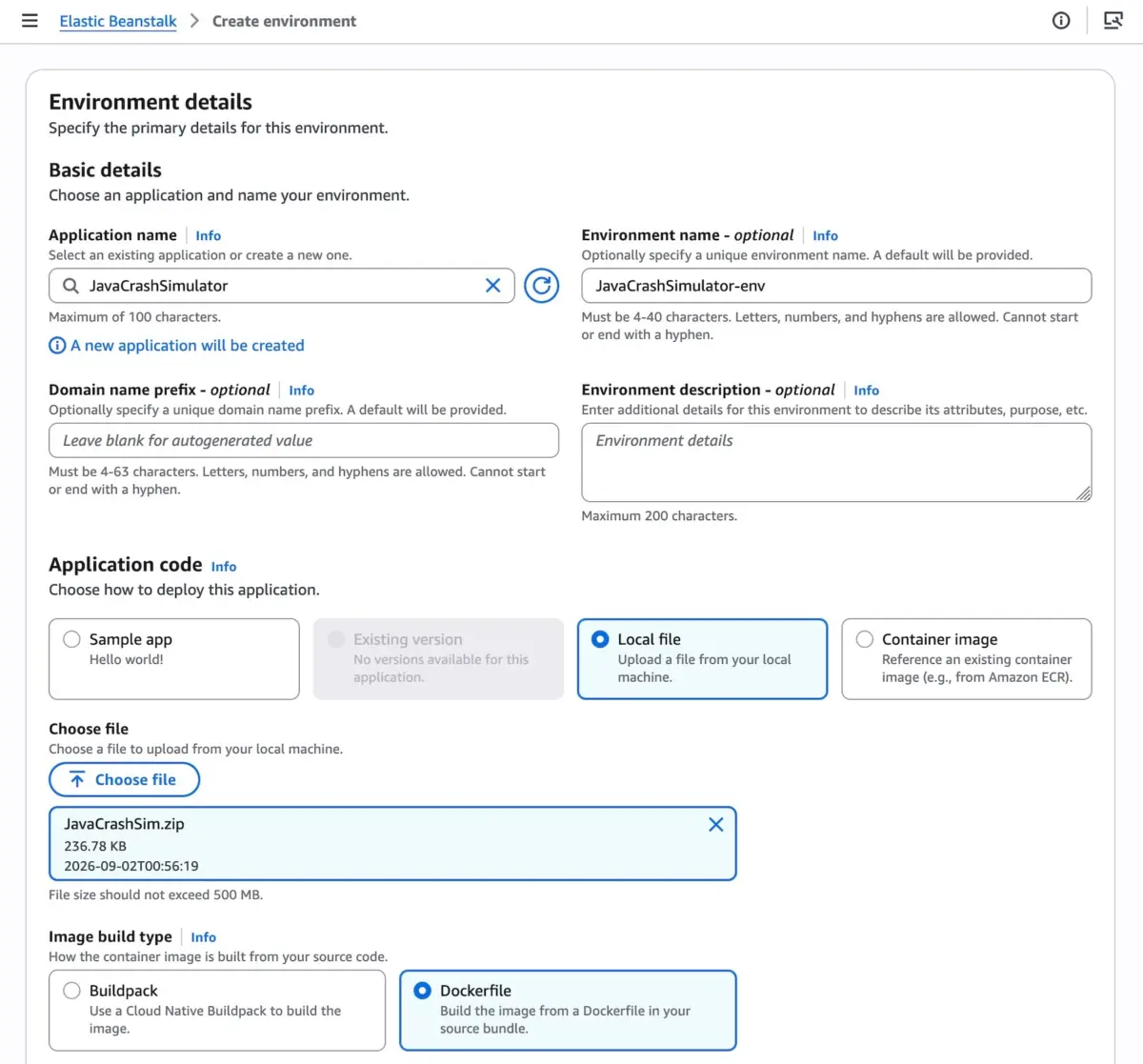
Marking the zenith of this modernization campaign, Cluster Mode redefines the relationship between developers and Kubernetes. While raw Kubernetes offers unprecedented control and density, its steep learning curve and operational overhead often drain valuable engineering hours. Cluster Mode bridges this gap by wrapping Amazon EKS in the familiar, high-level abstractions of Elastic Beanstalk. Teams bring their existing code, Dockerfiles, or raw container images, and Beanstalk automatically provisions, configures, and operates the underlying EKS clusters without requiring direct interaction with complex Kubernetes manifests.
Supporting Context & Metrics: Architecture and Operational Mechanics
How Cluster Mode Works
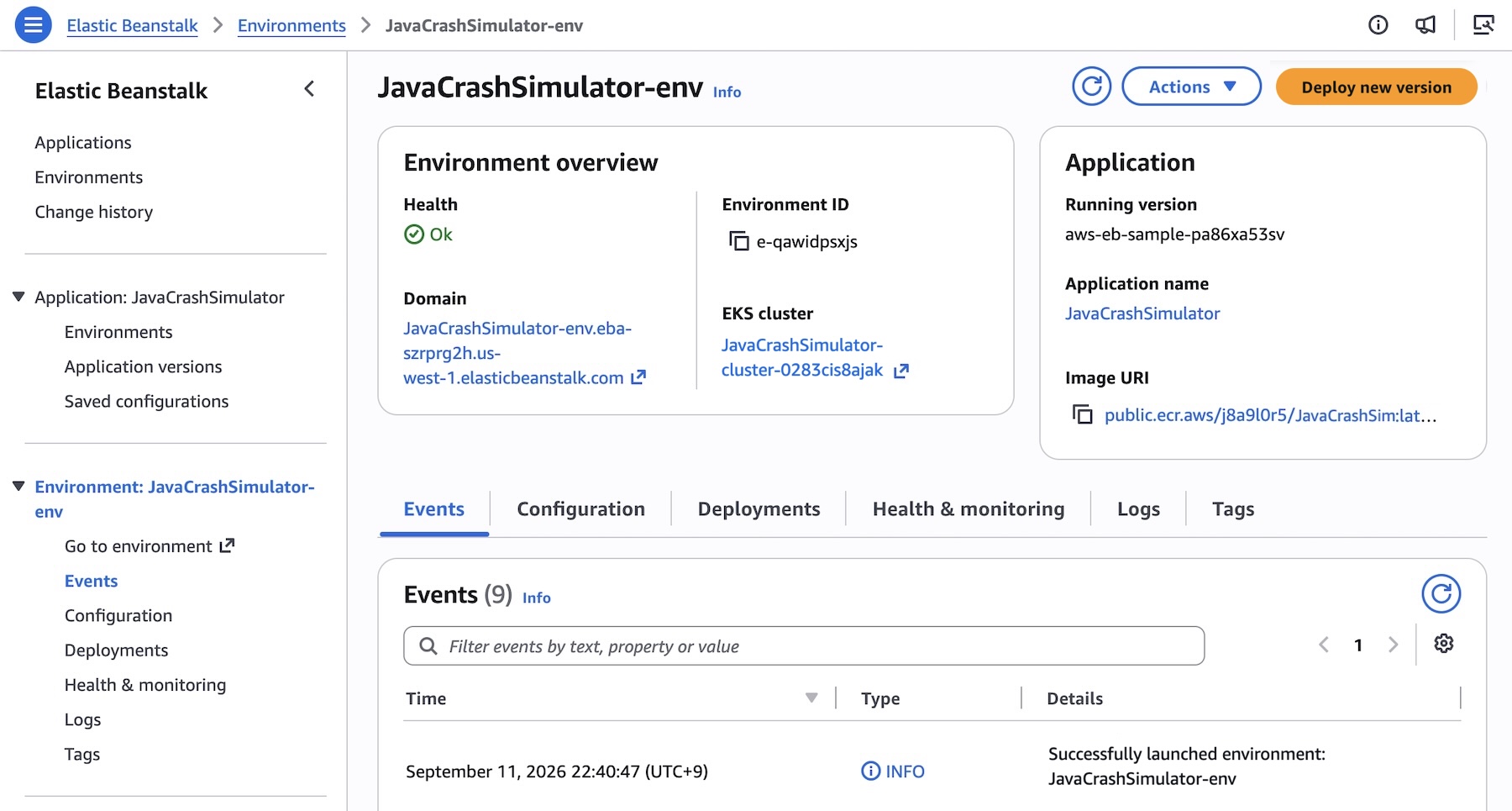
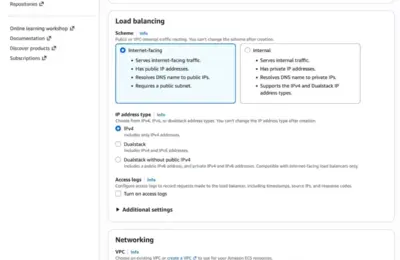
At its technical core, Cluster Mode leverages Amazon EKS to achieve multi-tenant resource optimization. When a team deploys their initial application environment within a given set of Virtual Private Cloud (VPC) subnets, Beanstalk automatically orchestrates the creation of an underlying EKS cluster—a process that typically takes around ten minutes. Subsequent application deployments happen exponentially faster because they safely piggyback on the already-warmed EKS cluster.
To illustrate how developers interact with this new model via code, consider the deployment of a microservices-based application containing multiple discrete services (such as a frontend, a shopping cart, payment processing, and shipping).
First, an administrator creates the base application via the AWS CLI:
Next, pre-built container images stored in Amazon Elastic Container Registry (Amazon ECR) are registered as explicit application versions:
IMAGES=(
    "frontend-v1|public.ecr.aws/my-microservices/frontend:v1"
    "cartservice-v1|public.ecr.aws/my-microservices/cart:v1"
    "paymentservice-v1|public.ecr.aws/my-microservices/payment:v1"
    "shippingservice-v1|public.ecr.aws/my-microservices/shipping:v1"
)

for entry in "$IMAGES[@]"; do
    IFS='|' read -r label uri <<< "$entry"
    aws elasticbeanstalk create-application-version
        --application-name "my-microservice"
        --version-label "$label"
        --image-configuration Source="Uri=$uri"
        --region "us-west-2"
    echo "Registered: $label"
done
Configuration files—such as frontend-options.json—define service-specific requirements, including IAM execution roles, subnet placements, resource constraints (CPU and memory limits), and load balancer routing rules:
By consolidating multiple applications onto a shared EKS infrastructure baseline, organizations achieve significantly higher resource utilization ratios. In traditional single-tenant architectures, individual EC2 instances often sit under-utilized, driving up cloud spend. Cluster Mode allows workloads to pack tightly onto shared worker nodes, causing per-application infrastructure costs to drop dramatically as portfolio size scales upward.
Furthermore, because Standard (EC2-backed) and Cluster (EKS-backed) environments run side-by-side within the same application groupings, enterprises can execute granular, workload-by-workload migrations. Comprehensive pre-flight validation checks automatically confirm compatibility before altering any production states, eliminating forced migrations or unexpected breaking changes.
Official Statements and Architectural Philosophy
The release of Cluster Mode underscores AWS’s ongoing commitment to removing "undifferentiated heavy lifting" for software development teams. According to AWS engineering leadership, the overarching goal of the modernised Elastic Beanstalk is absolute operational offloading.
"Bring your applications however they exist today—whether source code, Dockerfiles, or raw container images. Elastic Beanstalk creates and manages the production environment underneath. You manage your application. AWS manages everything else: deploying, scaling, patching, monitoring, and maintaining it continuously. That operational responsibility stays with AWS, for the life of the application."
This philosophy directly addresses the fatigue felt by many engineering teams who spend more time managing cluster configurations, Ingress controllers, and networking policies than building user-facing features. By providing a managed control plane that abstracts Kubernetes complexity without sacrificing container-native performance, AWS is positioning Elastic Beanstalk as the premier destination for modern enterprise application portfolios.
Future Outlook and Ecosystem Integration
Regional Availability and Pricing Structure
AWS Elastic Beanstalk Cluster Mode is generally available starting today across all global AWS Regions where Elastic Beanstalk is currently supported. Developers can verify specific regional roadmaps using the AWS Capabilities by Region directory.
From a pricing perspective, AWS has structured Cluster Mode to be exceptionally cost-transparent. There is no additional service charge for using Elastic Beanstalk Cluster Mode. Customers pay strictly for the underlying AWS resources consumed by their workloads, including:
The Amazon EKS control plane fee
EKS Auto Mode compute resources
Amazon ECR storage and data transfer
Amazon CloudWatch metrics and logging
Note: Elastic Beanstalk Cluster Mode is not eligible for the AWS Free Tier.
AI-Driven Operations via AWS MCP Server
To assist engineers in navigating and troubleshooting these new architectures, AWS has integrated support for the AWS MCP Server and associated plugins. Developers can leverage their preferred AI tooling to query APIs, search comprehensive documentation, verify regional availabilities, and troubleshoot cluster deployments instantly through natural language prompts.
Conclusion and Next Steps
As modern cloud architectures increasingly standardize around containerization and microservices, Elastic Beanstalk Cluster Mode offers a compelling bridge between simplicity and scale. Engineering teams looking to optimize their cloud spend, reduce operational overhead, and modernize their application portfolios can take their first steps today by navigating to the Elastic Beanstalk console, initiating a new environment, and selecting Cluster under the deployment type settings.