
Seven and a half years after the Gutenberg block editor fundamentally altered the WordPress landscape, core maintainers have introduced a feature that many developers thought would never see the light of day: the ability to register and render custom blocks using exclusively PHP.
Executive Overview
For nearly a decade, the evolution of WordPress has marched to a single, unyielding rhythm: JavaScript. Ever since the introduction of the block editor, building custom editorial components has required navigating a daunting ecosystem of React components, complex Webpack or Babel build pipelines, and intricate NPM package dependencies. For front-end engineers and full-stack developers fluent in JavaScript, this shift was a welcome modernization. However, for the vast army of traditional WordPress developers—whose expertise lies deep within the realms of PHP, custom hooks, and server-side templates—the Gutenberg era created an invisible wall.
Enter WordPress 7.0. With the introduction of the 'autoRegister' => true flag and native PHP-only block registration, developers can bypass JavaScript entirely when constructing basic custom blocks. But this capability is not designed to spark a nostalgic return to the procedural spaghetti code of the past; rather, it is a surgical tool engineered to solve one of the most stubborn bottlenecks in the WordPress ecosystem: the legacy theme migration crisis.
While purists may lament the architectural limitations of server-side rendering in an era of real-time client-side interactivity, enterprise developers and agency leads are looking at a completely different metric: time-to-market. By allowing legacy PHP functions, shortcodes, and widgetized templates to be wrapped in native block wrappers without a single line of client-side code, WordPress 7.0 has effectively dismantled the highest barrier standing between classic themes and the modern block-based site editor.
Detailed Chronology: The Road to PHP-Only Registration
To understand the weight of this release, one must trace the timeline of block development from its turbulent inception to the current architectural philosophy of WordPress 7.0.
The Gutenberg Genesis (2018–2020)
When blocks first arrived in Core, they represented a philosophical break from the past. Traditional WordPress architecture relied on the server to assemble a page before sending static HTML to the browser. Gutenberg inverted this paradigm, turning the post editor into a single-page JavaScript application (SPA) running React. Developers were forced to register blocks twice—once on the server via PHP for front-end rendering, and once in JavaScript via client-side registration for the editor interface.
The Complex Tooling Era (2021–2024)
As the block editor matured into full-site editing (FSE), the tooling required to build even simple blocks grew increasingly byzantine. Introduction of @wordpress/create-block standardized the scaffolding process, but it also entrenched dependencies on Node.js, JSON configurations, and compilation steps. For simple agency projects or quick client sites, setting up a build pipeline for a custom callout box felt like using a sledgehammer to crack a walnut.
The Hybrid Compromise and the Push for Modernization (2025–2026)
Recognizing that community adoption of block themes was stalling among agencies reliant on legacy PHP codebases, core contributors began evaluating ways to bridge the gap. While previous updates introduced server-side rendering (SSR) via render_callback, developers still had to write JavaScript files to handle block registration in the editor.
With WordPress 7.0, the loop has finally been closed. By introducing automatic client-side script generation directly from PHP metadata, the platform has acknowledged a fundamental truth: not every block requires complex state management, real-time DOM manipulation, or React wizardry. Sometimes, you just want to output HTML from the server and have it sit comfortably inside the editor canvas.
Supporting Context & Metrics: The Migration Bottleneck
The urgency behind this feature is highlighted by ongoing data regarding block theme adoption. Despite offering superior performance, native global styles, and streamlined maintenance, classic themes continue to power a massive share of active WordPress installations.
[Classic Themes: Legacy PHP Codebases] ──(High Barrier: JS/NPM)──> [Stalled Block Theme Adoption]
[WordPress 7.0: PHP-Only Blocks]    ──(Removes Barrier)────────> [Accelerated Migration Path]
Why Developers Remained Stranded on Classic Themes
- The Cost of Rewriting: Enterprises with hundreds of custom shortcodes, dynamic header functions, and proprietary widget logic faced prohibitive labor costs when attempting to rewrite mature PHP systems into React-based block plugins.
- Tooling Fatigue: Maintenance of NPM packages, breaking changes in build scripts, and dependency updates created a continuous tax on developer productivity.
- The Contextual Data Gap: Historically, passing global post states and server-side execution context into block editor previews required writing custom REST API endpoints and complex subscriber stores.
PHP-only block registration directly addresses these pain points. By utilizing the autoRegister capability, developers can execute real-world migrations in hours instead of weeks, preserving core functionality without touching a single JavaScript file.
Technical Architecture: How PHP-Only Blocks Operate
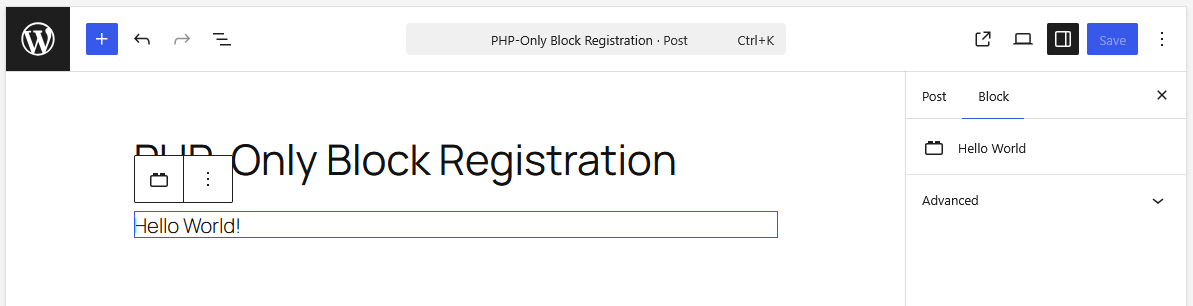
At first glance, registering a block exclusively in PHP feels deceptively simple. Consider the canonical Hello World implementation introduced in WordPress 7.0:
function css_tricks_hello_world_block()
  register_block_type(
    'css-tricks/hello-world',
      [
        'title' => 'Hello World',
        'render_callback' => function ()
          return sprintf(
            '<div %s>Hello World!</div>',
            get_block_wrapper_attributes()
          );
        ,
        'supports' => [
          'autoRegister' => true,
        ],
      ]
  );

add_action('init', 'css_tricks_hello_world_block');
The magic lies within the 'autoRegister' => true flag. When initialized, WordPress dynamically generates the necessary client-side registration scripts behind the scenes, ensuring the block appears seamlessly in the editor interface without requiring a companion .js file or a compiled asset folder.
Attributes and Sidebar Integration
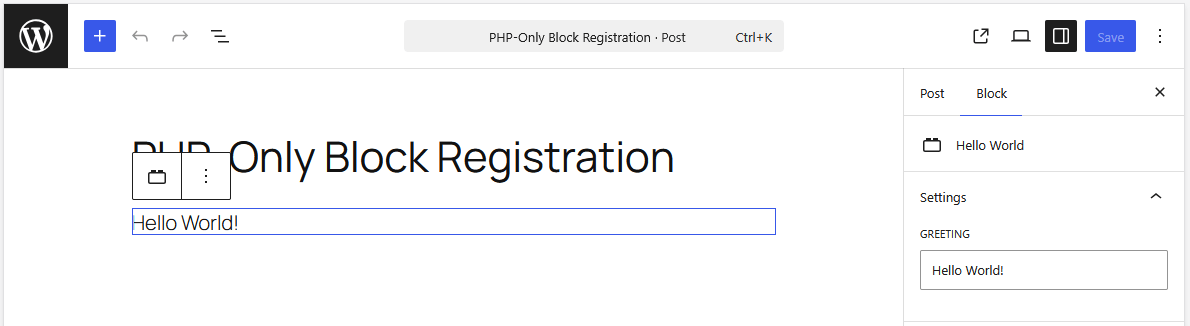
Users expect customization. Traditionally, adding settings controls required constructing custom InspectorControls in React. With PHP-only blocks, input controls are automatically provisioned based on the block’s attributes definition:
function css_tricks_hello_world_block()
  register_block_type(
    'css-tricks/hello-world',
    [
      'title' => 'Hello World',
      'render_callback' => function ($attributes)
        return sprintf(
          '<div %s>%s</div>',
          get_block_wrapper_attributes(),
          esc_html($attributes['greeting'])
        );
      ,
      'supports' => [
        'autoRegister' => true,
      ],
      'attributes' => [
        'greeting' => [
          'type' => 'string',
          'default' => 'Hello World!',
        ],
      ],
    ]
  );

add_action('init', 'css_tricks_hello_world_block');
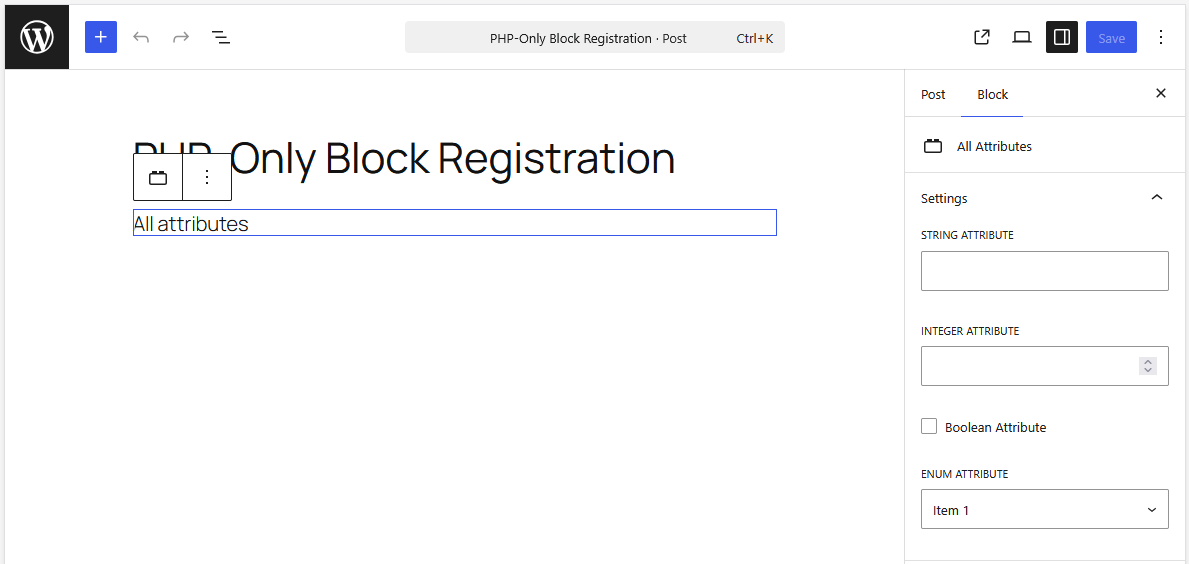
This configuration instructs WordPress to automatically generate a text input field within the block’s Settings sidebar, binding user input directly to the greeting attribute without custom front-end code.
Architectural Limitations & Trade-Offs
While the developer experience is frictionless, structural trade-offs accompany the removal of JavaScript. Understanding these limitations is critical for determining when—and when not—to use PHP-only registration.
| Feature / Capability | JavaScript-Powered Blocks | PHP-Only Registered Blocks |
|---|---|---|
| In-Editor Interactivity | Full support for inline editing & custom UI | Restricted to auto-generated sidebar controls |
| DOM Manipulation | Full access to interactive JS libraries (Sliders, etc.) | Unreliable due to asynchronous REST re-renders |
| Data Synchronization | Real-time connection to client-side data stores | Queries database directly (prone to stale data) |
| Post Context Access | Native awareness of editor state and global loops | Requires custom GET parameters or workarounds |
| Attribute Types | Arrays, objects, rich text, complex entities | Limited to strings, numbers, and booleans |
1. The Asynchronous Rendering Barrier
Because the editor displays HTML returned by the server via a REST API endpoint (/v2/block-renderer/), blocks rendered this way exist outside the single-page application’s unified data store. Consequently, attaching JavaScript libraries (such as initializing a slick carousel or an image slider on a DOM node) is unreliable. Every time the editor re-renders, event listeners and DOM references are severed.
2. Stale Data and Post Context Blindness
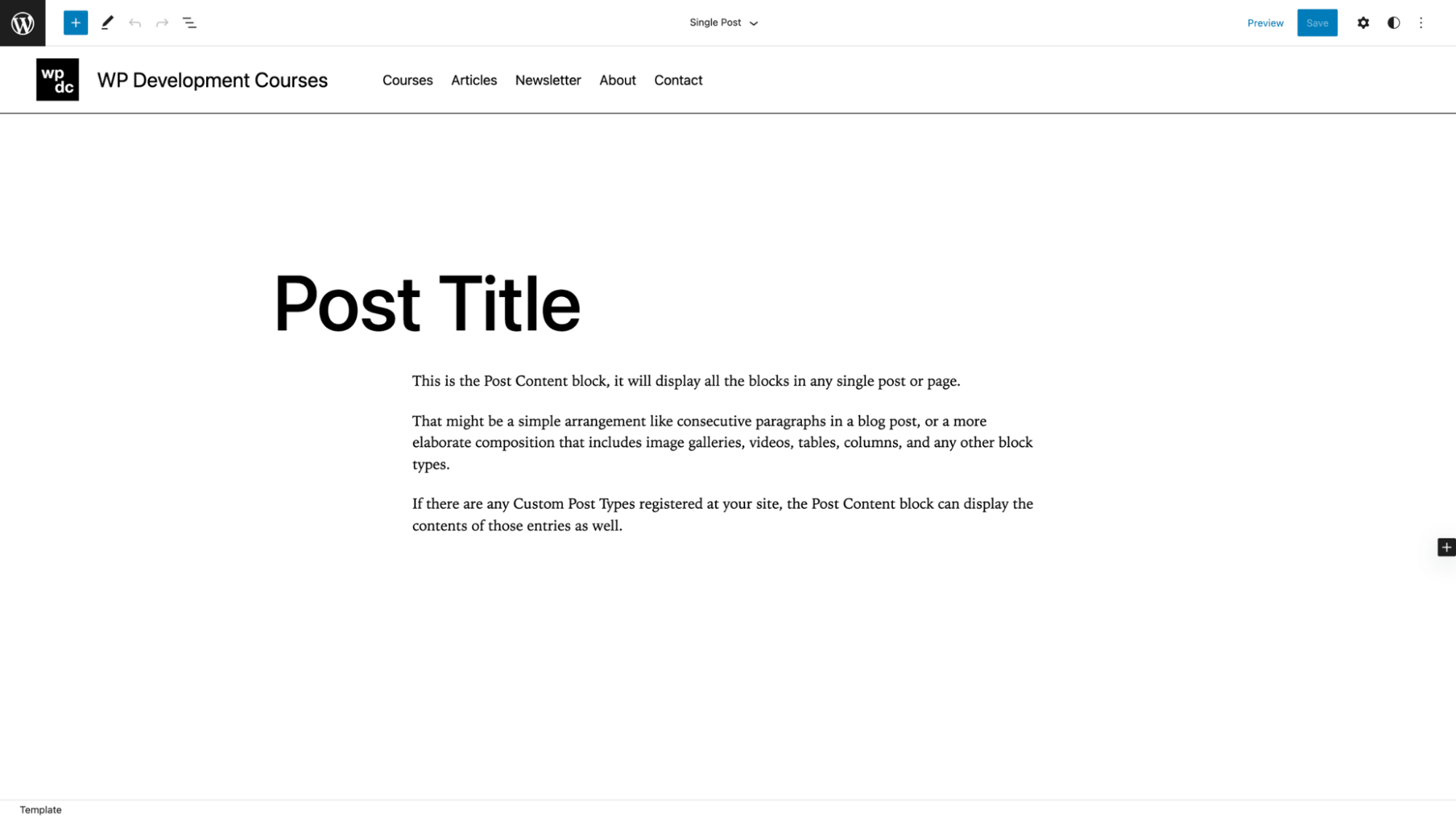
PHP-only blocks bypass the client-side JavaScript data store. If a user modifies the post title or updates custom fields within the editor, a PHP-only block querying get_the_title() will continue serving stale database values until the post is explicitly saved and the page is reloaded. Furthermore, because REST API endpoints are stateless, standard template tags relying on global state require manual workaround patterns—such as intercepting $_GET['post'] parameters during the init hook—to ascertain which post is currently being edited.
Practical Strategies & Workarounds
Developers working within the constraints of PHP-only blocks have already established several design patterns to smooth out rough edges.
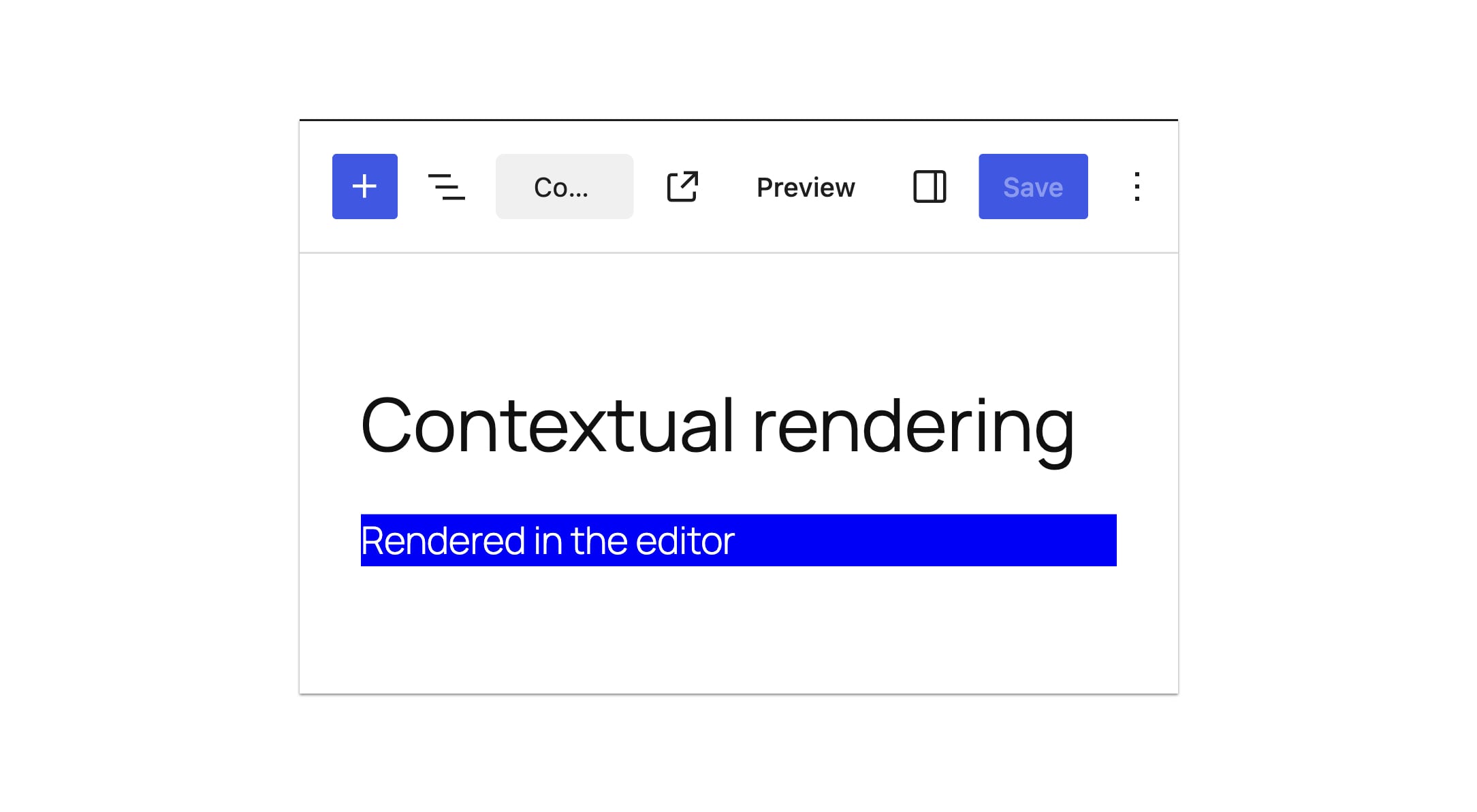
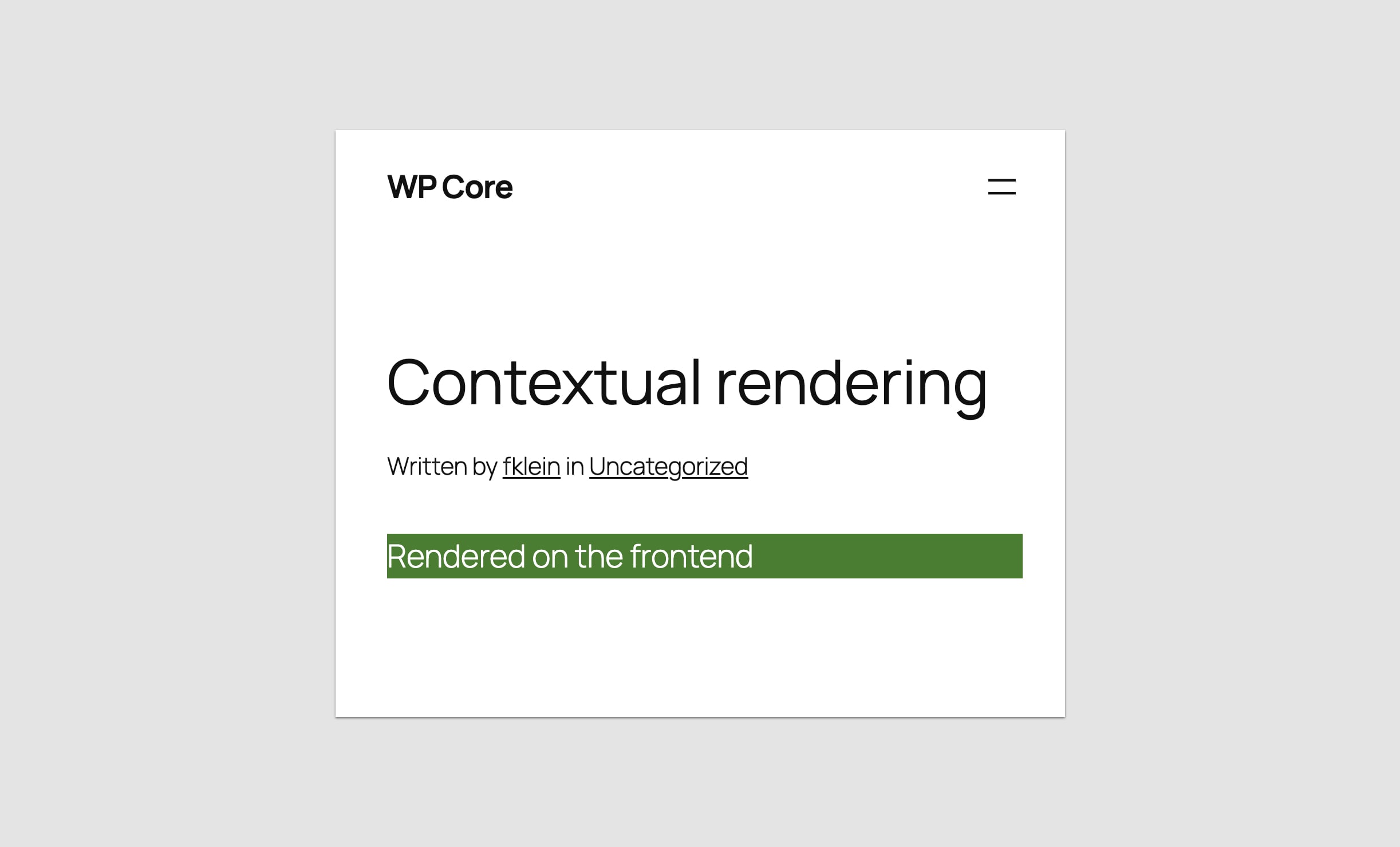
Contextual Rendering Detection
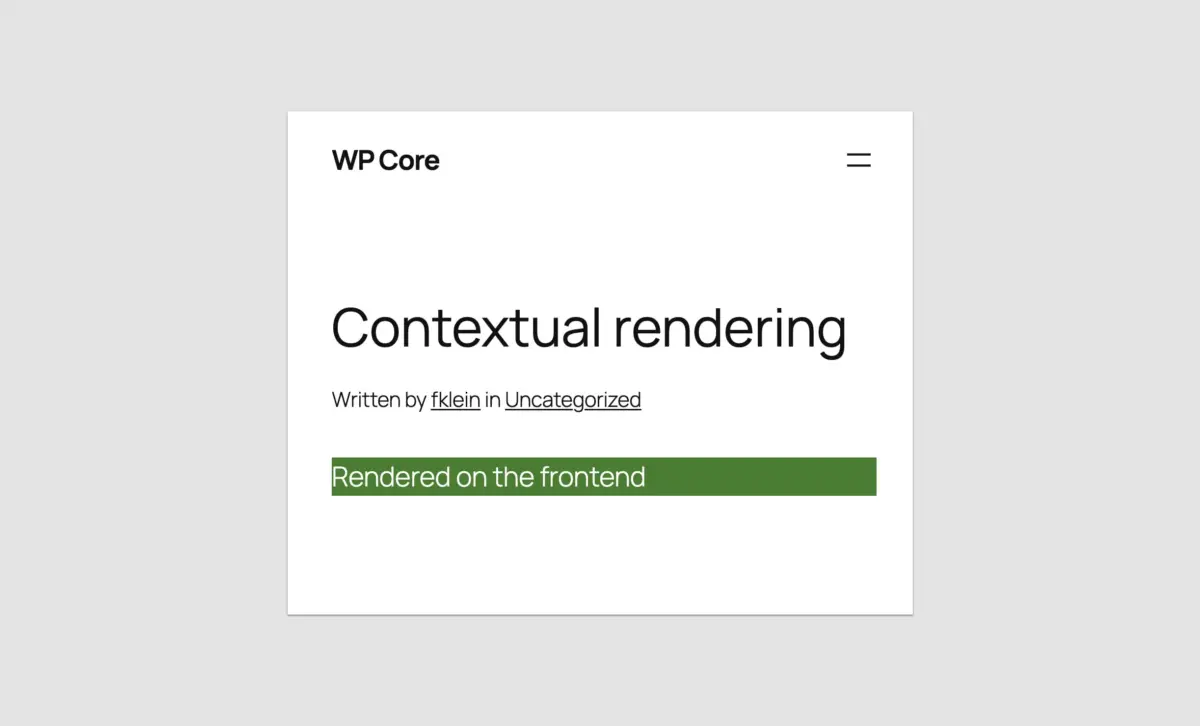
To serve different markup or styles depending on whether a block is rendering on the front end or inside the editor preview, developers can leverage wp_is_rest_endpoint() alongside global query evaluations:
if ( wp_is_rest_endpoint() && str_contains( $GLOBALS['wp']->query_vars['rest_route'] ?? '', 'v2/block-renderer/' ) )
    $is_editor = true;
 else
    $is_editor = false;
Leveraging Block Supports
PHP-only blocks are fully compatible with the Block Supports API, allowing developers to safely opt-in to core features such as custom color schemes, alignment controls, and container constraints without writing UI logic:
'supports' => [
  'autoRegister' => true,
  'color' => [
    'background' => true,
    'text' => true,
  ],
  'align' => ['left', 'center', 'right'],
  'inserter' => true,
  'multiple' => false,
],
Future Outlook: A Shift in Core Philosophy
The introduction of PHP-only block registration in WordPress 7.0 signifies more than just a convenient utility function; it represents a profound philosophical pivot within the WordPress open-source project. For years, the prevailing sentiment from core maintainers was absolute immersion in the JavaScript ecosystem. Developers who resisted were often gently nudged to adapt or risk being left behind.
By acknowledging that server-side execution still holds immense value for rapid prototyping, legacy refactoring, and backend-heavy architectures, WordPress Core has demonstrated a pragmatic maturity.
What Lies Ahead
- Enhanced Editor Iframing: With WordPress 7.1 moving toward mandatory iframed post editors regardless of block API versions, stylesheet leakage and administrative style conflicts will become relics of the past, making PHP-rendered blocks visually indistinguishable from native core blocks.
- Bridge Improvements: While core contributors have stated no immediate plans to expand advanced attribute types (such as keyed arrays or image upload controls) for PHP-only blocks, community demand will likely pressure maintainers to refine REST context passing in subsequent minor releases.
Conclusion
Was the seven-and-a-half-year wait for PHP-only block registration worth it?
If your goal is to build hyper-interactive, deeply integrated, real-time native components from scratch, the answer remains a firm no. React and JavaScript-powered blocks are, and will remain, the gold standard for dynamic user experiences within the WordPress editor.
However, if your objective is to rescue thousands of valuable, battle-tested classic themes, shortcodes, and server-side widget components from obsolescence—and to bridge the terrifying chasm between legacy PHP development and modern block-based architectures—then this feature is nothing short of revolutionary.
WordPress 7.0 has successfully lowered the drawbridge. For developers who thought they’d never be able to build block themes using the skills they already possess, the path forward is finally open.