Executive Overview
For years, Apple’s Shortcuts app has been a hidden superpower within the macOS ecosystem—a robust automation engine capable of chaining complex tasks, fetching data, and transforming repetitive chores into single-click or voice-activated routines. Introduced to the Mac with macOS Monterey, Shortcuts inherited the legacy of Automator, offering a modern, cross-device scripting interface. Yet, despite its immense potential, adoption among mainstream Mac users has remained lukewarm. The primary barrier to entry has always been friction: constructing a successful automation required navigating a labyrinth of abstract actions, understanding variables, and painstakingly linking inputs to outputs with little room for error.
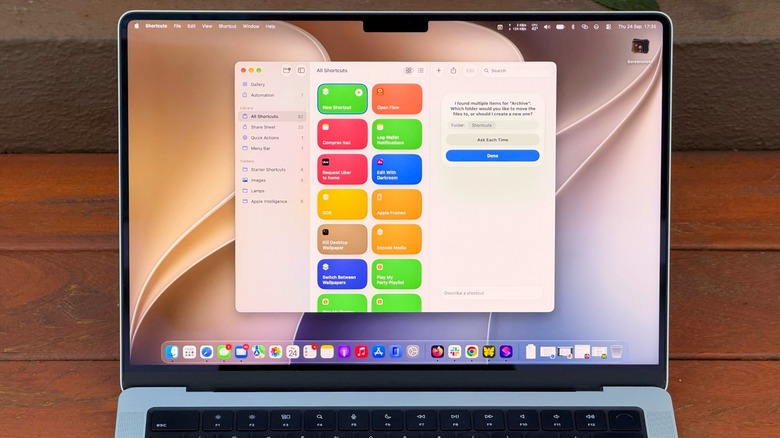
Enter macOS 27 Golden Gate and the transformative power of Apple Intelligence. By integrating native artificial intelligence directly into the operating system, Apple has redefined how users interact with automation. The centerpiece of this evolution is the new "Describe a Shortcut" feature, a conversational prompt-engineering tool that allows users to type out what they want to achieve in plain, everyday English and let the system build the underlying logic automatically.
Coupled with deeper system-level integrations—such as enhanced Siri voice commands, Visual Intelligence shortcuts via Shift + Command + Space, and streamlined menu bar controls—macOS 27 bridges the gap between expert-level scripting and casual computing. This comprehensive guide explores how Apple Intelligence has unlocked the true potential of the Shortcuts app, how to harness natural language prompts to build custom workflows, and what hardware and system requirements are necessary to take advantage of the platform.
Detailed Chronology: The Evolution of Mac Automation and AI Integration
To understand the significance of the macOS 27 update, it is essential to trace the historical trajectory of task automation on Apple’s desktop operating system.
- The Automator Era (OS X Tiger, 2005): Apple first introduced Automator to give everyday users a visual way to build workflows without writing code. While revolutionary for its time, it remained clunky, slow, and intimidating for non-technical users.
- The Birth of Shortcuts (macOS Monterey, 2021): Seeking to unify its automation strategy across iOS, iPadOS, and macOS, Apple introduced the Shortcuts app to the Mac. Built on modern API frameworks, it promised a sleeker interface and cross-device synchronization, yet the conceptual hurdle of programming logic remained unchanged.
- The Apple Intelligence Initiative (2024–2025): Apple announced its sweeping suite of AI features, anchored by foundational on-device and cloud-based models designed to process personal context securely.
- The Release of macOS 27 Golden Gate: Marking a watershed moment for utility software, macOS 27 introduced conversational creation tools across native apps. Crucially, the Shortcuts app was upgraded with generative AI capabilities, allowing users to bypass traditional block-based programming entirely through natural language prompts.
Unlocking the Power of "Describe a Shortcut"
The introduction of natural language prompt execution in macOS 27 effectively democratizes Mac automation. Previously, if a user wanted to set up a routine—such as organizing incoming files or parsing text from the clipboard—they had to mentally map out the workflow: Find items in folder -> Filter by date -> Move to destination. If any single link in the chain failed or utilized the wrong parameter, the entire script broke.
Moving Beyond Vague Prompts
With Apple Intelligence integrated into the Shortcuts app, users can simply click the Plus button and write a descriptive sentence. However, achieving optimal results requires moving past vague terminology.
- The Pitfall of Ambiguity: Entering a command like "Clean up my Downloads" is often too broad for Apple Intelligence to parse reliably. The AI may misinterpret whether "cleaning" means deleting files permanently, compressing them into a zip file, or organizing them by file type.
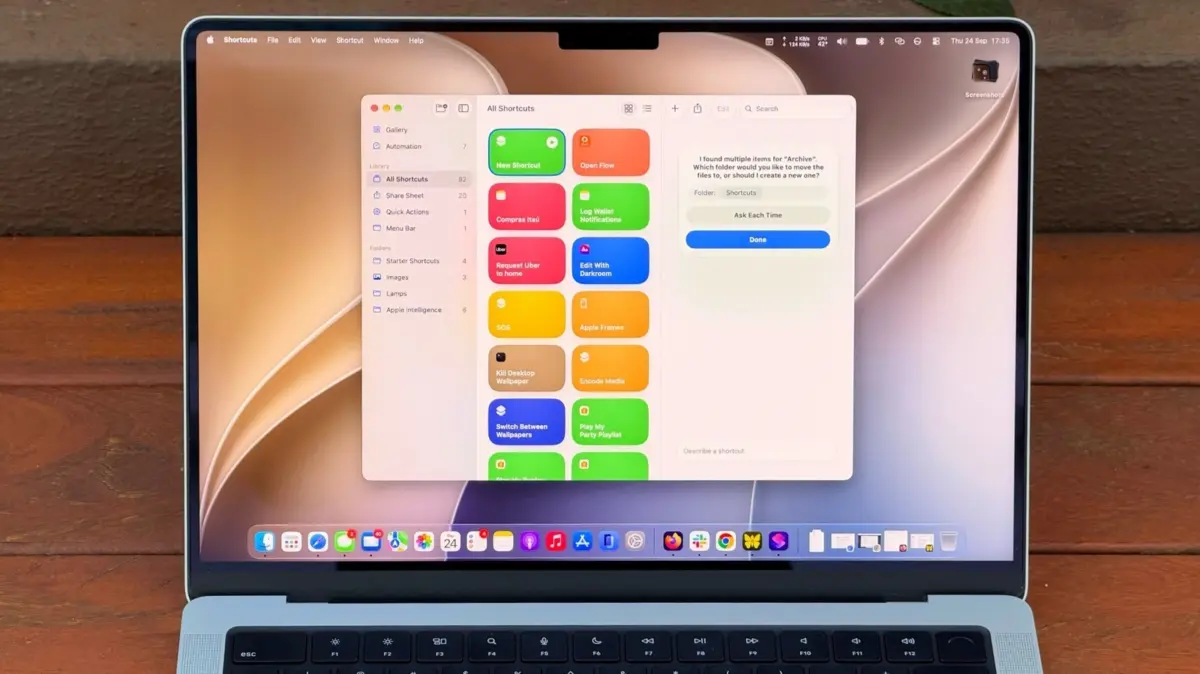
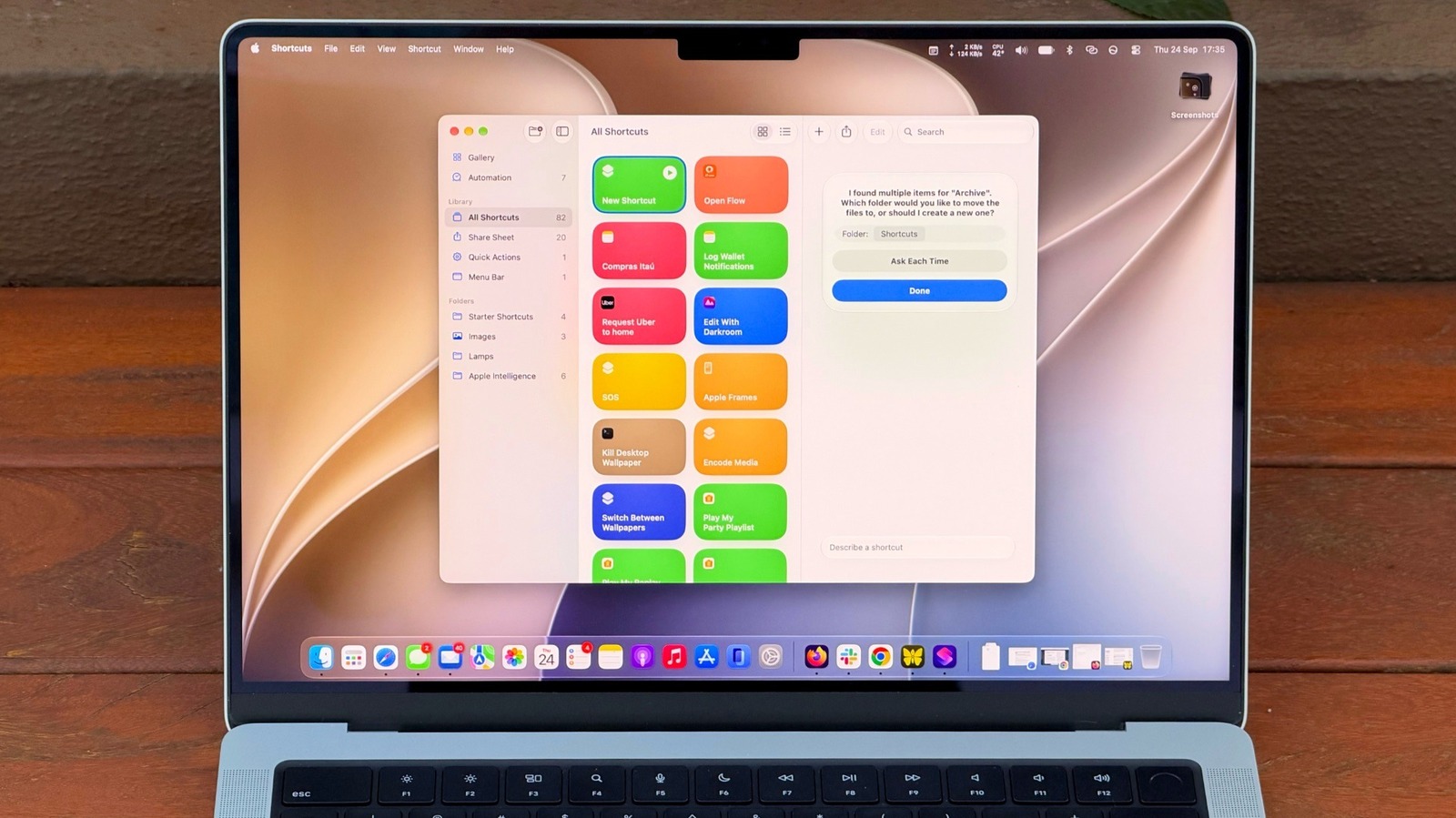
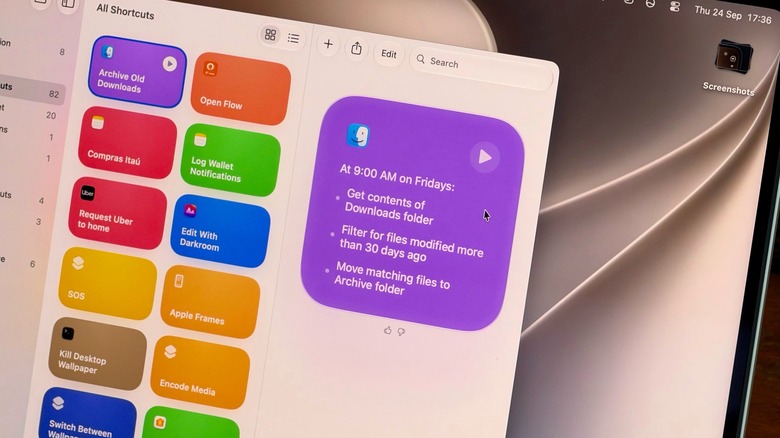
- The Precision Approach: Providing contextual parameters yields exponentially better results. A prompt such as, "Every Friday, move anything in my Downloads folder older than 30 days into a folder called Archive," gives the underlying AI model explicit constraints: a temporal trigger, a specific source directory, an age threshold, and a definitive destination.
Practical Use Cases Enabled by Apple Intelligence
- Automated File Management: As demonstrated in the example above, users can effortlessly manage system bloat without writing custom shell scripts. Because the action executes locally, users can instantly verify the results by opening the target directory and auditing the moved files. If the logic proves too aggressive, refining the prompt takes seconds.
- Smart Text Summarization and Note-Taking: Leveraging Apple Intelligence alongside system clipboards opens up advanced productivity workflows. A user can construct a shortcut using a prompt like: "Take the text on my clipboard, summarize it in three concise sentences, and save it as a new note in the Notes app." By assigning this to a hotkey, copying a dense 3,000-word article or a complex email thread and triggering the shortcut results in an immediate, distilled summary ready for review.
Supporting Context, Metrics, and System Requirements
While the promise of AI-driven automation is compelling, it relies heavily on specific hardware architectures and operational boundaries.
Hardware Prerequisites
Apple Intelligence and its derivative features within macOS 27—including Siri AI enhancements and intelligent Shortcuts generation—are resource-intensive.
- Silicon Requirement: Users must operate a Mac equipped with an Apple Silicon chip (M1 or later).
- Intel Exclusion: In alignment with Apple’s hardware roadmap, Intel-based Macs are entirely unsupported, locked out of both macOS 27 and its foundational intelligence framework.
Operational Boundaries and Limitations
Despite the impressive capabilities of on-device and hybrid AI models, users must navigate certain operational constraints:
- Complexity Thresholds: While "Describe a Shortcut" excels at single-to-medium complexity tasks, highly intricate conditional workflows (such as multi-branch API calls combined with complex regex string parsing) may still occasionally hit logical walls or generation limits. Users crafting exceptionally complex prompts may find that the AI reaches its comprehension ceiling faster, requiring manual adjustment within the traditional block editor.
- Token and Context Limits: Like all generative AI implementations, prompt length and data payload sizes processed through clipboard-to-shortcut actions are subject to strict system guardrails designed to preserve battery life and system responsiveness.
Accessibility and Integration: Making Shortcuts Impossible to Forget
Even the most useful automation provides zero value if the user forgets it exists. macOS 27 addresses this behavioral hurdle by providing multiple frictionless avenues for invoking and managing shortcuts.
1. Custom Keyboard Shortcuts
For workflows that require rapid execution, navigating to the app interface defeats the efficiency gains.
- Open the Shortcuts app, select the target shortcut, and click Edit.
- Navigate to the Shortcut Details menu (represented by the information icon).
- Select Add Keyboard Shortcut and press the desired key combination.
2. Control Center and Menu Bar Pinning
To keep routines visually accessible:
- Open the Control Center from the top-right corner of your Mac desktop.
- Select Edit Controls.
- Incorporate the desired action directly from the Shortcuts app module, placing it front and center for daily operations.
3. Visual Intelligence and Siri Synergy
macOS 27 further blends automation with ambient computing through Visual Intelligence. By pressing Shift + Command + Space, users can capture an on-screen window and prompt Siri to immediately extract data—such as pulling a buried date out of an email thread and adding it directly to the Calendar app. Furthermore, Siri can execute your custom natural-language shortcuts entirely via voice commands, creating a hands-free operational loop.
Future Outlook: The Next Frontier of Mac Utility
The integration of Apple Intelligence into the Shortcuts app marks a fundamental shift in how human-computer interaction is conceptualized on desktop operating systems. We are moving away from an era where users must learn the syntax and structural logic of software tools, toward an era where software adapts to human intent expressed through natural language.
Looking ahead, industry analysts expect subsequent iterations of macOS to expand these capabilities even further. Future updates will likely introduce predictive automation—where Apple Intelligence observes user behavior patterns and proactively suggests, generates, and executes shortcuts before the user even thinks to ask. As on-device neural engines grow more powerful and large language models become more deeply integrated into the kernel of the operating system, the boundary between manual computing and automated orchestration will continue to blur, making powerful productivity tools accessible to every Mac owner.