

By Prateek Singh, Founder of Ganak AI Labs
Updated: October 6, 2026
Executive Overview
In the fast-paced ecosystem of modern cloud engineering, security reviews can stall before they even begin. The friction often starts at the very first step of onboarding a third-party architectural scanner or compliance tool: the quick-start guide command az ad sp create-for-rbac --role Contributor.
To the uninitiated or rushed administrator, granting the Contributor role seems harmless—it is a fast, reliable shortcut that guarantees the tool will never fail due to missing permissions. However, in the high-stakes world of enterprise cloud security, this convenience introduces a profound risk. A credential armed with Contributor capabilities possesses the power to modify, provision, and delete production infrastructure. Storing such a powerful key within a third-party platform transforms a simple read-only auditing tool into a critical, high-value attack vector.
This article explores a secure alternative: implementing a rigorous, least-privilege Azure Role-Based Access Control (RBAC) strategy tailored specifically for read-only architecture scanners (using Cloudeval Cloud sync as the primary model). By breaking down the exact permissions required, examining why default tools often over-provision, and providing a step-by-step methodology for setting up custom scopes, security teams can maintain rigorous compliance postures without sacrificing operational visibility.
Detailed Chronology & Background: The Evolution of Cloud Privilege Creep
The Convenience Trap of Contributor
For years, deployment scripts and documentation for cloud auditing software have defaulted to broad permissions. Historically, developers and security engineers faced a stark dilemma: spend hours meticulously mapping out exact Azure control-plane actions, or execute a single command granting broad access to get the tool running immediately.
Because Contributor manages everything within its scope except access control lists (IAM), third-party tools rarely throw authorization errors during initial configuration. They can read resources, deploy templates, and interact with the control plane seamlessly. But this blanket authorization violates foundational cybersecurity principles, most notably the principle of least privilege (PoLP) and Microsoft’s own Azure RBAC best practices, which explicitly warn against assigning broader roles at broader scopes simply for convenience.
The Shift Toward Precision IAM
As enterprise compliance frameworks—such as SOC 2, ISO 27001, and HIPAA—have matured, organizations can no longer afford to treat service principal credentials as disposable administrative tokens. Auditors increasingly scrutinize third-party software integrations, demanding precise justification for every permission granted to external services.
This environment has forced a necessary evolution in how vendors and practitioners approach cloud architecture synchronization. Instead of demanding a sledgehammer (Contributor), modern security design relies on a scalpel: combining the baseline Azure Reader role with specific, highly targeted operational actions that give scanners just enough visibility to map out complex resource topologies and compliance states, while keeping data actions strictly locked down.
Supporting Context & Metrics: Deconstructing Read-Only Scanners
To build a genuinely least-privilege role for an architecture scanner, one must understand what an auditing tool actually consumes. Tools like Cloudeval Cloud sync do not require access to the contents of your Azure Blob Storage accounts, nor do they need to read plaintext secrets stored within Azure Key Vault. Their objective is purely structural: mapping resources, understanding interdependencies, and evaluating compliance configurations.

The Anatomy of a Least-Privilege Role
The optimal configuration for a read-only architecture review relies on three distinct permission components:
| Permission | What It Allows | Why Cloud Sync Uses It |
|---|---|---|
| *`/read`** | Grants read access to control plane information for all Azure resources (the sole action included in the built-in Reader role). |
Reads subscription, resource group, resource, provider, deployment, and baseline topology metadata within the designated scope. |
Microsoft.Resources/deployments/exportTemplate/action |
Allows the export of ARM templates associated with a deployment. | Enables the tool to build robust report inputs and analyze infrastructure-as-code equivalents derived from live resources. |
Microsoft.Network/networkWatchers/topology/action |
Retrieves an advanced network-level view of resources and their relationships inside a resource group. | Adds deep Network Watcher topology data to the live architecture relationship graph. |
| Data Actions | Explicitly restricted or omitted entirely. | Completely unnecessary for metadata synchronization; prevents access to blob contents and Key Vault secrets. |
By combining the broad metadata visibility of */read with these two specific action endpoints, organizations can achieve 100% of the required functionality without exposing their control plane to malicious actors or accidental drift modifications.
Official Guidelines & Implementation Blueprint
Transitioning from a broad Contributor role to a precise custom RBAC definition requires a methodical, five-step implementation process.
Step 1: Create a Dedicated Service Principal
Best practices dictate that you should provision one service principal per third-party tool. This isolation ensures that if a credential needs to be rotated or revoked, it can be done independently without disrupting other monitoring pipelines or automated workflows.
Modern Azure CLI versions do not assign roles automatically during service principal creation unless explicitly instructed via the --role flag. Therefore, we instantiate the principal with zero permissions initially:
SUB_ID="$(az account show --query id -o tsv)"
RG="<target-resource-group>"
SP_NAME="cloudeval-live-sync"

SP_JSON="$(az ad sp create-for-rbac --name "$SP_NAME" -o json)"
APP_ID="$(echo "$SP_JSON" | jq -r .appId)"
CLIENT_SECRET="$(echo "$SP_JSON" | jq -r .password)"
TENANT_ID="$(echo "$SP_JSON" | jq -r .tenant)"
Security Warning: Treat the resulting CLIENT_SECRET with the same gravity as any production database password. Keep it out of shared terminal histories and continuous integration (CI) logs, ingest it directly into a secure enterprise secret manager, and track its expiration date closely. An expired secret is one of the most common root causes of synchronization failure.
Step 2: Define the Custom Role
Next, define the custom role JSON configuration file (cloudeval-live-sync-reader.json). Ensure that your AssignableScopes are appropriately locked down to your specific subscription ID:
  "Name": "CloudEval Live Sync Reader",
  "IsCustom": true,
  "Description": "Read Azure resources and export deployment templates for Cloudeval Cloud sync.",
  "Actions": [
    "*/read",
    "Microsoft.Resources/deployments/exportTemplate/action",
    "Microsoft.Network/networkWatchers/topology/action"
  ],
  "NotActions": [],
  "DataActions": [],
  "NotDataActions": [],
  "AssignableScopes": ["/subscriptions/<subscription-id>"]
Upload the role definition to your Azure tenant using the Azure CLI:
az role definition create --role-definition cloudeval-live-sync-reader.jsonStep 3: Assign the Role at Resource-Group Scope
While subscription-wide assignments are sometimes tempting for broad visibility, resource-group scope should always be your default choice:

az role assignment create
  --assignee "$APP_ID"
  --role "CloudEval Live Sync Reader"
  --scope "/subscriptions/$SUB_ID/resourceGroups/$RG"
If your architecture utilizes Network Watcher—which frequently resides in a dedicated, separate resource group like NetworkWatcherRG—ensure you also assign the appropriate role or grant network topology permissions within that group. Omitting this step will not break basic resource enumeration, but your network dependency graphs may appear sparse or incomplete.
Step 4: Connect the Platform and Verify Visibility
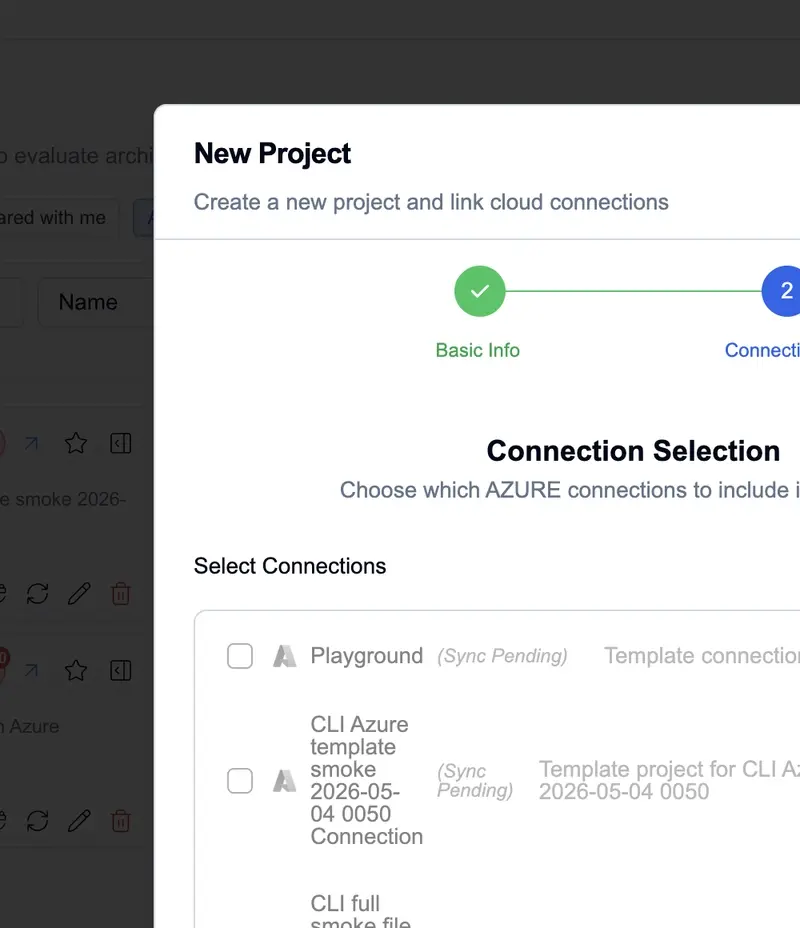
Once the role assignment has propagated through Azure’s IAM plane, navigate to your architectural scanning platform (e.g., Cloudeval), open the connections menu, and input your credentials (App ID, Client Secret, Tenant ID, Subscription ID, and target resource groups).
For programmatic setups using the command-line interface, authentication variables can be passed directly:
cloudeval projects create
  --cloud-sync
  --azure-tenant-id "$TENANT_ID"
  --azure-client-id "$APP_ID"
  --azure-client-secret "$CLIENT_SECRET"
  --azure-subscription-id "$SUB_ID"
  --resource-group "$RG"
  --name "Cloud sync $RG"
  --format json
  --output ./cloudeval-project.json
Step 5: Troubleshooting Common Gaps Without Escalating Privileges
If your initial synchronization appears incomplete or generates warnings, resist the immediate temptation to upgrade the service principal to Contributor. Instead, consult this diagnostic matrix:
| Symptom | Probable Root Cause | Recommended Remediation |
|---|---|---|
| Connection authenticates successfully, but no resource groups are discovered. | IAM propagation delay, or assignment executed on an incorrect subscription/group scope. | Allow a few minutes for propagation, verify resource group naming conventions, and re-test. |
| Resource groups are visible, but compliance report generation fails. | The custom role definition omitted deployments/exportTemplate/action. |
Update the JSON role definition, push changes via CLI, and re-run sync. |
| Core resource sync works, but network architecture graphs are missing connections. | Missing networkWatchers/topology/action or lack of assignment on NetworkWatcherRG. |
Add the network action and ensure role assignment spans the Network Watcher resource group. |
| Synchronization captures an excessive volume of unintended resource groups. | The role was improperly assigned at the broad subscription level rather than resource-group scope. | Re-scope the role assignment to targeted resource groups only. |
Future Outlook: The Next Generation of Cloud Governance
As organizations accelerate their adoption of multi-cloud architectures and AI-driven security automation, the expectations placed on Identity and Access Management (IAM) will only intensify. The era of the "all-access administrative wildcard" is rapidly drawing to a close, replaced by dynamic, context-aware, and ephemeral security tokens.
Platform engineering teams are increasingly moving toward automated IAM generation pipelines—where custom least-privilege JSON roles are dynamically synthesized, audited, and torn down alongside ephemeral security review workflows. Tools that mandate broad permissions like Contributor will likely face severe friction in modern enterprise procurement cycles, where zero-trust postures are non-negotiable.
By adopting granular permissions—leveraging targeted actions like template exports and topology lookups coupled with strict resource-group scoping—cloud administrators can safely empower automated architectural scanners. This balanced approach provides deep visibility and continuous compliance verification while ensuring the underlying production environment remains shielded from over-provisioned risk.