
Executive Overview
In an era of rapid technological convergence, consumers are increasingly consolidating their charging accessories. With powerful multi-port desktop hubs, high-wattage power banks, and heavy-duty laptop bricks becoming ubiquitous on modern desks, a tempting convenience has emerged: using a single, oversized high-wattage charger—such as a 140W brick designed for high-performance mobile workstations—to juice up every device in the household, including the smartphone in your pocket.
The immediate question facing everyday tech users is simple yet vital: Can you safely plug an iPhone into a 140W ultra-charger?
The short, technical answer is yes. Modern smart devices and charging protocols are engineered with sophisticated handshaking mechanisms that prevent a power source from forcing destructive amounts of electricity into a device. Your iPhone will only draw the exact wattage it requires, rejecting the rest of the available capacity.
However, looking at the answer as a simple "yes" overlooks a complex ecosystem of USB Power Delivery standards, Extended Power Range (EPR) safety loops, thermal management constraints, and third-party accessory risks. While an iPhone will not burst into flames the moment it touches a 140W brick, understanding how these systems communicate, what charging speeds your specific model actually handles, and why charger quality matters is essential for protecting your hardware and investment.
Detailed Chronology: The Evolution of Mobile Power Delivery
To understand why a 140W charger does not fry a tiny smartphone, we must examine the evolution of power delivery standards over the past decade. The charging landscape has shifted dramatically from legacy, low-amperage USB connections to intelligent, bi-directional power highways.
The USB-A and Legacy Era (2.5W to 7.5W)
For years, the universal serial bus (USB) was designed primarily for data transfer, with power delivery treated as a secondary, low-priority feature.
- USB 2.0: Standardized to output 5 volts at 500 milliamps (mA), yielding a sluggish 2.5 watts. Plugging a modern device into a basic USB 2.0 port results in a painfully slow trickle charge.
- USB 3.0 and 3.1: Bumped amperage up to 900mA, increasing output to 4.5 watts.
- Battery Charging (BC) 1.2 Specification: Introduced dedicated charging ports that could push up to 1.5A, achieving 7.5 watts—the absolute ceiling for an iPhone utilizing a traditional USB-A to Lightning cable connection.
The USB-C and Power Delivery (PD) Revolution
The introduction of USB-C fundamentally rewrote the rules of consumer electronics. Without Power Delivery, a standard USB-C connection safely manages 15W (5V at 3A). However, when paired with USB-PD protocols, the ceiling expands exponentially.
- Standard Power Range (SPR): Historically capped USB-PD at 100W (20V at 5A).
- Extended Power Range (EPR): Introduced with USB-PD 3.1, the modern standard spans between 100W and 240W, unlocking higher voltage rails at 28V, 36V, and 48V.
This brings us directly to modern high-end accessories, such as the 140W wall chargers entering the market. To safely handle these high-voltage tiers, EPR-compliant devices rely on a constant communication loop. Once a device enters EPR mode, it must transmit a "keep-alive" signal every half-second. If the charger fails to receive this digital heartbeat—as would happen when an iPhone is plugged in—it instantly and safely drops its output back down to a baseline 5V.
Supporting Context & Metrics: How Much Power Do iPhones Actually Want?
Despite the headline-grabbing numbers of 140W laptop bricks, the modern iPhone has strict physical and thermal limitations regarding how fast it can absorb energy without degrading battery longevity.
Device-Specific Charging Caps
| iPhone Generation / Model | Optimal Charger Recommendation | Fast-Charging Milestones |
|---|---|---|
| iPhone 18 Pro Series / iPhone Duo | 60W Adapter (AVS & USB PD 3.2) + 60W+ Cable | Optimized for high-efficiency thermal scaling |
| iPhone 17, 17 Pro, & 17 Pro Max | 40W or higher USB-PD Adapter | Reaches 50% battery capacity in roughly 20 minutes |
| iPhone Air & iPhone 17e | 20W or higher USB-PD Adapter | Reaches 50% battery capacity in approximately 30 minutes |
| iPhone 15 & 16 Series | 20W+ USB-PD Adapter | Rapid charging supported via USB-C |
| iPhone 14 and Older (Lightning) | 18W+ USB-PD Adapter | Baseline fast-charging via USB-C to Lightning |
Far from requiring 140W, even Apple’s most advanced mobile hardware caps its peak intake significantly lower—topping out around 52W under extreme performance draws on the latest Pro variants.
Decoding USB Ports and Cable Anatomy
When evaluating your setup, the charger is only one half of the equation; cables and ports play an equally vital role in managing electrical flow:
- Standard Cables: Standard USB-C cables are typically rated for 3A, capping out at 60W of throughput.
- EPR and E-Marked Cables: High-wattage cables (100W and above) feature a tiny embedded microchip known as an "e-marker." This chip communicates the cable’s physical endurance limits directly to the power source.
- Visual Indicators: Modern Apple power adapters often feature the Dynamic Power Symbol on 40W+ blocks to denote advanced adaptive output. Furthermore, iOS software includes built-in safeguards: running iOS 18 or later displays a "Slow Charger" alert on the Lock Screen and within battery settings if a sub-optimal power source is detected, while newer iOS iterations explicitly flag incompatible or failing hardware.
Official Statements and Safety Considerations
While the physical capability of an iPhone to safely reject excess wattage is scientifically sound, industry leaders urge caution regarding the quality of the hardware being used.
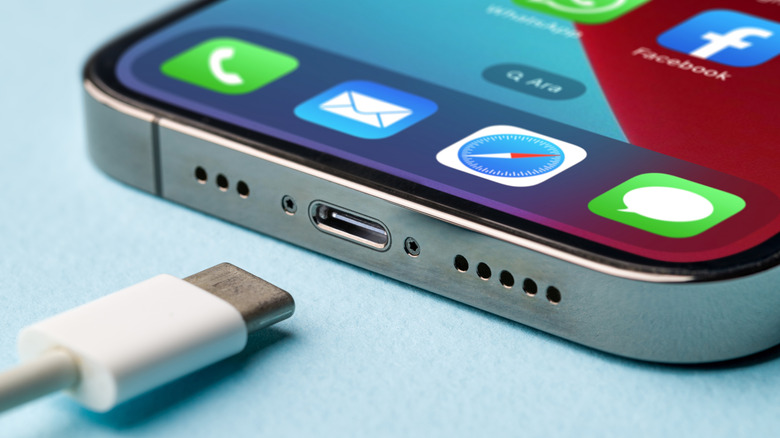
Apple has issued direct warnings regarding unauthorized, sub-standard third-party accessories. Inferior chargers lacking proper circuit protection, insulation, or regulatory certifications pose severe hazards, with the manufacturer noting that faulty power adapters can cause property damage, physical injury, or even electrocution.
Industry safety organizations echo these concerns. When utilizing ultra-high-wattage chargers—such as 140W multi-port desktop stations—consumers must prioritize reputable brands that feature built-in protections against:
- Over-Current Protection (OCP): Prevents excessive current flow that could damage device microchips.
- Over-Voltage Protection (OVP): Guards against sudden voltage spikes from faulty grid lines or internal transformer failures.
- Over-Temperature Protection (OTP): Automatically throttles or cuts power if thermal thresholds are breached during multi-device charging sessions.
While buying OEM (Original Equipment Manufacturer) adapters can carry a financial premium, the market is filled with reputable third-party manufacturers (such as Anker, Belkin, and Ugreen) that offer fully certified, multi-port 140W chargers at a fraction of the cost, ensuring both high performance and rigorous safety compliance.
Future Outlook: The Trend Toward Universal High-Wattage Ecosystems
The convergence of charging standards points toward a future where a single power brick is all a user needs for an entire digital ecosystem. As USB-PD 3.1 and Extended Power Range become the baseline for consumer technology, the dichotomy between laptop chargers and phone chargers is rapidly dissolving.
We are moving away from the era of carrying half a dozen distinct proprietary bricks. Instead, the modern workflow relies on intelligent multi-port GaN (Gallium Nitride) chargers capable of dynamically splitting 140W or more across multiple outputs—delivering 65W to a MacBook Pro, 30W to an iPad, and 20W to an iPhone simultaneously, all from a single wall outlet.
Practical Takeaways for the Consumer
- Don’t fear the wattage: Plugging your iPhone into a high-end 140W charger will not overcharge or fry your phone. The phone dictates the power draw, not the brick.
- Invest in certified gear: Avoid cheap, unbranded accessories purchased from discount marketplaces. Stick to established brands with clear safety certifications (UL, CE, FCC).
- Match your cables: Ensure your USB-C cables are rated to handle the power profile you expect to push through them, especially when charging power-hungry laptops alongside your smartphone.
Ultimately, your iPhone is smart enough to handle a 140W charger safely. By understanding the technology behind power delivery protocols and prioritizing certified hardware, you can simplify your charging setup without compromising the safety or longevity of your devices.