Executive Overview
When signing up for a new home internet plan, consumers face a deceptively simple question: Should you rent the internet service provider’s (ISP) gateway device, purchase your own hardware outright, or bring a trusted third-party router from a previous setup? Historically, telecom giants relied on a steady recurring revenue stream, tacking on a mandatory $10 to $20 monthly "equipment fee" for what was essentially a mass-produced modem and router combo. Over a standard two-year broadband contract, that rental fee can siphon up to $480 out of a consumer’s pocket for hardware that is often locked down, outdated, or repurposed to broadcast public hotspot signals to passersby.
Yet, the landscape of home networking is shifting. Driven by competitive pressures, regulatory scrutiny, and a growing consumer demand for high-speed Wi-Fi 6, Wi-Fi 6E, and Wi-Fi 7 capabilities, major broadband providers are increasingly baking gateway costs directly into their base subscription packages. For some users, renting has essentially become "free," removing the immediate financial friction of setting up a new home network.
However, "free" ISP hardware often comes with invisible costs: compromised privacy, restricted administrative controls, lack of advanced customization, and one-size-fits-all performance that struggles to cover sprawling multi-story homes. This comprehensive guide investigates the true financial implications, technical trade-offs, security considerations, and evolving industry trends surrounding the choice to rent versus buy your home networking equipment.
Detailed Chronology: The Evolution of the ISP Gateway
To understand why the modem-and-router rental model exists today, it helps to examine how home networking hardware evolved from a specialized utility into an everyday consumer appliance.
The Dial-Up and Early Broadband Era (Late 1990s – Mid 2000s)
In the infancy of consumer broadband (DSL and early cable internet), networking hardware was notoriously complex. Consumers rarely purchased their own modems because compatibility standards were loose, installation required manual configuration of PPPoE settings, and customer support channels were unequipped to handle third-party hardware. ISPs routinely supplied bulky, single-purpose modems—often without built-in routing or Wi-Fi capabilities—forcing users to purchase separate, primitive 802.11b or 802.11g wireless access points if they wanted untethered internet access around the home.
The Rise of the All-in-One Gateway (Late 2000s – 2010s)
As broadband speeds accelerated and households accumulated multiple wireless devices—laptops, smartphones, and early smart TVs—ISPs recognized an opportunity to simplify the onboarding experience while capturing a lucrative recurring revenue stream. The "gateway" was born: a single, unified plastic box combining a DOCSIS cable modem (or DSL equivalent) with a Wi-Fi router.
Telecommunications companies marketed these units as the "hassle-free" option. By bundling the hardware fee into the monthly bill, ISPs insulated themselves from customer support tickets generated by incompatible third-party gear. Simultaneously, they locked consumers into a perpetual rental cycle. A $10 monthly fee seemed negligible on paper, but multiplied across millions of subscribers and years of service, it generated billions of dollars in high-margin passive income for telecom conglomerates.
The Shift Toward "Included" Hardware (2020 – Present)
In recent years, mounting competition from municipal fiber networks, aggressive 5G home internet rollouts, and consumer advocacy has disrupted the traditional rental model. Recognizing that equipment rental fees are a major pain point for churning customers, prominent ISPs—including Verizon Fios and Comcast Xfinity—have begun altering their pricing strategies. Many now include baseline gateways at no explicit extra charge, framing the equipment as an integrated component of the service plan rather than an add-on tax.
Simultaneously, the proliferation of advanced wireless standards (such as Wi-Fi 6E and Wi-Fi 7) has driven consumers to demand better performance than what standard, mass-manufactured ISP gateways can reliably deliver, breathing new life into the retail router market.
Supporting Context & Metrics: The Math of Buying vs. Renting
Deciding whether to open your wallet upfront or accept a recurring fee boils down to cold, hard mathematics. To make an informed choice, consumers must analyze upfront hardware expenditures, the expected longevity of their broadband subscription, and the performance ceiling of the equipment in question.
Breaking Down the Upfront Costs
If your ISP does not include a gateway in your monthly plan and forces you to choose between renting or buying, the financial equation looks like this:
- Modem Costs: A reliable, third-party cable modem (supporting DOCSIS 3.0 or DOCSIS 3.1 for gigabit speeds) typically ranges from $55 to $150, depending on maximum throughput capabilities.
- Router Costs: A standalone wireless router can range from $50 for ultra-budget models up to $200+ for high-performance units. If you live in a larger home, a multi-node mesh Wi-Fi system can easily run between $250 and $600.
- Combined Gateway Alternatives: All-in-one modem/router combos available at retail are less common and often less flexible, but buying a separate modem and router remains the gold standard for enthusiasts.
The Break-Even Calculation
Consider a typical scenario where an ISP charges a $20 per month equipment rental fee.
- If you purchase a quality standalone modem and router setup for a combined $250, simple division reveals the break-even point:
$$frac$250 text upfront cost$20 text monthly rental fee = 12.5 text months$$
Within just 13 months, your upfront investment has completely paid for itself. Given that the average American household stays with an ISP for several years—and promotional pricing periods typically lock customers into 12-to-24-month commitments—buying your own equipment represents significant long-term savings.
The Performance Tier Matrix
| Metric / Feature | ISP-Provided Gateway (Rented/Included) | Retail Store-Bought Equipment |
|---|---|---|
| Upfront Cost | $0 (or bundled into base rate) | $150 – $400+ |
| Ongoing Cost | $10 – $20/month (if not included) | $0 |
| Hardware Upgrades | Managed by ISP (every few years) | Driven entirely by consumer choice |
| Advanced Settings | Heavily restricted or locked down | Fully customizable (DNS, Port Forwarding, VPN) |
| Security & Privacy | Remote ISP access; public guest hotspots enabled | Complete user isolation and data privacy |
| Scalability | Limited range; struggles with large homes | Expandable via mesh networks and access points |
The Pros and Cons of Renting (or Accepting Included) Equipment
While tech enthusiasts almost universally advocate for buying independent hardware, renting or accepting an ISP-provided gateway does carry distinct advantages, particularly for casual users or transient renters.
The Advantages of the ISP Route
- Zero Upfront Friction: For apartment dwellers, students, or those working within strict immediate budgets, avoiding a $200+ hardware outlay makes moving into a new home much more financially manageable.
- Guaranteed Compatibility: You will never have to cross-reference obscure compatibility lists or worry about whether your modem supports your provider’s specific DOCSIS or fiber-optic protocol. The box works out of the box.
- Seamless Professional Installation: If a service technician is dispatched to wire your home, they will connect the gateway, provision the line, verify signal integrity, and ensure your devices can access the internet before stepping out the door.
- Hassle-Free Lifecycle Management: When lightning strikes, a power surge fries internal components, or technology evolves, your ISP will typically replace the gateway at little to no cost, ensuring you are never stuck maintaining aging hardware.
The Disadvantages of the ISP Route
- Perpetual Financial Drain: If your plan charges a monthly fee, you are paying indefinitely for hardware that depreciates rapidly in value. Over three years, a $15 monthly fee totals $540—far more than the cost of top-tier consumer networking gear.
- Hardware Restrictions and Bloatware: ISP gateways run proprietary, stripped-down firmware. You will likely lack access to advanced administrative controls, quality-of-service (QoS) traffic prioritization, custom DNS configurations, and robust parental controls.
- Compromised Privacy and Security: Many major cable providers configure their rented gateways to simultaneously broadcast a secondary, public Wi-Fi network (such as "xfinitywifi" or "CableWiFi") accessible to other subscribers. While ISPs maintain that this traffic is cordoned off from your private network, privacy-conscious users find the practice invasive. Furthermore, ISP technicians retain remote access privileges to troubleshoot, update, and inspect connected devices on your LAN.
The Case for Buying Your Own Hardware
Investing in your own modem and router transforms your relationship with home internet, shifting control from a corporate utility provider back into your own hands.
Complete Autonomy and Customization
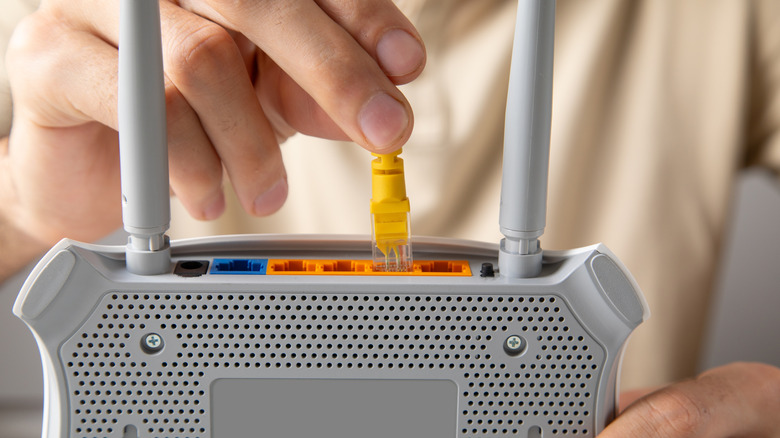
When you purchase your own router, you unlock the ability to configure your home network precisely to your specifications. You can implement robust, hardware-level VPNs to encrypt all incoming and outgoing household traffic, set strict parental controls with granular content filtering and scheduled internet bedtimes, and manually assign static IP addresses to smart home devices without interference.
Superior Range and Advanced Standards
ISP-provided hardware is engineered to meet the lowest common denominator—cheap enough for mass deployment while maintaining basic functionality. Conversely, retail routers from brands like ASUS, Netgear, TP-Link, and Eero leverage cutting-edge technologies:
- Wi-Fi 6E and Wi-Fi 7: Offering wider channels, dramatically reduced latency, and operation in the uncongested 6 GHz spectrum.
- Mesh Networking: Utilizing dedicated backhaul bands to blanket multi-story homes and concrete walls in seamless, high-speed Wi-Fi without dead zones.
Portability and Resiliency
If you decide to cancel your service and switch to a competing fiber or cable provider down the street, your purchased router travels with you. Furthermore, if you eventually upgrade to a newer Wi-Fi standard, your old router can be repurposed as a wireless access point, an Ethernet switch, or a bridge for distant rooms in your house, ensuring zero waste.
Future Outlook: The Intersection of 5G, Fiber, and Hardware
As the telecommunications landscape continues to evolve through the late 2020s, the traditional debate between renting and buying is undergoing structural transformation.
The Rise of Fixed Wireless Access (FWA)
The explosive growth of 5G home internet provided by mobile carriers like T-Mobile and Verizon has bypassed traditional cable and DSL infrastructure entirely. These services rely exclusively on proprietary, self-contained gateway receivers that double as cellular modems and Wi-Fi routers. Because the core technology is tethered to cellular airwaves rather than coaxial or fiber lines, third-party modems are generally non-existent in the FWA space, making equipment rental or inclusion mandatory.

The Fiber-Optic Shift and ONT Boxes
In markets serviced by fiber-optic networks, the physical utility box entering the home is known as an Optical Network Terminal (ONT), which converts light signals into Ethernet data. Because ONTs are fundamentally different from traditional cable modems, customers often plug their own high-performance routers directly into the ONT Ethernet port. This structural shift has empowered fiber providers to offer simpler hardware policies, often supplying basic routers at zero cost while explicitly encouraging power users to attach their own advanced mesh networks.
What Consumers Should Do Today
Before pulling the trigger on a new internet contract, consumers should execute a three-step evaluation:
- Audit Your Bill: Check whether your prospective ISP charges a standalone equipment rental fee or includes the gateway in the base price. If it is genuinely free and you have modest internet needs, accept the included hardware to save upfront cash.
- Assess Your Space and Usage: If you stream 4K video simultaneously across multiple devices, engage in competitive online gaming, work from home with heavy data transfers, or live in a large home, bypass the ISP box entirely. Purchase a dedicated DOCSIS 3.1/4.0 modem (if applicable) paired with a modern Wi-Fi 6E or Wi-Fi 7 mesh router.
- Calculate the Horizon: Estimate how long you plan to reside at your current address. If the duration exceeds 12 months and your provider charges a monthly rental fee, buying your own gear is mathematically guaranteed to save you money while delivering vastly superior performance, privacy, and control.