Executive Overview
Seven and a half years after the Gutenberg block architecture fundamentally altered the WordPress landscape by introducing a React-driven block editor into Core, developers have been given a long-awaited alternative. With the release of WordPress 7.0, the platform has introduced a radically simplified block-building experience: PHP-only block registration.
For years, building a custom block meant diving headfirst into the JavaScript ecosystem. Developers had to grapple with React, manage complex build pipelines, configure Webpack or Babel, and wrestle with an endless web of NPM dependencies—even for simple widgets or static layouts. WordPress 7.0 changes this paradigm. By leveraging a single new configuration flag ('autoRegister' => true), developers can now register, render, and manage fully functional custom blocks using exclusively PHP.
While this new capability eliminates historical barriers to entry, it arrives with clear architectural boundaries. PHP-only blocks are intentionally decoupled from the single-page JavaScript application powering the modern editor. Consequently, they lack advanced real-time interactivity, access to fresh client-side data states, and deep context of the live post editor.
Yet, to judge PHP-only block registration purely on its limitations is to miss its true, transformative purpose. This feature is not designed to replace sophisticated JavaScript-driven blocks; rather, it is a masterstroke tailored for legacy code migration. For thousands of theme developers and agencies holding back on adopting modern block themes due to the high cost of rewriting legacy PHP template tags, shortcodes, and custom functions, WordPress 7.0 has officially unlocked the door.
Detailed Chronology: The Evolution of Block Development
To fully appreciate the significance of WordPress 7.0, one must trace the historical trajectory of the block editor project since its inception.
The Gutenberg Revolution (2018)
When Gutenberg arrived in WordPress 5.0 in late 2018, it marked a seismic shift from the traditional WYSIWYG TinyMCE editor to a component-based publishing ecosystem. Inspired by modern JavaScript frameworks, the development team chose React as the foundational technology for the editor UI.
While this choice positioned WordPress as a modern headless and decoupled CMS contender, it created a massive cultural and technical divide within the community. A vast ecosystem of PHP developers—who had powered the platform for over a decade—suddenly faced a steep learning curve. Traditional theme and plugin development, which once required only PHP, HTML, and CSS, now demanded a rigorous understanding of ESNext, JSX, Node.js, and build pipelines.
The Transitional Hybrid Era (2020–2024)
Recognizing the friction, Core contributors gradually introduced server-side rendering (render_callback) capabilities, allowing developers to handle block output via PHP. However, this hybrid approach was only half-baked. Developers still had to register the block metadata via block.json or JavaScript (registerBlockType), write client-side edit scripts, and maintain separate assets for the editor preview. The barrier to entry remained high, leaving many developers stuck maintaining classic themes or avoiding full-site editing (FSE) altogether.
The WordPress 7.0 Paradigm Shift (Present)
WordPress 7.0 directly addresses this developer fatigue. By streamlining block registration so that it occurs entirely within PHP files using native functions, the platform bridges the gap between classic PHP workflows and the modern block-based theme architecture. The introduction of the autoRegister flag tells WordPress to programmatically generate the required client-side registration and editor previews behind the scenes, effectively shielding backend developers from JavaScript configuration hell.
Supporting Context & Metrics: The PHP-Only Approach in Practice
To understand how PHP-only registration works under the hood, we can examine the implementation details, advantages, and inherent technical trade-offs.
Registering a Basic Block Using Only PHP
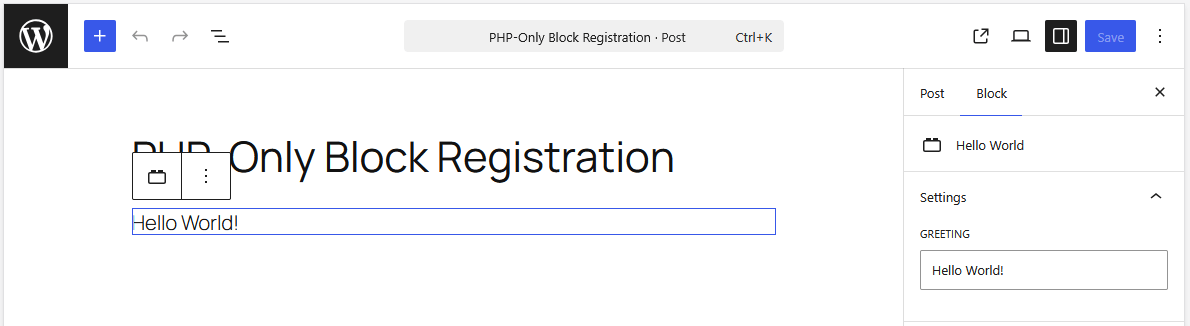
The foundational mechanism relies on the standard register_block_type() function executed during the init action hook. By passing the 'autoRegister' => true argument within the supports array, WordPress automates the client-side heavy lifting:
function css_tricks_hello_world_block()
  register_block_type(
    'css-tricks/hello-world',
      [
        'title' => 'Hello World',
        'render_callback' => function ()
          return sprintf(
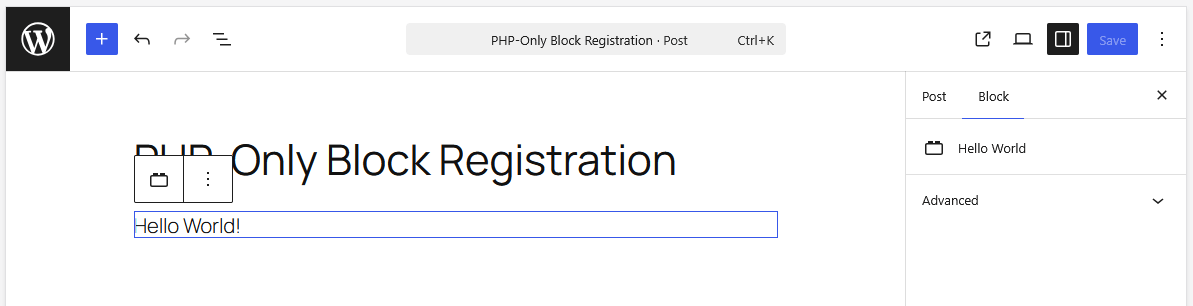
            '<div %s>Hello World!</div>',
            get_block_wrapper_attributes()
          );
        ,
        'supports' => [
          'autoRegister' => true,
        ],
      ]
  );

add_action('init', 'css_tricks_hello_world_block');
When inserted into the block editor, this block seamlessly integrates alongside core blocks, rendering its output directly via PHP without requiring a companion JavaScript file.
Extending Functionality via Attributes and Controls
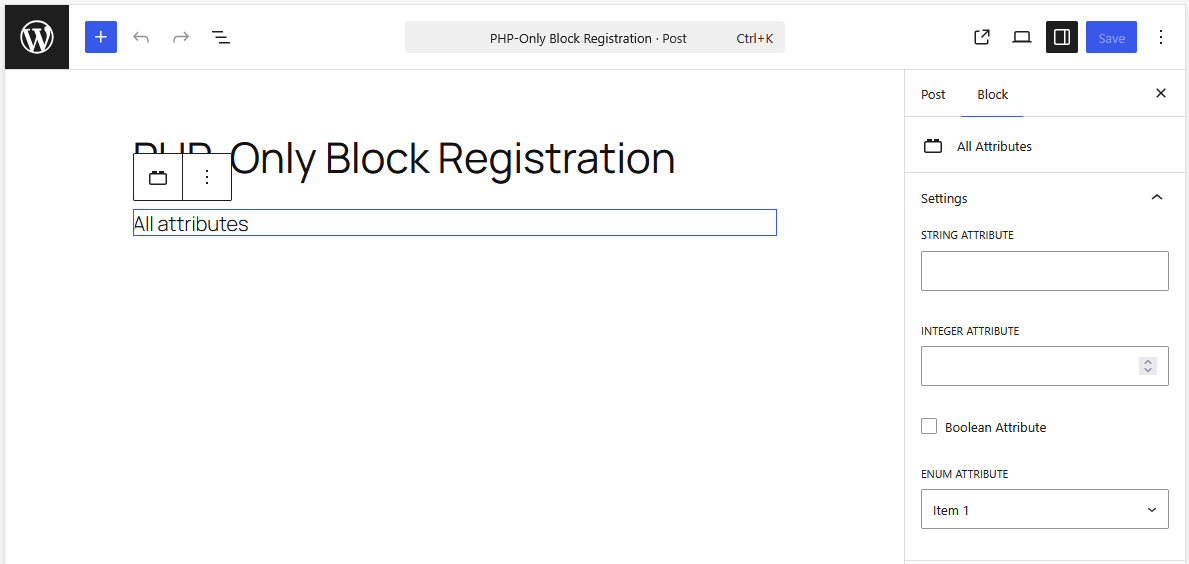
Attributes allow users to customize block behavior. In traditional development, this requires building custom React components for the sidebar inspector controls. With PHP-only blocks, WordPress automatically generates basic sidebar input controls based on the attribute definitions:
function css_tricks_hello_world_block()
  register_block_type(
    'css-tricks/hello-world',
    [
      'title' => 'Hello World',
      'render_callback' => function ($attributes)
        return sprintf(
          '<div %s>%s</div>',
          get_block_wrapper_attributes(),
          esc_html($attributes['greeting'])
        );
      ,
      'supports' => [
        'autoRegister' => true,
      ],
      'attributes' => [
        'greeting' => [
          'type' => 'string',
          'default' => 'Hello World!',
        ],
      ],
    ]
  );

add_action('init', 'css_tricks_hello_world_block');
Navigating Architectural Limitations
Despite its elegance, developers must carefully evaluate the constraints of PHP-only blocks before committing to them for new feature development:
- No In-Editor DOM Interactions: Because the editor displays HTML returned by the PHP
render_callbackvia asynchronous REST API endpoints, you cannot attach dynamic JavaScript libraries (such as sliders or interactive carousels) to the block preview reliably. Re-renders destroy DOM event listeners instantly. - Stale Data Risks: PHP-only blocks query the database directly during rendering, bypassing the client-side JavaScript data store. If a user alters the post title or featured image in the editor, a PHP-only block displaying that metadata will show stale data until the post is saved and the editor is reloaded.
- Stateless REST Context: REST API endpoints are stateless. Global loop variables like
$postare not automatically available inside the render callback, requiring developers to manually extract post IDs from query parameters or attributes. - Limited Attribute Types: WordPress 7.0 supports only three attribute types (strings, numbers, and booleans), mapping to basic text inputs, number fields, checkboxes, and simple dropdowns. Essential advanced interfaces—such as native image uploaders, rich-text WYSIWYG editors, or date pickers—are entirely absent.
Official Perspectives & Community Response
The release of WordPress 7.0 has sparked intense debate across the developer community, drawing distinct reactions from both core contributors and agency veterans.
Advocates of the new feature emphasize that developer experience (DX) has long been the Achilles’ heel of the Gutenberg project. For years, independent developers and small-to-medium agencies found the overhead of maintaining Node modules, Babel configs, and JSX syntax entirely disproportionate to the simple client projects they were delivering.
"We spent years telling classic theme developers that they needed to transform into full-stack JavaScript engineers just to build custom client sites," notes one prominent theme architect. "WordPress 7.0 acknowledges that PHP remains the heartbeat of millions of active sites. It meets developers where they are."
Conversely, JavaScript purists and core maintainers caution against misusing the feature. They argue that building modern, fluid editorial experiences requires the reactive data flow that only JavaScript can provide. When blocks feel static, sluggish, or disconnected from live editor changes, the overall user experience degrades.
The consensus emerging from the community is clear: PHP-only registration should be viewed primarily as a migration bridge rather than a long-term architectural replacement for native block development.
Practical Implementation Strategies and Workarounds
For developers ready to harness PHP-only blocks, understanding key workarounds can help mitigate architectural limitations.
1. Detecting Editor vs. Front-End Context
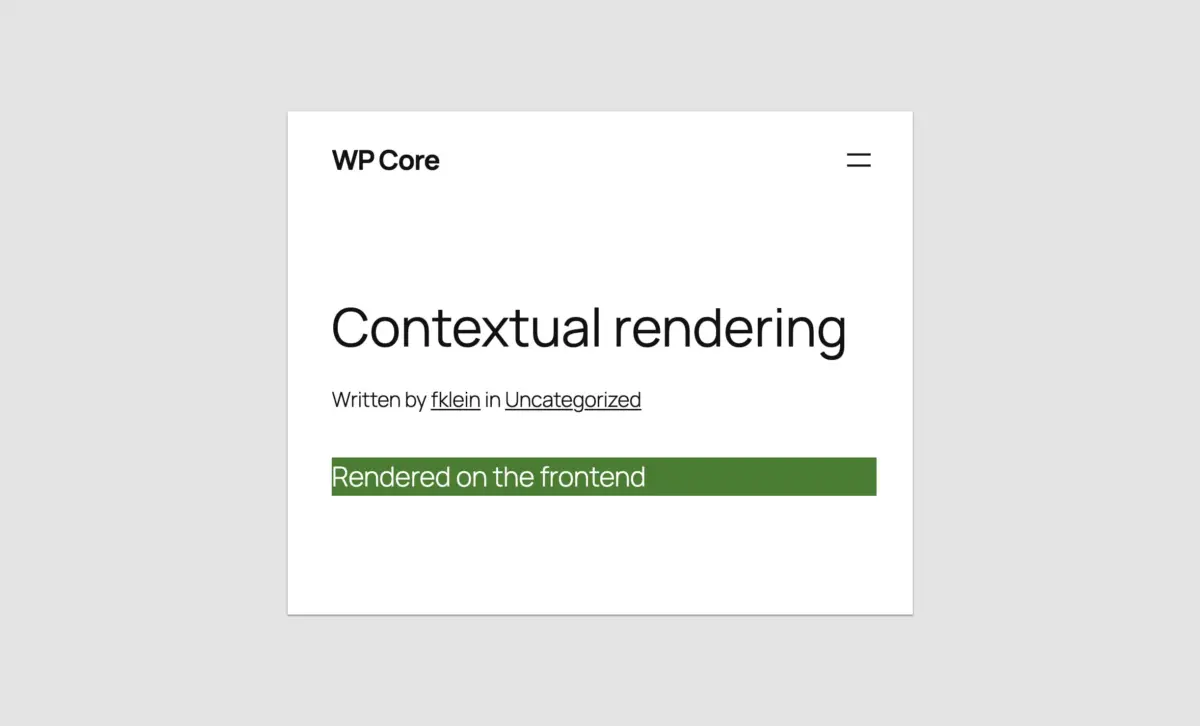
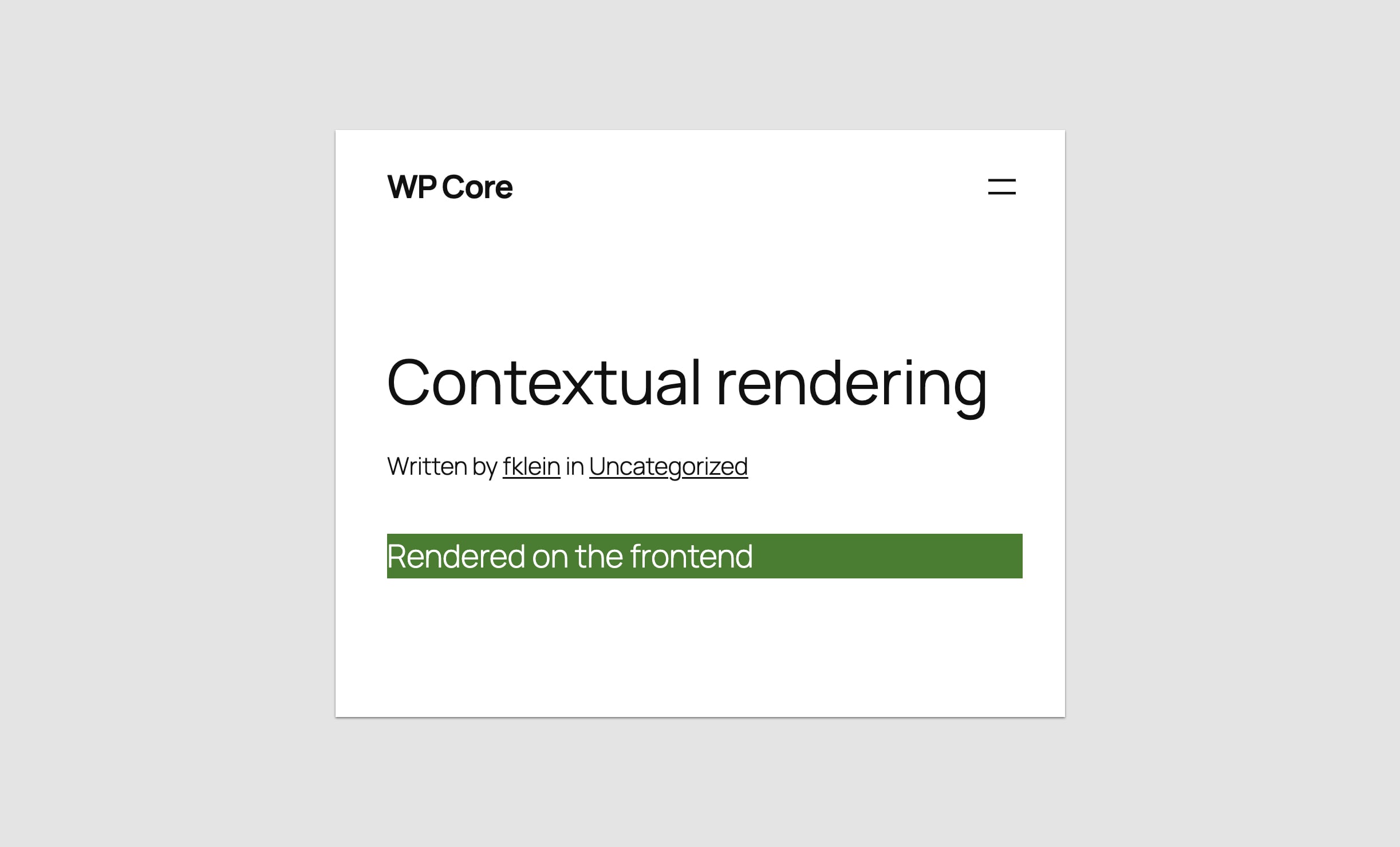
To render different markup or styling depending on whether the block is viewed on the front end or inside the block editor preview, developers can leverage wp_is_rest_endpoint() combined with query variable checks:
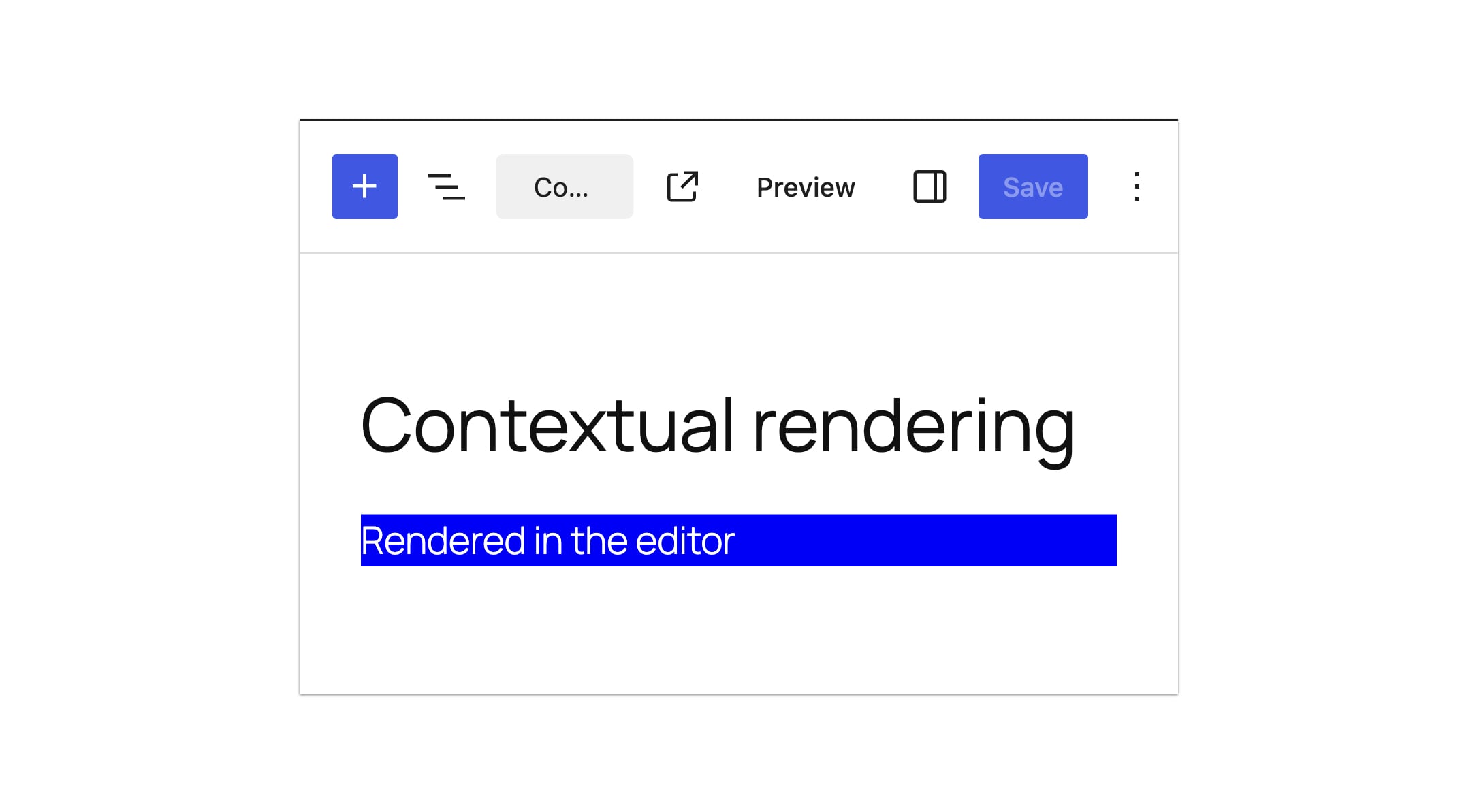
function css_tricks_php_only_detecting_editor_render()
  register_block_type(
    'css-tricks/php-only-detecting-editor-render',
    [
      'title' => 'PHP-Only Contextual Block',
      'render_callback' => function ()
        $is_editor = wp_is_rest_endpoint() && str_contains( $GLOBALS['wp']->query_vars['rest_route'] ?? '', 'v2/block-renderer/' );
        $bgcolor = $is_editor ? 'blue' : 'green';

        return sprintf(
          '<div %s>%s</div>',
          get_block_wrapper_attributes( [ 'style' => "color: #fff; background-color: $bgcolor;" ] ),
          $is_editor ? 'Rendered in the editor' : 'Rendered on the frontend'
        );
      ,
      'supports' => [ 'autoRegister' => true ],
    ]
  );

add_action( 'init', 'css_tricks_php_only_detecting_editor_render' );
2. Accessing Current Post IDs in the Editor
To overcome the stateless nature of REST API rendering for post-meta or title blocks, developers can capture the post ID from the admin URL parameters at the moment of block initialization and store it as a local attribute:
function css_tricks_php_only_post_title_block()
  register_block_type(
    'css-tricks/php-only-post-title',
    [
      'title' => 'PHP-Only Post Title',
      'render_callback' => function ($attributes)
        $post_id = get_the_ID() ?: ($attributes['postId'] ?? 0);

        if ($post_id === 0)
          return sprintf('<div %s>Please save the post and reload the page.</div>', get_block_wrapper_attributes());


        return sprintf('<div %s>%s</div>', get_block_wrapper_attributes(), get_the_title($post_id));
      ,
      'supports' => [ 'autoRegister' => true ],
      'attributes' => [
        'postId' => [
          'type' => 'integer',
          'default' => isset($_GET['post']) ? absint($_GET['post']) : 0,
          'role' => 'local',
        ],
      ],
    ]
  );

add_action( 'init', 'css_tricks_php_only_post_title_block' );
3. Leveraging Block Supports and Enqueuing Assets
PHP-only blocks fully support the Block Supports API, enabling opt-in features such as color customization, alignment controls, and instance limits without writing custom UI code:
'supports' => [
  'autoRegister' => true,
  'color' => [
    'background' => true,
    'text' => true,
  ],
  'align' => [ 'left', 'center', 'right', 'wide', 'full' ],
  'multiple' => false,
  'inserter' => true,
],
Furthermore, CSS stylesheets and front-end JavaScript files can be safely enqueued using standard handles (style and view_script), ensuring optimal performance where assets load only when the block is actively present on a page.
Future Outlook: The Killer Use Case and Industry Impact
As the WordPress ecosystem looks toward subsequent releases in the 7.x cycle—including upcoming mandates to enforce fully iframed block editors across all themes—the strategic value of PHP-only block registration becomes undeniable.
The ultimate triumph of this feature lies in legacy theme migration. Thousands of enterprise websites, membership portals, and media publications remain locked into classic themes because rewriting custom headers, complex loops, shortcodes, and widgetized PHP templates into React blocks represents an insurmountable expenditure of time and capital.
With WordPress 7.0, developers can take existing PHP codebases, wrap them in server-side rendered blocks with autoRegister => true, and transition clients to performant, modern block themes in hours rather than weeks. The block editor preview does not need to be pixel-perfect; as long as the front-end rendering is flawless, the migration barrier evaporates.
Ultimately, WordPress 7.0 signals a maturing philosophy within Core development: empowering creators by reducing unnecessary complexity. By honoring the PHP skills that built the web’s most popular CMS while embracing modern block architecture, WordPress has delivered a feature that breathes new life into legacy development and sets the stage for universal block theme adoption.