Nearly eight years after the Gutenberg block editor fundamentally altered the WordPress landscape, core maintainers have introduced a feature long thought impossible: PHP-only block registration. Debuting in WordPress 7.0, this capability allows developers to conceptualize, register, and deploy custom blocks entirely through server-side PHP, eliminating the longstanding prerequisites of learning React, configuring complex Webpack or Babel build pipelines, and managing intricate NPM package dependencies.
For a generation of WordPress backend engineers, agencies, and classic-theme maintainers, this release represents a profound paradigm shift. It lowers the barrier to entry that has kept thousands of sites locked into legacy architectures. However, this simplification comes with profound architectural trade-offs. PHP-only blocks are intentionally constrained, lacking deep interactive states, real-time client-side data syncing, and sophisticated default editing controls. Consequently, while they are ill-suited for building highly dynamic, interactive components from scratch, they serve as a potent bridge for developers seeking to migrate legacy PHP snippets, shortcodes, and theme fragments into modern block-based architectures.
Detailed Chronology: The Road to PHP-Only Blocks
To understand the significance of WordPress 7.0’s PHP-only block registration, one must trace the timeline of block-based development from its inception.
Late 2018 (WordPress 5.0): The Gutenberg project merges into WordPress Core, introducing the block editor. From day one, blocks are conceptualized as client-side JavaScript applications built predominantly with React. Traditional developers face an abrupt learning curve, requiring dual registration processes—once in PHP to bootstrap the server and once in JavaScript (registerBlockType) to govern the editor interface.
2019–2023 (The Tooling Era): The WordPress ecosystem standardizes around build tools. Developers must master @wordpress/scripts, configure package.json files, manage continuous integration pipelines for asset compilation, and write extensive boilerplate configurations just to output simple custom components.
2021–2025 (The Rise of Full Site Editing): While Full Site Editing (FSE) matures into block themes, backend-focused agencies lag in adoption. The friction of rewriting functional PHP widgets, custom loops, and legacy theme components into JavaScript blocks creates an economic and technical bottleneck for site migrations.
Early 2026 (WordPress 7.0 Launch): Core introduces the 'autoRegister' => true flag within the register_block_type() function. For the first time, WordPress dynamically generates the necessary client-side registration and editor preview wrappers directly from server-side PHP parameters, bridging a seven-and-a-half-year divide.
Architectural Mechanics: How It Works and Where It Falls Short
The implementation of PHP-only blocks relies on a streamlined API registration workflow. By invoking register_block_type() with specific structural keys, developers can instantiate blocks that appear seamlessly within the editor canvas.
The PHP-Only Implementation Model
Consider the baseline implementation of a dynamic Hello World block under the new paradigm:
By passing the 'autoRegister' => true flag, WordPress automatically synthesizes the client-side infrastructure required to display a basic preview inside the block editor. Furthermore, developers can introduce simple attributes—such as a custom greeting string—directly within the registration array, prompting WordPress to generate corresponding sidebar input controls automatically.
Inherent Limitations and Architectural Constraints
Despite its developer-friendly syntax, the architecture of PHP-only blocks introduces strict boundaries that developers must navigate carefully.
Absence of Inline Editor Interactions: Because the editor simply displays HTML returned by the block’s render_callback function via an asynchronous REST API endpoint, inline content editing is impossible. Developers cannot build rich text inline-editing experiences or place controls directly inside the block preview canvas. All interactions are forced into the block’s Settings sidebar.
Stale Data and State Disconnection: WordPress manages editor state via a client-side JavaScript data store. PHP-only blocks bypass this store, querying the database directly during their render cycle. Consequently, if a user modifies a post title or custom field inside the editor, a PHP-rendered block will continue to display stale database values until the post is explicitly saved and the browser page is reloaded.
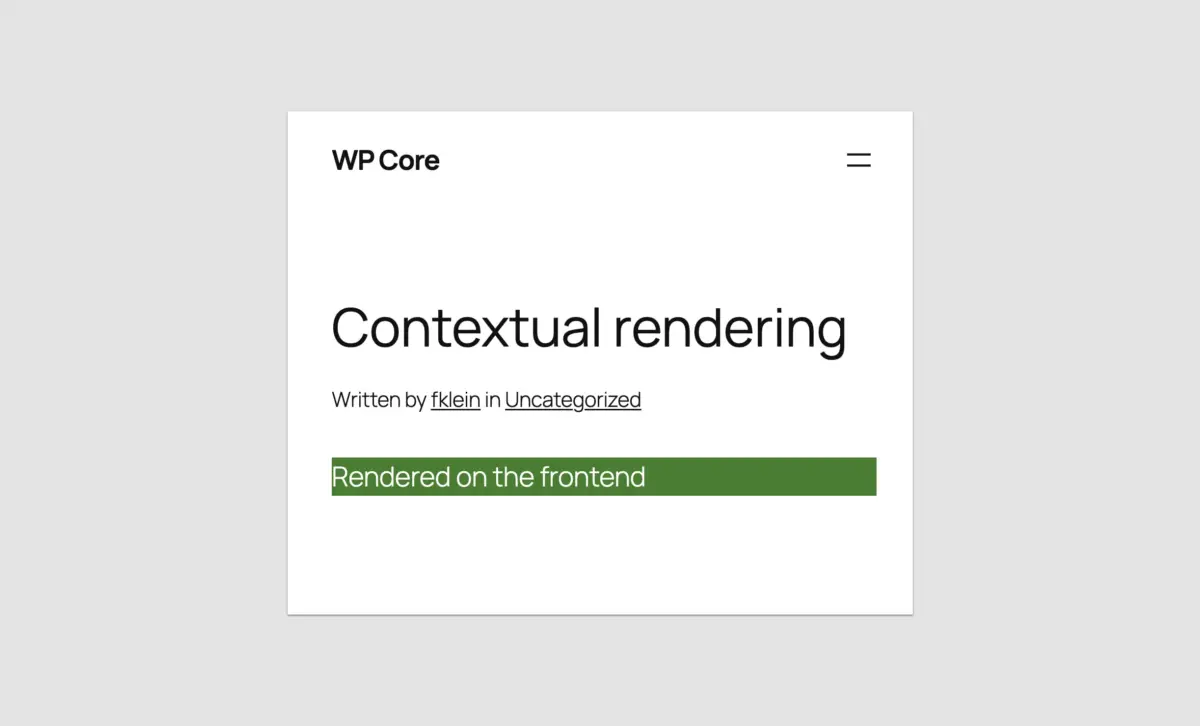
Stateless REST API Context: Frontend rendering occurs within "The Loop," granting access to global variables like $post and template tags such as the_title(). Conversely, the REST API endpoints powering editor previews are stateless. Without explicit workarounds, render callbacks lack awareness of the currently edited post context, rendering standard post-meta functions unreliable.
Constrained Attribute Types and UI Controls: WordPress 7.0 limits native PHP block attributes to three primitive data types: strings, numbers, and booleans. These map to basic form inputs (text fields, number counters, checkboxes, and simple dropdowns). Advanced interfaces—such as media library image uploaders, multi-line rich text editors, date pickers, or keyed arrays for relational data mapping—are entirely unsupported out of the box.
Supporting Context & Metrics: Overcoming the Migration Barrier
To evaluate the true value of this release, one must examine the state of theme architecture across the global WordPress ecosystem. Surveys among enterprise agency leads consistently highlight technical debt and migration costs as primary barriers to adopting block themes.
Migration Velocity: Early adopters testing WordPress 7.0 report cutting theme migration timelines from weeks of custom JavaScript compilation down to mere hours. By wrapping legacy header files, custom shortcodes, and widget code into server-side rendered blocks, development teams can transition classic codebases to full-site editing architectures without retraining backend developers in React.
Asset Optimization: PHP-registered blocks retain full compatibility with WordPress’s modern performance features. Stylesheets and view scripts can be registered via standard handles and passed directly to the block type configuration ('style' => 'handle', 'view_script' => 'handle'), ensuring that assets load conditionally only when the respective block is present on a given page.
Official Statements and Expert Perspectives
Core contributors and developer advocates have offered measured evaluations of the feature, emphasizing its role as a targeted bridge rather than a universal replacement for JavaScript tooling.
"For building highly interactive, native-feeling components, JavaScript remains indispensable. PHP-only registration will not—and should not—replace React-based block development," notes lead documentation contributors. "However, it solves a very specific, agonizing problem: getting legacy codebases across the threshold into block themes without forcing every backend engineer through a steep JavaScript build-tooling gauntlet."
Industry analysts point out that this move signals a broader cultural evolution within WordPress Core governance. For years, the community debate centered entirely on modernizing the stack, occasionally alienating traditional developers who built the ecosystem. Providing a robust PHP-native path back into the core architecture demonstrates a pragmatic acknowledgment of diverse developer skill sets.
Practical Migration Strategies and Workarounds
Developers tackling legacy migrations using WordPress 7.0 can utilize several proven patterns to overcome structural limitations:
1. Detecting Editor vs. Frontend Rendering Contexts
Because standard helper functions like is_admin() do not evaluate correctly inside REST API block rendering requests, developers can target the block renderer endpoint explicitly using wp_is_rest_endpoint() combined with query variable parsing:
To bypass the lack of native post-context awareness in the editor preview, developers can leverage URL parameters during block initialization, storing the ID within a local attribute role:
function css_tricks_php_only_post_title_block()

  register_block_type(
    'css-tricks/php-only-post-title',
    [
      'title' => 'PHP-Only Post Title',
      'render_callback' => function ($attributes)
        $post_id = is_int(get_the_ID()) ? get_the_ID() : $attributes['postId'];

        if ($post_id === 0)
          return sprintf(
            '<div %s>Please save the post and reload the page.</div>',
            get_block_wrapper_attributes()
          );


        return sprintf(
          '<div %s>%s</div>',
          get_block_wrapper_attributes(),
          get_the_title($post_id)
        );
      ,
      'supports' => [
        'autoRegister' => true,
      ],
      'attributes' => [
        'postId' => [
          'type' => 'integer',
          'default'=> isset($_GET['post']) ? absint($_GET['post']) : 0,
          'role' => 'local'
        ],
      ]
    ]
  );

add_action('init', 'css_tricks_php_only_post_title_block');
Future Outlook
As the WordPress ecosystem looks beyond version 7.0, the introduction of PHP-only block registration sets an interesting precedent. While advanced features such as iframed post editors (becoming mandatory in upcoming point releases via Block API Version 3 compliance) continue to unify frontend and backend presentation layers, the core team faces ongoing demands to refine developer ergonomics.
Will PHP-only blocks receive expanded attribute types or richer editing interfaces in future releases? Core roadmaps currently show no immediate plans for deep UI expansions, as maintaining those features natively would duplicate the extensive component library already present in the JavaScript @wordpress/components package.
Nevertheless, the strategic value is undeniable. For agencies and developers managing substantial portfolios of classic PHP themes, shortcodes, and custom functionality, WordPress 7.0 eliminates the single greatest point of friction in modernizing site architecture. It proves that the future of WordPress does not require abandoning its foundational language—instead, it offers a pragmatic bridge connecting legacy engineering expertise with the modern block-based era.