Executive Overview
In the fast-paced ecosystem of modern software engineering, developer ergonomics and tooling efficiency directly correlate with overall productivity. Every microscopic friction point—from redundant keystrokes to repetitive terminal commands—accumulates over time, leading to cognitive fatigue and disrupted "flow states." Among the most persistent minor grievances for developers utilizing AI-powered command-line interfaces (CLIs) is the perpetual need to export environment variables across multiple terminal sessions.
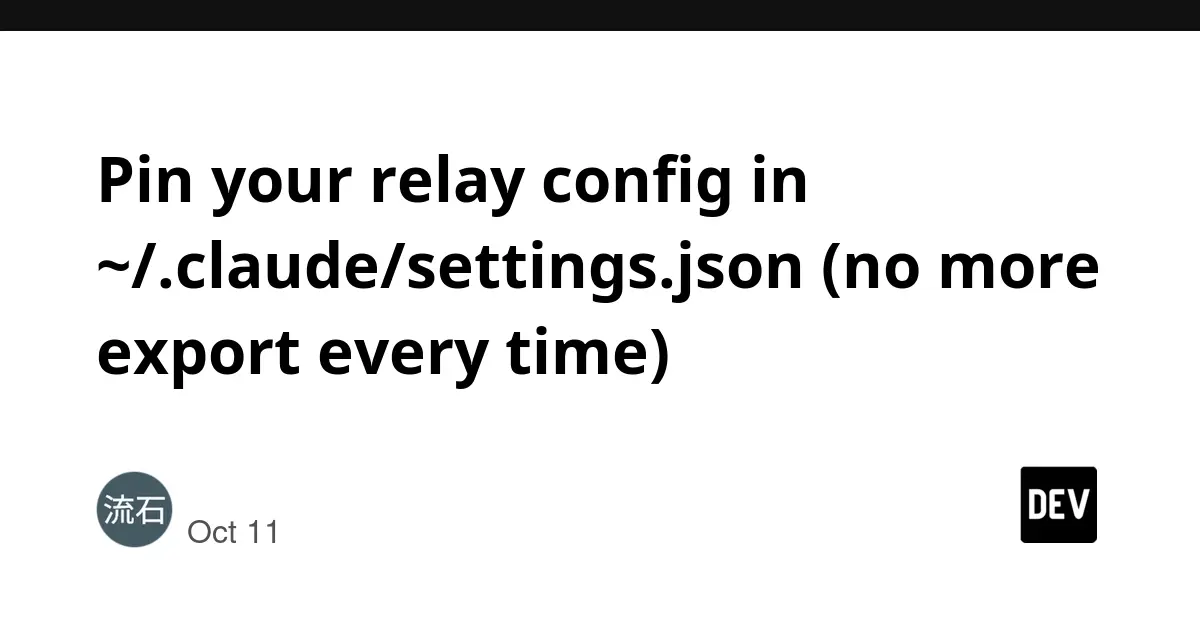
Recently, a notable developer productivity tip surfaced within the community, offering a permanent workaround for this daily ritual. By moving relay configurations directly into the global configuration file of Anthropic’s Claude Code CLI (~/.claude/settings.json), developers can bypass the tedious, session-by-session export routines that have long plagued multi-terminal workflows.
This article explores the mechanics of this configuration shortcut, examining its impact on developer velocity, the broader architectural context of AI relay networks, and the strategic advantages of leveraging centralized configuration files in modern software development environments.
Detailed Chronology of the Discovery
The Genesis of Terminal Environment Fatigue
To understand the significance of this configuration trick, one must examine the standard operating procedure for developers working with custom AI endpoints, proxy networks, and API relays. Historically, command-line tools rely heavily on environment variables—such as ANTHROPIC_BASE_URL and ANTHROPIC_AUTH_TOKEN—to route API calls, manage authentication, and connect to custom proxy stations.
Whenever a developer spins up a new terminal window or tab, the shell environment initializes as a blank slate (barring global shell profile configurations like .bashrc or .zshrc). For developers who frequently switch between local development servers, production environments, and experimental third-party AI relay stations, hardcoding these values into global shell profiles is often impractical or hazardous. Consequently, the industry standard devolved into manual repetition: opening a terminal, typing export ANTHROPIC_BASE_URL="...", typing export ANTHROPIC_AUTH_TOKEN="...", and finally launching the CLI tool.
Over the course of a standard workday, this ritual might be repeated dozens of times. While individually trivial, the cumulative cognitive overhead and time loss are substantial.
The Rise of Claude Code and the Configuration Breakthrough
As Anthropic’s Claude Code gained traction as an indispensable terminal-native coding assistant, power users began dissecting its underlying architecture to optimize its performance. Developers sought cleaner, more persistent ways to manage connection parameters without cluttering their shell environments or risking accidental leakage of sensitive authentication tokens via shared shell history files.
The breakthrough came with the realization that Claude Code’s initialization sequence checks a dedicated configuration file located at ~/.claude/settings.json. By introducing an env key within this JSON structure, developers could programmatically inject environment variables exclusively into the scope of the Claude Code runtime environment.
This discovery effectively decoupled API proxy management from the underlying terminal shell. Instead of configuring the shell to power the CLI, the CLI was configured internally to manage its own environmental dependencies upon launch.
Technical Implementation and Deep Dive
Implementing this workflow enhancement is remarkably straightforward, yet it yields outsized returns in terms of daily convenience.
Step-by-Step Configuration
To pin your relay configuration permanently and eradicate the need for repetitive environment variable exports, locate or create your global Claude settings file and update it with the following structure:
  "env":
    "ANTHROPIC_BASE_URL": "https://<your-relay-station-url>",
    "ANTHROPIC_AUTH_TOKEN": "sk-****your-key-goes-here****"
What Happens Under the Hood?
When you execute the claude command in your terminal, the application initiates its pre-flight configuration check. During this phase, it parses ~/.claude/settings.json. If an env block is detected, Claude Code dynamically populates its internal environment execution context with the specified key-value pairs before establishing outbound network connections.
This guarantees that:

- Isolation is Maintained: Your authentication tokens and custom base URLs do not leak into other processes running within the same terminal session.
- Persistence is Achieved: Regardless of how many terminal tabs you open, or whether you switch between bash, zsh, or fish shells, Claude Code will consistently reference the pinned configuration.
- Portability is Simplified: Moving your development setup to a new machine becomes as simple as syncing your
~/.claude/settings.jsonfile.
Supporting Context & Metrics: The Economics of Developer Ergonomics
To truly appreciate the value of pinning relay configurations, one must look at the broader metrics governing developer productivity, context switching, and cognitive load.
Quantifying Context-Switching Costs
According to various empirical studies in software engineering psychology, a developer requires an average of 15 to 23 minutes to return to a deep state of focus after experiencing an interruption. While executing an export command is not a major external interruption, it represents a micro-friction event—a moment where the developer’s brain must pivot from architectural problem-solving to mundane administrative execution.
- Frequency: Assuming an active developer opens new terminal windows or restarts sessions 10 to 15 times a day.
- Duration: Each manual export routine takes approximately 15 to 30 seconds (including recalling variables, copying tokens, and verifying syntax).
- Cumulative Time Loss: Roughly 3.5 to 7.5 minutes per day, translating to over 30 hours annually spent purely on repetitive environment variable management.
By eliminating this routine entirely, engineering organizations reclaim valuable developer hours, channeling that cognitive energy back into code creation, debugging, and system design.
The AI Relay Ecosystem
The utility of this configuration trick is magnified by the surging popularity of AI relay stations. As the demand for advanced Large Language Models (LLMs) scales across global engineering teams, developers are increasingly turning to third-party relay networks and proxy stations.
Many of these relay stations operate on freemium models, offering sign-up bonuses, daily check-in credits, and competitive rate limits. Because developers frequently test, benchmark, and rotate between multiple relay providers to optimize cost and latency, the ability to seamlessly swap endpoints within a structured JSON file—rather than hunting down and re-exporting messy terminal variables—represents a massive leap forward in usability.
For those navigating the landscape of available proxy providers, community-maintained resources such as the AI Relay Station List offer comprehensive directories detailing operational models, uptime metrics, and tested dates.
Security Considerations and Best Practices
While centralizing configuration parameters in ~/.claude/settings.json streamlines workflows, it also introduces specific security considerations that developers must address to maintain robust security postures.
File Permissions and Access Control
Because ~/.claude/settings.json houses sensitive credentials—specifically the ANTHROPIC_AUTH_TOKEN (which functions effectively as a master key to your AI consumption pipeline)—it must be strictly guarded against unauthorized read access.
- Restrict File Permissions: Ensure that your global settings file is readable and writable exclusively by your user account. On Unix-like systems (Linux and macOS), this can be enforced via terminal commands:
chmod 600 ~/.claude/settings.json - Version Control Exclusion: Under no circumstances should
~/.claude/settings.jsonbe committed to public or shared version control repositories. While local dotfiles are rarely exposed, accidental commits remain a leading vector for credential leaks.
Transparency Regarding Referral Parameters
It is worth noting that community-driven indexes and relay directories often incorporate referral parameters (such as ?aff=...) within their sign-up links. Developers utilizing these resources should be aware of affiliate tracking mechanisms. As noted by community contributors, these parameters can be safely stripped from URLs prior to registration if users prefer unlinked onboarding paths.
Future Outlook: The Evolution of CLI Configuration Management
The shift toward declarative, file-based configuration for AI development tools points to a broader trend within the software engineering tooling landscape. As command-line interfaces evolve from simple execution wrappers into sophisticated, autonomous development agents, the limitations of traditional shell-based configuration (environment variables, alias files) become increasingly apparent.
Toward Native Workspace Contexts
Looking ahead, we can anticipate several evolutionary steps in how developer tools manage runtime environments:
- Workspace-Specific Overrides: Expanding beyond global configuration files to support project-level settings (e.g.,
.claude/settings.jsonresiding within individual code repositories) allowing teams to standardize relay endpoints and model parameters per project. - Secret Management Integration: Deeper native hooks into enterprise secret managers (such as HashiCorp Vault, AWS Secrets Manager, or 1Password CLI) allowing tools like Claude Code to fetch authentication tokens dynamically without storing plaintext keys on local disks.
- Unified Developer Control Planes: Centralized dashboards where developers can manage their proxy routing, track credit consumption across multiple relay stations, and push configuration updates directly to their CLI runtimes.
Conclusion
The discovery that relay configurations can be pinned inside ~/.claude/settings.json may seem like a minor technical footnote, but it serves as a powerful reminder of how small optimizations compound over time. By eliminating environment variable fatigue, developers can preserve their mental bandwidth, secure their workflow credentials more effectively, and maintain an uninterrupted focus on building exceptional software. As the AI-assisted development era matures, embracing such ergonomic improvements will be essential for maintaining peak engineering velocity.