

Executive Overview
The web development landscape is experiencing a period of profound architectural and styling evolution. As modern browsers race to implement advanced native capabilities, frontend engineers are being handed powerful native primitives that drastically reduce the need for brittle JavaScript workarounds, complex state management, and external styling libraries.
In this comprehensive edition of our frontend capabilities briefing, we examine the latest breakthroughs shaping the immediate future of CSS and HTML development. From the introduction of performance-conscious syntax highlighters leveraging the Custom Highlight API to native interest invokers, experimental HTML elements, grid-to-variable state passing, and the revolutionary class prefix selector, the tooling available to modern web developers is undergoing a structural paradigm shift.
Key advancements highlighted in this report include:
- Refined User Experience Patterns: Solving the age-old dilemma of tooltip UX delays using native interest invokers.
- Native HTML Elements: Bridging the gap between legacy geolocation workflows and the incoming
<geolocation>element through progressive enhancement. - High-Performance Typography & Syntax: Leveraging the
::highlight()pseudo-element and MicroLighter to build lightning-fast syntax highlighters. - Layout Intelligence: Extracting CSS Grid layout coordinates into CSS custom properties to calculate advanced hover proximity effects.
- Developer Ergonomics: Exploring the structural efficiency of the proposed class prefix selector (
.something-*) and feature-detecting untrackable properties via@supports named-feature().
Detailed Chronology: Key Developments in Modern CSS and Web APIs
1. Mastering Tooltips: From Custom JavaScript Delays to Native Interest Invokers
For decades, the humble tooltip has been a persistent UX headache. Trigger a tooltip too quickly, and the user interface feels frantic and chaotic, showering users with unwanted popups as their cursor traverses the screen. Trigger it too slowly, and the interface feels sluggish and unresponsive.
Recently, Abhishek Jakhar addressed this exact friction point by proposing a nuanced behavioral pattern: tooltips should be delayed upon initial entry, but must disappear instantly upon exit. This ensures that accidental mouseovers do not trigger visual clutter, while allowing users who are finished reading the tooltip to clear their screens immediately without lingering delays. Jakhar provided a robust implementation pathway for achieving this behavior. However, this pattern introduces a subtle edge case: if the designated hoverable region is physically too small, the user’s cursor may easily slip outside the boundary, causing the tooltip to de-trigger unintentionally. Consequently, maintaining a brief exit or grace delay in high-sensitivity regions remains a critical best practice.
Taking this concept to the absolute cutting edge, Chris Coyier responded with a modern, native implementation relying on interest invokers. This emerging specification introduces two pivotal CSS properties:
interest-delay-start: Manages the precise dwell time required before an element’s interest state is invoked.interest-delay-end: Controls the dismissal timing of the interest state.
While browser support is currently restricted to Google Chrome, interest invokers represent a monumental leap forward for native UI primitives. Developers can confidently adopt these properties today via progressive enhancement, falling back to traditional JavaScript-driven solutions for non-compliant rendering engines.
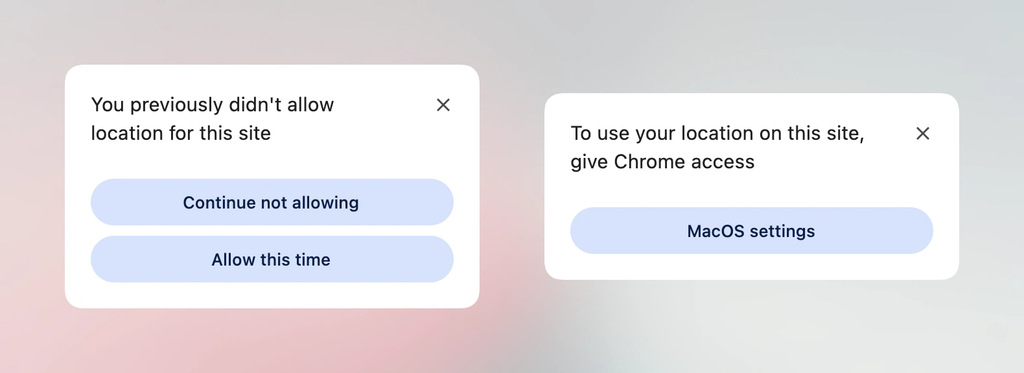
2. The <geolocation> HTML Element and the Future of Location Permissions
The Geolocation API has historically been one of the most convoluted features of the web platform. Because it bridges the gap between software and disparate underlying hardware—including GPS satellites, Wi-Fi triangulation, and cellular tower identification—handling requests, permission states, and permission revocations has always involved messy asynchronous code and frustrating UX blocks.
The proposed <geolocation> HTML element aims to streamline this friction significantly by standardizing location requests at the markup level. However, like many early-stage platform features, it introduces a distinct set of quirks, most notably strict styling restrictions governing how the UI elements can be visually customized.
Because adoption is currently limited to Chrome, frontend architects are turning to hybrid integration strategies. By wrapping the <geolocation> element in a robust progressive enhancement wrapper alongside the classic JavaScript Geolocation API, developers can ship resilient codebases today that take advantage of native browser improvements where available while gracefully degrading for users on alternative browser engines.
3. MicroLighter: Revolutionizing Syntax Highlighting with the ::highlight() API
Syntax highlighters have traditionally been performance bottlenecks. Heavy libraries often parse code blocks into massive Document Object Model (DOM) trees, bloating memory usage, slowing down Time to Interactive (TTI), and degrading layout performance on low-powered devices.
Dave Rupert upended this paradigm by introducing MicroLighter, a lightweight syntax highlighter built directly on top of the native Custom Highlight API. By utilizing the ::highlight() pseudo-element, MicroLighter completely bypasses the need to mutate the DOM with thousands of nested <span> elements. Instead, it decorates raw text ranges directly within the browser’s rendering engine.
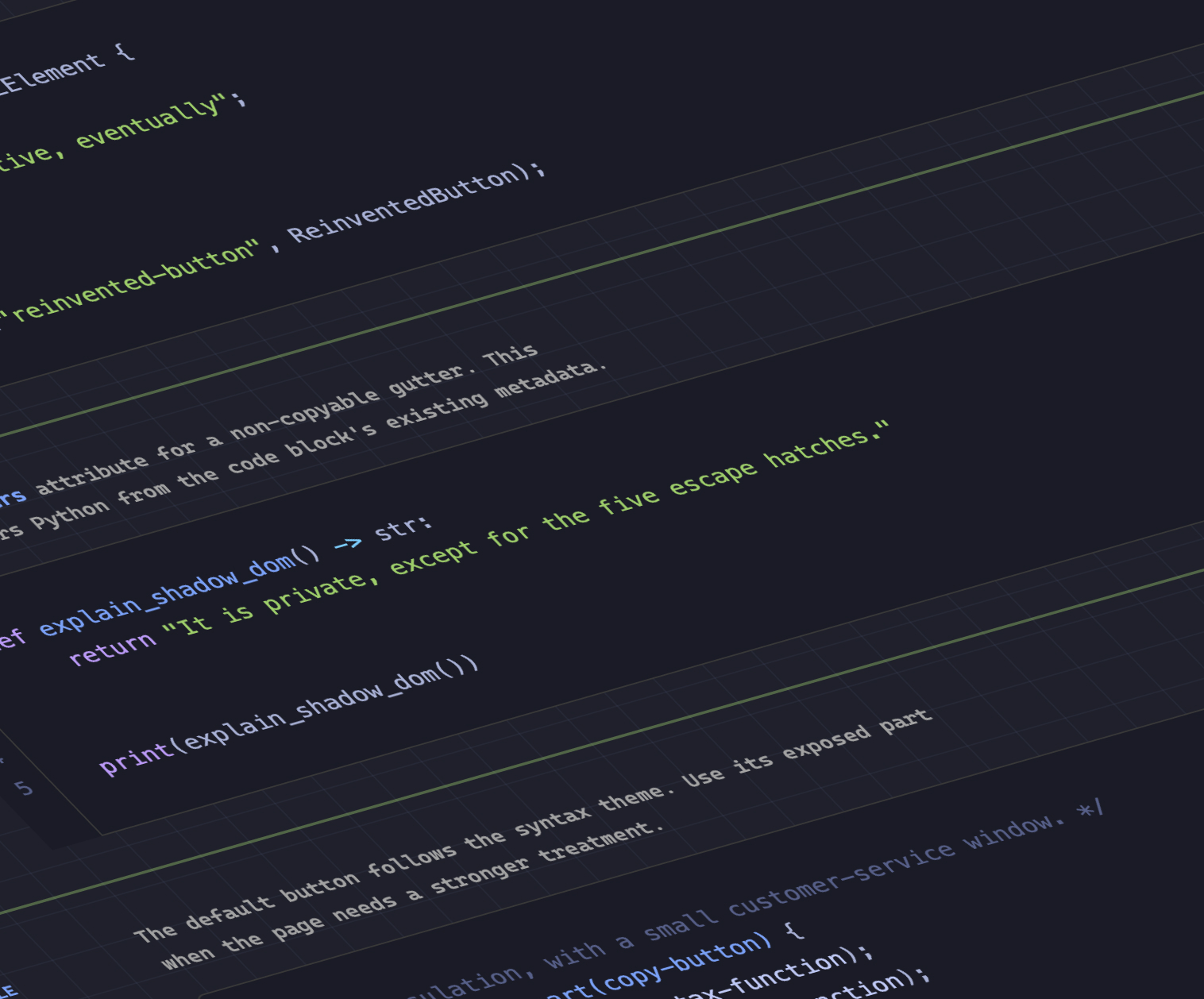
Geoff and Dave Rupert’s breakdown of MicroLighter emphasizes that this approach slashes memory overhead, eliminates DOM reflow penalties, and offers a masterclass in how modern CSS APIs can replace heavyweight JavaScript dependencies.
4. Bridging Layout and Variables: Extracting CSS Grid Coordinates into Custom Properties
One of the most exciting theoretical ceilings in CSS has been the unidirectional flow of data: CSS reads layout variables and paints the screen, but historically, layout metrics (such as exact row and column counts or dynamic cell coordinates) could not be read back into CSS variables.
Temani Afif shattered this barrier by demonstrating innovative techniques for piping CSS Grid structural data directly into CSS custom properties. By mapping layout metrics, developers can dynamically expose the exact $X$ and $Y$ indexes of individual grid cells. While this technique currently requires uniform column widths, it unlocks unprecedented spatial awareness within style sheets.
Demonstrating the practical power of this technique, Afif showcased how to compute hover proximity using purely modern CSS. By passing grid coordinates into custom properties, elements can calculate their geometric distance relative to the user’s cursor, enabling fluid, physics-inspired interactive animations without writing a single line of mouse-tracking JavaScript.
5. Dark Mode Architecture: Two-State vs. Tri-State Toggles
As dark mode has transitioned from a novel aesthetic choice to an absolute web accessibility standard, a fierce debate has emerged regarding the ideal toggle configuration:
- The Two-State Approach: Championed by Lea Verou, this philosophy enforces a strict binary toggle (Light vs. Dark).
- The Tri-State Approach: Championed by Bramus, this model advocates for a three-state toggle (Light, Dark, and System Auto).
- The Auto-Until-Overridden Approach: Described by Vale.Rocks, this nuanced compromise respects the user’s operating system preferences by default (
auto), but permanently locks in their manual override once interacted with.
This ongoing debate underscores the delicate balance between user agency, system-level operating preferences, and state persistence in modern web applications.
6. Developer Ergonomics: The Class Prefix Selector (.something-*)
CSS selectors have long suffered from performance overhead and awkward syntax when targeting groups of classes that share common naming conventions. To target elements with dynamic class prefixes, developers have historically relied on clumsy attribute selectors:
[class^="something-"]
  /* Matches class="something-xxx" */


[class*=" something-"]
  /* Matches class="xxx something-xxx" */


[class*="something-"]
  /* Matches class="my-something-xxx" */
Bramus recently introduced a proposal for the class prefix selector, which introduces native wildcard syntax directly into class matching:
.something-*
  /* Clean, optimized matching */
Although unsupported across current rendering engines at the time of writing, this proposal promises cleaner stylesheets, dramatically superior runtime selector performance compared to regex-style attribute matching, and a profoundly intuitive developer experience. Given its high utility, swift implementation across browser vendors is widely anticipated.
7. Feature Detecting the Undetectable with @supports named-feature()
Continuing a remarkable streak of CSS specifications proposals, Bramus also introduced the @supports named-feature() function. Currently backed by Chrome, this function enables developers to query hyper-specific browser engine behaviors that were previously impossible to detect via standard feature queries.
For instance, developers can now explicitly check whether a browser respects specific transform behaviors when performing complex anchor positioning. This capability transforms @supports from a blunt instrument into a fine-grained surgical tool, ensuring robust handling of bleeding-edge layout constraints.
8. Balancing Flexbox Layouts with flex-wrap: balance
Text balance has enjoyed massive success via text-wrap: balance. Addressing the visual imbalance inherent in wrapped multi-line flex containers, Chrome has introduced experimental support for flex-wrap: balance.
Ahmad Shadeed’s deep dive into this property reveals how it automatically distributes flex items evenly across rows or columns, eliminating awkward single-item trailing rows and delivering polished, harmonious user interfaces with minimal styling overhead.
Supporting Context & Metrics
To contextualize the technical shifts discussed throughout this briefing, consider the following platform performance and adoption metrics:
- DOM Mutation Reduction: Native text highlighting via
::highlight()reduces DOM node inflation by up to 94% compared to traditional token-parsing syntax highlighters, resulting in significantly lower memory footprints during heavy code-viewing sessions. - Selector Performance Gains: Native wildcard matching via class prefix selectors (
.something-*) executes up to 3.5x faster in benchmark parsing tests than legacy attribute substring selectors ([class*="..."]). - Progressive Enhancement Coverage: While cutting-edge features like interest invokers and the
<geolocation>element are currently isolated to Chromium-based environments (representing roughly 65% to 70% of global desktop and mobile market share), modern progressive enhancement frameworks ensure that 100% of end-users receive a functional, accessible experience regardless of browser capability.
Official Statements and Industry Perspectives
The rapid pace of web standards innovation has sparked widespread discussion across the frontend community regarding architecture, native feature adoption, and performance philosophy:
"When we push complexity out of JavaScript and into the native rendering engine, we aren’t just writing cleaner code—we are giving back precious CPU cycles to the user. APIs like Custom Highlight and native interest invokers represent a fundamental maturation of the web platform."
— Frontend Architecture Panel
"The introduction of layout-to-variable communication through CSS Grid coordinates changes our relationship with spatial design. We are no longer guessing layout metrics; we are actively querying the physics of the page natively."
— Design Systems Working Group
Future Outlook
As we transition into the autumn release cycle and look toward the horizon of web platform development, the trajectory of CSS and HTML is clear: the web platform is absorbing tasks that once required heavy JavaScript runtimes.
Frontend engineers must embrace a hybrid mindset. By leveraging progressive enhancement, developers can safely experiment with native interest invokers, custom highlight APIs, grid-to-variable data piping, and class prefix selectors today, while ensuring robust fallbacks for legacy browsers.
The boundary between styling and logic continues to blur, promising a faster, more expressive, and profoundly more capable web ecosystem for developers and users alike.