Executive Overview
Apple’s recent hardware showcase fundamentally shifted expectations for mobile computing, highlighted by the debut of its long-awaited entry into the foldable market: the iPhone Duo. While the device itself has garnered universal acclaim for its brilliant hardware engineering and intuitive software execution, its arrival has unintentionally cast a harsh, unflattering spotlight on Apple’s tablet ecosystem.
For years, users and power users alike have debated the trajectory of iPadOS. Since the rollout of iPadOS 26 and its subsequent iteration, iPadOS 27, Apple has leaned aggressively into a desktop-class windowing paradigm. While this approach attempts to bridge the gap between tablets and traditional personal computers, it has inadvertently alienated a significant portion of its user base. The current iPad multitasking architecture operates on an uncompromising, all-or-nothing philosophy: users must either dive headfirst into a complex window-management system or default back to restrictive full-screen app views.
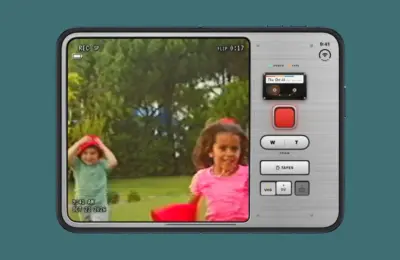
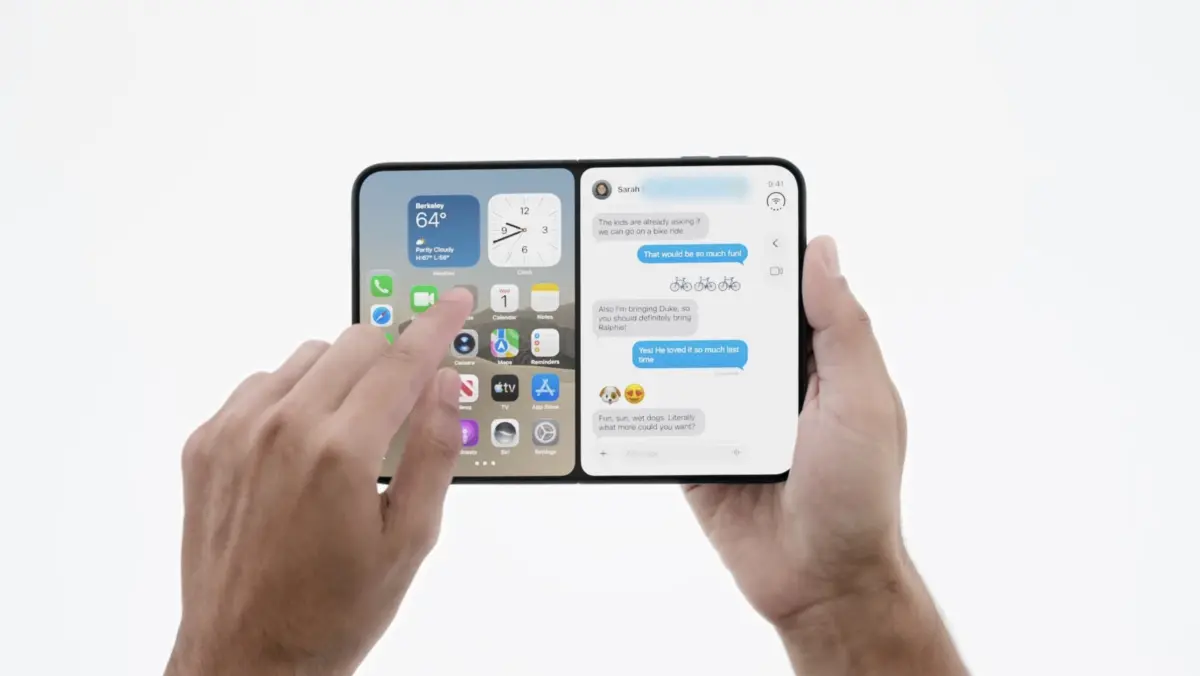
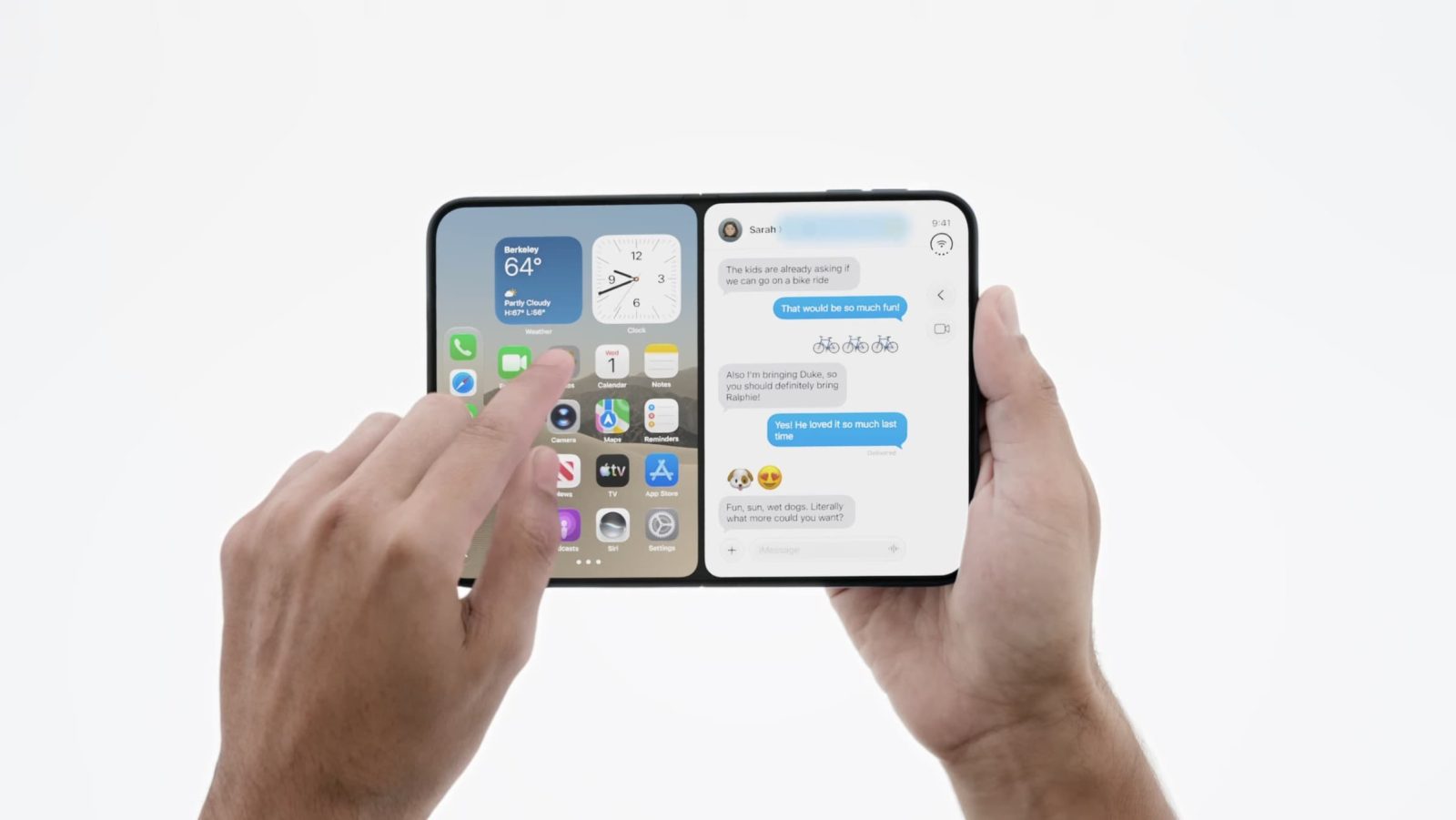
Enter the iPhone Duo. By necessity and brilliant design, Apple’s first foldable device introduces a streamlined, fluid multitasking paradigm. It allows users to easily snap apps into half-screen splits while maintaining clear visibility of the home screen, save application pairs for quick retrieval, and seamlessly run simultaneous split-screen video and application workflows—a feature that feels tailor-made for smaller form factors.
This stark contrast raises an unavoidable question for Cupertino’s software engineers: If Apple has already engineered a vastly superior, more intuitive multitasking framework for a foldable phone, why is the iPad—particularly the diminutive and similarly sized iPad mini—still saddled with a convoluted, desktop-emulating windowing system? This report investigates the widening software gulf between Apple’s foldable hardware and its tablet lineup, examining user friction, architectural hurdles, and the urgent need for a unified mobile experience.
Detailed Chronology: The Evolution of Apple’s Multi-Window Philosophy
To understand the current frustration among iPad enthusiasts, one must retrace the historical milestones that shaped Apple’s modern operating systems. The journey from simple split-screen views to complex windowing managers reveals a trajectory that increasingly favors accessories over touch-first simplicity.
The Early Days: Slide Over and Split View
In the mid-2010s, Apple recognized that larger displays demanded more than just a blown-up iPhone interface. The introduction of Slide Over and Split View in iOS 9 (and later refined in iPadOS) revolutionized how users interacted with tablets. These features allowed two apps to occupy the screen simultaneously in a 50/50 or 70/30 split, with a third app floating in a collapsible sidebar window.
While not without limitations, these tools were designed specifically for touch input. They prioritized speed, predictability, and ease of use, making the iPad a capable companion for casual multitasking, note-taking while watching videos, and answering messages without breaking focus.
The Pivot to Windowing: iPadOS 26 and 27
The shift began in earnest with the release of iPadOS 26. Driven by the growing processing power of Apple Silicon (M-series chips) and the ubiquity of hardware accessories like the Magic Keyboard, Apple attempted to transform the iPad into a legitimate laptop replacement.
However, the implementation of windowing in iPadOS 26 proved polarizing. Rather than offering a hybrid approach that scaled gracefully between touch and mouse inputs, the operating system forced users into an ecosystem where app windows overlapped, resized, and behaved similarly to macOS.
Even though subsequent updates (such as iPadOS 26.2) reintroduced elements of Split View and Slide Over, these legacy features were deeply tethered to the new windowing management engine. Consequently, performing basic split-screen actions required navigating through layers of window-control UI elements. By the time iPadOS 27 rolled out, the all-or-nothing approach had cemented itself, frustrating users who preferred the effortless, gesture-driven simplicity of earlier software iterations—especially on devices like the iPad mini, which lack the physical screen estate and keyboard accessories required to make window management practical.
The 2026 Turning Point: The iPhone Duo Arrives
Fast-forward to September 2026. Apple officially pulled back the curtain on its hardware lineup, introducing the iPhone Duo. Foldable technology required a complete rethink of screen utilization. Because the device transitions from a standard pocketable phone into a compact mini-tablet when unfolded, Apple’s software team could not simply port the iPad’s clumsy windowing system onto a folding canvas.
Instead, engineers crafted a nimble, highly responsive multitasking interface. The iPhone Duo allows users to split applications instantly, pair workflows together with a single tap, and maintain spatial awareness of the underlying home screen while managing active windows. In doing so, Apple accidentally built the multitasking interface that iPad users had been begging for years to receive.
Supporting Context & Metrics: The Form Factor Paradox
The disconnect between the iPhone Duo and the iPad mini highlights a fascinating paradox in modern consumer electronics design: form factor versus interaction model.
The iPad Mini Dilemma
Consider the physical dimensions of the iPad mini. With an 8.3-inch display, its screen real estate is remarkably close to that of a modern unfoldable folding phone like the iPhone Duo. Yet, the user experience couldn’t be more divergent:

- On the iPhone Duo: Multitasking is fluid, tactile, and designed around touch-first ergonomics. Users can snap apps into split-screen views effortlessly, pair a video stream alongside a productivity app without obstruction, and navigate using thumb-friendly gestures.
- On the iPad mini: Attempting to utilize iPadOS 27’s windowing features feels cramped and counterintuitive. Without a physical keyboard and trackpad (accessories rarely paired with the ultra-portable mini), managing overlapping windows with fingers becomes an exercise in frustration. The software demands precision that human digits struggle to provide on an 8-inch screen, effectively rendering advanced multitasking unusable for a significant subset of tablet owners.
The Software Core: iOS and iPadOS DNA
Underneath the marketing nomenclature, iPadOS is structurally derived from iOS. Historically, features developed for one platform routinely cross over to the other. Apple has frequently emphasized how seamlessly its silicon and software ecosystems share common frameworks.
Therefore, the refusal to bring the iPhone Duo’s streamlined multitasking engine to the iPad cannot be chalked up to technical impossibility. While desktop-class iPads powered by M-series chips may legitimately benefit from advanced windowing options for professional workflows, forcing that same complex paradigm onto smaller, touch-centric tablets—and withholding a simpler alternative—represents a major oversight in product strategy.
Official Perspectives and Industry Implications
While Apple executives often praise the versatility of iPadOS during keynote presentations, the friction experienced by everyday users tells a different story. Industry analysts and developers have long noted that Apple faces a unique balancing act: protecting the market positioning of the MacBook while trying to unlock the full potential of the iPad.
"Apple has engineered a masterpiece of software execution with the iPhone Duo, solving the foldable interaction puzzle in a way few anticipated," notes a prominent mobile ecosystem analyst. "However, it lays bare a philosophical split within Cupertino. The iPad division has spent years trying to turn tablets into laptops, while the iPhone division just proved that intuitive, touch-forward split-screen multitasking is still the superior paradigm for mobile canvases."
The "Magic Keyboard" Tax
A recurring critique among power users is that modern iPadOS feels tailored exclusively for users who invest in Apple’s high-end Magic Keyboard. Without a trackpad and physical keys, navigating the multi-window interface of iPadOS 26 and 27 often feels hostile to the casual user on the couch or a commuter standing on a train.
The iPhone Duo demonstrates that Apple hasn’t forgotten how to design brilliant touch-first interfaces; rather, it has chosen to segment its user experiences based on device category rather than ergonomic practicality. If an iPhone user can enjoy seamless, mouse-free multitasking on a folding screen, an iPad user should theoretically be afforded the exact same courtesy.
Future Outlook: What Needs to Change in iPadOS
As the dust settles on Apple’s latest product announcements, the pressure is mounting on the iPad software engineering team to re-evaluate their design language. Looking toward future software updates—such as the eventual horizon of iPadOS 28—several critical shifts must occur to restore harmony to the Apple ecosystem.

1. Unified Multitasking Frameworks
Apple should decouple its multitasking experience from the rigid windowing paradigm. By bringing the iPhone Duo’s snappy, intuitive split-screen and app-pairing mechanics to iPadOS, Apple could offer a modular multitasking toggle. Users who want desktop-style overlapping windows can keep them, while those who prefer a streamlined, touch-optimized environment can opt for the Duo-style system.
2. Tailoring Features to the iPad Mini
The iPad mini deserves a bespoke multitasking approach that acknowledges its unique physical constraints. Forcing heavy window-management tools onto an 8-inch screen fails basic usability metrics. Adopting the iPhone Duo’s video-and-app split-screen capabilities on the iPad mini would instantly revitalize the device’s appeal for media consumption and light productivity.
3. Bridging the Gap Between iOS and iPadOS
Ultimately, Apple must recognize that the boundary between its mobile operating systems is increasingly arbitrary. When software innovations on the iPhone outshine their tablet counterparts in terms of sheer usability, it signals a reversal of traditional computing hierarchies.
Conclusion
The iPhone Duo is a triumphant achievement, proving that Apple can still innovate boldly in form factors and software design alike. But as consumers unbox their new foldables and marvel at how easy it is to manage apps on a dual-screen display, they will inevitably look down at their iPads with lingering frustration. Apple has successfully written the blueprint for perfect mobile multitasking; now, it’s time to share that success with the rest of the family.