Executive Overview
In the rapidly evolving landscape of generative artificial intelligence, tech giants have spent the better part of the last three years racing to capture the public imagination with hyper-realistic text-to-image models. From sprawling cloud-based rendering farms to complex prompt engineering interfaces, the early days of consumer AI imagery often felt technical, cumbersome, and disconnected from daily communication.
Apple, true to its historical form, has taken a fundamentally different approach. Rather than forcing users into a siloed, heavyweight application, the Cupertino-based company has woven generative artificial intelligence directly into the fabric of its operating systems via Apple Intelligence. At the core of this ecosystem push is Image Playground—a dedicated app and deeply integrated suite of tools designed to make custom visual creation as casual and intuitive as typing a text message.
Following a series of noteworthy software rollouts, including enhancements packed into recent iOS updates, Apple’s image generation framework has matured significantly. No longer confined to a rigid set of preset illustration styles, Image Playground now leverages natural language processing to empower users to generate virtually any visual aesthetic they can imagine, manipulate specific elements through touch and text, and seamlessly bridge the gap between creative expression and everyday messaging via Genmoji, customized Lock Screen wallpapers, and dynamic Contact Posters.
This article provides an exhaustive, authoritative look at what Image Playground is, how the technology operates beneath the hood, the hardware prerequisites required to run it, step-by-step instructions on how to leverage its most advanced features, and what these developments signal for the future of human-computer interaction.
Detailed Chronology: From Concept to Ecosystem Staple
To fully understand the significance of Image Playground, one must trace the deliberate, methodical rollout of Apple Intelligence and its associated visual generation tools.
The Foundation: The Apple Intelligence Reveal
When Apple formally unveiled its proprietary suite of generative AI tools, dubbed Apple Intelligence, the tech industry scrutinized how the company would balance consumer-facing creativity with its strict privacy paradigms. While competitors leaned heavily on cloud infrastructure to crunch massive neural network models, Apple staked its reputation on on-device processing—supported, when necessary, by private cloud compute—ensuring user data remained secure and localized.
December 2024: The Initial Launch of Image Playground
Image Playground officially debuted in December 2024, arriving as a cornerstone application for the first wave of Apple Intelligence-compatible devices. At launch, the app introduced users to a streamlined interface capable of generating original images based on descriptive text prompts and pre-selected themes (such as animation, illustration, and sketch).
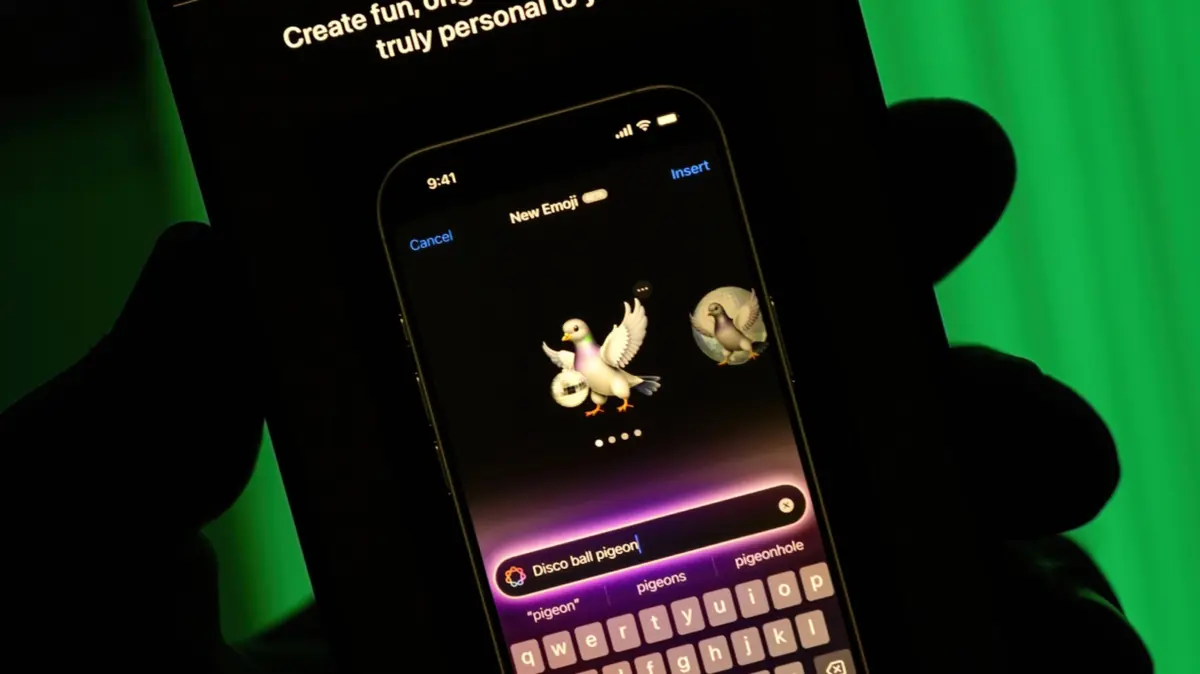
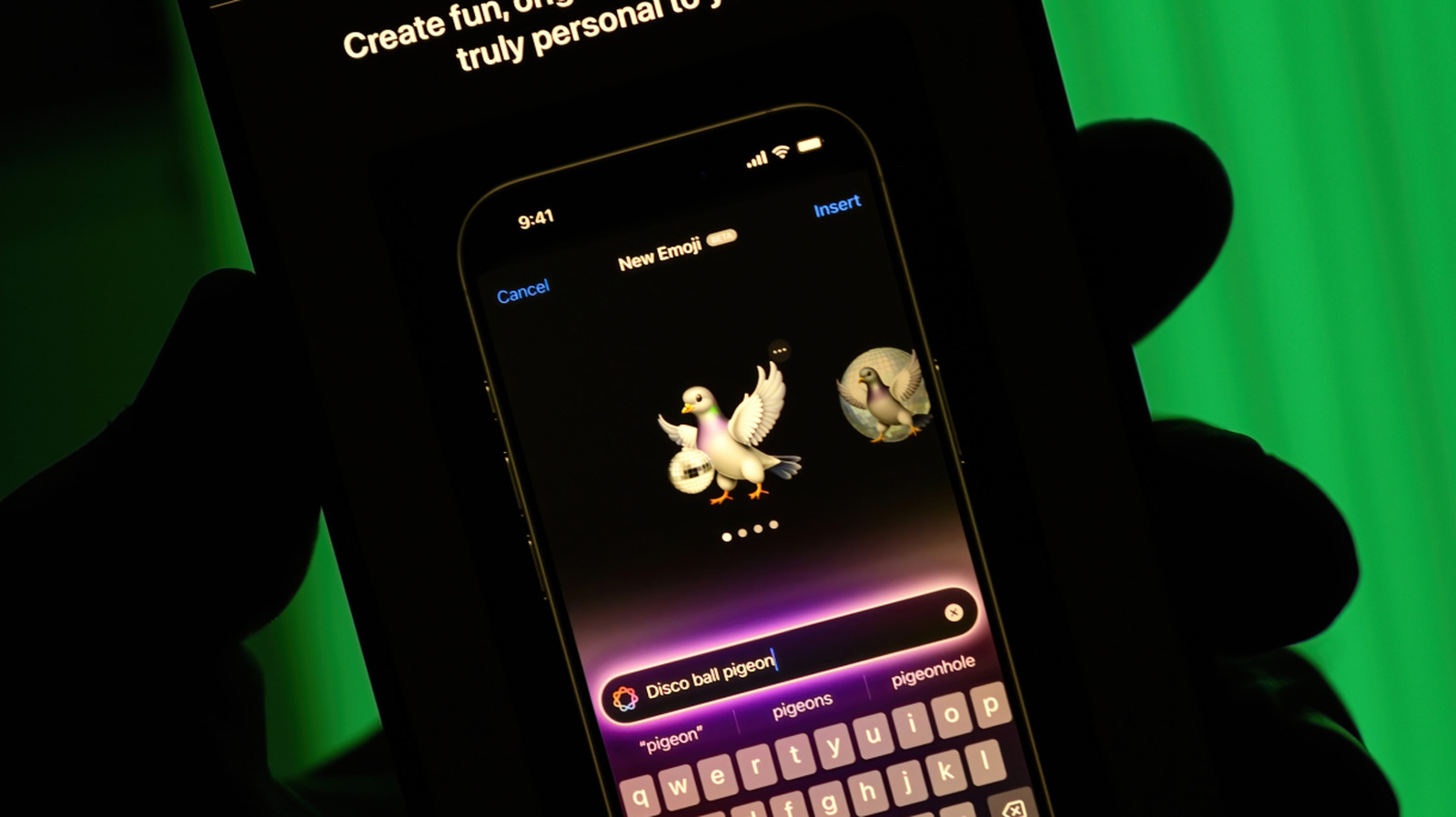
Crucially, the initial version of Image Playground was built with deep system-level integration. Rather than operating as a standalone novelty, the software was woven directly into default Apple applications like Messages, Keynote, and Freeform. This meant users could conjure custom graphics mid-conversation or during a presentation without navigating away from their active workspace. Furthermore, the launch tied Image Playground directly to Genmoji—a feature allowing users to turn their freshly generated artwork into personalized, scalable emoji characters for use in text exchanges.
The Evolution: iOS 27 and the "Any Style" Revolution
Apple’s fall software updates introduced some of the most substantial capability upgrades to the platform since its inception. Most notably, the iteration accompanying iOS 27 dismantled the stylistic limitations of the original app.
Where early versions restricted creators to a handful of predefined artistic buckets, the introduction of the "Any Style" parameter allowed users to dictate visual approaches using natural language. A user could now request a "1970s psychedelic poster," a "Victorian oil painting," or a "minimalist Japanese woodblock print" simply by typing it out.
Furthermore, this update introduced granular, touch-based manipulation. Creators were no longer bound by an all-or-nothing generation cycle. By combining intuitive touchscreen gestures with targeted natural language prompts, users gained the ability to isolate individual objects within a generated scene—such as changing a cabin door from brown to red or repositioning assets within the canvas—marking a profound leap forward in consumer-level AI editing precision.
Supporting Context & Metrics: Hardware Requirements, Privacy, and Capabilities
Apple Intelligence and its resource-intensive features like Image Playground do not run on just any legacy hardware. The neural compute power required to synthesize images locally necessitates cutting-edge silicon architecture.
Hardware Compatibility Matrix
Because Apple prioritizes on-device processing to protect user privacy, Image Playground demands specific processing capabilities (specifically Neural Engine performance measured in tens of trillions of operations per second, or TOPS). The hardware requirements are strictly delineated:
- iPhone: iPhone 15 Pro, iPhone 15 Pro Max, and the entire iPhone 16 lineup (or later), with Apple Intelligence enabled.
- iPad: Any iPad equipped with an M1 chip or later, plus the iPad mini (A17 Pro).
- Mac: Any Mac computer powered by an M1 chip or later.
The Privacy Paradigm
In an era where user data harvesting has become the default economic model for many generative AI platforms, Apple has staked its market differentiation on device-bound security. Images generated within Image Playground are processed locally on the device’s Neural Engine. When complex requests require heavy lifting beyond local hardware limits, Apple utilizes Private Cloud Compute—a secure architecture designed to ensure that user data is never stored, logged, or accessible to Apple or third parties.
Core Feature Breakdown
- Contextual Integration: Available inside Messages, Freeform, Pages, Keynote, and as a standalone application.
- Genmoji Creation: Instantly convert unique AI-generated graphics into usable emoji reactions that behave like standard text characters or stickers.
- Reference Photography: Import photos of yourself, friends, or pets from your library to use as structural references for customized scenarios (e.g., transforming a portrait into an astronaut or a comic book superhero).
- Lock Screen & Contact Poster Generation: Build bespoke visual assets to personalize your device interface or how you appear when calling other Apple users.
Official Statements and Industry Reception
Apple’s executive team has consistently framed Apple Intelligence—and by extension, Image Playground—not as a flashy party trick, but as a practical utility designed to lower the friction of human expression.
During product briefings surrounding the rollout of the latest software features, Apple representatives emphasized that consumer AI must feel personal rather than generic.
"We didn’t set out to build an engine that mimics the vast, impersonal sprawl of the wider internet," noted an Apple product lead during the initial rollout. "We built Image Playground to solve a very human communication problem: the exact moment when words, photos, and standard emoji fall short of capturing what you actually mean. By keeping the generation local, fast, and deeply tied to your personal photo library and messages, AI becomes an extension of your own voice."
Industry analysts have largely praised the restrained, user-centric approach. While power users accustomed to open-source models like Stable Diffusion or heavyweights like Midjourney might find Image Playground’s guardrails restrictive, mainstream tech critics have lauded its seamless integration. By hiding the complexity of prompt engineering behind an accessible, playful interface, Apple has successfully demystified generative AI for millions of consumers who previously found the technology intimidating or irrelevant to their daily routines.
How to Use Image Playground: A Step-by-Step Guide
For those who have a compatible device running the latest software updates, diving into Image Playground is remarkably straightforward. Whether you want to craft a custom sticker for a group chat or design a brand-new Lock Screen wallpaper, here is how to harness the app’s full suite of features.
Step 1: Launching the App or Integration Point
You can open the standalone Image Playground application directly from your home screen or app library. Alternatively, when working inside supported apps like Messages or Keynote, you can summon the image generation tools directly from the formatting or emoji menus without breaking your workflow.
Step 2: Choosing Your Starting Point
When you open the interface, you are presented with multiple paths to begin your creation:
- Text Prompting: Tap into the primary prompt box and type a natural language description of what you want to create (e.g., "An excited golden retriever wearing pilot goggles flying a biplane over a canyon").
- Using Personal Photos (People & Objects): Tap the figure of a person icon near the prompt box to pull reference data from your photo library. You can select a friend, a family member, or yourself. The app will use facial and structural references to place that person into imaginative contexts—such as visualizing yourself as an deep-sea explorer or a medieval knight.
- Photo-Based Baselines: Tap the photo import button to select an existing picture from your library as the compositional blueprint for your generation.
Step 3: Customizing Style and Aesthetics
Once your subject matter is established, you can refine the visual presentation:
- Expand the style menu to choose from foundational categories like Animation, Illustration, or Sketch.
- Utilize the new "Any Style" prompt option to type out hyper-specific aesthetic directions (e.g., "Neon-drenched cyberpunk watercolor" or "Mid-century modern architectural blueprint").
Step 4: Refining via Touch and Natural Language
One of the most powerful updates to Image Playground is iterative editing. If your initial generation is close to what you want but requires tweaks:
- Use your finger or Apple Pencil to select specific objects or regions within the generated canvas (such as a piece of clothing, a background element, or a structural prop).
- Enter a secondary prompt to modify only that selected area (e.g., changing a hat from blue to yellow) or drag your finger to reposition the element dynamically within the frame.
Step 5: Exporting, Sharing, and Creating Genmoji
When your creation matches your vision, tap the Share button. From here, you can:
- Send the image directly via Messages, Mail, or AirDrop.
- Select Genmoji from the output options to convert the graphic into a custom emoji that lives permanently in your keyboard library, ready to be dropped into any text field.
- Save the file directly to your photo library or assign it as a dynamic Contact Poster or Lock Screen Wallpaper.
Future Outlook: Where Apple’s Visual AI Is Headed
As on-device silicon continues to advance exponentially, the capabilities of tools like Image Playground are poised to expand far beyond static illustrations and stylized stickers.
Looking ahead, industry watchers anticipate deeper multimodal integration. As Apple refines its underlying neural models, we can expect Image Playground to absorb real-time environmental data, spatial computing inputs (especially relevant to the Vision Pro ecosystem), and more sophisticated video-generation or motion-graphics capabilities.
However, Apple’s core philosophy remains steadfast: technology should empower human connection rather than replace it. By focusing on privacy, device-level execution, and intuitive everyday utility, Image Playground has established a new benchmark for how consumer-facing artificial intelligence ought to behave. It is no longer just about what an AI model can generate; it is about how naturally that creation fits into the tapestry of our daily lives.