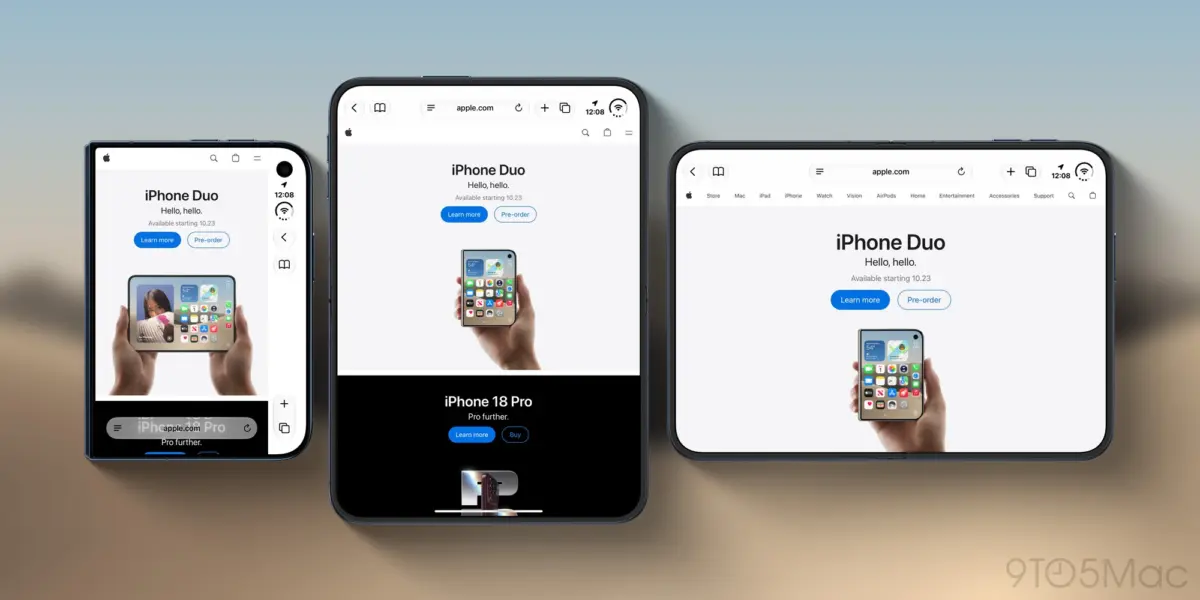
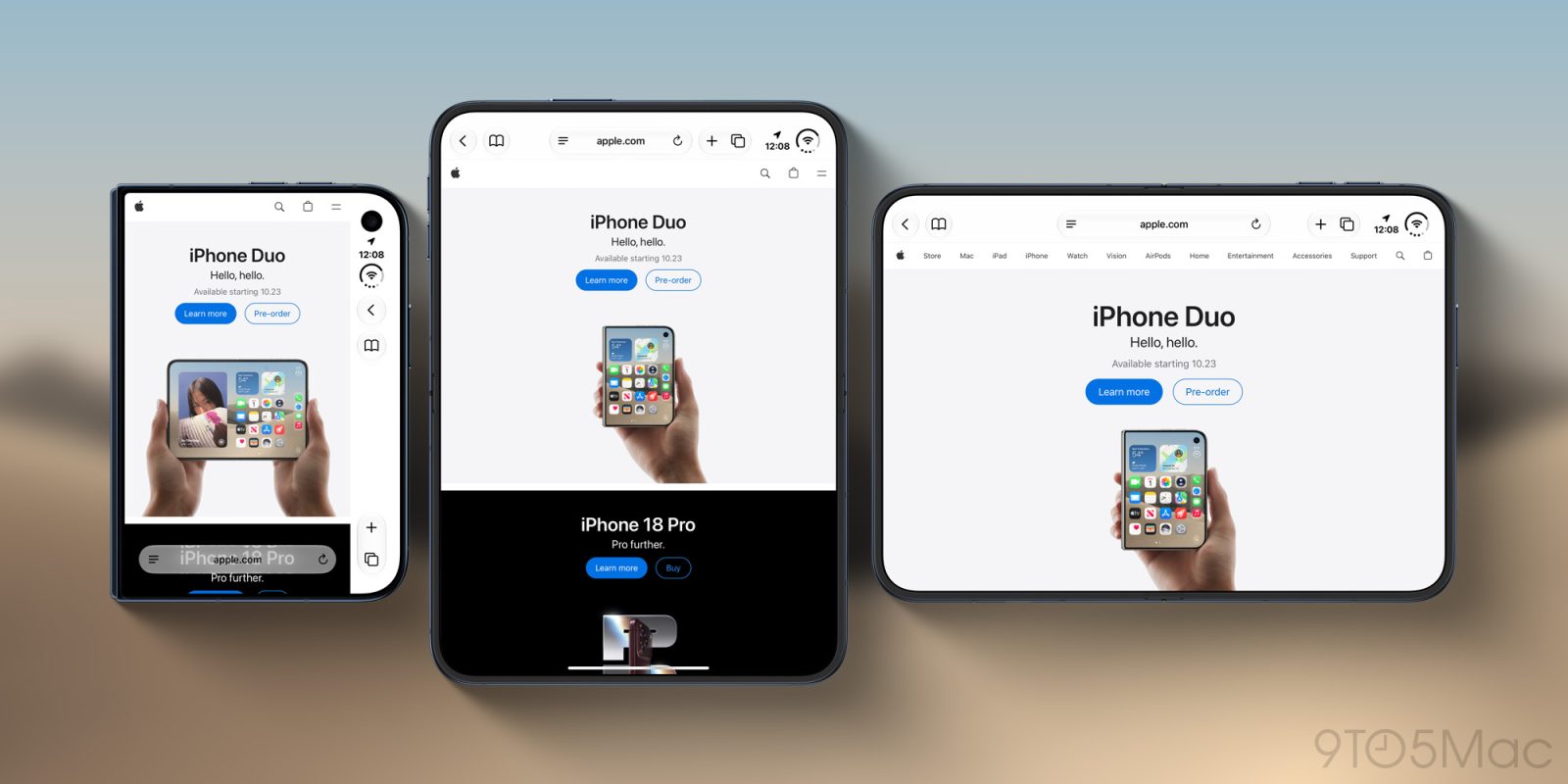
The landscape of mobile computing has fundamentally shifted with the introduction of foldable devices, forcing hardware manufacturers and software engineers to rethink decades-old design paradigms. Apple’s entry into this category—the iPhone Duo—has brought both praise for its engineering and scrutiny regarding how its software adapts to dual-screen mechanics. Among the most prominent points of discussion is the usability of its 5.4-inch outer display, particularly when running Safari.
In recent updates published on the WebKit blog detailing the rollout of Safari 27.1, Apple’s Jen Simmons addressed a central design friction point: the significant screen real estate consumed by Safari’s right-aligned controls on the outer display. Currently, these UI elements heavily restrict the usable width for web content, leading to cramped browsing sessions that often compel users to unfold the device just to read comfortably.
However, Apple is actively looking for a solution. Rather than relying on blunt-force mechanisms like standard viewport extensions—which risk breaking existing web layouts—the company is evaluating developer-focused tooling and layout APIs. By engaging directly with the web development community, Apple hopes to craft a native, foolproof solution that allows web designers to seamlessly integrate background elements and headers across the full dimensions of the outer screen without compromising vital text or interactive buttons.
Detailed Chronology: The Evolution of Foldable Web Constraints
To understand why Safari 27.1’s focus on the iPhone Duo outer display is so critical, it is necessary to examine the timeline of events leading up to Apple’s recent acknowledgment.
The Hardware Debut and Early Reviews
When the iPhone Duo was officially launched, initial hands-on reports and comprehensive reviews immediately zeroed in on the duality of its user experience. Reviewers praised the seamless transition between the compact outer screen and the expansive inner foldable display. However, the 5.4-inch outer display quickly revealed an unexpected ergonomic and software challenge.
In reviews published across major tech publications—including detailed breakdowns by 9to5Mac—critics pointed out that while the outer screen is convenient for quick tasks, it stumbles significantly when running web browsers. Specifically, Safari’s interface elements, optimized for standard slab-form iPhones, occupy a disproportionate amount of horizontal space on the narrower outer panel.
The Real Estate Bottleneck
By mid-October, detailed critique highlighted how the right-aligned controls of Safari acted as an unyielding boundary. Websites rendered on the outer screen were forced into a narrower column, squeezed between the software UI and the physical bezel constraints.
As noted in early testing:
"The awkwardness of the iPhone’s 5.4-inch outer display shows up in Safari. The web simply isn’t optimized for this form factor… The right-aligned controls on iPhone Duo eat into the usable screen real estate in Safari especially."
While reviewers acknowledged that overlapping website content directly behind opaque browser controls would create an unreadable, cluttered mess, the compromise—shrinking the viewable website area—made casual scrolling and reading on the outer display feel noticeably inferior to the inner screen experience.
The Safari 27.1 Breakthrough and WebKit Blog Post
Recognizing these user pain points, Apple’s engineering team began working on software adjustments to bridge the gap. In late October, Jen Simmons published an official entry on the WebKit blog detailing the architectural focus of Safari 27.1.
Beyond standard bug fixes and performance enhancements, the post explicitly tackled how websites adapt to the iPhone Duo’s unique form factor variations and folding angles. Most importantly, it marked the first time Apple publicly acknowledged that current web design limitations prevent content from extending behind the browser’s UI chrome on the outer screen—and crucially, that the company is actively engineering ways to change this status quo.
Supporting Context & Metrics: The Anatomy of Foldable Screen Constraints
The challenge facing Safari and the iPhone Duo is not merely cosmetic; it represents a deep technical conflict between traditional viewport management and modern responsive web design (RWD).
Understanding the 5.4-Inch Outer Display Dynamic
Traditional smartphones utilize standardized aspect ratios designed for single, continuous glass slabs. Browsers like Safari utilize fixed or dynamic top and bottom bars that recede during scrolling to maximize content visibility. However, a foldable device introduces a multi-state operational profile:
The Outer Display State: Typically narrower, prioritizing one-handed reachability and quick interactions. On the iPhone Duo, this measures 5.4 inches, presenting a constrained horizontal canvas.
The Inner Display State: Expanding into a tablet-like canvas that behaves much like a traditional iPad mini or large smartphone in landscape orientation.
When a user opens Safari on the outer display, the browser must render standard desktop- or mobile-optimized web pages within a drastically reduced horizontal window. Because Safari’s control schema is hard-coded to respect safe areas and UI overlays, web developers have had no native mechanism to make their designs "bleed" into the margins occupied by the browser controls.
Why Standard Viewport Tags Fall Short
A surface-level analysis might suggest that web developers could simply implement existing CSS tricks—such as the HTML viewport meta tag with viewport-fit="cover"—to force web elements to stretch across the entire screen, including areas underneath browser controls.
However, Jen Simmons and the WebKit team cautioned against this approach for several distinct reasons:
Content Obscuration: The vast majority of legacy and even modern websites are not architected with foldable edge-cases in mind. Forcing a blanket viewport-fit="cover" override would push critical navigation menus, text, and interactive buttons directly beneath Safari’s opaque toolbars, rendering them entirely unusable.
Design Inconsistency: While extending a background color or a non-interactive header image across the full display width is aesthetically pleasing, pushing functional HTML elements into blocked zones creates a frustrating user experience of misclicks and hidden content.
Developer Burden: Requiring millions of web developers to manually recode their sites using complex media queries specifically for the iPhone Duo outer display creates unnecessary friction across the global web ecosystem.
Official Statements and Developer Engagement
Apple’s approach to solving this UI dilemma relies heavily on collaborative transparency. Rather than imposing a top-down proprietary standard, the WebKit team is opening a dialogue with the developer community.
Insights from Jen Simmons
In her official WebKit blog post regarding Safari 27.1, Simmons articulated the delicate balance Apple must maintain between giving developers creative control and protecting the end-user experience:
"We would like to give web designers and developers the ability to design and use that space in more creative ways. Perhaps you want to extend your header background across the full width of the display, for example. It might seem like there’s just one obvious way to make this possible, but really there are many possibilities."
Simmons emphasized that Apple’s engineering philosophy prioritizes elegant, robust abstractions over crude engineering hacks. By acknowledging that a simple toggle or meta-tag is insufficient, Apple has signaled that a more sophisticated layout API or CSS enhancement may be required.
The Call for Community Feedback
To arrive at the most effective implementation, Apple is taking the unusual step of crowdsourcing architectural concepts from the web development community. Instead of keeping future WebKit extensions locked behind closed doors, the company has invited developers to submit feedback, use-cases, and conceptual designs.
Simmons concluded her statement with a direct call to action for the web community:
"We are investigating if there’s a better way to accomplish the same result — something more foolproof and perhaps easier for you to use. If you have ideas, we’d love to hear them. And stay tuned."
Developers who wish to contribute their perspectives can access the complete discussion guidelines and submission channels via the official WebKit Blog for Safari 27.1.
Future Outlook: What Next for Safari and Foldable Browsing?
As foldable devices transition from a niche luxury category to an established segment of the mainstream smartphone market, the software infrastructure supporting them must mature at an equal pace. Apple’s proactive stance on the iPhone Duo outer display points toward several important trends in the future of mobile web development.
1. Refined CSS and Viewport APIs
In the coming months, we can expect WebKit nightly builds and subsequent Safari point releases to introduce experimental CSS properties or media query extensions tailored specifically to folding states and peripheral UI occlusion. These tools will likely give developers granular control over safe-area insets, allowing background layers to expand edge-to-edge while keeping interactive content safely centered.
2. Standardizing Cross-Browser Foldable Support
As Apple collaborates with developers on the WebKit implementation, these discussions often influence broader web standards bodies (such as the W3C). Solutions pioneered for the iPhone Duo may eventually evolve into cross-browser web standards, ensuring that foldable devices from any manufacturer can interpret advanced layout intentions seamlessly.
3. Enhancing the Hybrid User Experience
Ultimately, the goal of these engineering efforts is friction reduction. Users purchasing cutting-edge hardware like the iPhone Duo expect software that maximizes every millimeter of available glass. By empowering web designers to craft fluid, edge-to-edge aesthetics on the outer display without sacrificing readability or touch targets, Safari will bridge the usability gap between folded and unfolded states.
As Apple continues its investigation and processes feedback from the web development community, users can expect incremental improvements in upcoming Safari point releases—paving the way for a more immersive, adaptive web browsing experience on the future of mobile hardware.