EXECUTIVE SUMMARY
The landscape of software engineering has irrevocably shifted from deterministic logic to probabilistic, non-deterministic agentic workflows. As enterprises race to deploy autonomous AI agents capable of reasoning, calling tools, and chaining complex sub-tasks, traditional application performance monitoring (APM) tools have hit a wall. Standard metrics—CPU utilization, memory footprints, and HTTP status codes—fail to capture why an AI agent hallucinated, why a prompt tweak degraded response quality, or where a multi-step retrieval pipeline broke down.
To bridge this critical observability gap, Amazon Web Services (AWS) has officially launched Amazon CloudWatch Omni. Delivered off-console and built fundamentally on open standards, CloudWatch Omni is a purpose-built observability, evaluation, and experimentation solution engineered specifically for modern application and AI workloads. Designed to meet developers inside their native coding environments while offering operators a powerful standalone web experience, Omni aims to eradicate the friction of context-switching, siloed generative AI monitoring, and non-deterministic debugging.
1. Executive Overview: Taming the Non-Deterministic Beast
For decades, debugging software meant tracing predictable execution paths. If a bug occurred, a stack trace pointed directly to the offending line of code. Generative AI and autonomous agents have shattered that certainty. An AI agent’s behavior is fundamentally non-deterministic; altering a single prompt can subtly degrade response quality even while standard metrics report zero errors.
Engineering teams have historically spent hours manually reviewing raw logs across disparate systems, hunting blindly for the root cause of unexpected agent behaviors. Existing toolsets have historically forced a frustrating compromise: teams must choose between siloed generative AI monitoring tools that require constant context-switching between code editors and web-based dashboards, or fragmented internal scripts that do not scale.
Amazon CloudWatch Omni solves this architectural dilemma by introducing a unified, app-centric, and AI-powered observability layer. Operating seamlessly across any model provider, framework, or runtime, Omni delivers a comprehensive eval-driven workflow. It captures every trace, embeds deep evaluation metrics directly into the developer workflow, and bridges the historical gap between local development and production operations.

By combining local-first flexibility with robust cloud-backed persistence, CloudWatch Omni redefines how engineering teams design, evaluate, and operate autonomous AI systems at scale.
2. Detailed Chronology & Technical Architecture: How CloudWatch Omni Operates
The engineering philosophy behind CloudWatch Omni centers on meeting developers where they work while offering operators fleet-wide visibility without imposing bureaucratic friction or unnecessary AWS console overhead.
Dual-Surface Architecture: IDE Meets Web Experience
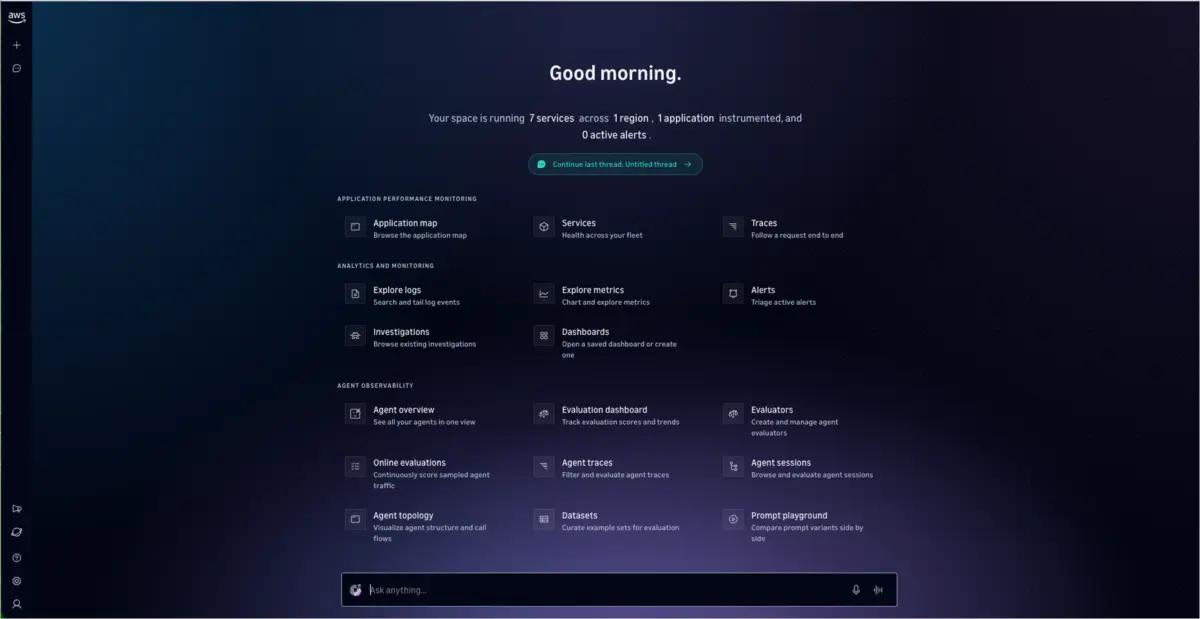
CloudWatch Omni decouples observability into two complementary surfaces:
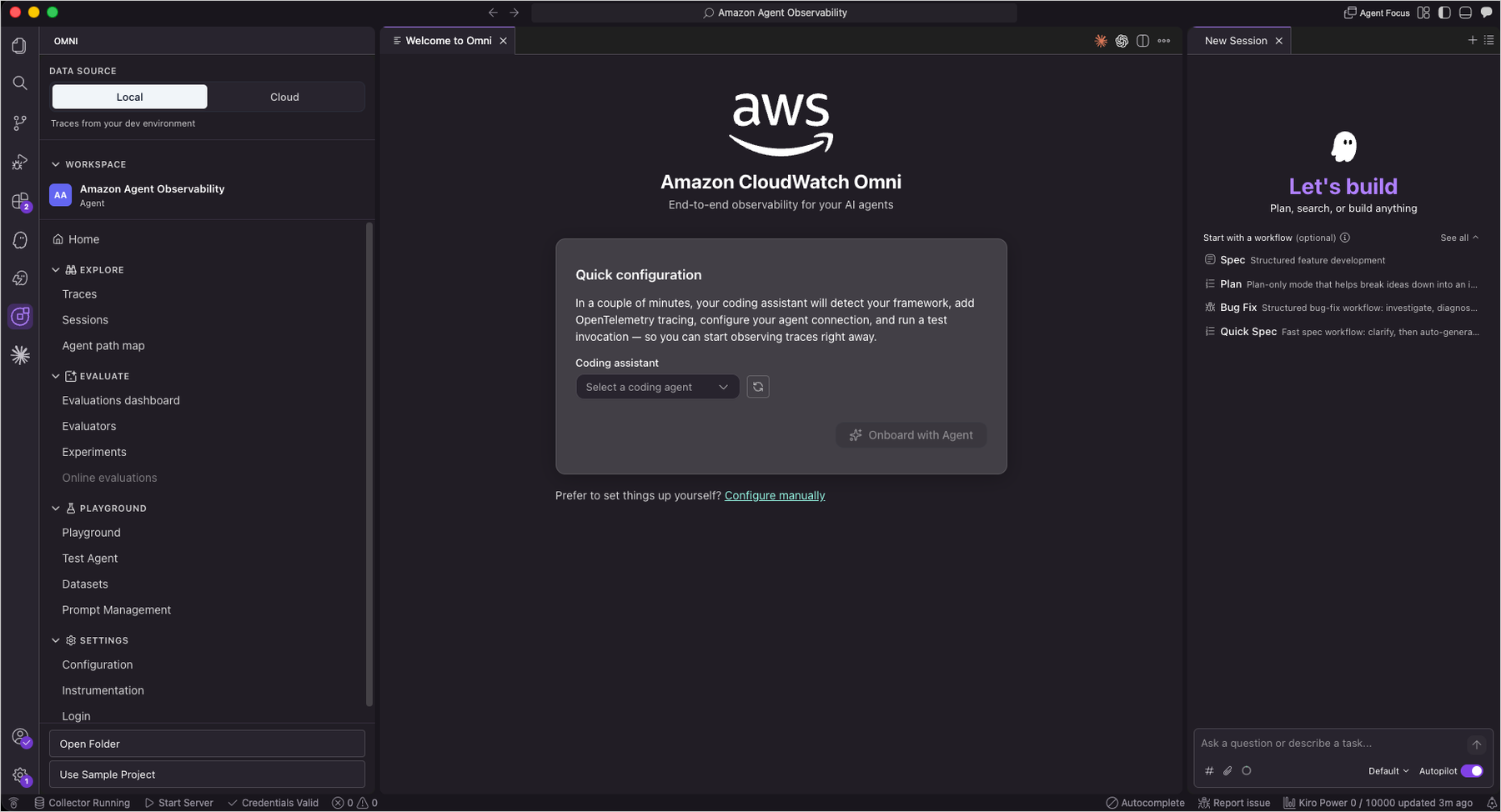
- The Native IDE Extension: Available initially for Visual Studio Code (VS Code) and Kiro, the IDE extension integrates deeply into the developer’s workflow. As developers run agents locally, execution traces render in real time. Playgrounds, prompt management tools, and trace evaluators are literally a click away.
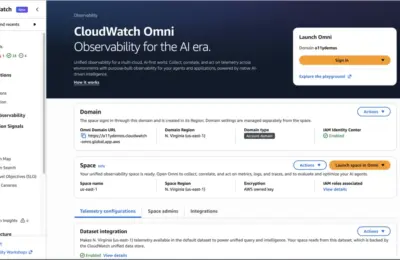
- The Standalone Web Experience: Engineered specifically for operators, SREs, and product managers, this web-based console operates entirely separate from the traditional AWS Management Console. Accessible via standard Single Sign-On (SSO), it requires zero AWS console permissions to monitor production agent fleets.
Crucially, both surfaces rely on the exact same underlying telemetry data. The precise trace a developer debugs in their local IDE is the exact same trace an operator investigates in the web console during a production incident.
The Local-First Journey and Cloud Login
CloudWatch Omni introduces a frictionless onboarding model. Developers can utilize the Cloud Login feature to connect their local IDE environment to their AWS account, enabling persistent telemetry storage in Amazon CloudWatch, team trace sharing, and production dashboard access.
However, this connection is entirely optional. Developers can build, test, and run agents completely locally. When ready to transition to staging or production, they can establish the cloud link with a single command.
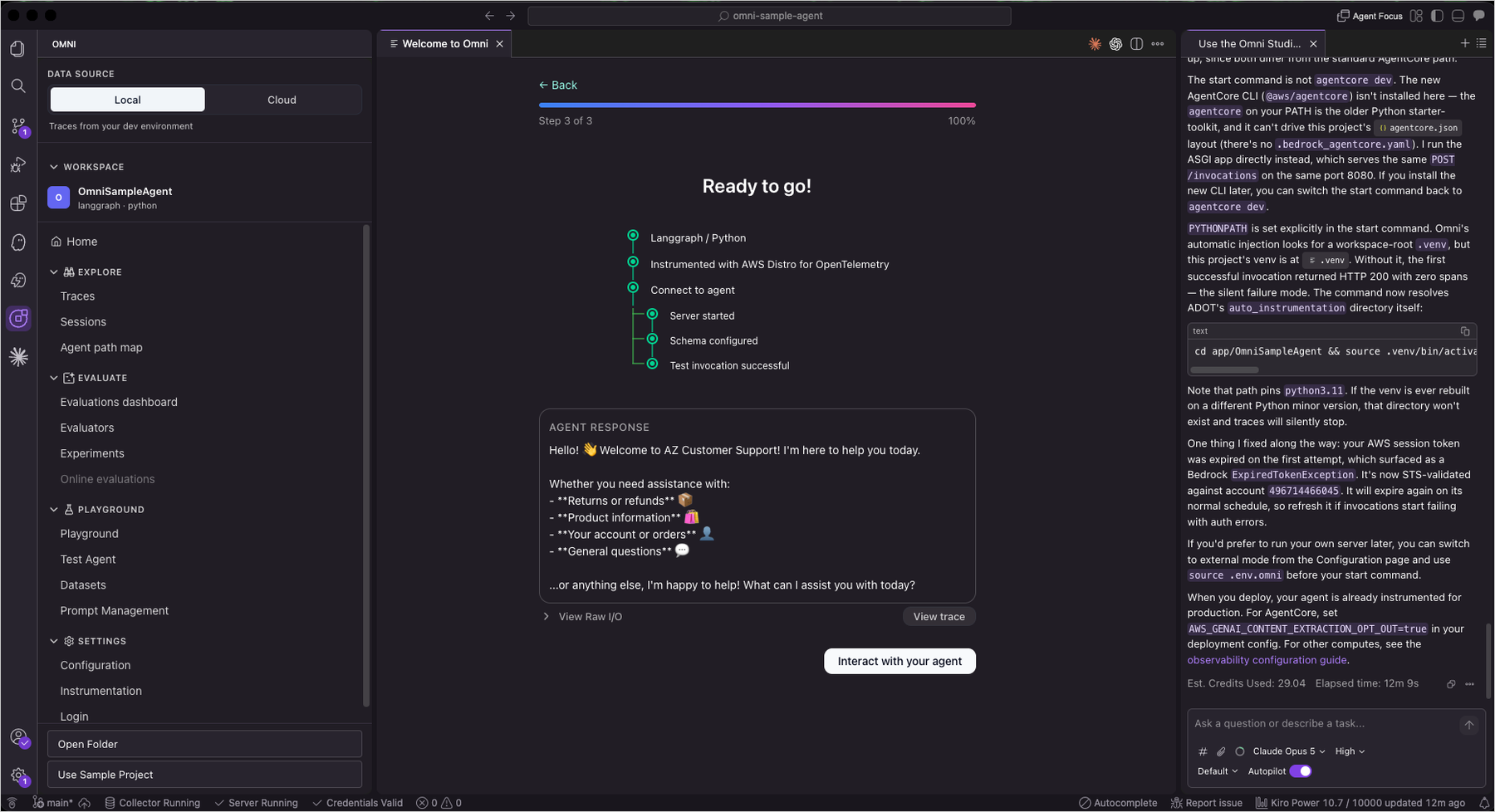
Getting Started: From Zero to Traced Agent in Minutes
Getting started with CloudWatch Omni requires no complex pre-configuration. Developers can install the extension directly from the VS Code Marketplace. Upon installation, the CloudWatch Omni icon populates the Activity Bar.
Developers can launch pre-configured sample projects via the welcome screen or the Command Palette (Cmd + Shift + P on macOS or Ctrl + Shift + P on Windows/Linux) by executing Omni: Create a new Project.
[Developer IDE: VS Code / Kiro]
       │
       ├── Local Dev Server & OpenTelemetry Instrumentation
       ├── CloudWatch Omni Extension (Trace capture & Playground)
       │
       └── [Optional: Cloud Login] ──► [Amazon CloudWatch (Persistent Storage)]
                                              │
                                              ▼
                                    [Standalone Web Console (SSO)]
                                    (Fleet Operations & Analytics)
For custom agent creation, Omni offers an interactive chat assistant that guides the user through defining an agent’s purpose, selecting a model provider (such as OpenAI, Anthropic, or Amazon Bedrock), and configuring available tools.
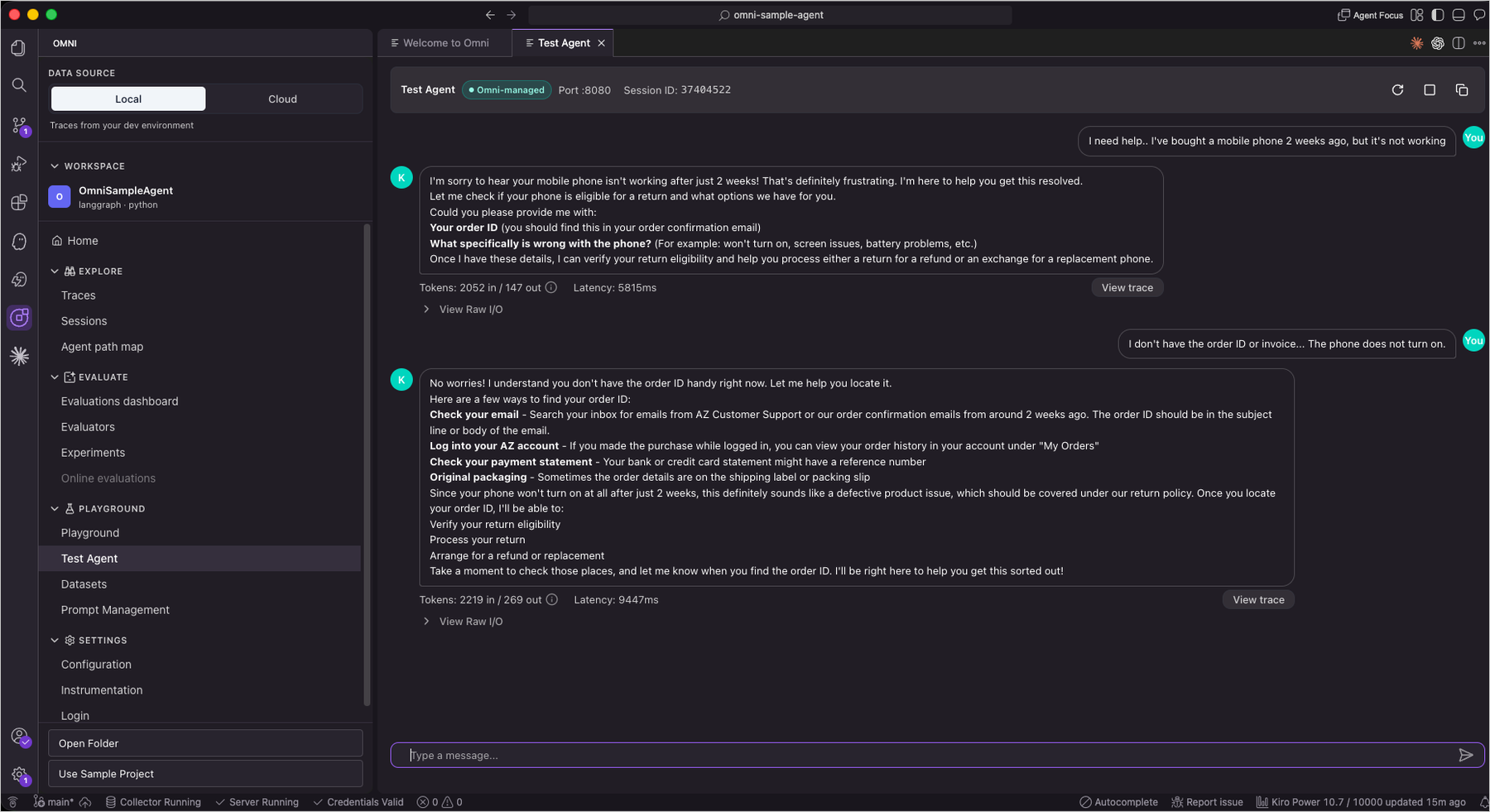
To streamline setup further, CloudWatch Omni integrates tightly with AI code assistants like Kiro, Claude Code, and Codex. These assistants automatically configure local development servers, install necessary dependencies, and set up OpenTelemetry instrumentation on the developer’s behalf. This reduces the friction of setting up observability from hours of manual configuration to a matter of minutes.
3. Supporting Context, Metrics, and Core Capabilities
Observability without evaluation is merely data collection. CloudWatch Omni elevates telemetry into actionable quality improvement by addressing the core pillars of agentic monitoring: tracing, evaluation, experimentation, and visualization.
1. Granular Trace Exploration
Traditional request-response monitoring collapses when facing autonomous agents that execute multi-step logic, recursive sub-calls, dynamic prompt compositions, and external tool invocations. CloudWatch Omni records every single step in a structured hierarchical timeline.
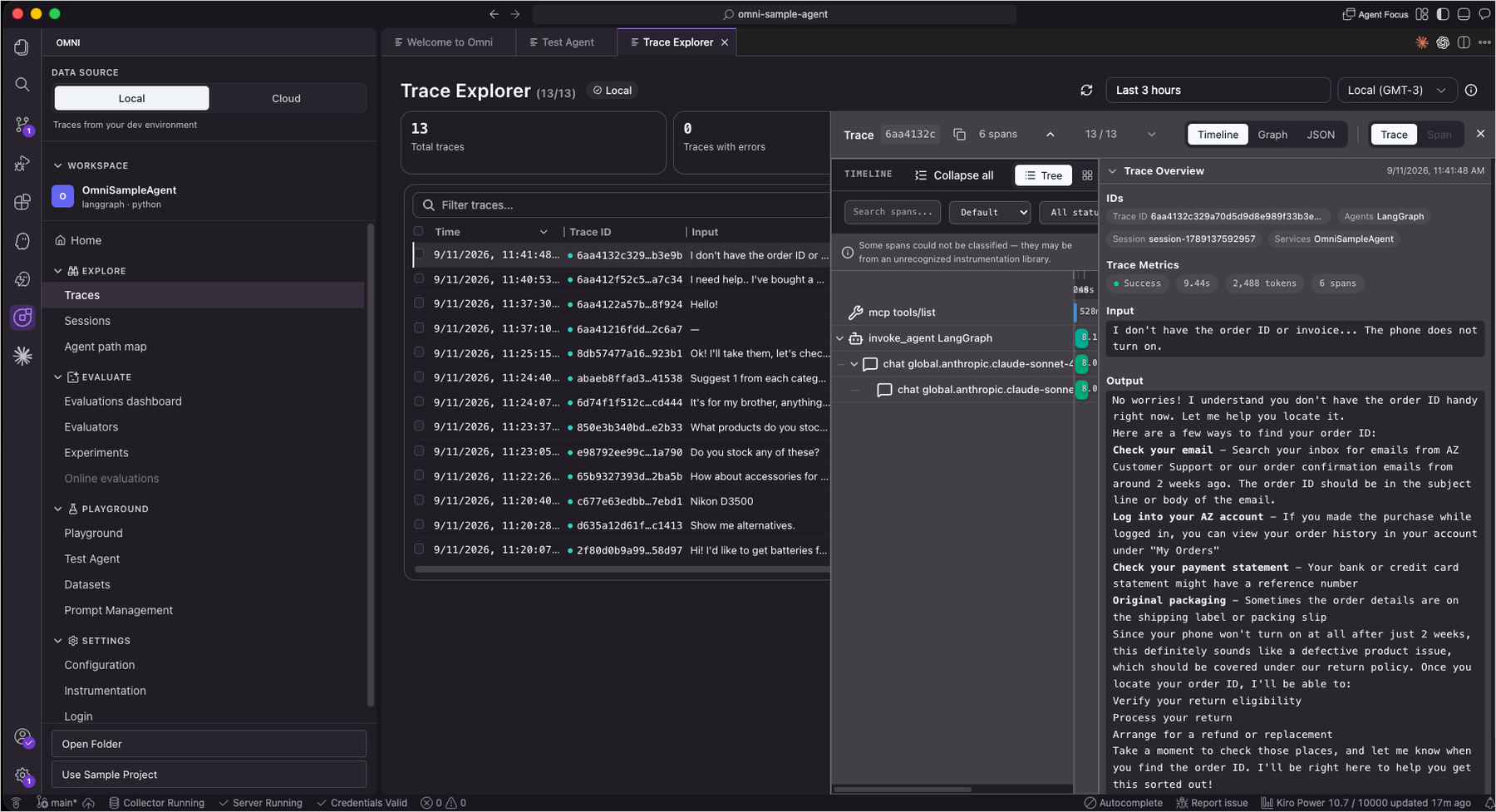
- Trace Explorer: Provides a detailed breakdown of LLM calls, tool executions, and reasoning steps. Engineers can drill into any span to inspect exact inputs, outputs, token consumption, and latency profiles.
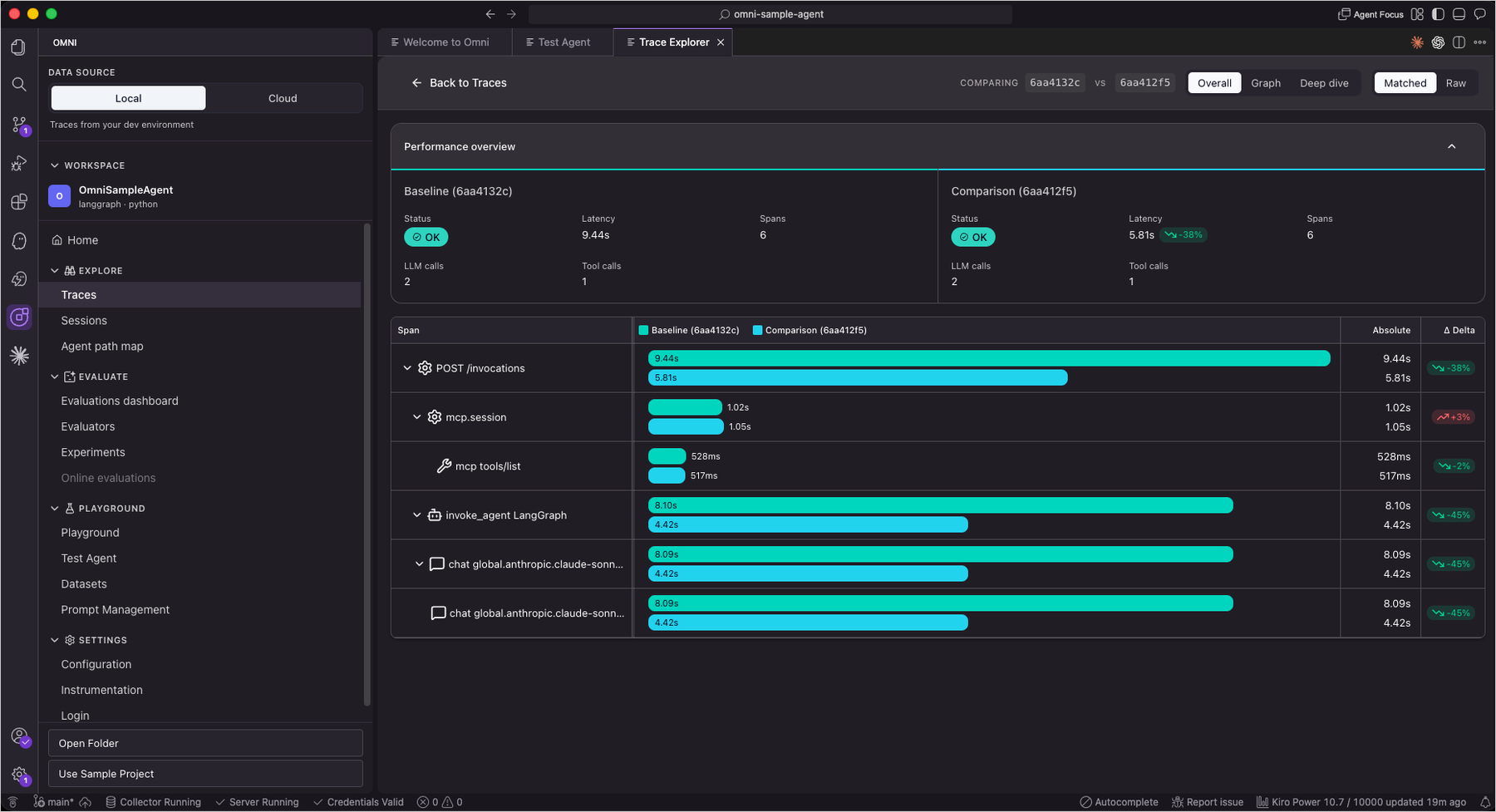
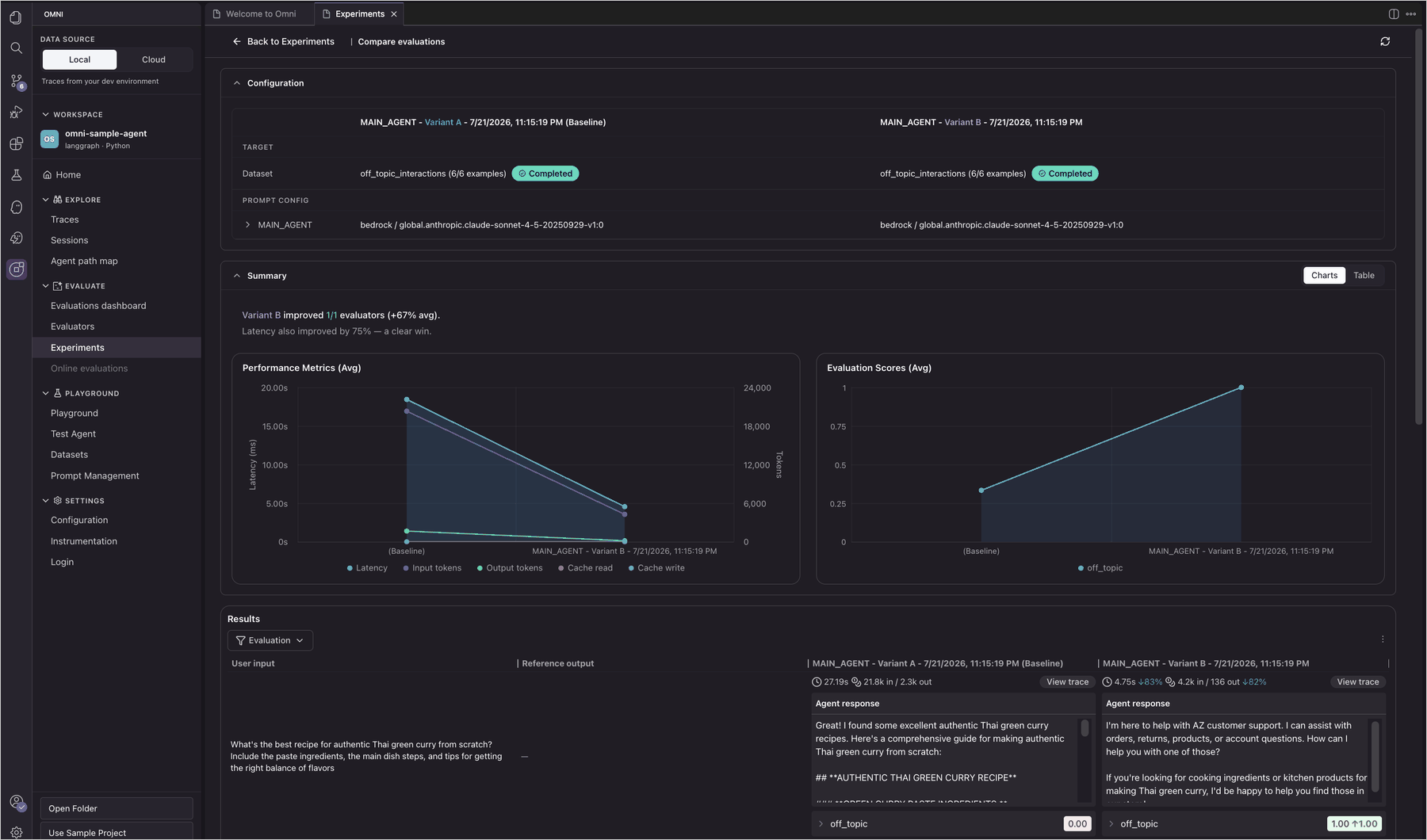
- Compare Mode: Allows developers to place two execution traces side by side. This is vital for regression testing, instantly revealing how minor prompt variations alter agent behavior.
- Ask Assistant: An integrated AI analysis feature that reviews traces to surface patterns, anomalies, and direct answers to complex diagnostic questions—such as "Why did the agent invoke this specific database search tool twice?"
2. Built-In Evaluation Frameworks
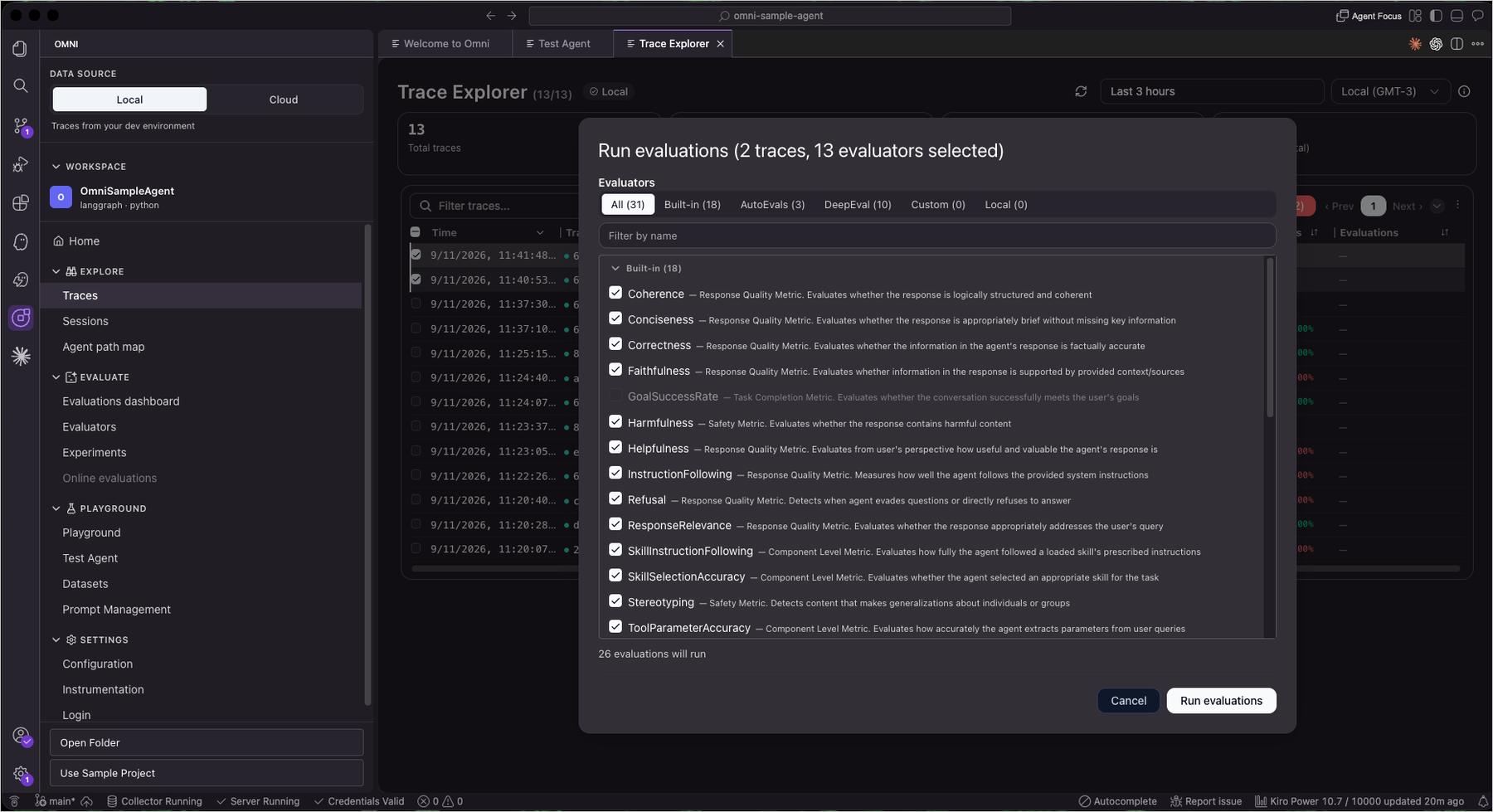
Standard metrics like latency and error rates cannot determine whether an agent’s output was helpful, logically coherent, or factually accurate. CloudWatch Omni ships with 17 built-in evaluators covering critical dimensions including:
- Coherence and logical consistency
- Helpfulness and task completion
- Faithfulness to source data
- Routing and tool selection correctness
Engineers can select traces directly from the Trace Explorer, apply these built-in evaluators, and instantly generate quantitative per-example scores and aggregate benchmarks without building custom evaluation harnesses.
3. Playgrounds, Experiments, and Golden Datasets
To ensure quality before code reaches production, Omni provides robust experimentation suites:
- Playground: Test different system prompts and model configurations in real time, viewing side-by-side output comparisons.
- Experiments Console: Run entire test datasets against multiple agent variants simultaneously. This compares evaluation scores, latency distribution, and token usage to identify the optimal configuration.
- Golden Datasets: Curate production traffic into structured benchmark datasets, enabling automated regression testing every time underlying logic or prompts change.
- Prompt Management: Version control prompt configurations over time, allowing instant rollbacks when a new iteration underperforms.
4. Architectural Visibility and Session Exploration
- Session Explorer: Reviews multi-turn conversation histories to verify how agents maintain context over extended user interactions.
- Agent Topology View: Visualizes the macro-architecture of complex agentic systems, mapping sub-agents, tool dependencies, and interconnections. Engineers can click on any node to isolate performance bottlenecks.
4. Official Statements & Ecosystem Integration
CloudWatch Omni has been engineered to avoid vendor lock-in, embracing the open-source standards and frameworks that developers already rely on.
Open Standards and Broad Framework Support
Rather than forcing teams to re-platform their existing tech stacks, CloudWatch Omni natively integrates with leading agent frameworks in both Python and TypeScript, including:
- LangChain and LangGraph
- CrewAI
- OpenAI SDK
- Strands
- Vercel AI SDK
Instrumentation leverages open standards such as OpenInference and ADOT (AWS Distro for OpenTelemetry), ensuring compatibility whether agents run locally, on AWS Lambda, Amazon ECS, Amazon EKS, or even across competing cloud providers.
Furthermore, Omni provides native observability for agents constructed using Amazon Bedrock AgentCore, leveraging Bedrock’s native evaluation capabilities directly within the Omni workflow. For evaluation extensibility, Omni integrates seamlessly with third-party evaluation tools like AutoEval and DeepEval.
5. Future Outlook: The Next Era of AI Operations
The introduction of Amazon CloudWatch Omni marks a watershed moment in how organizations approach AI operations (AIOps). As autonomous agents transition from experimental pilots into mission-critical enterprise infrastructure, the demand for deterministic governance over non-deterministic systems will only intensify.
By bridging the gap between local developer environments and cloud-scale operational web consoles, Omni establishes a unified source of truth for engineering and SRE organizations alike. The ability to seamlessly trace, evaluate, experiment, and govern AI agents without being trapped inside a single proprietary ecosystem signals a mature, developer-first mindset from AWS.
Pricing, Availability, and Getting Started
Amazon CloudWatch Omni is generally available today.
- Cost: The IDE extension is entirely free to use.
- Requirements: An AWS account is not required to get started locally. Developers only need standard AWS credentials if they intend to utilize Amazon Bedrock models, or respective API keys for alternative providers such as OpenAI or Anthropic.
Developers can install the CloudWatch Omni extension directly from the VS Code Marketplace. For comprehensive instrumentation tutorials, Python/TypeScript code snippets, and architectural guides, teams can visit the official CloudWatch Omni Documentation or explore resources on the AWS Builder Center.
As agentic AI reshapes enterprise software development, tools like CloudWatch Omni will no longer be considered optional utilities—they will form the absolute foundation of reliable, trustworthy AI engineering.