Executive Overview
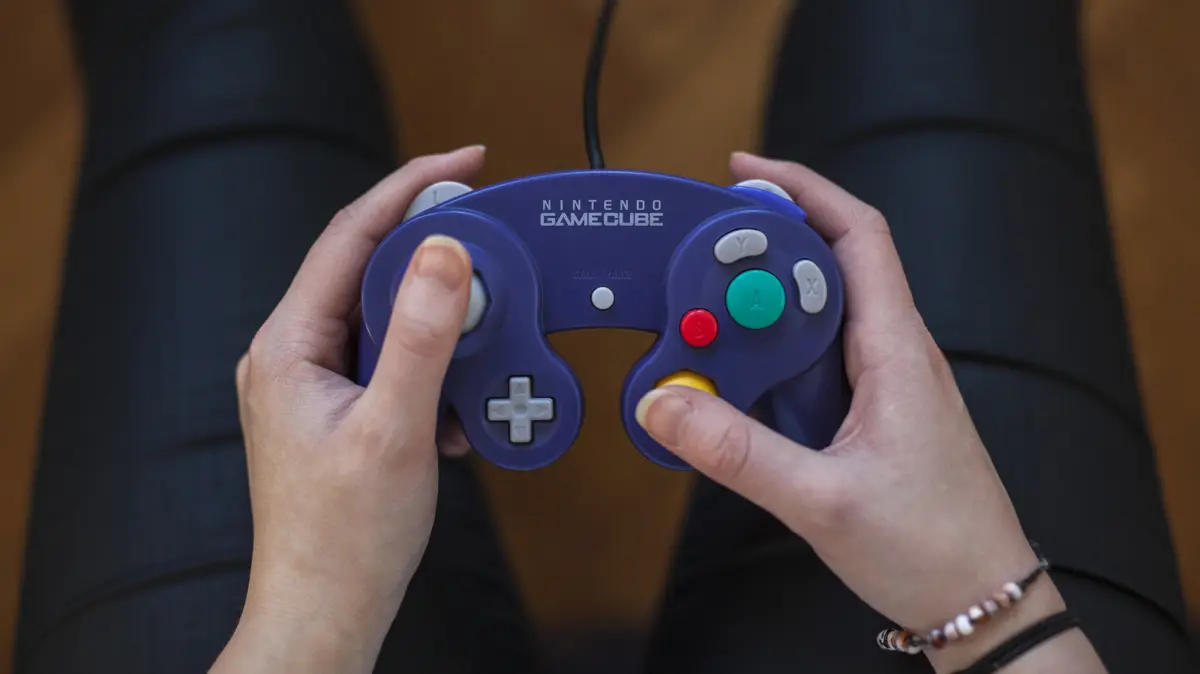
In the fast-paced ecosystem of consumer electronics, hardware obsolescence is usually measured in single-digit years. Controllers are dropped, buttons wear thin, analog sticks drift into ruin, and subsequent console generations discard old inputs in favor of sleek, modernized redesigns. Yet, more than a quarter-century since the release of the Nintendo GameCube (GCN) in 2001, its iconic, purple-hued gamepad refuses to fade into history.
Supported officially by Nintendo across consecutive generations for over 25 years—from the Wii and Wii U to the Nintendo Switch and the horizon of next-generation hardware—the GameCube controller occupies a singular, almost mythical status in gaming culture. It is not merely a nostalgia object; it remains a functional, preferred peripheral for titles like Super Smash Bros. Ultimate and a fixture in competitive esports.
While its asymmetrical button clustering and unconventional analog sticks were initially viewed with skepticism by a market standardizing around the Sony PlayStation 2’s DualShock layout, time has proven Nintendo’s bold ergonomic gamble to be visionary. By prioritizing tactile feedback, game-specific ergonomics, and mechanical precision, the GCN pad forged a legacy that transcends the commercial performance of the console it was built for.
Detailed Chronology: From 2001 to the Modern Era
To understand the staying power of the GameCube controller, one must chart its evolution from a risky hardware experiment into an enduring industry standard.
2001–2006: The GameCube Era and the Birth of the WaveBird
When Nintendo launched the GameCube in late 2001, it faced fierce competition from Sony’s PlayStation 2 and Microsoft’s inaugural Xbox. While the console itself captured a smaller market share than its rival, the controller immediately established a distinct identity. Designers stripped away the multi-pronged trident shape of the Nintendo 64 controller in favor of a contoured, hand-filling shell.
In 2002, Nintendo achieved a major engineering breakthrough with the release of the WaveBird Wireless Controller. Utilizing radio frequency (RF) technology rather than the line-of-sight infrared sensors that plagued earlier wireless peripherals, the WaveBird provided a reliable connection without input lag. Though it sacrificed the rumble feature to preserve battery life, it set a new benchmark for wireless gaming comfort.
2008–2014: The Brawl Bridge and the Smash Adapter
When the Nintendo Wii arrived in 2006, it relied heavily on motion controls via the Wii Remote and Nunchuk. However, when Super Smash Bros. Brawl launched in 2008, Nintendo retained backward compatibility for GameCube discs and included four physical GCN ports on the original model of the Wii. This ensured that the competitive fighting game community could carry its muscle memory directly onto the new hardware.
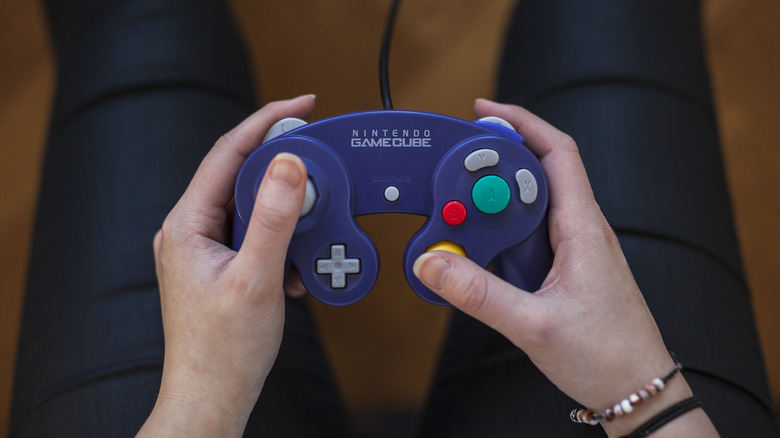
The true turning point for the controller’s modern longevity occurred in 2014. Ahead of Super Smash Bros. for Wii U, Nintendo released the GameCube Controller Adapter, a USB peripheral that allowed up to four original pads to connect to the console. This accessory was later carried forward to the Nintendo Switch to support Super Smash Bros. Ultimate (2018), cementing the controller as a modern esports asset.
2018–Present: Nintendo Classics and Wireless Revisions
As Nintendo expanded its digital subscription services to include retro libraries—culminating in the inclusion of GameCube titles via Nintendo Classics—the company continued to service the hardware ecosystem. Alongside wired special-edition Smash controllers, Nintendo introduced modern wireless iterations featuring additional inputs like the ZL trigger and Home button, ensuring seamless compatibility with contemporary operating systems.
Supporting Context & Metrics: Engineering the Legend
The enduring appeal of the GameCube controller rests on specific, deliberate design choices that set it apart from standard gamepads.
Ergonomics and Button Topology
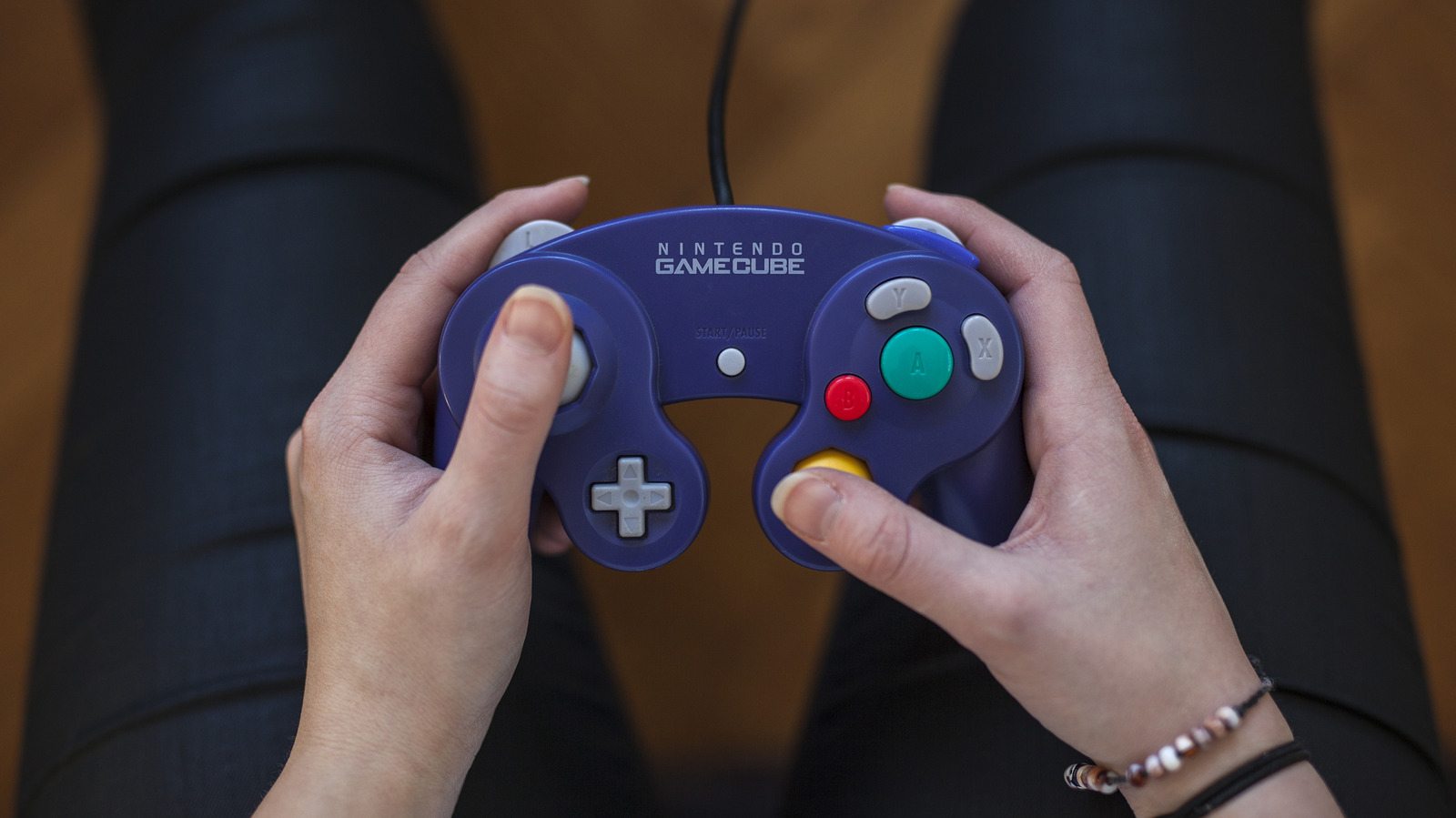
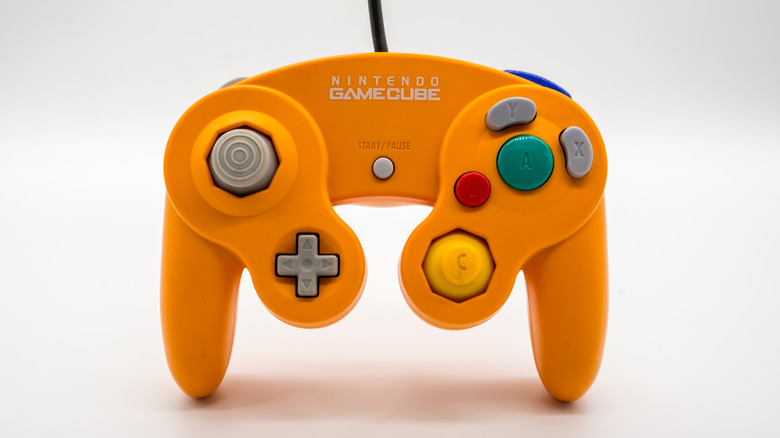
Unlike the symmetrical diamond layout popularized by the SNES and copied by nearly every subsequent manufacturer, the GameCube controller features a hierarchical button array.
- The A Button: Centered and massively oversized, signaling to players—especially novices—that this is the primary action input.
- The B, X, and Y Buttons: Arranged in a kidney-bean and crescent configuration wrapped around the A button. This layout makes it exceptionally easy to press A simultaneously with any other face button using a rolling thumb motion.
- Analog Triggers: The L and R buttons feature both digital clicks at the end of their travel and analog pressure sensitivity. Games like Super Mario Sunshine utilized this to separate actions (e.g., walking while spraying water versus locking in place to aim).
Precision Engineering: The Octagonal Gate
A defining mechanical feature of the primary thumbstick is its octagonal gate, a design inherited from the Nintendo 64. Unlike the circular gates found on modern controllers, the eight-sided boundary snaps the thumbstick naturally into cardinal and diagonal directions. This precision is vital for games requiring strict directional accuracy, such as Super Monkey Ball or the complex directional inputs of Soulcalibur II.
Flaws and Limitations
Despite its brilliance, the controller is far from flawless:
- The D-Pad: Intended as an afterthought in an era shifting toward analog movement, the D-pad is notoriously small, mushy, and prone to misinputs.
- The C-Stick: The yellow secondary stick feels more like a mechanical nub than a true analog stick, making it less than ideal for modern twin-stick camera control.
- Genre Mismatches: Playing multi-platform or retro titles designed for SNES-style controllers (where X/A and Y/B are paired differently) can feel awkward due to the asymmetrical layout.
Official Statements and Industry Insights
Nintendo’s hardware philosophy has always leaned toward tactile innovation over mere spec-sheet parity. In retrospective interviews regarding the development of the GameCube, Nintendo’s engineering teams emphasized that the controller was designed around the hand, rather than forcing the hand to adapt to a standardized geometric shape.
Shigeru Miyamoto and other veteran designers noted during the system’s launch cycle that the goal was to eliminate "mental friction" for players. By making the primary action button (A) physically dominant, a player could pick up the controller without looking down and immediately understand how to interact with the software.
Furthermore, competitive Super Smash Bros. players have long lauded the controller’s snap-back resistance and gate precision. In official tournament circuits, the GameCube controller remains the gold standard because its mechanical feedback loop allows for frame-perfect technical executions—such as dash-dancing and wavedashing—that capacitive or looser modern sticks struggle to replicate consistently.
Future Outlook: The Next 25 Years
As video game preservation becomes a central focus for the industry, the hardware that bridges past eras with current platforms takes on heightened importance. With Nintendo continuing to integrate GameCube software into its digital ecosystems and hardware roadmaps, the demand for reliable input methods shows no sign of abating.
The contrast between the GameCube controller’s robust, drift-resistant mechanical architecture and modern issues—such as the widespread mechanical failures and lawsuits surrounding contemporary joy-pad drift—highlights a masterclass in durable manufacturing.
Whether wielded by nostalgic veterans reliving the golden age of 2001, competitive esports athletes battling in regional Smash tournaments, or new generations discovering The Legend of Zelda: The Wind Waker via modern subscription libraries, the GameCube controller stands as a monument to timeless industrial design. It proves that when ergonomics, purpose, and mechanical precision align, a piece of gaming hardware can transcend its decade and become immortal.