For decades, medical alert systems and traditional personal emergency response pendants have carried an unintended psychological burden. Often bulky, clinical, and overtly stigmatizing, wearing them served as an outward declaration of vulnerability. For an independent-minded demographic that rejects the label of being "old"—a sentiment strongly supported by the National Institute on Aging—such devices were often rejected entirely, leaving users without crucial safety nets.
Today, the ubiquity of consumer technology is shifting this paradigm. Worn by individuals of all generations, the Apple Watch has quietly emerged as one of the most sophisticated personal health monitors and emergency response devices on the market. Far from marking someone as vulnerable, it is a mainstream lifestyle accessory that seamlessly bridges the gap between active, independent living and robust health oversight.
As Apple continues to pour billions into health-tech research, integrating clinical-grade sensors and artificial intelligence algorithms capable of detecting everything from cardiovascular anomalies to short-term illnesses, the smartwatch has evolved from a simple notification mirror into a frontline healthcare companion. For older adults living independently—a demographic that Pew Research notes accounts for roughly 26% of U.S. adults aged 65 and older—setting up a curated suite of safety alerts, emergency protocols, and health tracking tools can mean the difference between a minor mishap and a catastrophic medical crisis. This report outlines the five foundational health and safety features every senior Apple Watch user should configure, alongside step-by-step instructions and contextual health data.
Detailed Chronology: Setting Up Your Essential Health Safeguards
To maximize the life-saving potential of an Apple Watch, users or their tech-savvy caregivers should systematically configure a series of built-in applications. Below is the chronological blueprint for setting up the five critical pillars of Apple Watch safety: Emergency SOS, Fall and Crash Detection, Heart Monitoring, Medication Reminders, and Accessibility Sound Recognition.
Phase 1: Configuring Emergency SOS, Medical ID, and Emergency Contacts
When seconds count, navigating a smartphone to dial emergency services is an unnecessary hurdle. The Apple Watch streamlines this via Emergency SOS.
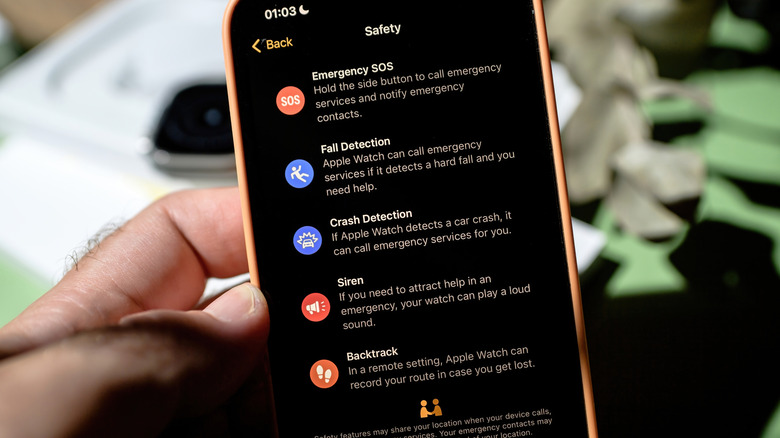
Enabling Emergency SOS: Open the Watch app on the paired iPhone, tap Emergency SOS, and toggle Hold Side Button to Dial to the "On" position. Once active, pressing and holding the watch’s physical side button will prompt an emergency call slider or automatically initiate a countdown to contact local authorities (requiring either a cellular-enabled watch, an active Wi-Fi calling connection, or a nearby iPhone).
Populating Medical ID and Contacts: Open the Health app on the iPhone, tap the user profile picture, and select Medical ID. After tapping Edit, users can input critical medical history, including severe allergies, chronic conditions, blood type, and current medications. Crucially, this menu is where trusted Emergency Contacts are added. First responders can access this data directly from a locked Apple Watch, ensuring accurate treatment even if the wearer is unresponsive.
Phase 2: Activating Fall Detection and Crash Detection
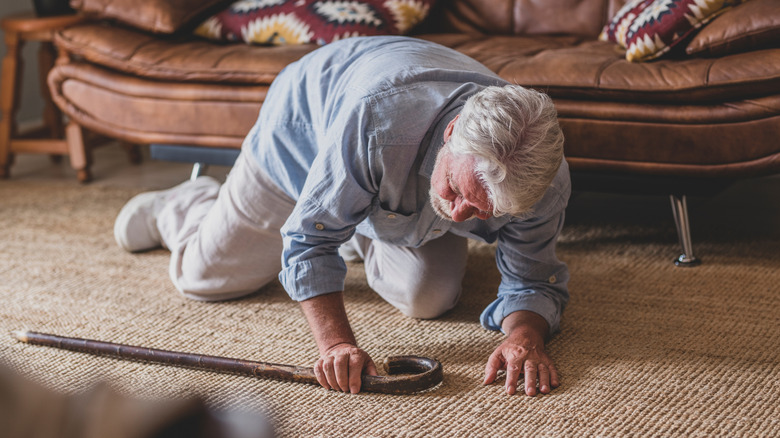
According to the U.S. Centers for Disease Control and Prevention (CDC), more than one in four adults aged 65 and older experience a fall each year. Fall Detection uses the watch’s advanced accelerometer and gyroscope to recognize when a hard impact has occurred.
Setup via Health App: If the user has entered their age as 55 or older in the Health app profile, Fall Detection is enabled automatically.
Manual Verification: To ensure it is active, open the Watch app on the iPhone, go to Emergency SOS, and check that Fall Detection is toggled on (preferably set to "Always On"). If the watch detects a severe fall followed by 60 seconds of complete immobility, it sounds an alarm, displays an alert, and automatically calls emergency services while pinging designated emergency contacts with a location update.
Crash Detection: Available on newer Apple Watch models, this feature mirrors Fall Detection for automotive accidents. Navigate to Emergency SOS on the iPhone and toggle Call After Serious Crash to "On."
Phase 3: Optimizing Continuous Heart Health and ECG Monitoring
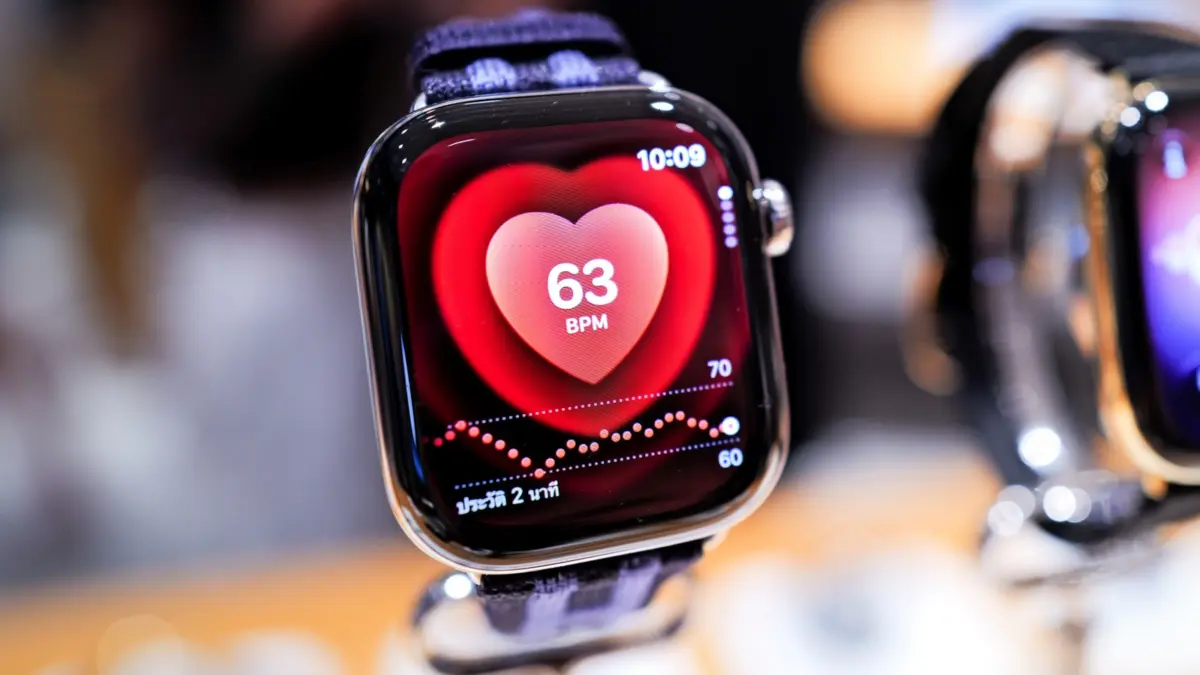
Cardiovascular health is paramount as we age. The Apple Watch employs photoplethysmography (using green and infrared LEDs) to monitor blood flow and pulse rates continuously in the background.
Enabling Heart Rate and Rhythm Alerts: On the Apple Watch, navigate to Settings > Heart to turn on irregular rhythm notifications and high/low heart rate thresholds (e.g., warning if a resting heart rate spikes above 120 bpm or drops below 40 bpm).
Taking an ECG: For on-demand diagnostics, open the pre-installed ECG app on the watch, rest an arm on a flat surface, and hold a finger against the Digital Crown for 30 seconds to generate a sinus rhythm or atrial fibrillation classification. All data is automatically logged into the iPhone Health app, alongside VO2 Max cardio fitness metrics.
Phase 4: Implementing Medication Schedules and Sleep Apnea Tracking
Skipping or mistiming medications can destabilize chronic health conditions.
Medication Reminders: Open the iPhone Health app, tap Browse > Medications, and select Add Medication. Users can search for prescription names, input dosage forms, and build intricate daily schedules. The Apple Watch will then deliver a haptic tap and a visual alert when it is time to take a dose, building a compliance log that can be exported for physician reviews.
Sleep Apnea Notifications: To catch early signs of sleep disturbances, open the Sleep app on the watch or the Health app on the iPhone to enable Track Sleep with Apple Watch. Under Browse > Respiratory, users can activate Sleep Apnea Notifications, which analyze breathing disruptions over a 30-day window.
Phase 5: Adjusting Accessibility, Sound Recognition, and Visuals
Age-related sensory changes—such as high-frequency hearing loss or declining visual acuity—can isolate older adults. Apple bakes universal design principles directly into watchOS at zero additional cost.
Sound Recognition: Navigate to Accessibility Settings on the iPhone, select Sound & Name Recognition, and toggle Sound Recognition to "On." The device will actively listen for environmental hazards like smoke alarms, sirens, breaking glass, or doorbells, and vibrate the wrist when detected.
Visual Adjustments: Users can press the side button to open the Control Center, tap the AA icon, and rotate the Digital Crown to instantly magnify system-wide text sizes for effortless reading.
Supporting Context & Metrics
The integration of smart wearables into geriatric healthcare is backed by compelling demographic and clinical data:
The Isolation Factor: Pew Research data highlights that roughly 26% of U.S. adults aged 65 and older lived alone in 2023. Living arrangements that lack immediate co-habitants make automated safety tools like Fall Detection and Emergency SOS non-negotiable lifelines.
The Toll of Falls: The CDC reports that roughly 319,000 older Americans are hospitalized annually for hip fractures resulting from falls. Swift medical intervention dramatically alters survival and recovery trajectories, minimizing the "long lie" phenomenon where individuals are stranded for hours post-fall.
Cardiovascular Prevalence: Cardiovascular disease remains a leading cause of mortality, with CDC statistics indicating that someone in the U.S. dies from heart disease every 34 seconds. Continuous wrist-based monitoring provides an early warning system for asymptomatic arrhythmias like atrial fibrillation.
Sensory Decline: According to data from the Achieve Study, one in four U.S. adults in their sixties experiences clinically significant hearing loss, underscoring the utility of auxiliary notification tools like Apple’s Sound Recognition.
Official Statements and Industry Insights
Gerontologists and public health researchers increasingly view consumer tech as an equalizer in elder care. Dr. Susan Henderson, a public health analyst specializing in aging populations, notes:
"The historical barrier to medical alert adoption has always been psychological. Seniors do not want to feel defined by their frailties. By packaging clinical-grade fall detection and heart monitoring inside a device that grandchildren and tech enthusiasts wear alike, Apple has successfully destigmatized personal safety monitoring. It transforms a symbol of dependency into a tool of autonomy."
Apple’s executive team has similarly emphasized health democratization during keynote rollouts. As Chief Operating Officer Jeff Williams stated during a health-focused product briefing: "Our vision has always been to create devices that keep an eye on your health when you might not be looking. By putting proactive diagnostics directly on the wrist, we are empowering individuals to take the steering wheel of their own wellness journey, regardless of their chronological age."
Future Outlook: The Next Frontier in Wearable Gerontology
Looking ahead, the intersection of smart wearables and elder care is poised for rapid acceleration. Future iterations of the Apple Watch are rumored to incorporate non-invasive blood glucose monitoring, advanced hydration tracking, and deeper machine-learning diagnostics capable of predicting cognitive shifts or gait instability months before a fall occurs.
As artificial intelligence models become more adept at synthesizing multi-metric health streams—combining sleep quality, heart rate variability, and step cadence—wearables will transition from reactive safety nets to predictive healthcare hubs. For the modern senior, the Apple Watch is no longer just a gadget; it is an invisible, tireless health partner ensuring that aging remains synonymous with independence, dignity, and active living.